
Record and Transcribe Your WhatsApp Calls Automatically
You take a call, agree a price or a scope or a next step, hang up, and move on. A week later someone asks what was actually said, and all you have is your memory and theirs - and they rarely match.
Calls were the one channel that left nothing behind. Not anymore.
What you get
Every WhatsApp call your team makes or takes can now be recorded and written up automatically. The audio sits in the conversation right next to that customer's messages, with a transcript beside it showing who said what.
Turn it on once for a number, and every call on it is captured from then on. Nothing agreed on a call gets lost again.
The call, saved where you already work
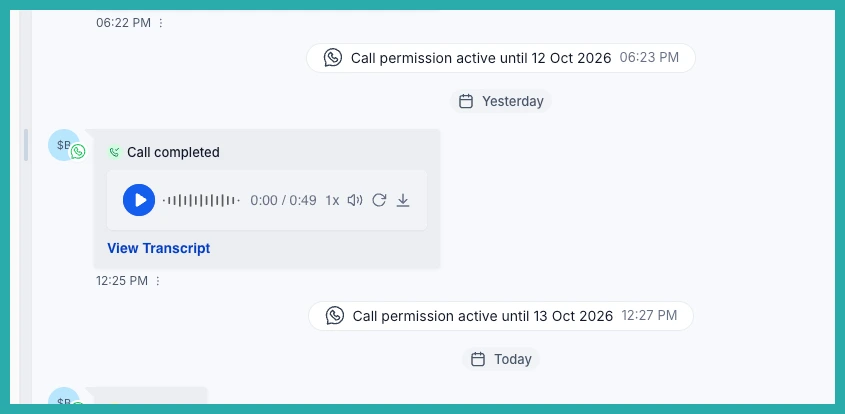
When a call finishes, it shows up in Conversations as a recording you can play, right alongside that customer's messages. Anyone who picks up the account later can hear what was actually agreed.
You can play, scrub and speed it up, so reviewing a call takes a fraction of the time it took to have it.
A written record of every call
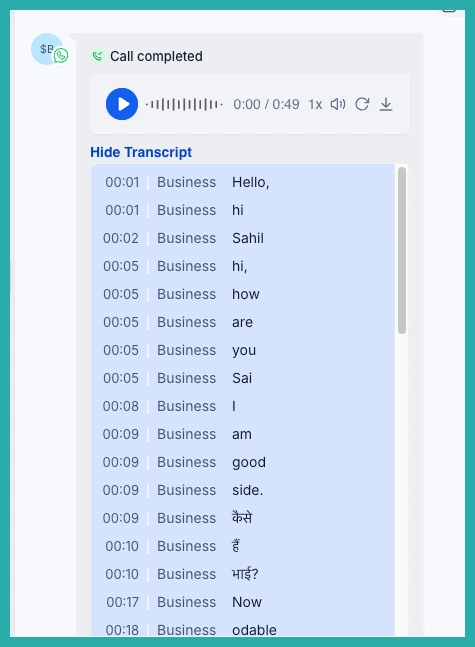
Alongside the audio, you get a transcript that separates your team from the customer. You can scan a call in seconds instead of listening end to end.
- Searchable history: text is findable in a way audio never is, so your call history becomes something the whole team can actually use.
- Works in the language spoken: the language of the call is picked up automatically, so your transcripts work across your markets.
Consent is built in
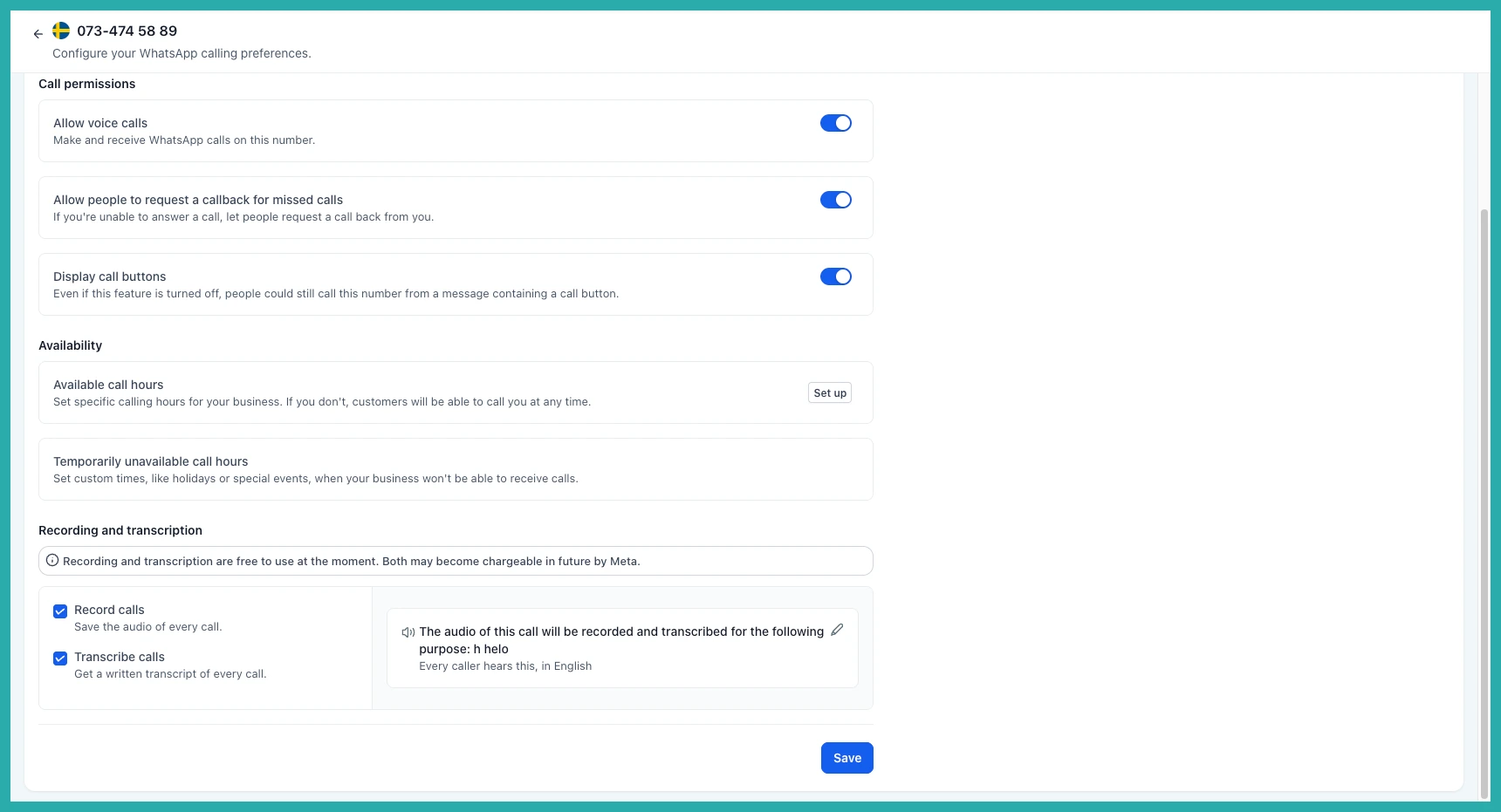
Before anything is recorded, your caller hears a short announcement explaining that the call is being recorded and why. Recording only starts after it finishes.
You choose the language that announcement is spoken in, including Spanish, Portuguese, French, German, Italian, Dutch, Hindi, Kannada, Telugu and Vietnamese. And you set the reason your callers hear, so it matches how your business actually works.
Where this pays off
A few real examples of how this helps day to day:
- Agencies: every client call is on the record, so scope conversations do not turn into "that is not what we agreed" three months later. A new account manager can get up to speed by reading rather than asking.
- Real estate: what a buyer actually wants, and what was said about a property, is captured instead of living in one agent's notebook.
- Home services and trades: the quote given over the phone is written down, so when the invoice is questioned there is something to point at.
- Clinics and appointment-based businesses: front desk calls get a record, so rescheduling, instructions and follow-ups are not reconstructed from memory.
- Any team that coaches: managers can review what good actually sounds like and train from real calls instead of secondhand accounts.
How to turn it on
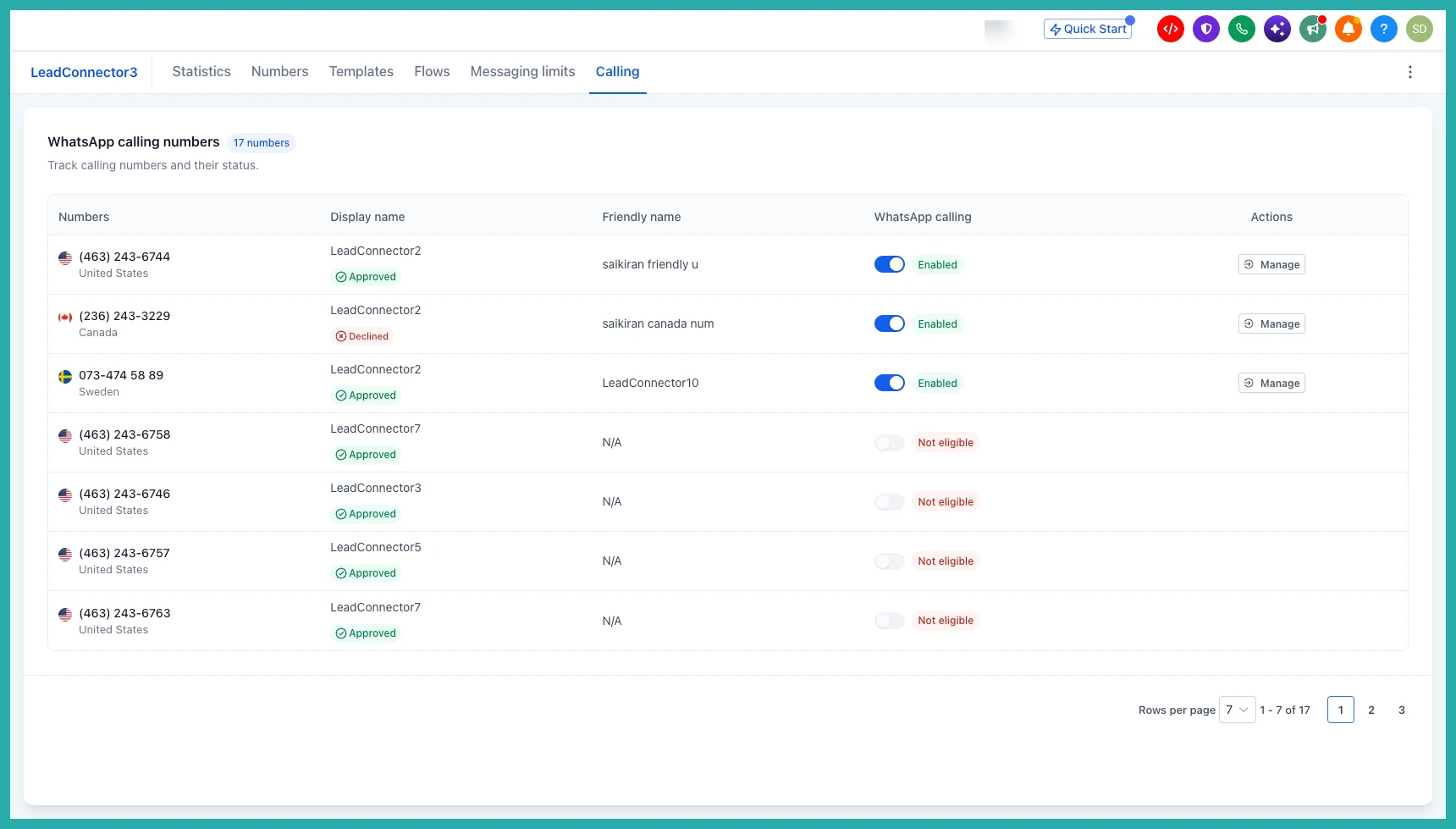
- Go to Settings, then Communications, then WhatsApp.
- Open the Calling tab.
- Select the number you want to set up.
- Under Recording and transcription, tick Record calls, Transcribe calls, or both.
- Set the reason callers will hear, and the language it is spoken in.
- Click Save.
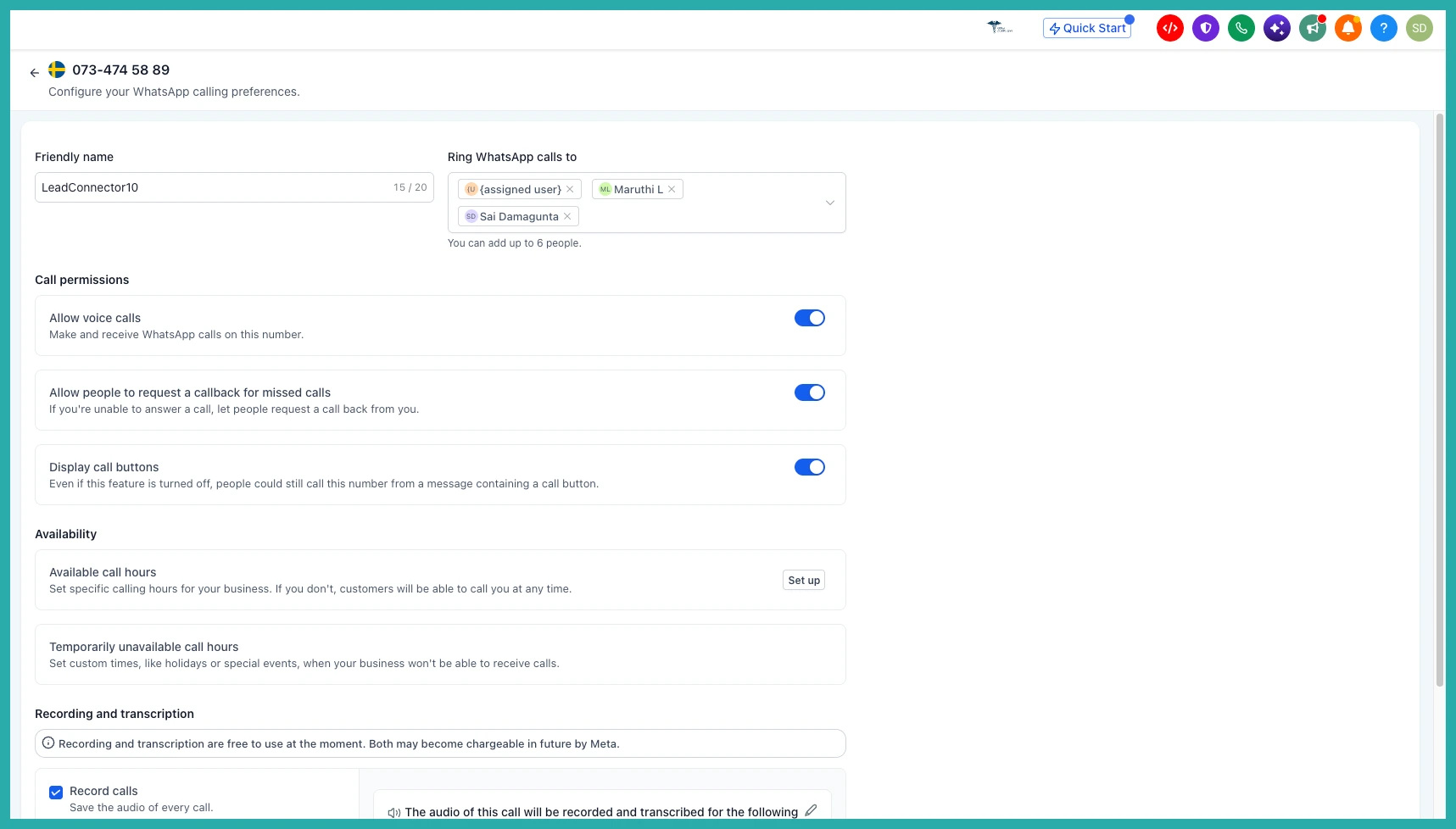
From that point on, every call on that number is captured and written up, with no extra steps for you or your team.
One honest note: recording and transcription are free to use at the moment, though both may become chargeable in future by Meta.
Open Settings, Communications, WhatsApp, Calling, pick your busiest number, and switch both on. The next call you take will already be saved where you can find it.
