
See How Your WhatsApp Messages Perform, Right Inside Your Workflows
You set up an automation to send a WhatsApp message, it goes out, and then... you're a bit in the dark. Did it land? Did they read it? Did some of them fail?
Until now, that answer lived somewhere outside your automation. Now it's built right in.
What landed
WhatsApp statistics are now part of Workflows. When a workflow sends a WhatsApp message, you can see the whole delivery story - sent, pending, delivered, read, and failed - without leaving the automation that sent it. You can also open any single message to check who it went to and exactly when, and export the lot when you need to report on it.
These are the same statuses Meta reports back, so what you're seeing is the real outcome, not a guess.
How to see your stats
It takes about a minute to find.
- Go to Automation and open the workflow with a WhatsApp action in it.
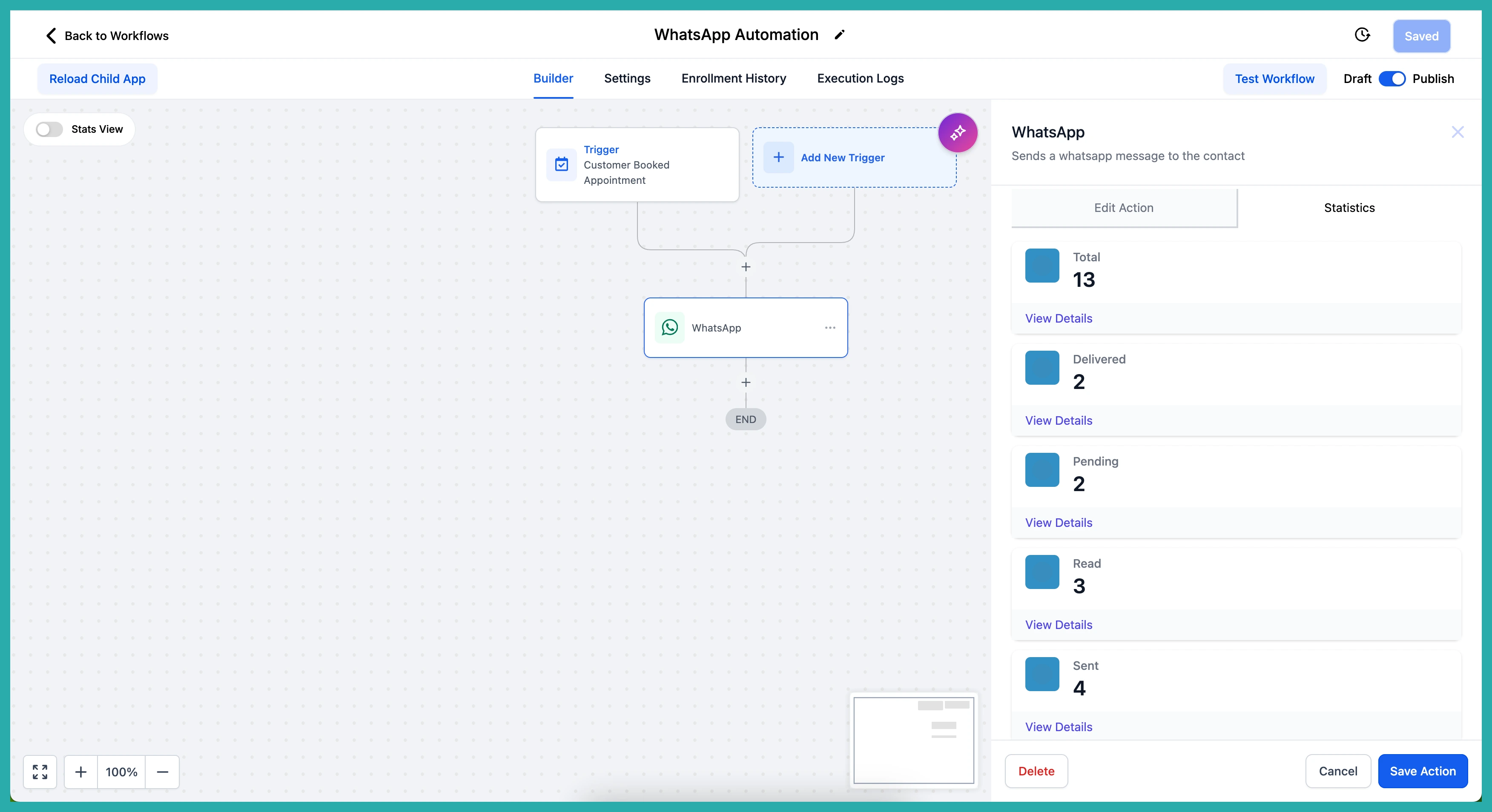
- Click the WhatsApp action, then select Statistics.
- Have a look at the totals and the individual message details.
In the screenshot below, you'll see the full lifecycle laid out - how many were sent, how many delivered, how many were read, and how many failed. If delivery drops or failures spike, you'll spot it right at the source instead of wondering.
Narrow it down and dig in
Use the date range selector at the top to focus on a specific window - handy when you want to check how one campaign or send performed rather than everything all at once.
Want the detail on a single message? Open it and you'll see the recipient and precise timestamps, so you can trace exactly what happened to that one send.
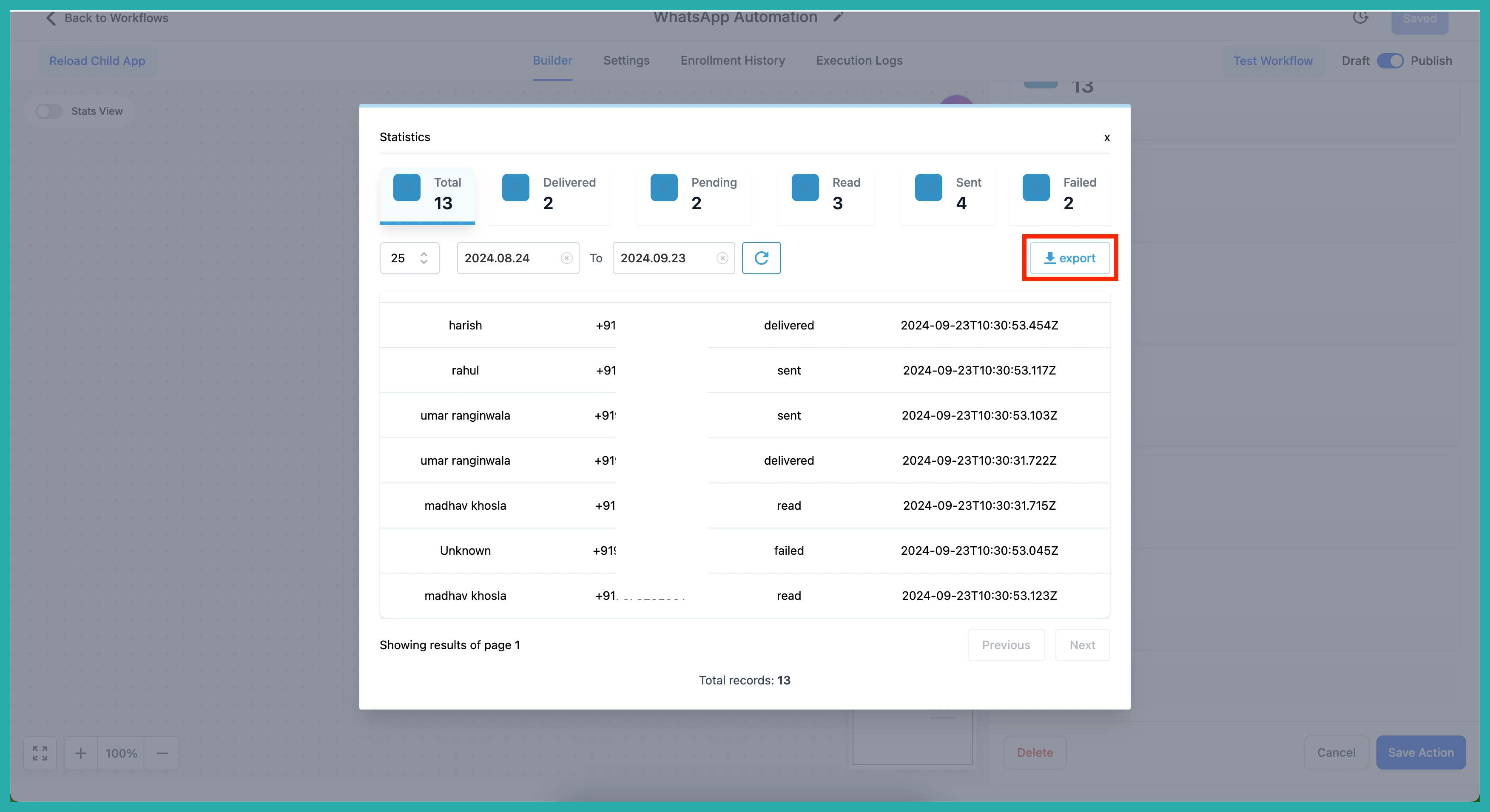
And when you need to keep the numbers or share them, open your statistics and click Export to download the data for your own reporting.
One more small thing worth knowing: hit the refresh button to pull the latest status in place. No full reload needed.
WhatsApp delivery is never guaranteed, so having these numbers sitting right beside the workflow that sent them means you're never guessing again. Go open one of your WhatsApp workflows and take a look at how it's really doing.
