
Stop Inbound Calls Reaching You Outside Your Working Hours
You finish for the day, sit down to dinner, and your phone rings. A booking question that could have waited until morning. You either ignore it and feel bad, or answer it and you're working again.
There's now a cleaner way to handle that. You can set inbound calls to reach you only during your working hours, and let anything outside those hours go to your backup automatically.
What you get
Turn on "Only ring during working hours" and pick the schedule that defines when you're available. Any inbound call that arrives outside those hours skips you and goes to the phone number's existing backup, exactly as it would if you missed it.
The setting is off by default, so nothing changes until you switch it on. During your working hours, calls ring you just like they do today.
Where to find it
Go to Settings, then My Profile, and look for the "Inbound call routing" card. In the screenshot below you'll see the toggle to only ring during working hours, plus the schedule picker.
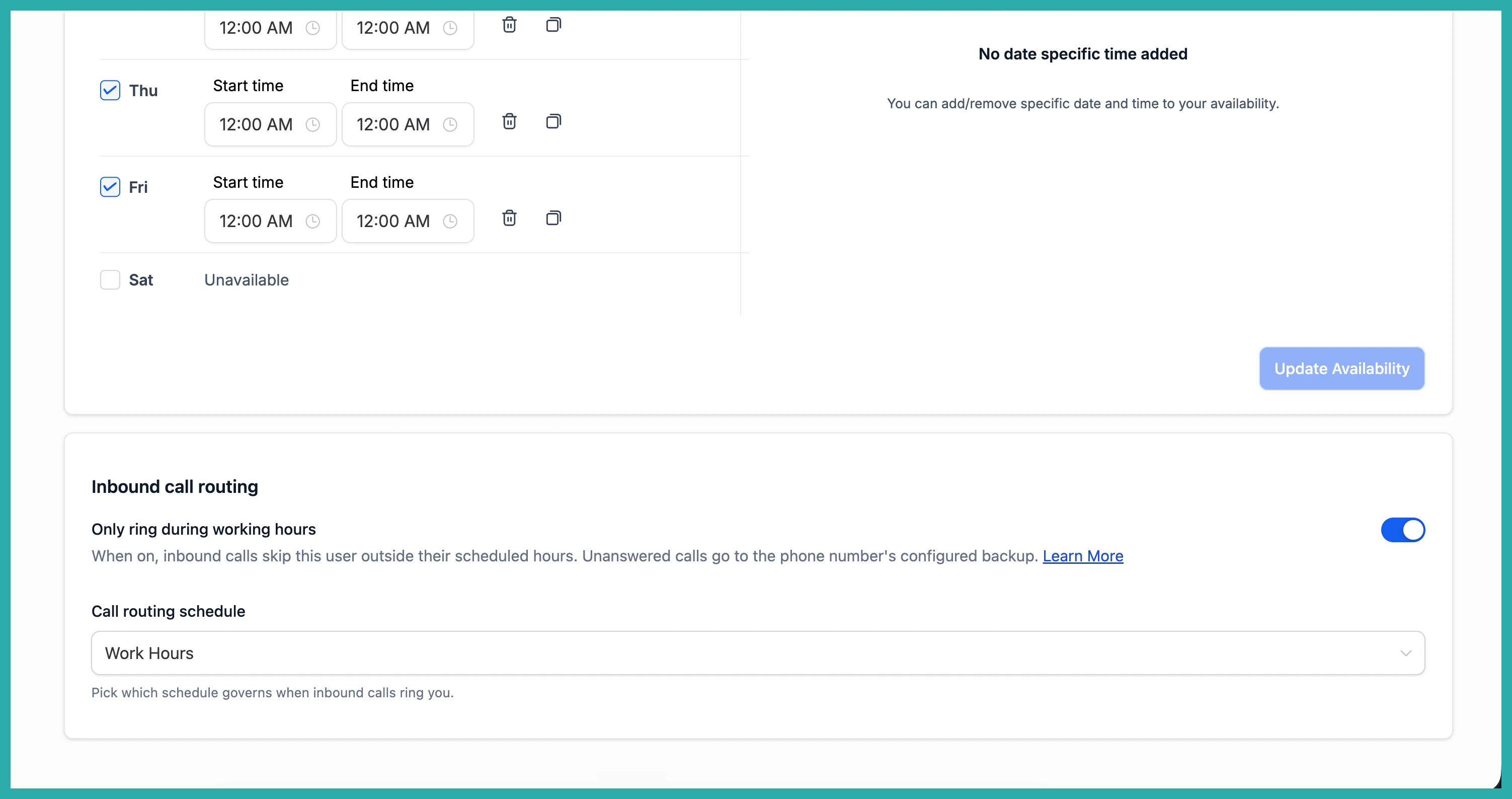
Flip the toggle on and choose the schedule that matches your availability. That schedule is what decides when calls reach you.
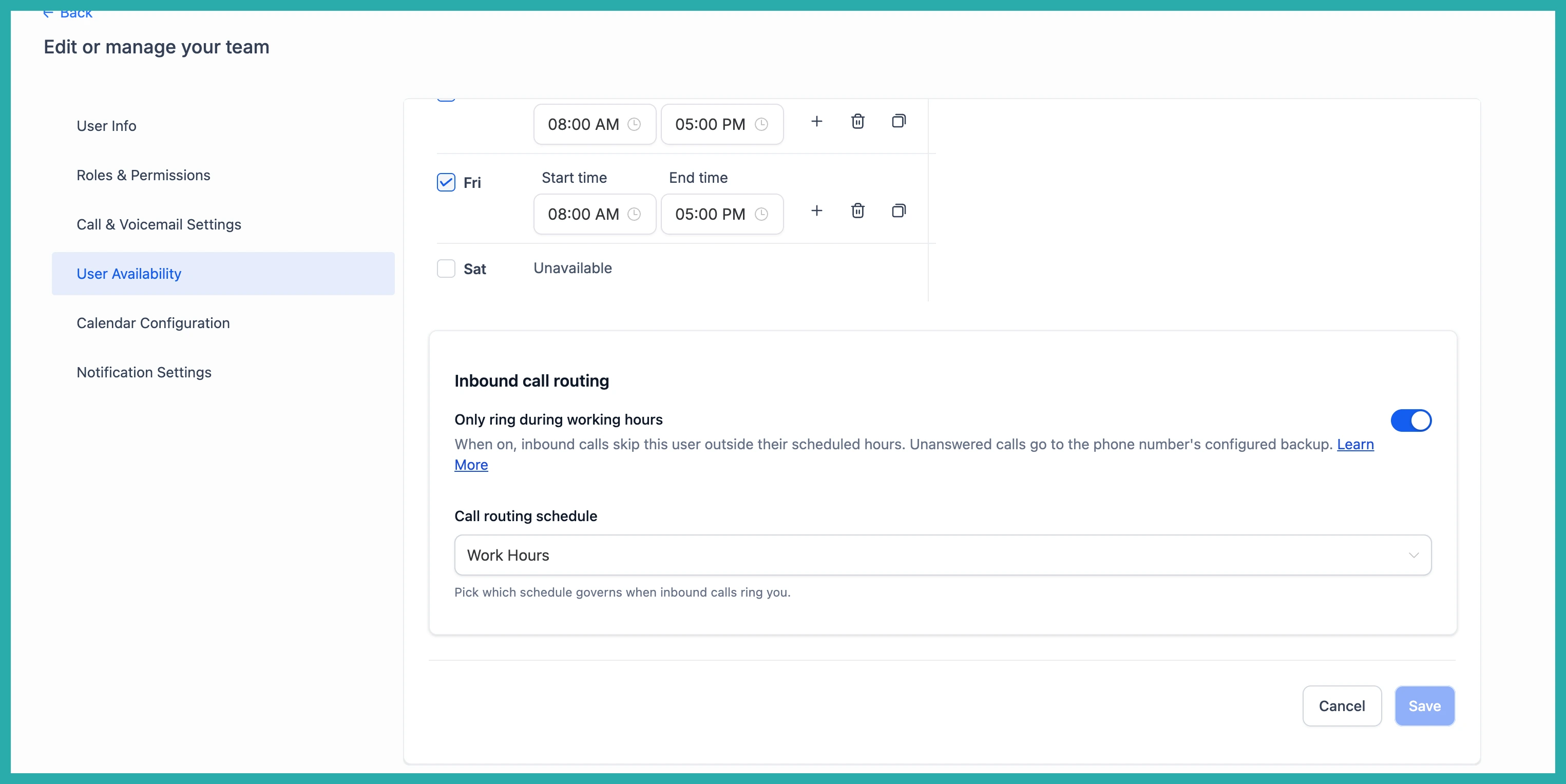
If you run a team, admins can manage this for staff too, under Settings, then My Staff, then Edit, in the User Availability section.
How it actually behaves
- Direct calls: if you're assigned and outside your hours, the call skips you and goes to the number's backup.
- Ring all: only teammates outside their hours are skipped. Anyone still within hours rings as normal. If everyone's outside hours, the call goes to the backup.
- Call menu (IVR): if a connect step is set to ring you and you're outside your hours, you're skipped while the other people and numbers on that step still ring. If you were the only target, that step connects no one and the workflow carries on down its normal "not connected" path.
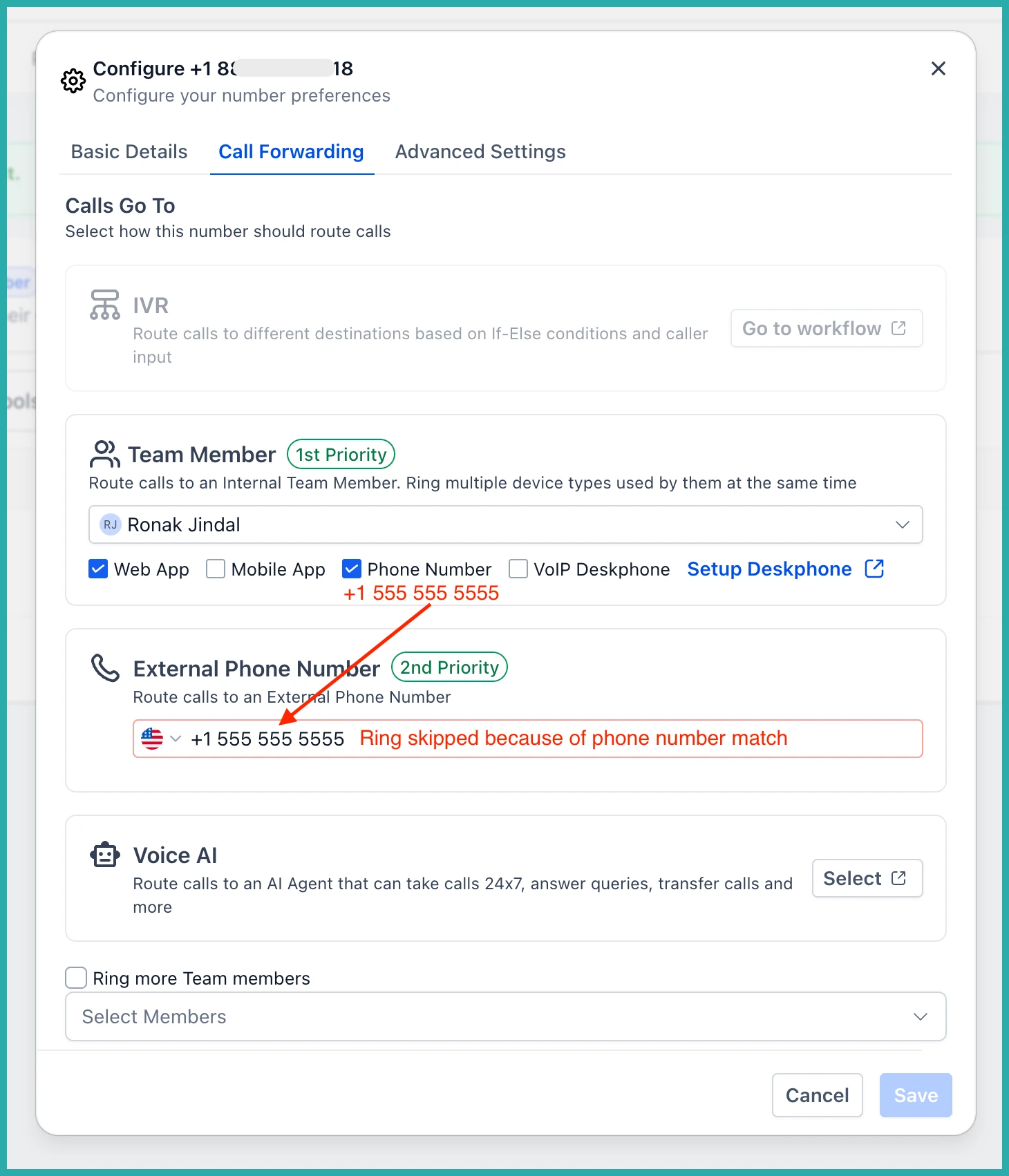
One thoughtful detail: if your own phone is also set as the number's forwarding or business number, it gets skipped too when you're off hours. So the call still lands on the backup instead of slipping through to you.
Taking a day off
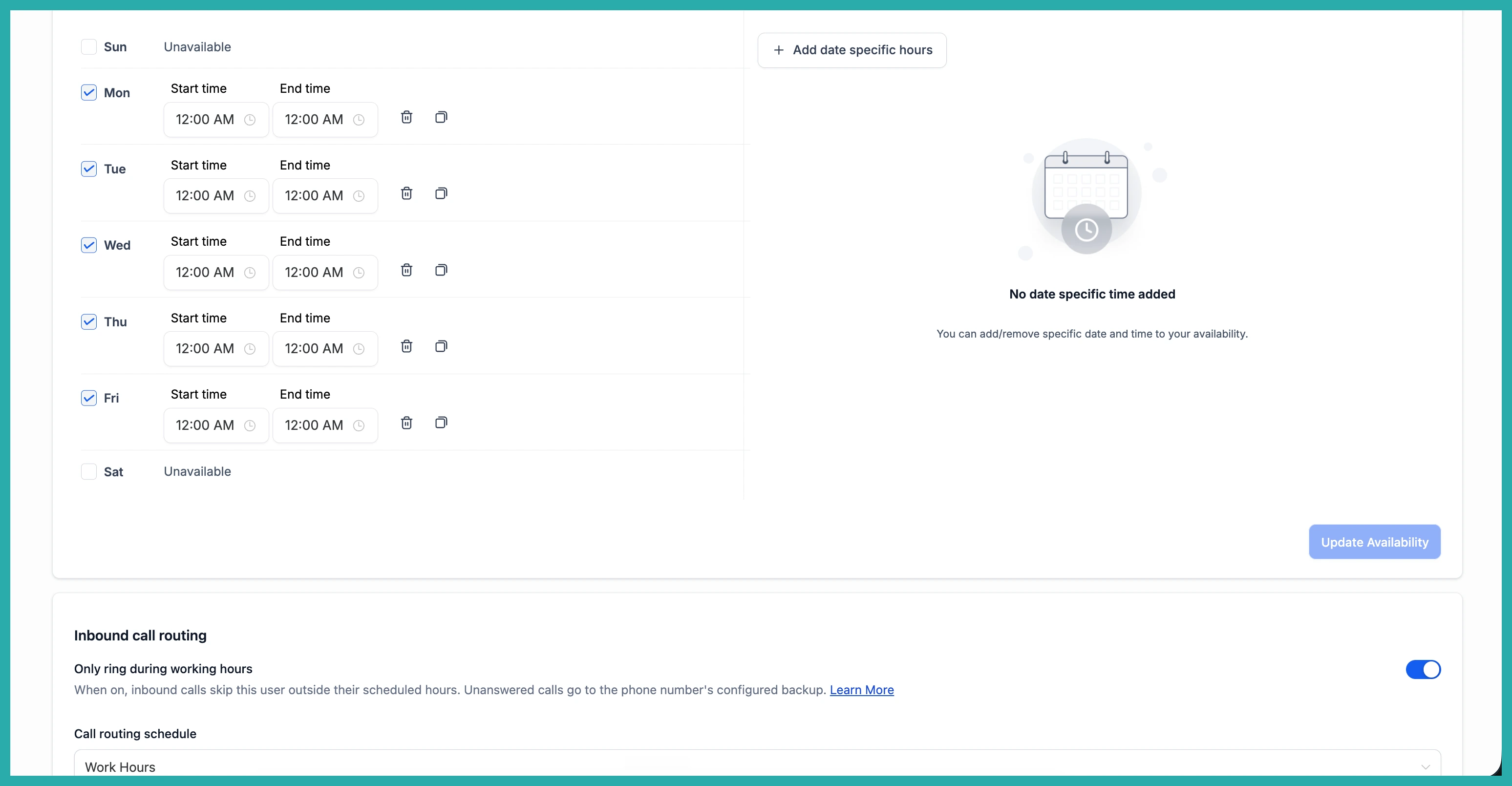
The schedule behind this supports date-specific hours, which override your normal weekly hours for a single day. Add a date-specific day with no hours and you've taken yourself off inbound calls for that holiday or day off, without touching your regular weekly schedule.
For admins: keep control of who can change it
This setting is tied to the "Manage calendars" permission. If you don't want a staff member changing their own call availability, remove that permission from their role under Settings, then My Staff, then Roles and Permissions. With it off, the "Inbound call routing" card can't be used for that person, and any attempt to change the setting is blocked. That keeps after-hours routing in your hands.
A couple of honest notes
Transfers aren't covered yet - this release applies to inbound calls to assigned users, ring all, and call menu (IVR) steps. Transferred calls are planned for a future update. And for now, calls outside your hours follow the phone number's existing backup, so there are no per-user backup options yet.
If your evenings have been getting interrupted, this is a five-minute fix. Go set your hours and reclaim them.
