
Your Chat Widget Now Pulls Straight From Your Brand Colours and Fonts
If you've ever built a chat widget, then gone hunting for that exact shade of blue you used last time, this one's for you.
Your chat widget now talks to your Brand Board. That means the colours and fonts you've already set as your brand are right there in the Styles panel, ready to click. No more copying hex codes or guessing which font you used.
What landed
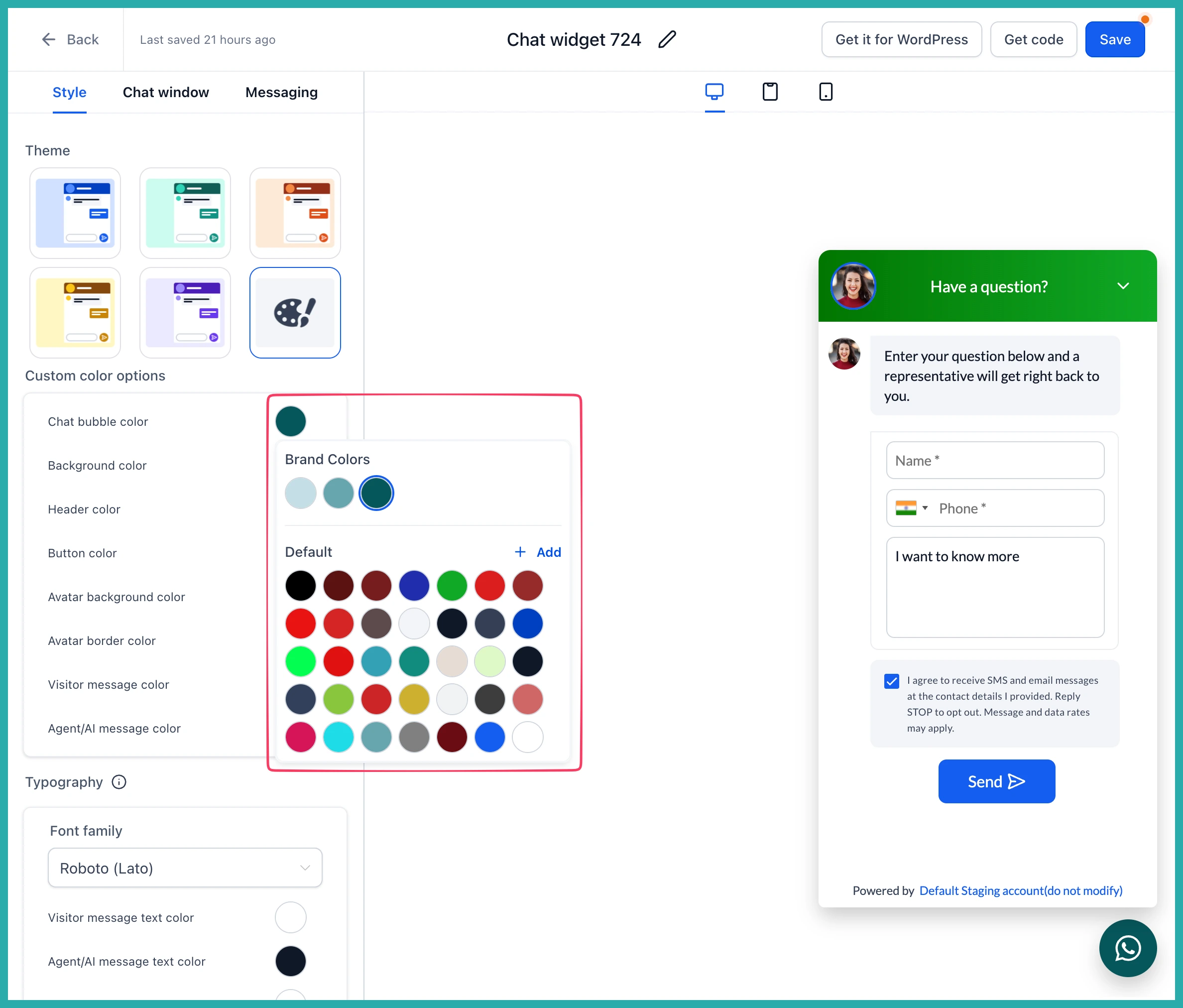
When you open a colour picker in your chat widget, you'll now see your Brand Colours pulled straight from your account's Brand Board, sitting alongside a shared Default palette.
A few nice touches came with it:
- Any custom colours already used across your widgets are carried over automatically into the Default palette the first time you open the builder. Nothing to recreate.
- Any new colour you use gets added to the Default palette, so it's ready across every widget in that account.
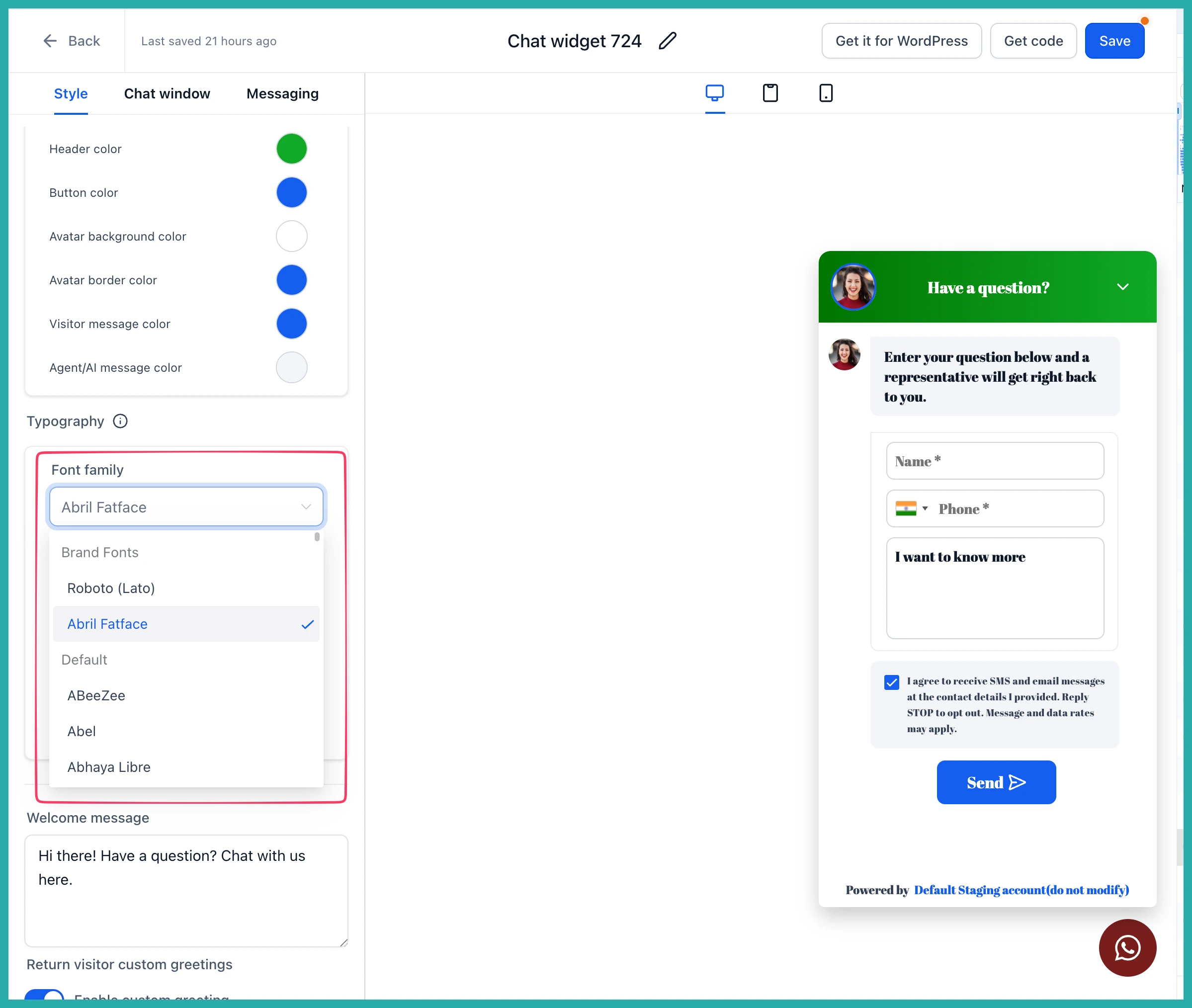
- Fonts set in your Brand Board now show up separately from the standard font list, so they're easy to find.
- Repeated colours are tidied up automatically, so your palette stays clean.
How to use it
First, make sure your account's Brand Board has your preferred colours and fonts set up. If you don't have one yet, don't worry - you'll see an option to set one up right from the builder.
Then:
- Go to your Chat Widget and open the Styles panel.
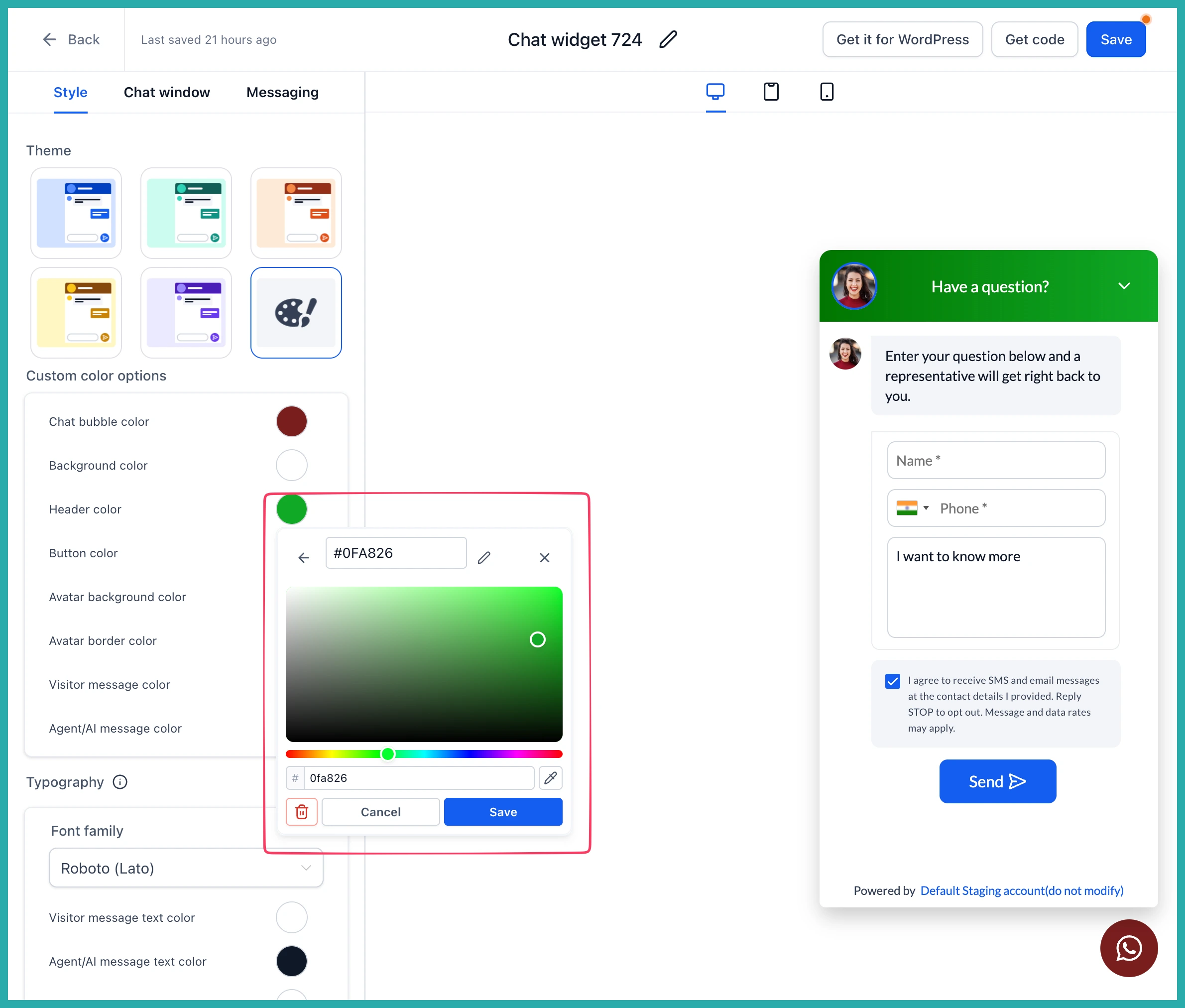
- Open any colour field.
- Pick from your Brand Colours or the shared Default palette.
In the screenshot below, you'll see the colour picker with your Brand Colours shown alongside the Default palette, so you can grab an approved colour without leaving the builder.
For fonts, open the font picker and your Brand Fonts appear right there, separate from the standard options. Choose one of yours, or carry on with the standard fonts if you prefer.
A couple of things worth knowing
Your Brand Colours are read-only inside the chat widget - they're managed through your Brand Board, which keeps everything in one place. The Default palette, on the other hand, can be updated and is shared across the whole account.
You don't need to do anything to your existing widgets. No migration, no reconfiguring, and any website embed snippets already out there keep working exactly as they are.
If you run more than one chat widget, this is the kind of small change that saves you real time. Set your brand once, and every widget can stay consistent with a click.
