
Set Up Automatic Alerts When a Conversation Is About to Miss Its Response Time
You set response-time targets so nobody falls through the cracks. But until now, keeping an eye on those timers was a manual job - someone had to notice a conversation was about to slip, then jump in.
That changes now. Your response-time targets (we call them SLAs, or Service Level Agreements. It's just a fancy way of saying "the time you've promised to reply by") can kick off automatic actions on their own, and you get to decide who's allowed to clear one.
What's new
Two things, and don't worry, neither one is complicated. First, your account can now watch your response timers for you and automatically do something when a conversation is about to run late, has already run late, or has been cleared by hand. Second, there's a new setting that controls who on your team is allowed to clear one of these timers, and your account keeps a note every time someone does.
Put together, you can stop staring at timers and let your account flag the conversations that actually need a person, while keeping a tidy record of who did what.
Set up the automatic alert
Go to Automation, then Workflows. A workflow is just a set of "when this happens, do that" instructions. Click to create a new one. When it asks what should start it off (the "trigger"), pick Conversation SLA.
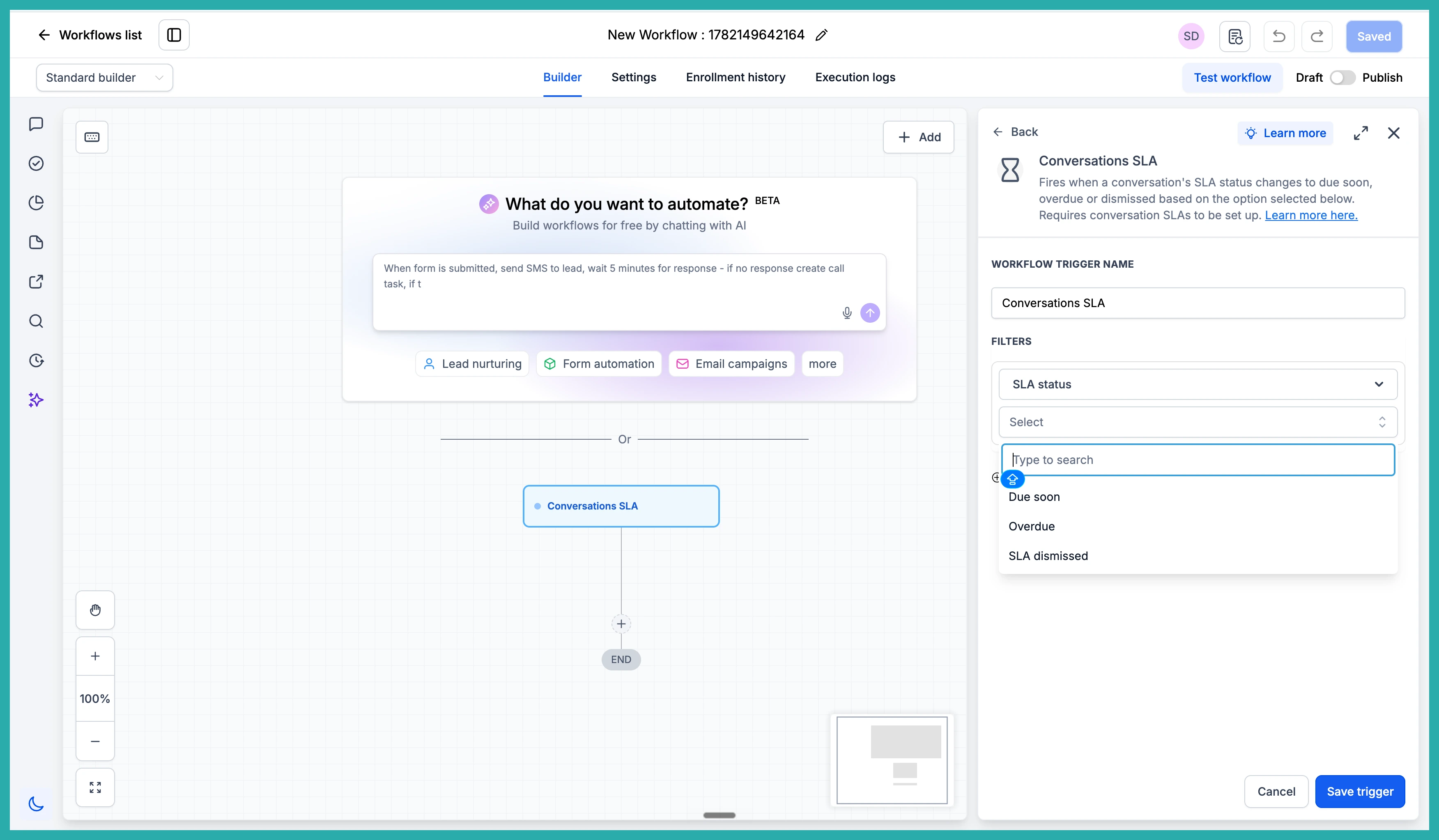
Then choose the moment you want it to react to:
- Due Soon - the reply window is about to close
- Overdue - the deadline has already passed
- SLA dismissed - someone cleared the timer by hand
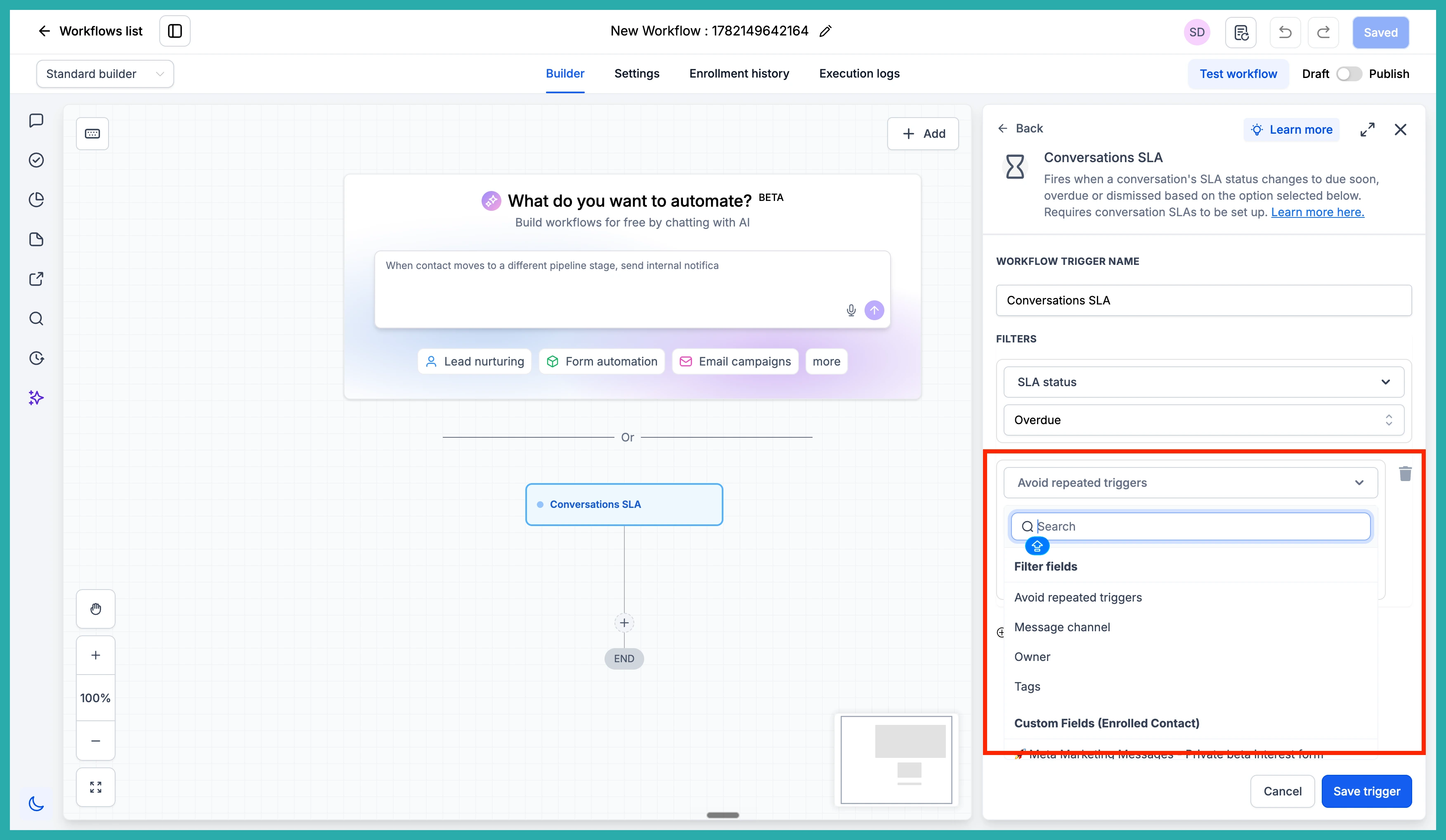
If you want, you can be more picky about which conversations count. There are optional filters for things like which channel the message came in on, tags, who owns the conversation, or other details you track. So you could choose to only step in on overdue conversations from one particular booking channel, or only nudge one specific team member. If filters feel like a lot, you can skip them and come back later.
Now tell it what to do. The two most common choices are sending a heads-up to one of your team members when something goes overdue, or handing the conversation to someone else so they can pick it up. You just add these as steps.
Stop the alerts from piling up
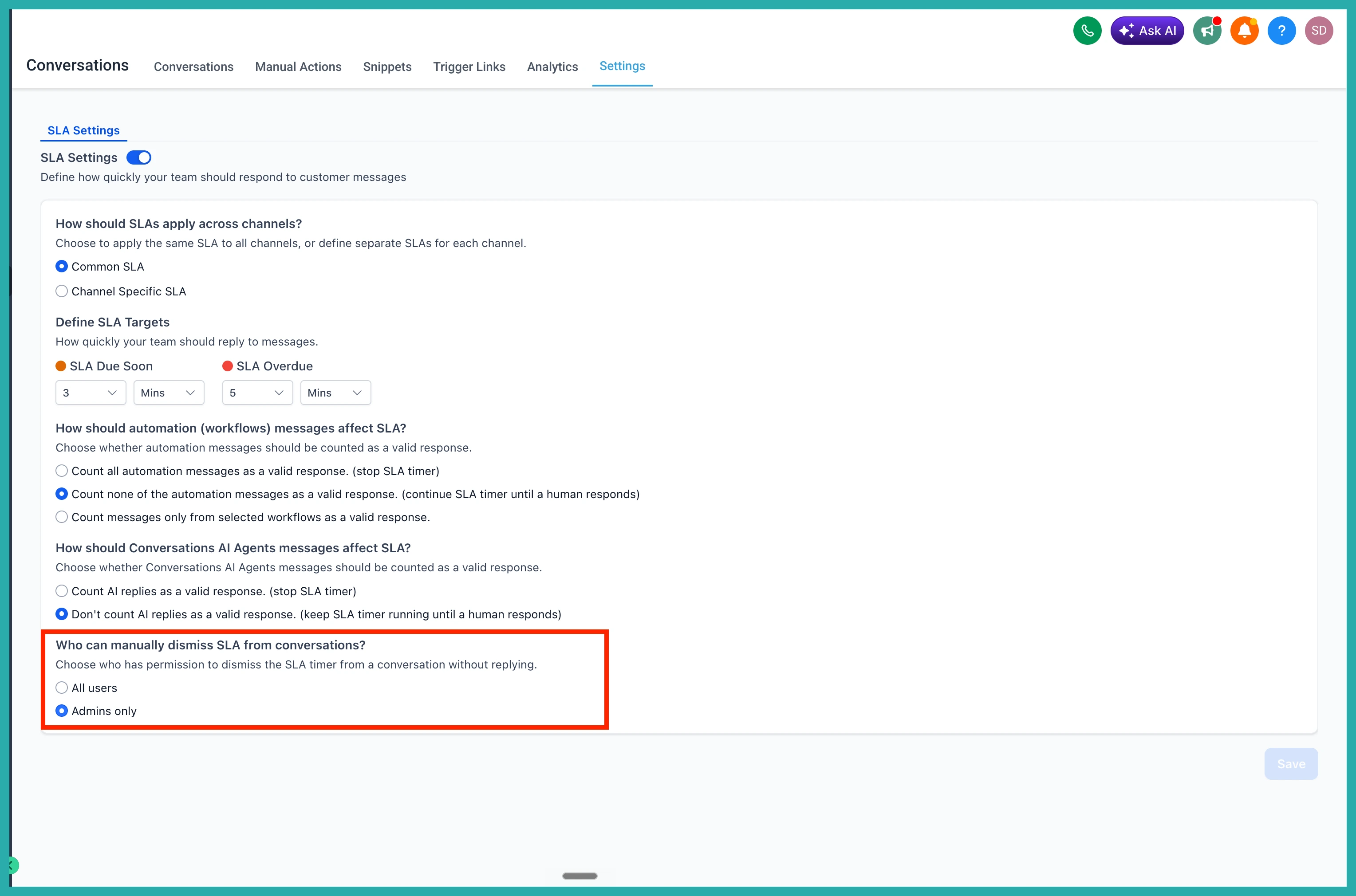
If a chatty customer keeps messaging, you don't want a fresh alert every single time the timer ticks over - that would get annoying fast. Just switch on Avoid Repeated Triggers. With that turned on, the alert goes out only once per conversation in a 24-hour stretch, no matter how many times that person sets off the timer.
Once it's set up, click Publish to turn it on. That's it.
Decide who can clear a timer
Some messages don't really need a reply. A "Thanks", a "Got it", a "Not interested". For those, your team can clear the timer without sending a response - but you might not want everyone on your team able to do that.
Go to Conversations Settings and look for the option Who can manually dismiss SLA from conversations? Pick either All users or Admins only, then save.
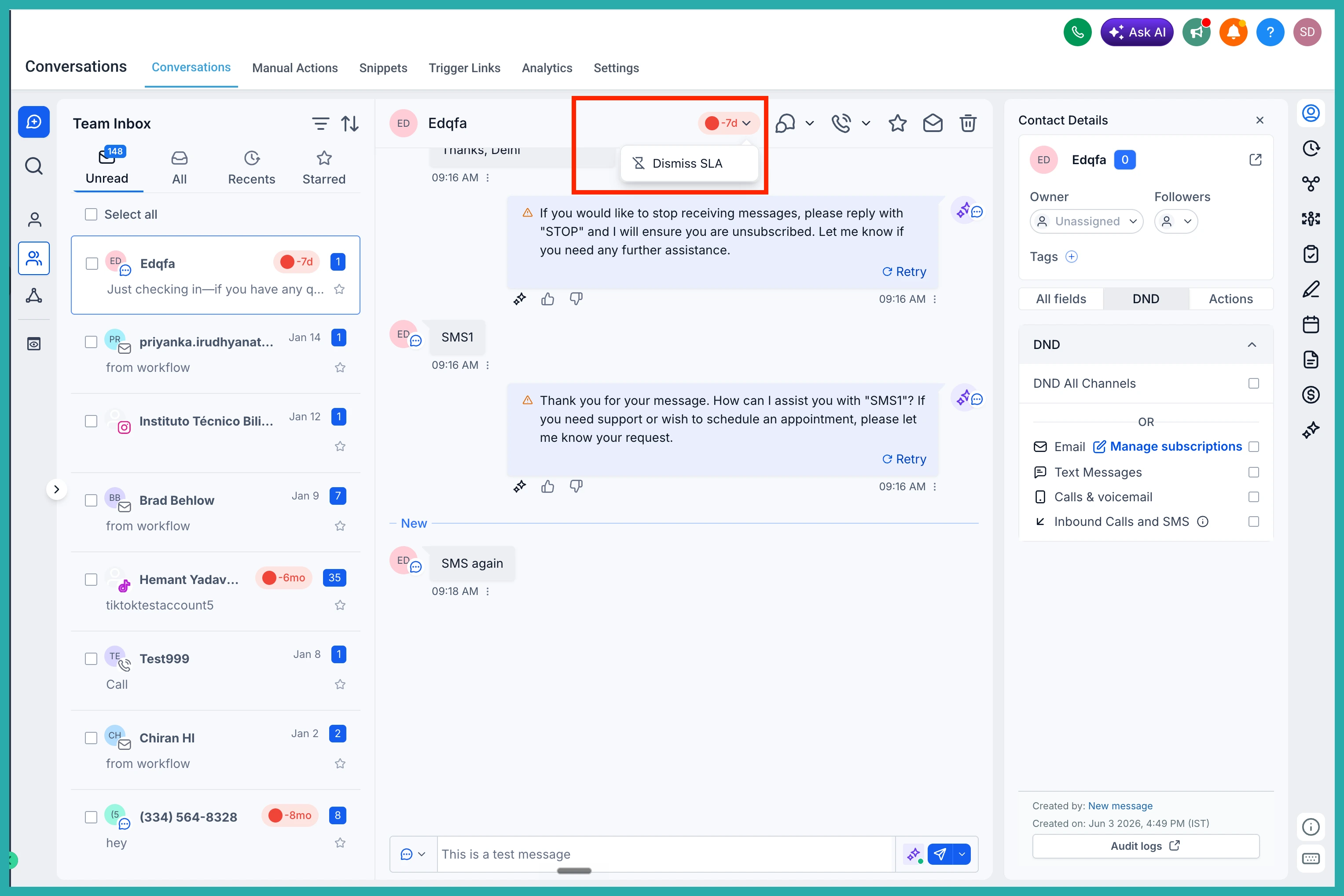
Anyone who's allowed can then click the timer in the middle of the conversation and clear it. The moment they do, a little note is added right there on the conversation showing who cleared it and what the timer status was at the time.
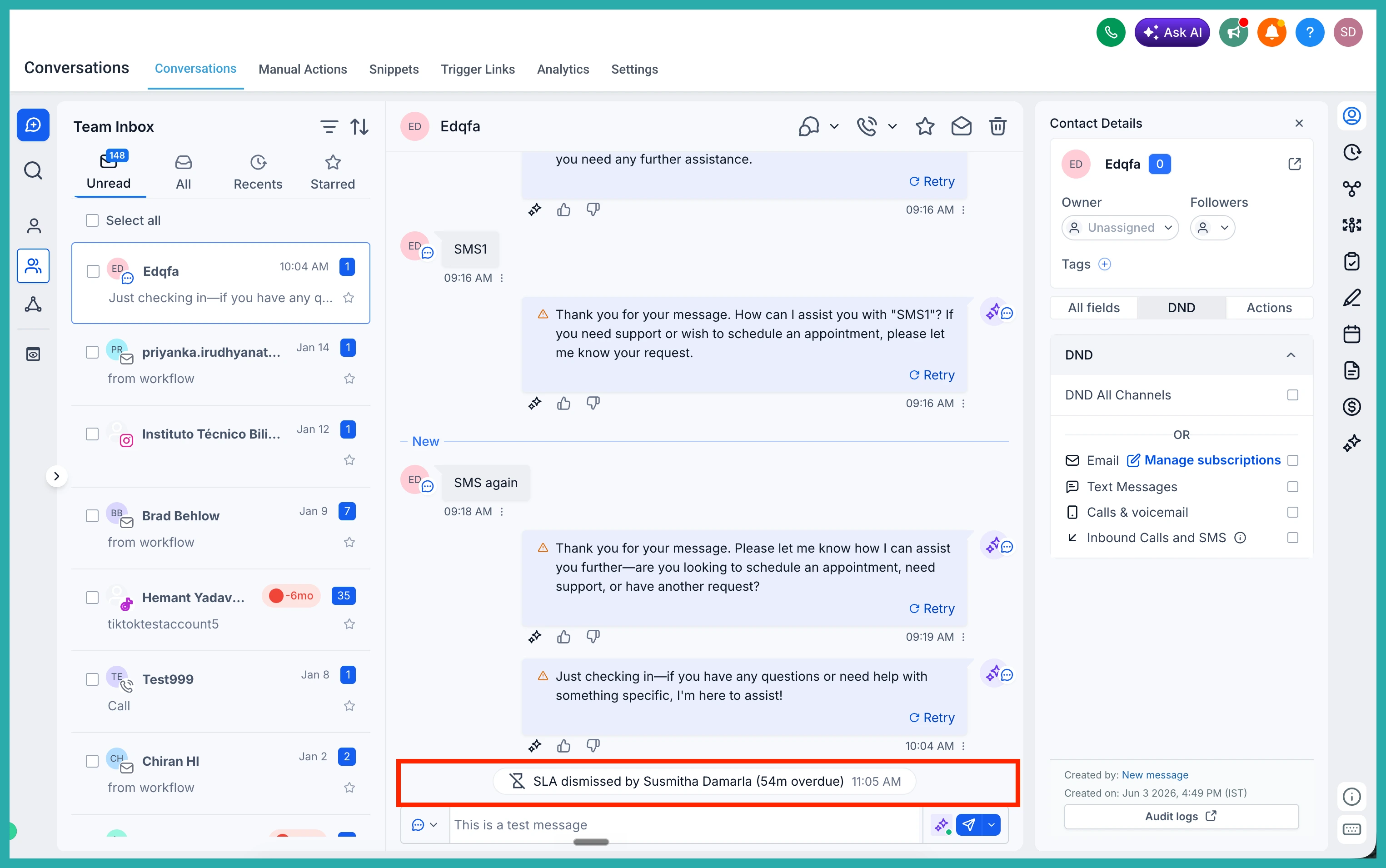
So nothing gets cleared without leaving a trail you can check later.
Have a target you've been babysitting by hand? Build one alert for overdue conversations and let it do the watching for you. It takes a few minutes, you don't need any tech know-how, and you'll feel the difference straight away.
