
Your Next WhatsApp Message Is Already Written: 52 Ready-Made Templates
Writing a WhatsApp template from a blank box is the kind of job that sits on your list for weeks. You know roughly what it should say, but staring at an empty field and Meta's rules at the same time? That's where it stalls.
Now you don't have to start from nothing. Your account comes with 52 ready-made templates, written for the messages businesses actually send, in the languages your customers actually speak.
What landed
A full library of pre-built WhatsApp templates, ready to browse, adapt and submit for approval.
- 52 templates, already written well. Appointment reminders, follow-ups, promotions and service updates - 32 marketing and 20 utility templates, built around the message types that work.
- Written for real industries. Home services, web design, legal, beauty and wellness, insurance, property inspection and more. The wording already sounds like the business, so you're adjusting rather than inventing.
- Six languages out of the box. English (US), English (UK), Spanish, Portuguese (BR), French and German. Your Spanish and Portuguese-speaking customers get messages written in their language, with the tone intact.
Finding the right one
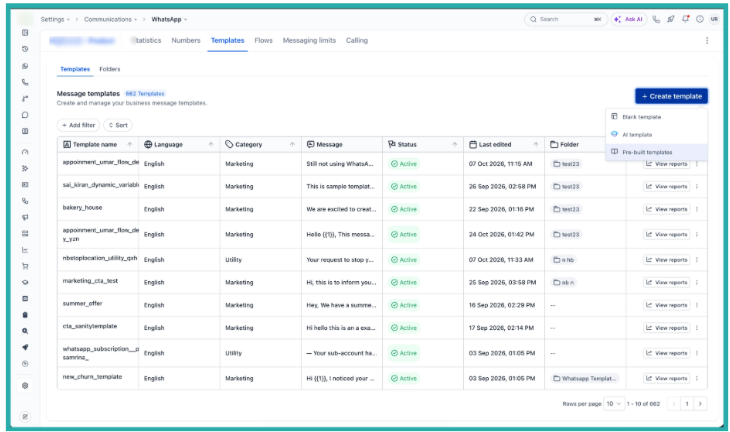
Head to Settings, then Communications, then WhatsApp, then Templates. Click Create template and choose Pre-built templates.
From there you can browse the whole library, search by keyword, or filter by category, tag or language. Sort by most popular to see what's working for other businesses, and favourite the ones you reach for most so they sit alongside your own.
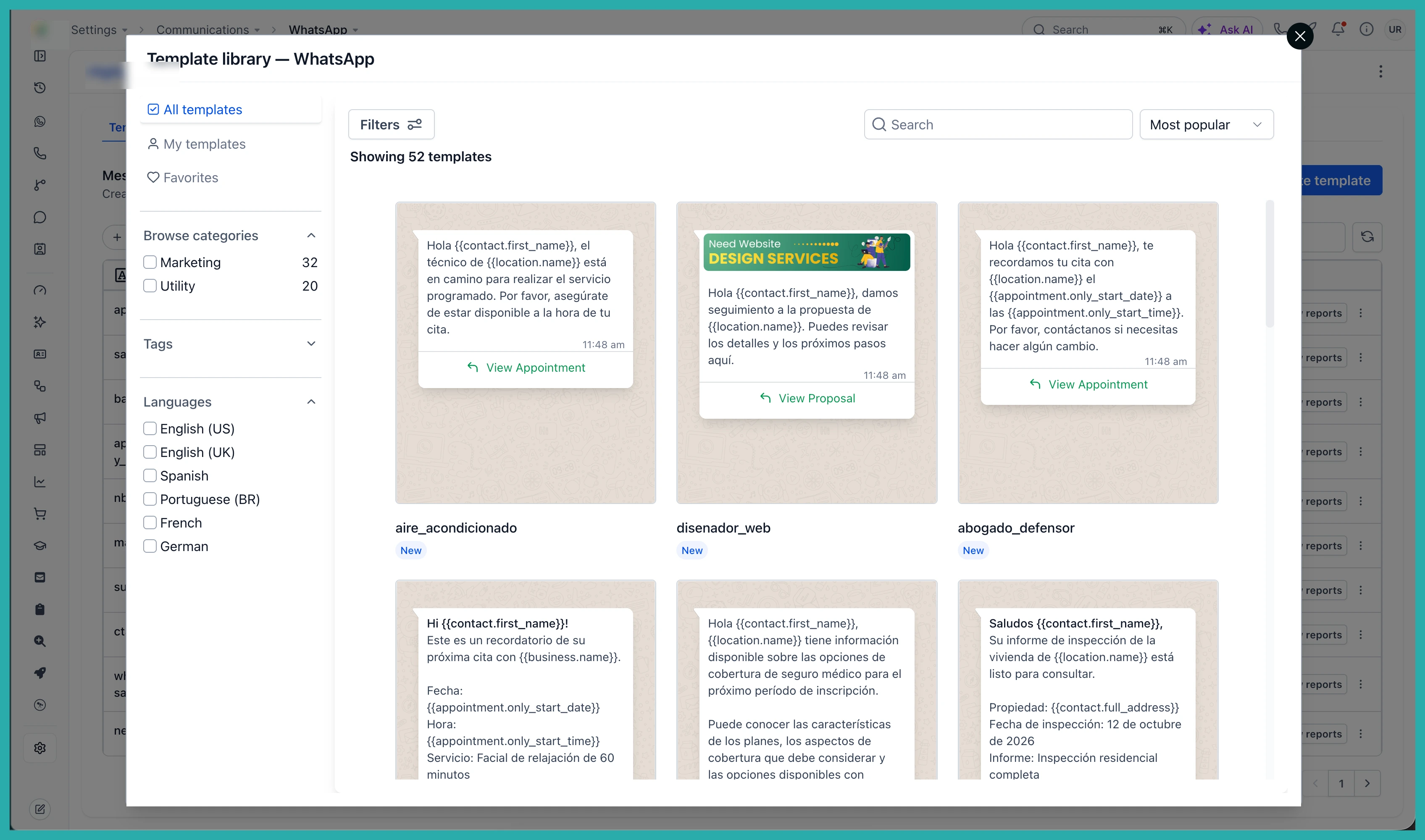
In the screenshot above you'll see how the library is laid out, so you can narrow down to exactly the kind of message you need in a few seconds.
Making it yours
Found one that fits? Select it and edit everything - the name, language, header, body and variables. You can add an image, video or document header to make it feel like you rather than a stock message.
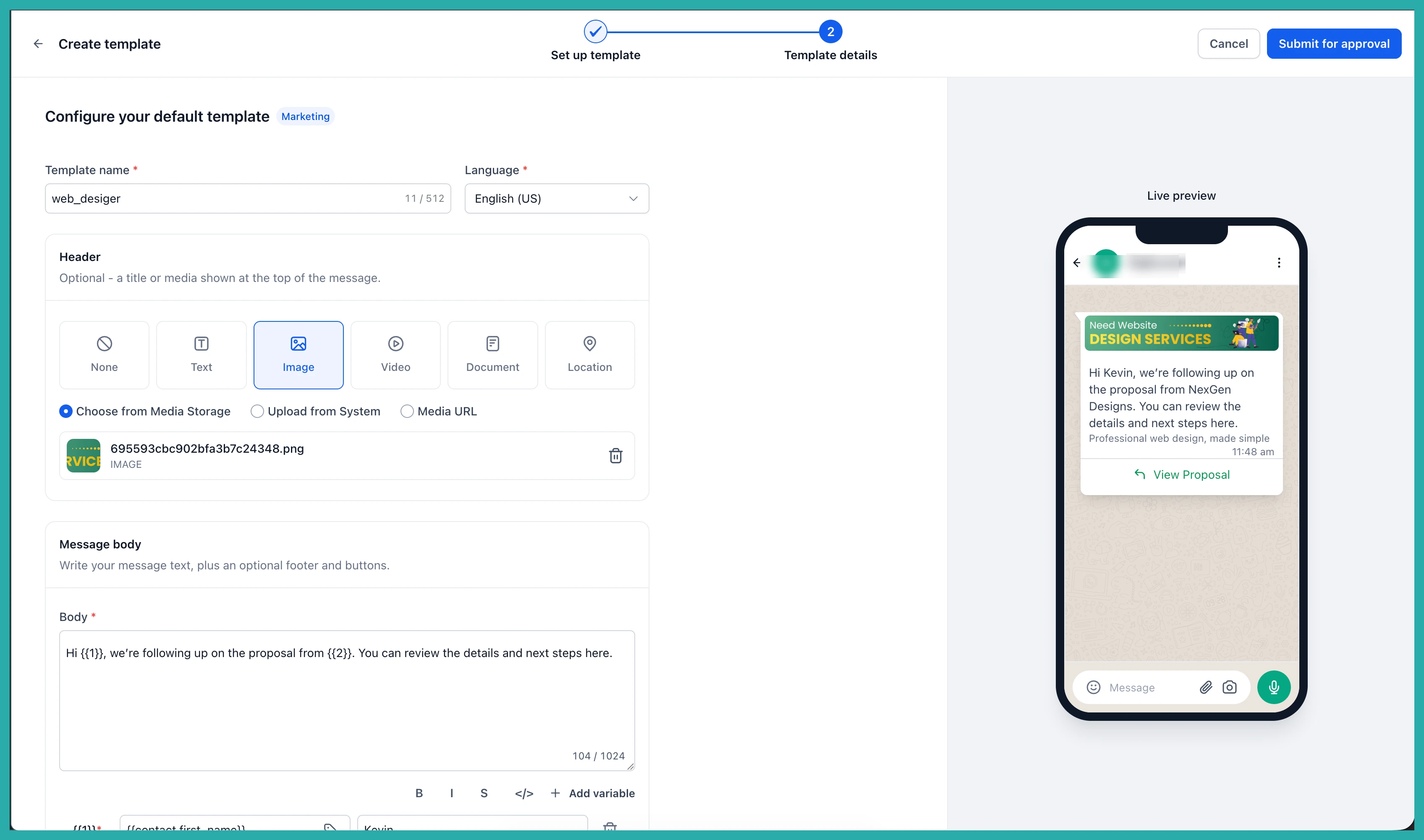
As you edit, the live preview shows exactly how the message will land on your customer's phone, so there are no surprises once it's out there.
Submitting it
Every template follows WhatsApp's structure from the start, so you're submitting on solid ground. When you're happy, check the preview one last time and click Submit for approval. Meta reviews it as it would any template.
Where this pays off
- Onboarding a new client. Stand up a complete set of templates on day one, so they see value in their first week rather than their first month.
- Reaching new markets. Message customers in their own language, with wording written for it rather than translated into it.
- New to templates. Start from a working example and learn the format by editing it. The fastest way to get good at templates is to begin with a good one.
- Running the proven plays. Appointment reminders and follow-ups already work. Take a strong version, add your details, and get it live.
Open Settings, then Communications, then WhatsApp, then Templates, and have a browse. Your next message is probably already written - you just need to make it yours.
