
Social Comments Now Land in Your Conversations Inbox
Someone comments on one of your posts, says something that sounds a lot like a buyer, and then... you spot it three days later while scrolling your phone. If you spot it at all.
That gap just closed. Comments on posts you publish through Social Planner now flow straight into your Conversations inbox, sitting right alongside your SMS, emails and DMs. You can reply in public, slide into a private DM, and the commenter becomes a contact automatically.
What landed
Your social comments now live in one place with everything else you're already managing. No more jumping between the platform and your social accounts to keep up with who's talking to you.
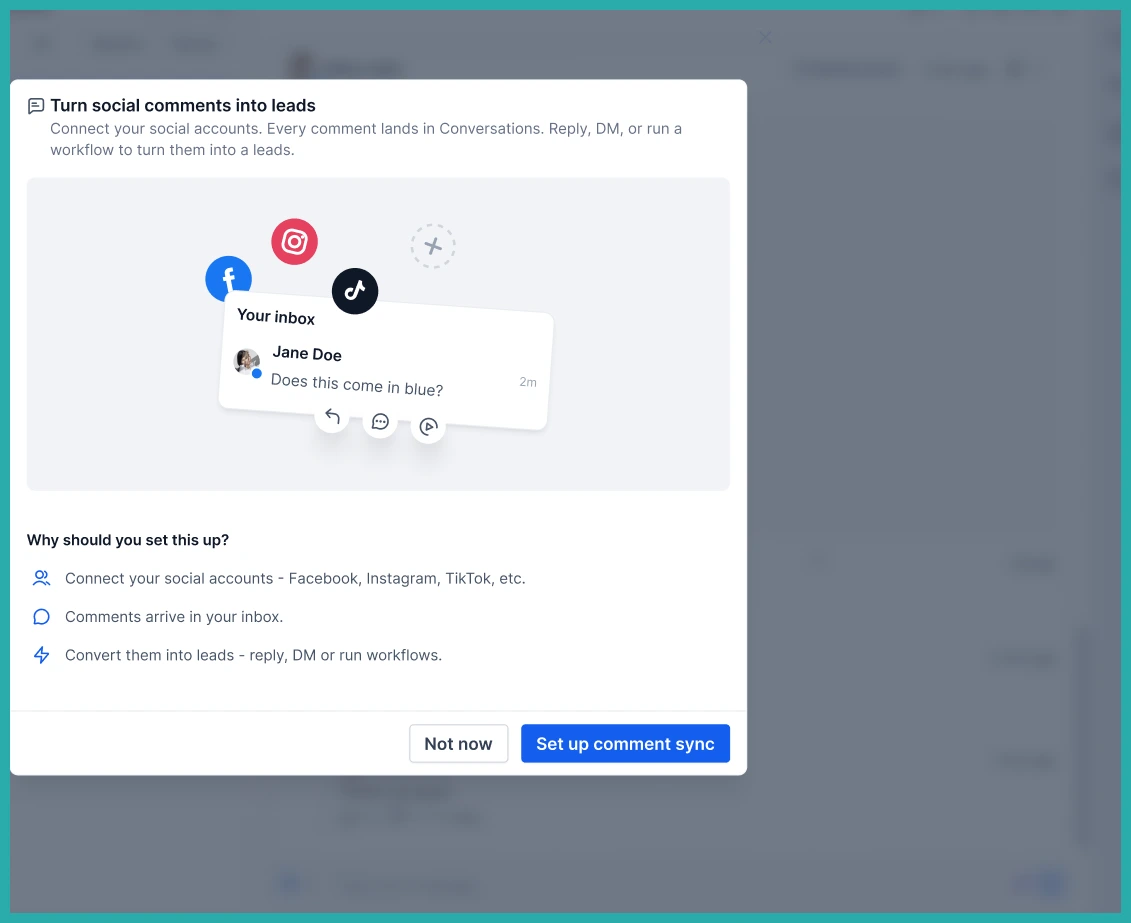
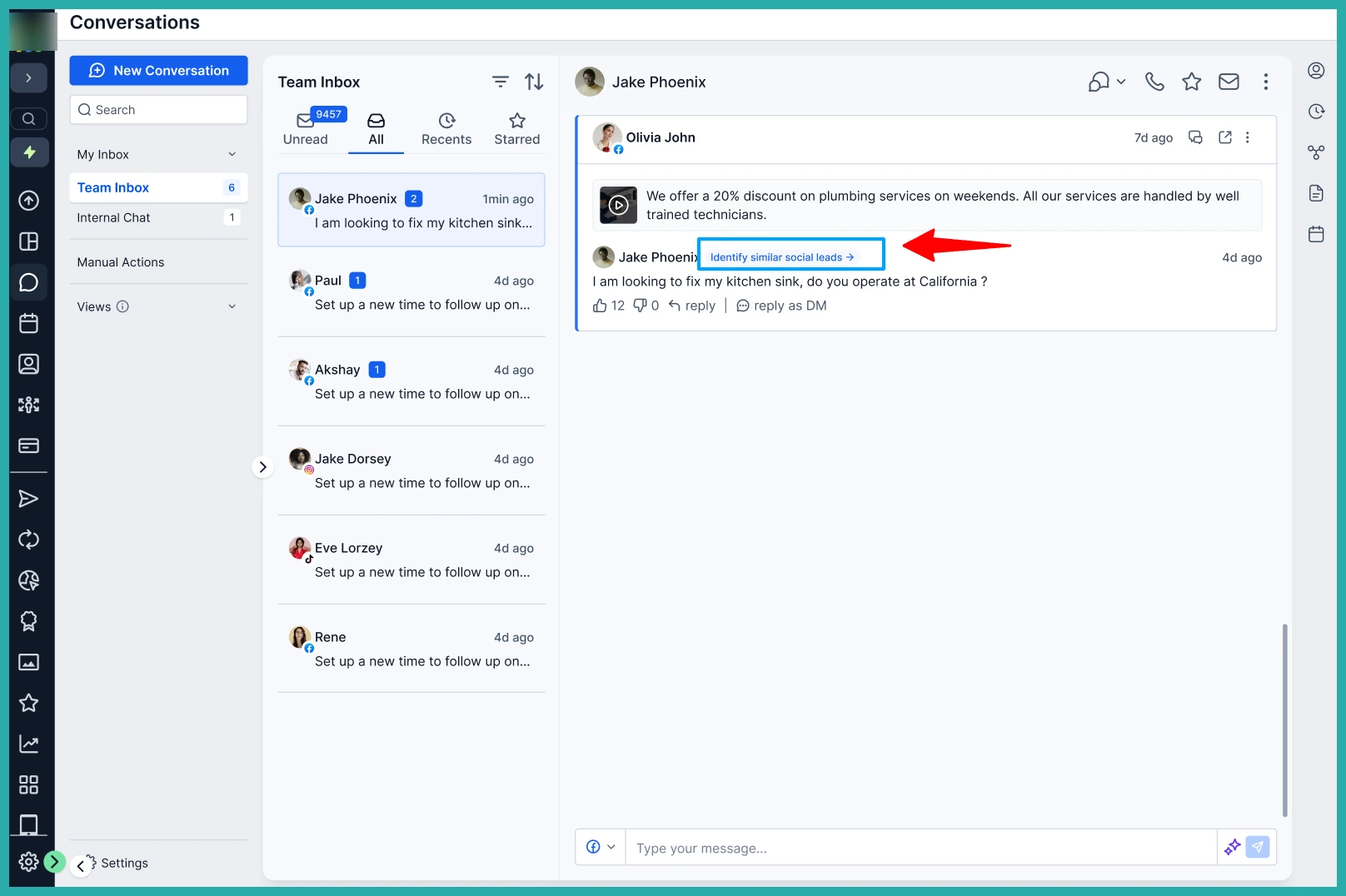
Each comment arrives with the context you need: the commenter's name or handle, a preview of what they said, which post it's on, which platform it came from, and when.
Finding your comments
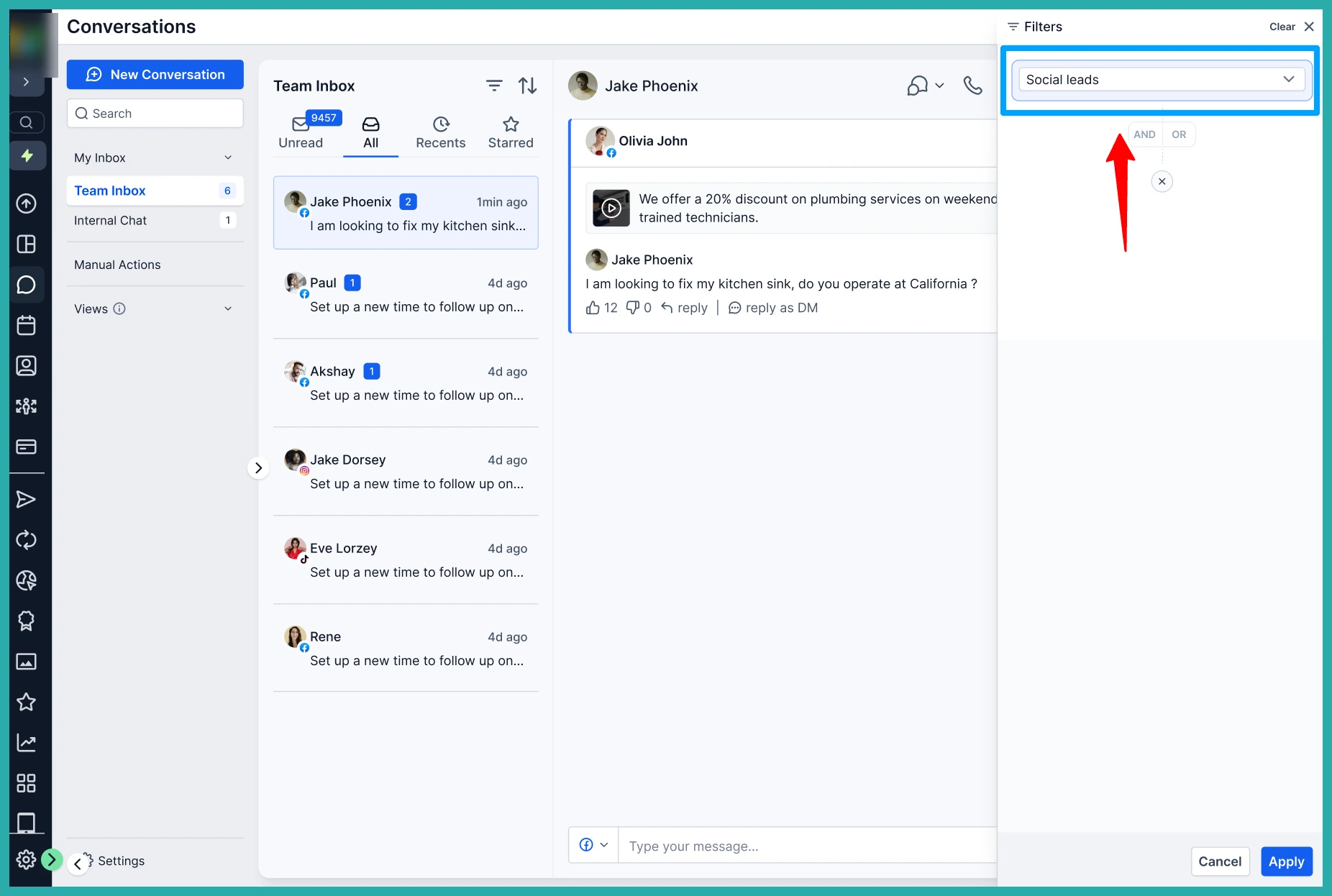
Open Conversations and you'll see a Social Comments filter. Click it and you get just your social comment threads, nothing else in the way.
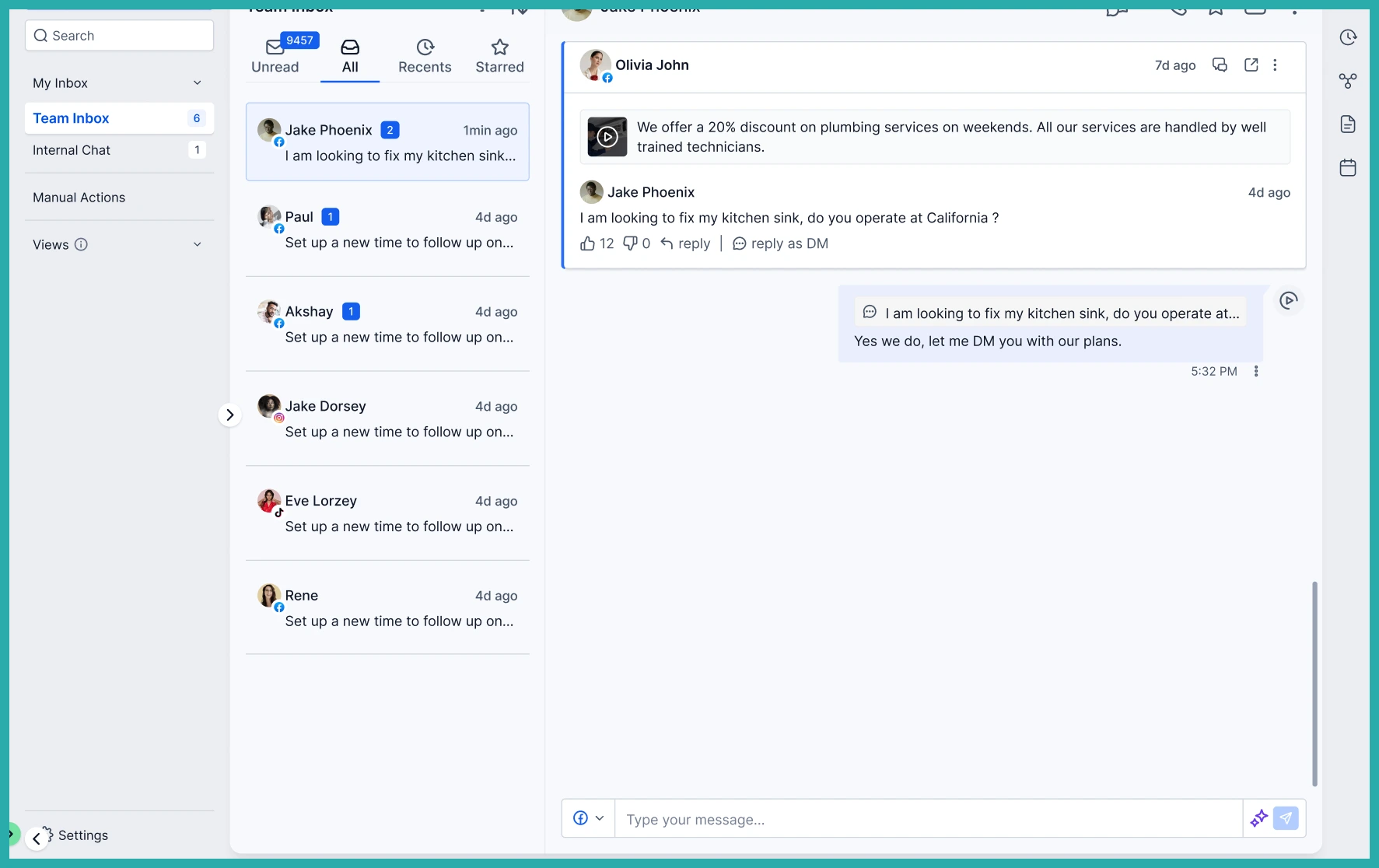
In the screenshot below, you'll see how a comment shows up in the inbox, ready for you to act on.
The post is right there
Before you reply, you can see exactly what they're commenting on. Every social comment conversation shows the original post - thumbnail, caption, the account it went out from, and the platform.
There's a View Post link too, so you can open the original in a tab if you want the full picture.
Every commenter becomes a contact
This is the part that does the heavy lifting for you behind the scenes. When someone new comments, the system creates a contact for them automatically.
If they comment again later, they're matched to their existing contact, so you don't end up with duplicates cluttering your list.
Reply in public or take it private
You've got two ways to respond, both from inside Conversations.
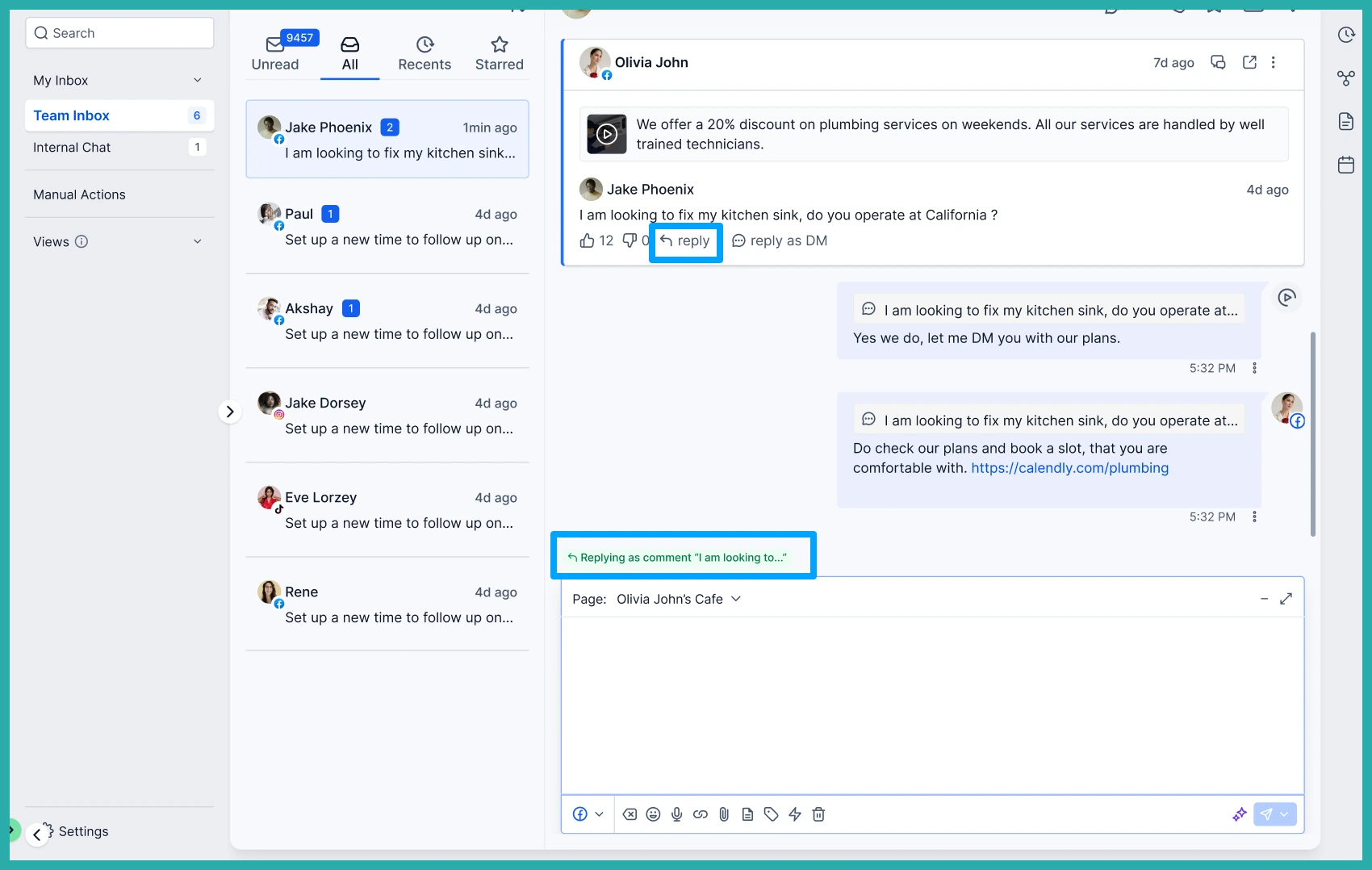
- Public Reply posts your response underneath their original comment, where everyone can see it.
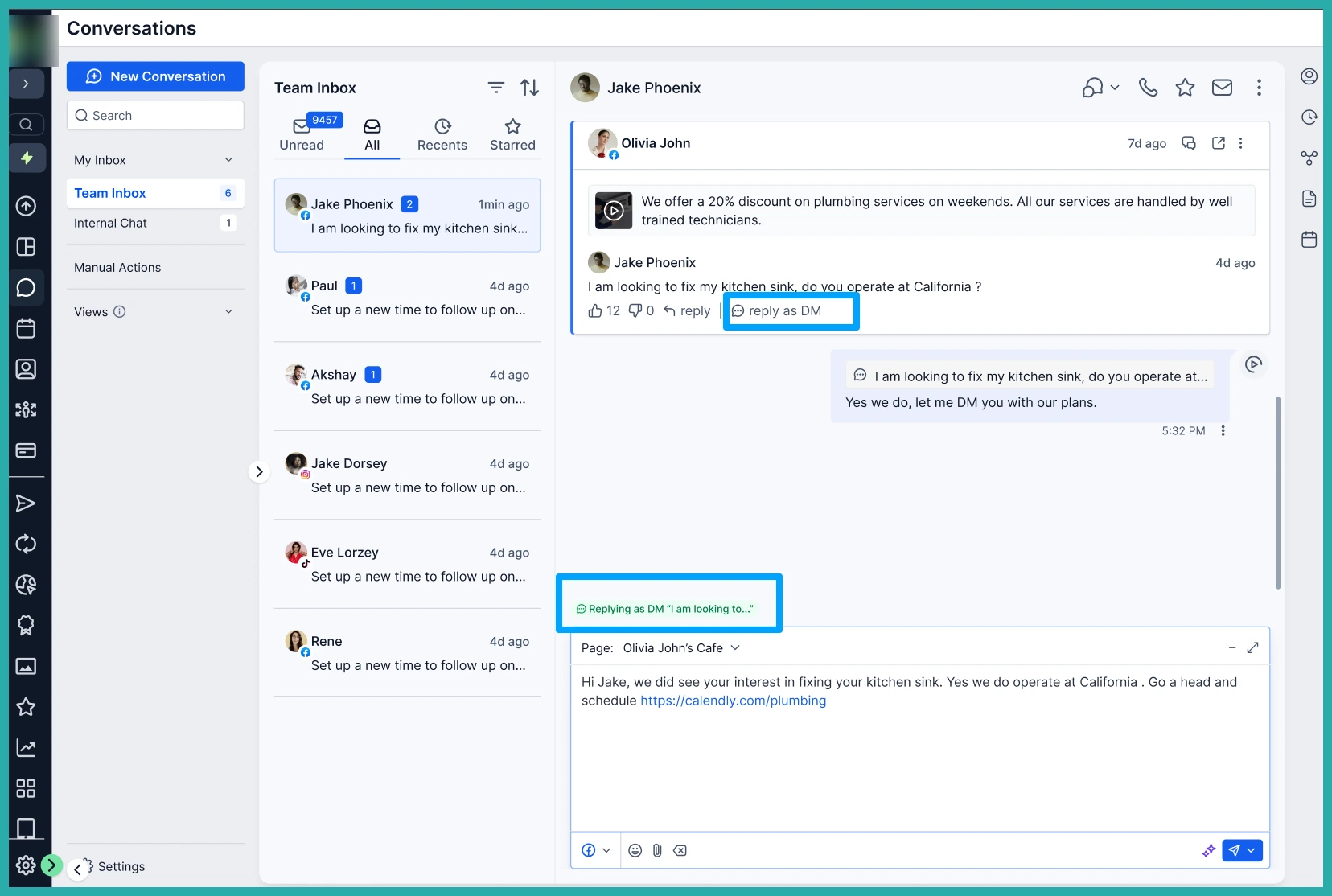
- Send DM opens a private message thread, so you can move a public comment into a one-to-one sales conversation.
In the screenshot below, you can see the public reply going out right from the inbox.
And here's the private DM thread, where the real conversation often happens.
Spotting the hot ones first
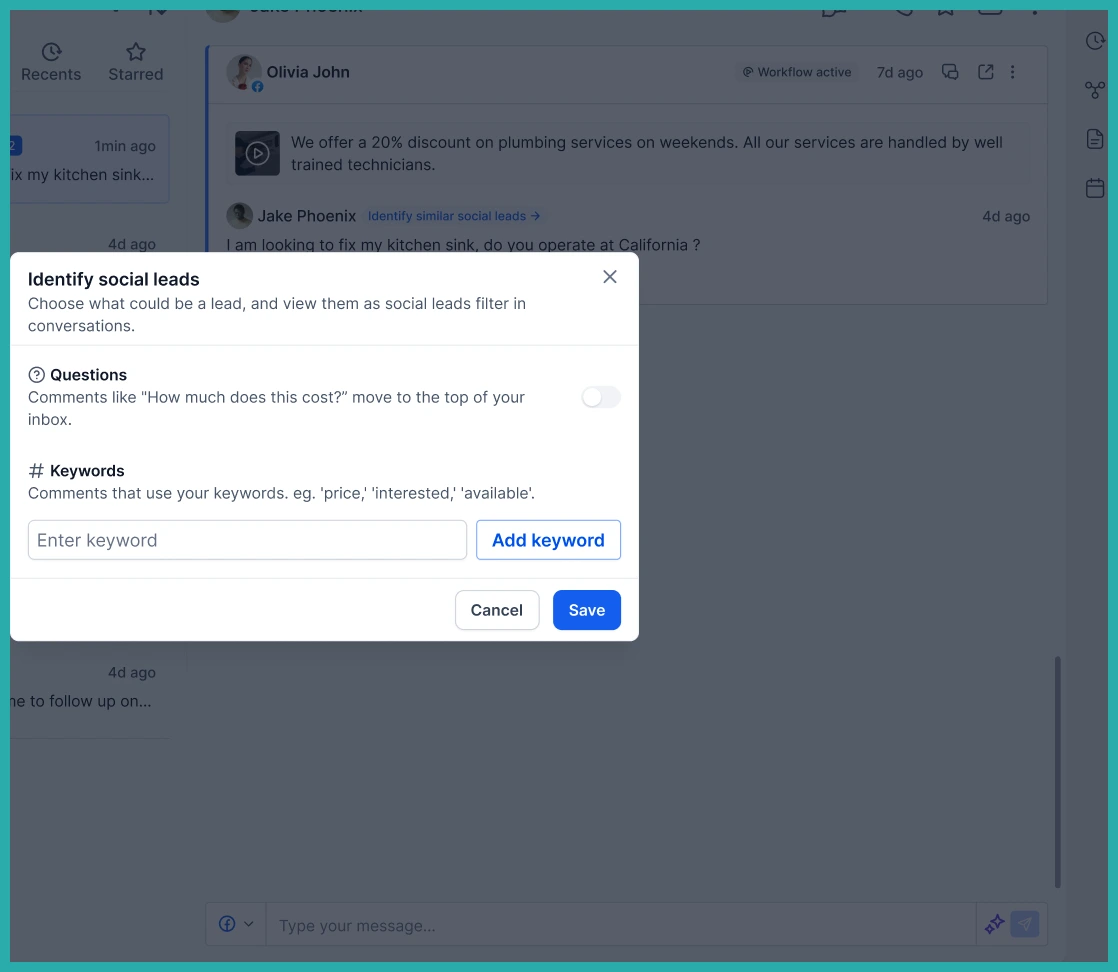
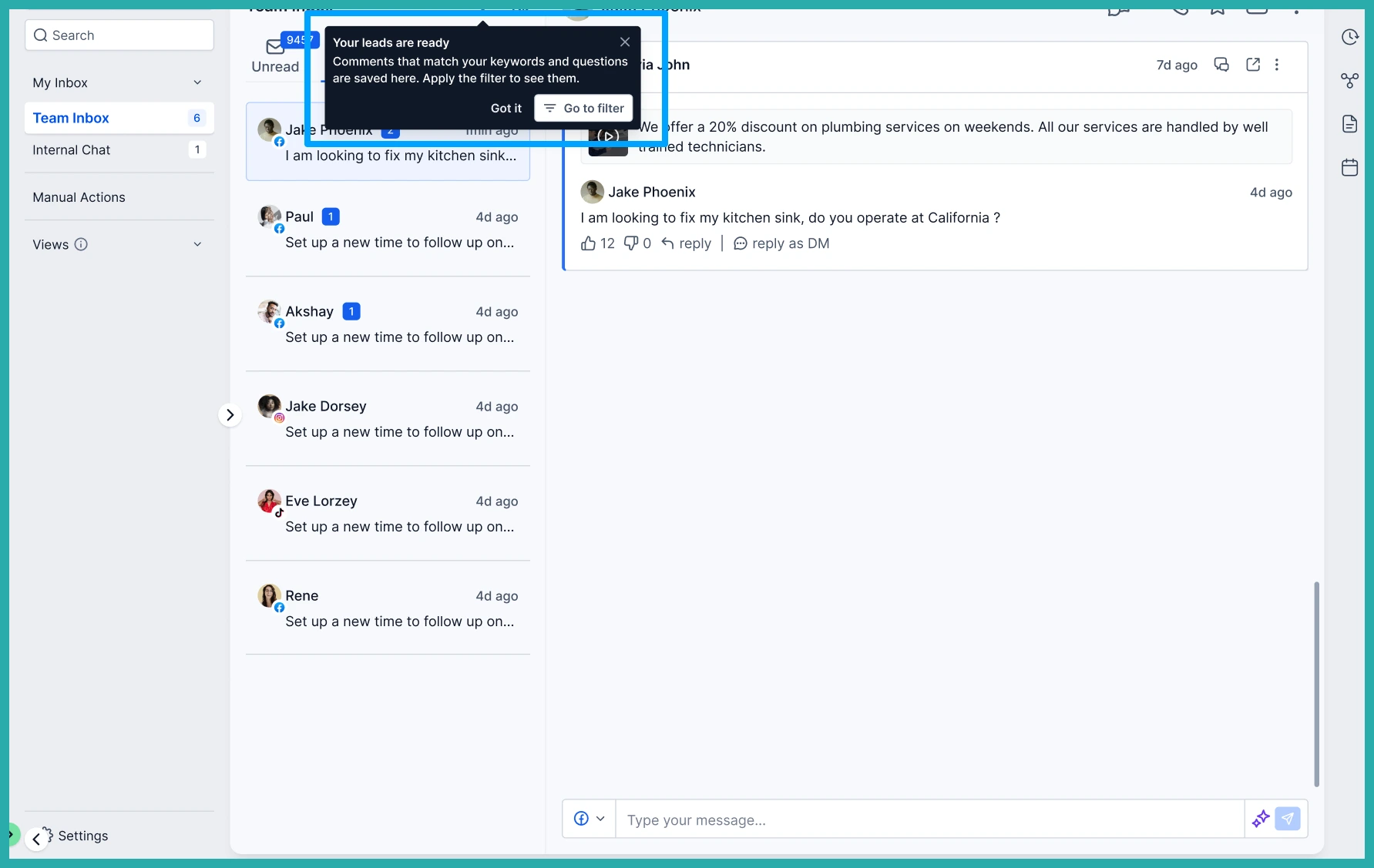
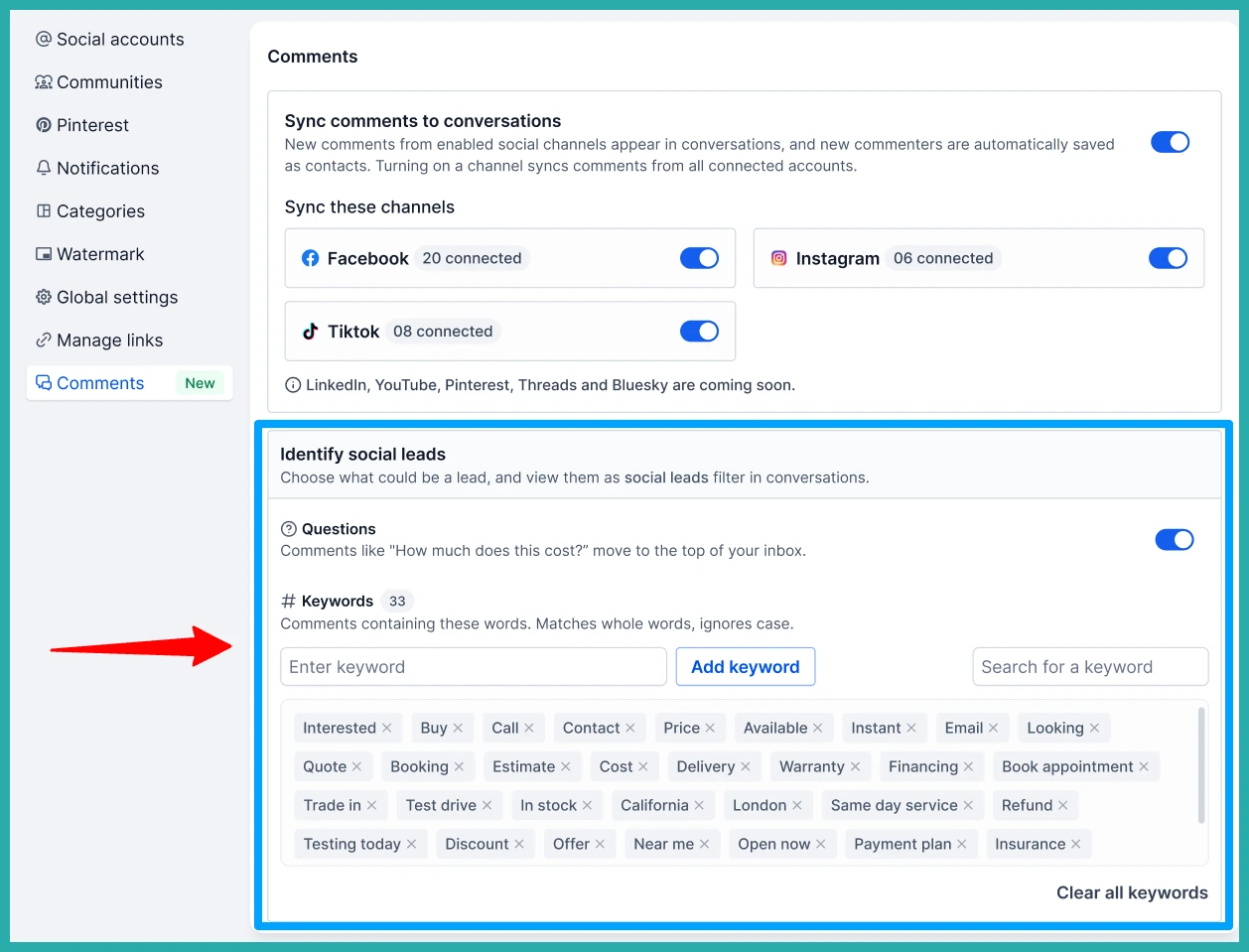
Not every comment is a lead. So you can tell the system which words signal real interest - things like "price," "interested," or "how much" - and have those comments flagged for you. You can also prioritise comments that contain a question.
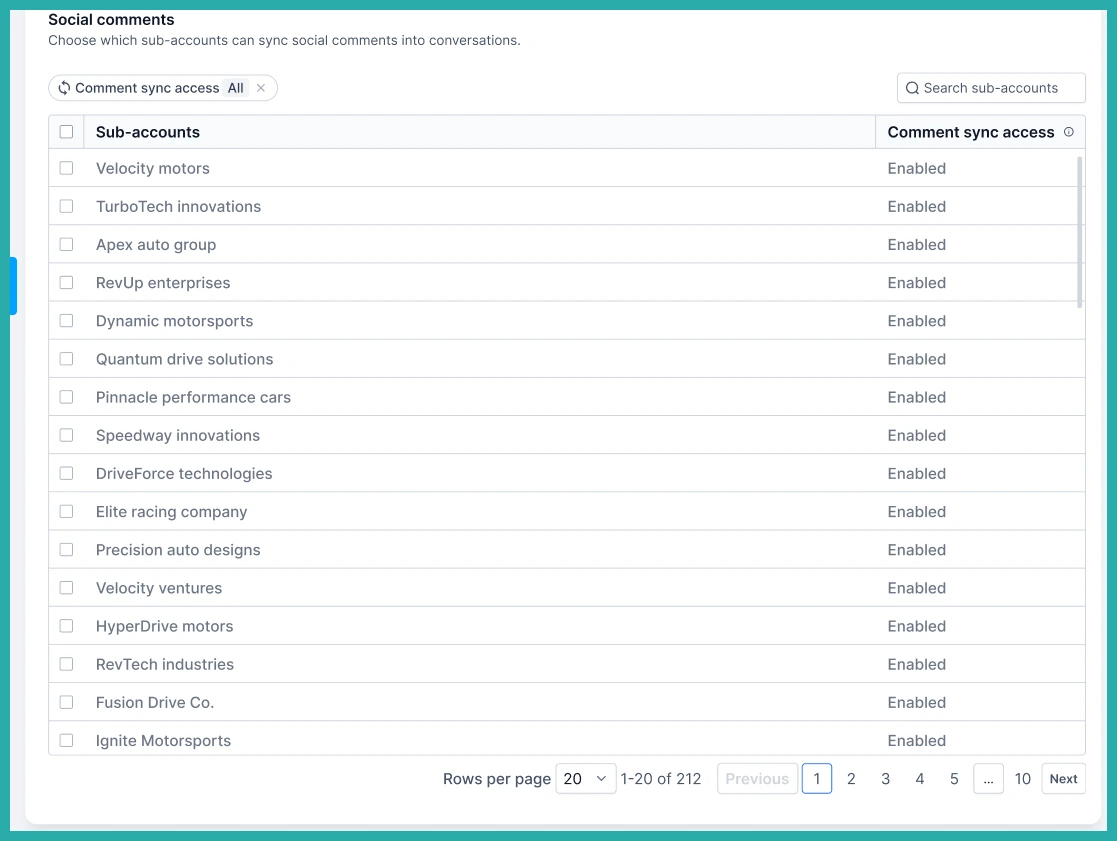
It means you spend your time on the people most likely to buy, instead of reading every single "love this" one by one.
Turning it on
At the account level, go to Marketing, then Social Planner, then Settings, then Comments, and choose which connected platforms should sync their comments.
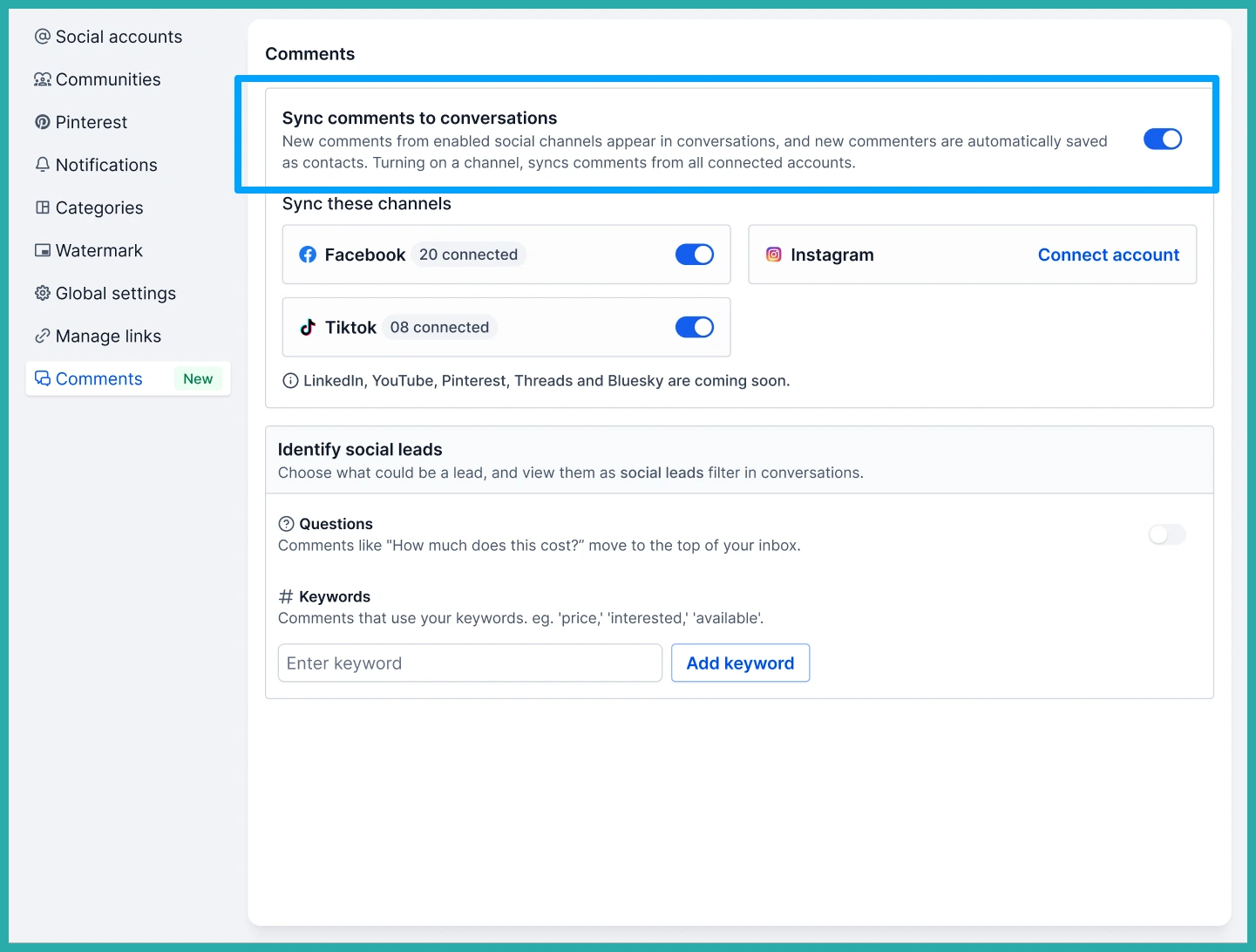
You can set up your buying-intent keywords from Social Planner Settings too.
A couple of honest notes. Only comments on posts published through Social Planner are synced. Facebook, Instagram and TikTok are supported at launch, with LinkedIn, YouTube, Pinterest, Threads and Bluesky on the way. And if a social account connection ever expires, just reconnect it from Social Planner Settings to start the syncing again.
Go turn it on for your main platform, then keep an eye on your inbox. The next comment that mentions price is a conversation waiting to happen.
