
Fill in Your Forms Right Inside a WhatsApp Chat - No Link, No Leaving
Your leads are already chatting with you on WhatsApp. Until now, collecting their details meant sending a link, which meant sending them away from the conversation and hoping they came back.
Now you can open your form right inside the chat. The lead answers your questions without ever leaving WhatsApp.
What landed
You can send any form as a WhatsApp Flow, and the customer fills it in the same chat window they are already in. No redirect, no browser tab, no landing page to abandon, no "I'll do it later" moment.
A few things worth knowing:
- Use the forms you already built. Pick an existing form instead of rebuilding it for WhatsApp. Need a new one? You can build it without leaving the Flows screen.
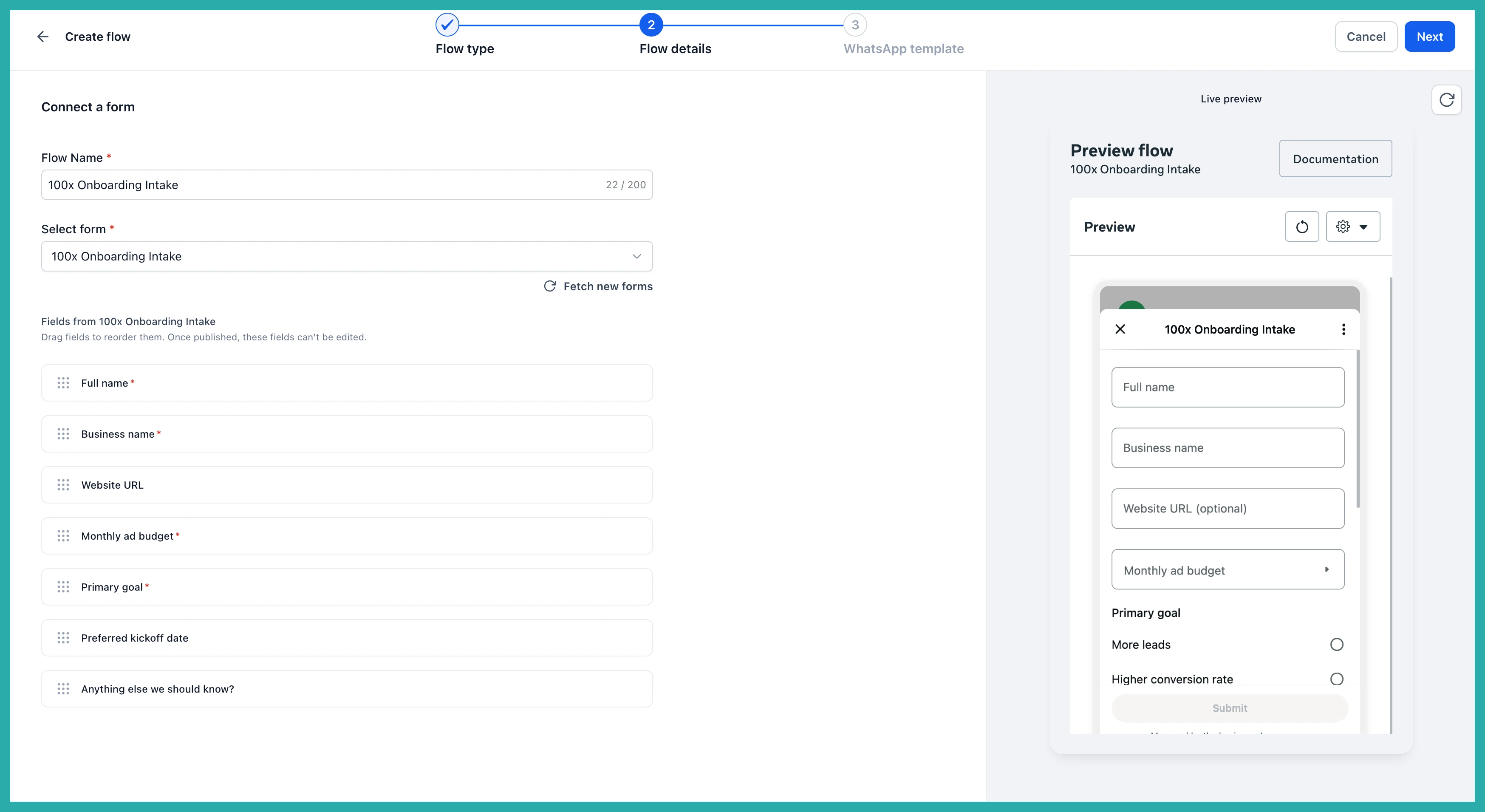
- See exactly what they will see. Your fields render as a real WhatsApp Flow while you set it up, so what you approve is what lands on the customer's phone.
- Only supported fields carry over. Field types WhatsApp can't display are left out before you publish, so you find out at build time rather than from a broken send.
- Answers land where you work. Every response is stored in Forms, then Submissions, and mapped to the right contact automatically. Nobody copies anything out of a chat.
- Published flows stay stable. Once a flow is published, later edits to the form don't change what it collects, so your data stays consistent across a campaign.
How to set it up
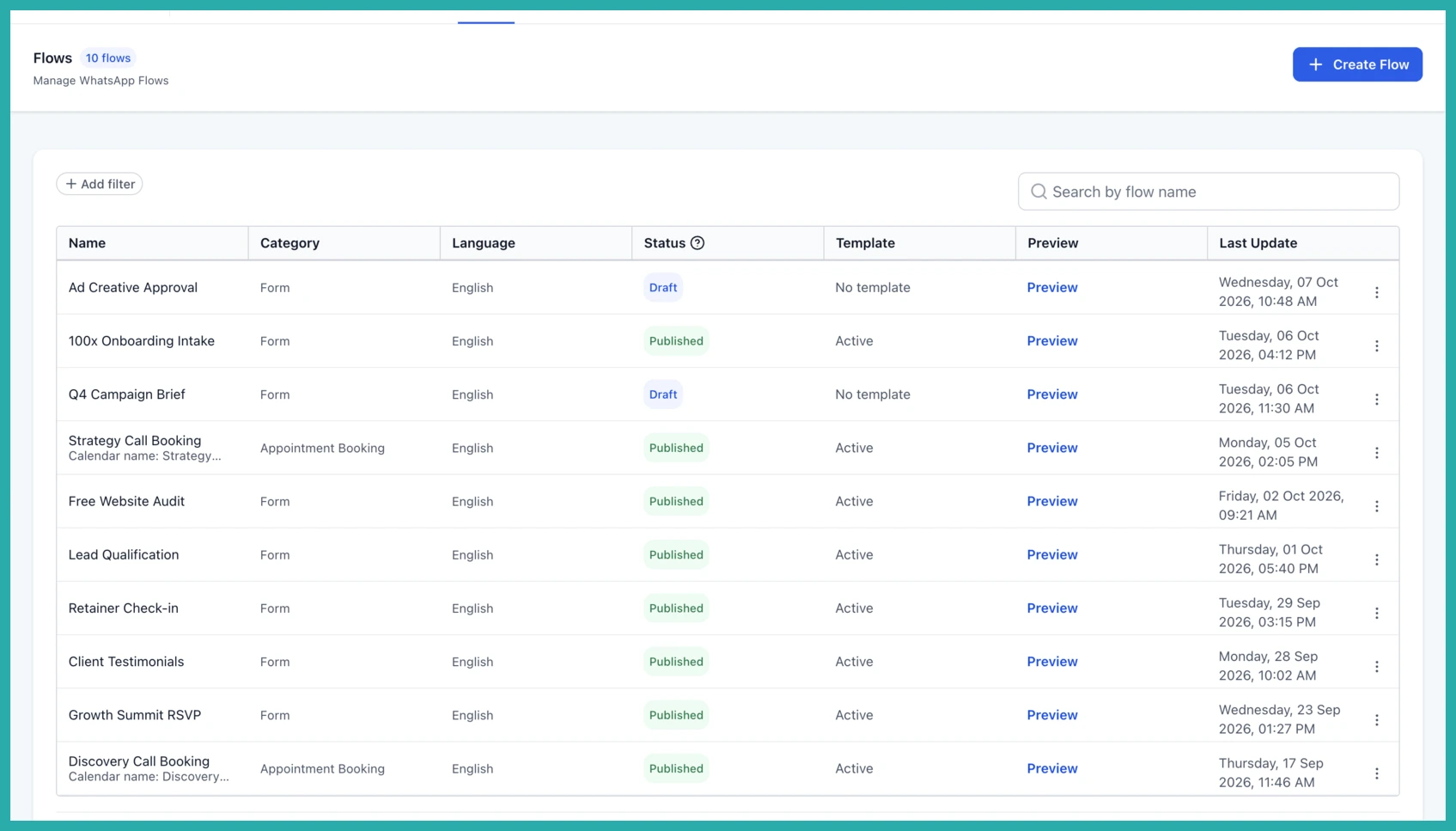
Go to Settings, then WhatsApp, then Flows, and click Create Flow.
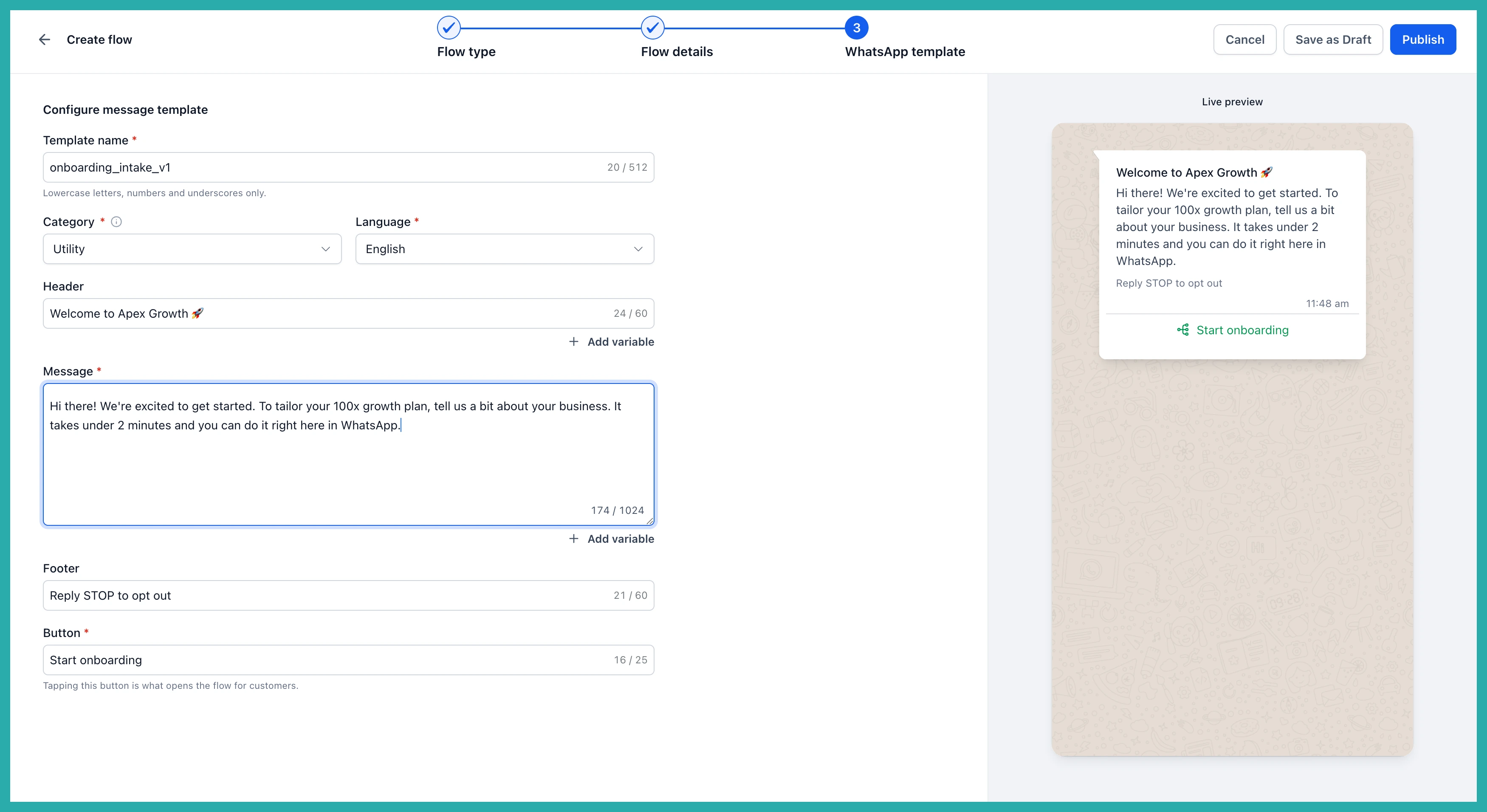
Choose Form submission as the flow type.
Select the form you want to send, and check the live preview on the right. This is exactly what the customer will tap through on their phone.
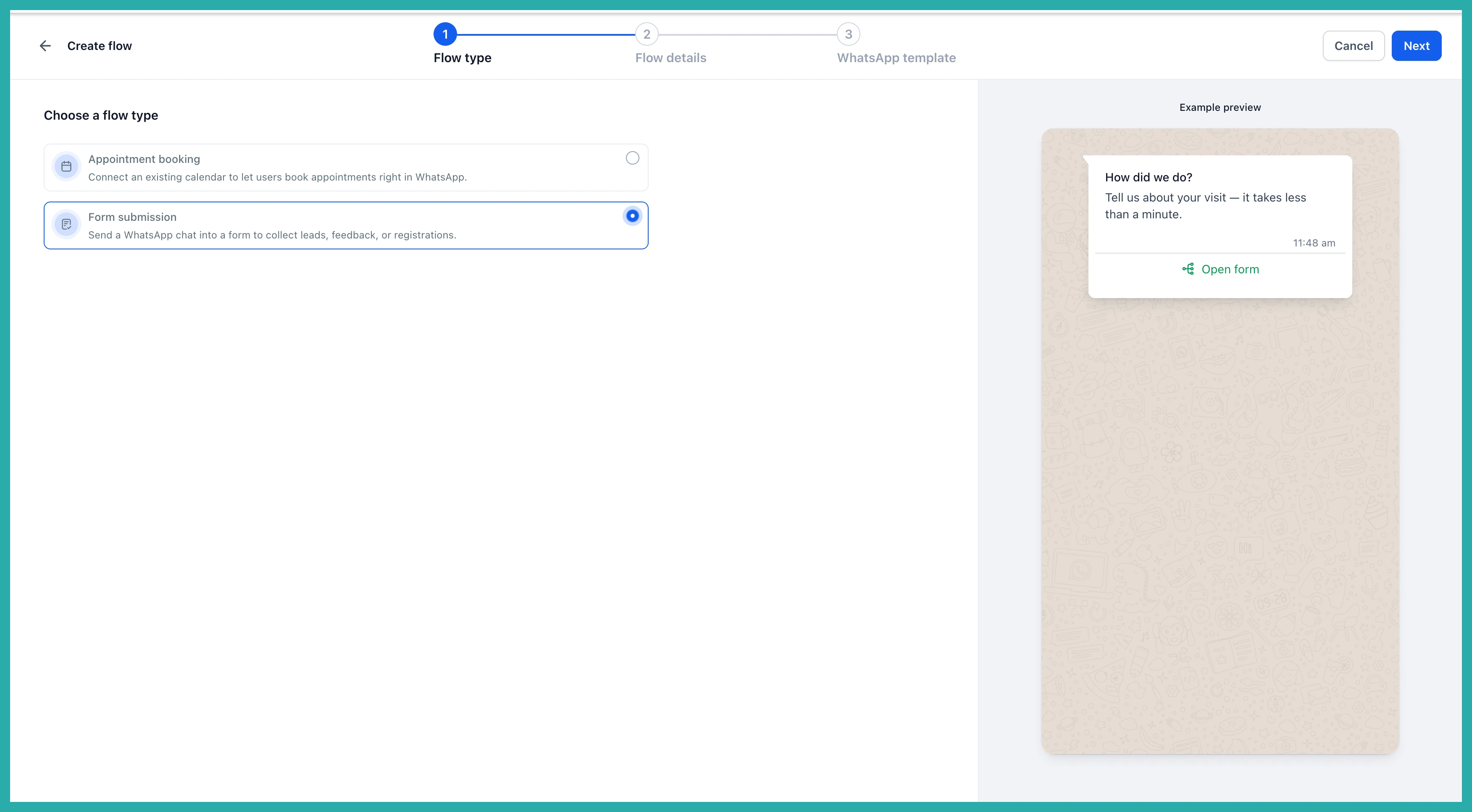
Configure the WhatsApp template that carries it, including the button customers tap to open the form.
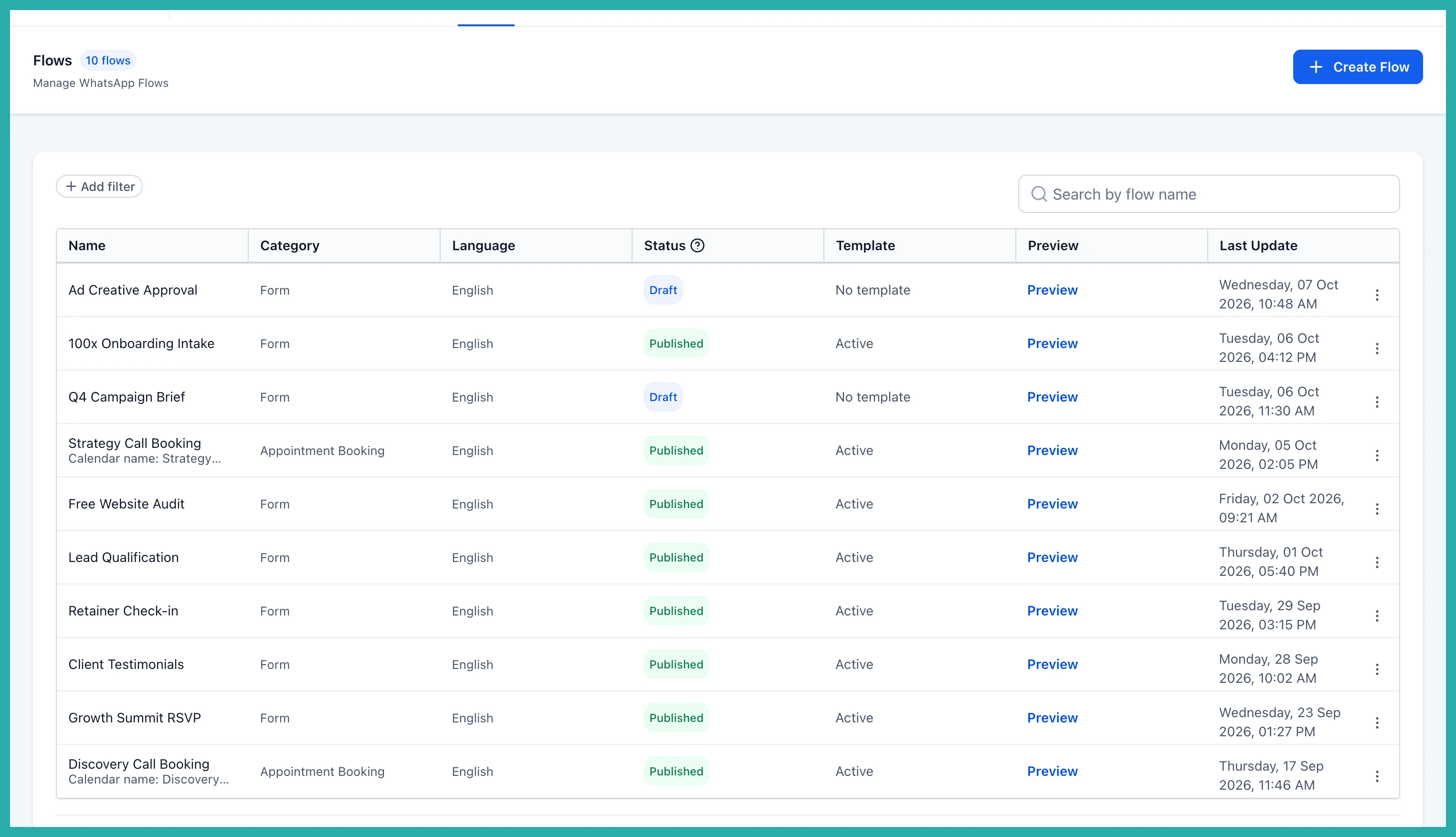
Publish it, then send it from Conversations, a workflow, or a bulk action. Responses flow straight back into your Submissions and attach to the contact on their own.
Why you'll use it
The gap between an interested lead and a qualified one is usually a form, and that form usually lives on a website. Every link you ask someone to tap is a step where attention leaks away. Keeping the form inside WhatsApp removes the handoff that loses people.
The question and the answer happen in the same thread, on the app they already have open. Budget, goal, timing, whatever you ask for arrives attached to the lead, so your first real conversation starts with a plan instead of a questionnaire. And because responses map to the contact automatically, nobody re-types anything.
It works for more than intake too - lead qualification, onboarding, feedback and registrations all run the same way.
Open Settings, then WhatsApp, then Flows, and turn your busiest form into a WhatsApp Flow. It only takes a few minutes, and your next lead can answer you without ever leaving the chat.
