
Test Two Workflow Paths Head to Head and Send Contacts to the Winner
You've probably wondered whether a direct invite or a softer, benefits-led follow-up gets more bookings. Until now you'd have to guess, or run two separate workflows and try to compare the results by hand.
The new A/B Test action does that comparison for you, inside a single workflow.
What you get
You can now split contacts evenly across 2 to 10 paths, build different actions under each one, and measure every path against the same goal. When a winner emerges, you decide what happens next: send new contacts down the winning path, or keep splitting evenly while you watch the numbers.
It's a real way to find out what works, rather than going on a hunch.
How to set it up
Go to Automation, then Workflows, open the workflow you want and click Add action. Choose A/B Test, give your test a name, then set up the three pieces.
- Paths: Add between 2 and 10 paths and build the actions you want to compare under each. Contacts get split evenly across them.
- Winning criteria: Pick what counts as a conversion - email activity, appointment status, a contact tag, or payment received - then select the specific email, calendar, tag, or product. You can also use a custom condition based on contact or custom fields.
- Test length: Decide when the test ends. After a set number of contacts enter, a set number of goal completions, or a chosen date and time.
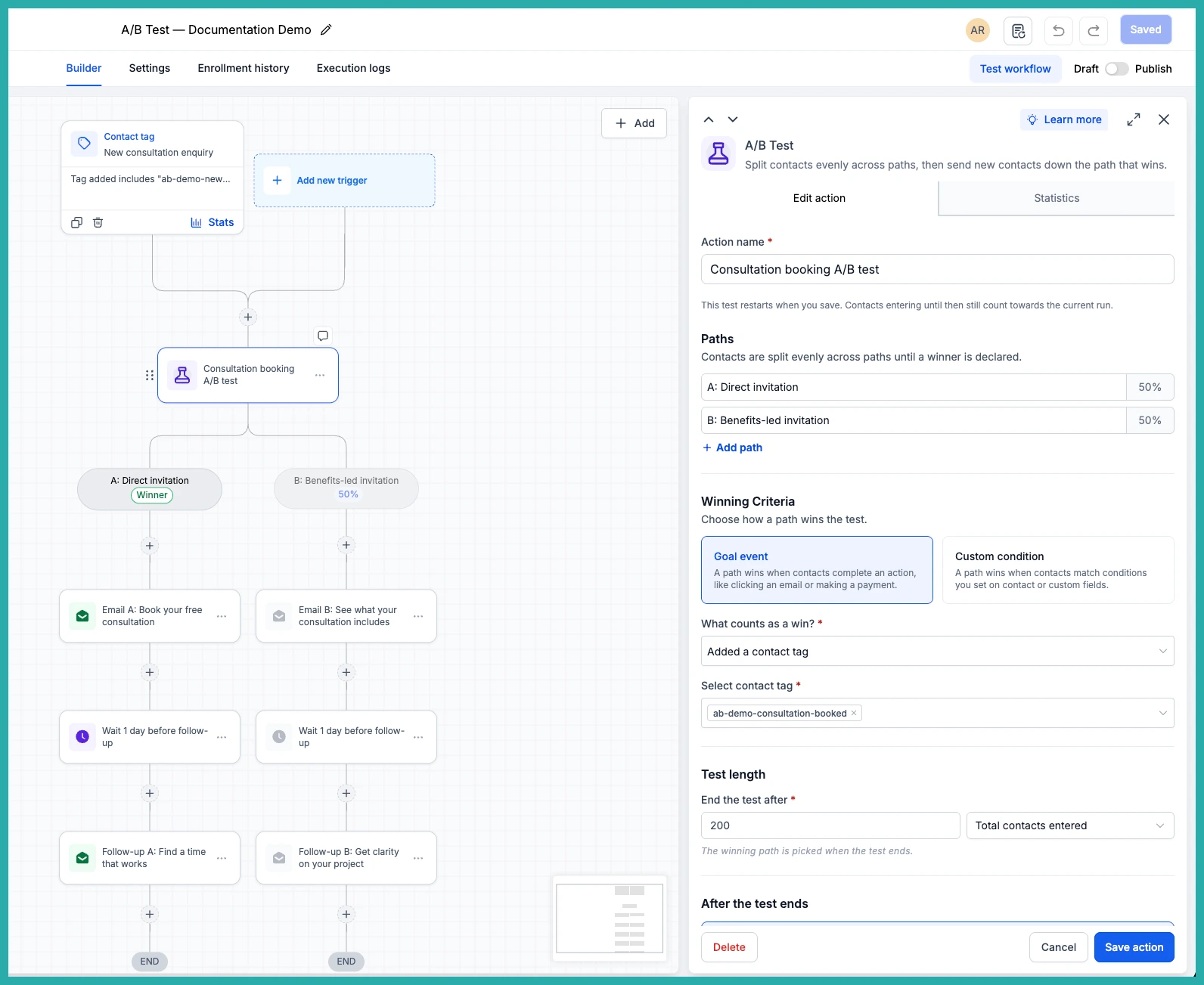
Choose what happens when the test ends
Two options here, and you pick the one that suits you.
- Send new contacts to the winning path: Future entrants follow the path with the highest conversion rate. Anyone already in a path finishes their sequence.
- Keep splitting and show the result: Contacts keep splitting evenly while the winner is marked in your Statistics.
With winner routing on, the canvas shows a Winner badge on the top path and mutes the others, so it's clear at a glance.
Reviewing the results
Open Statistics to see entrants, conversions, and the conversion percentage for each path. In the screenshot below you'll see each path laid out with its numbers side by side.
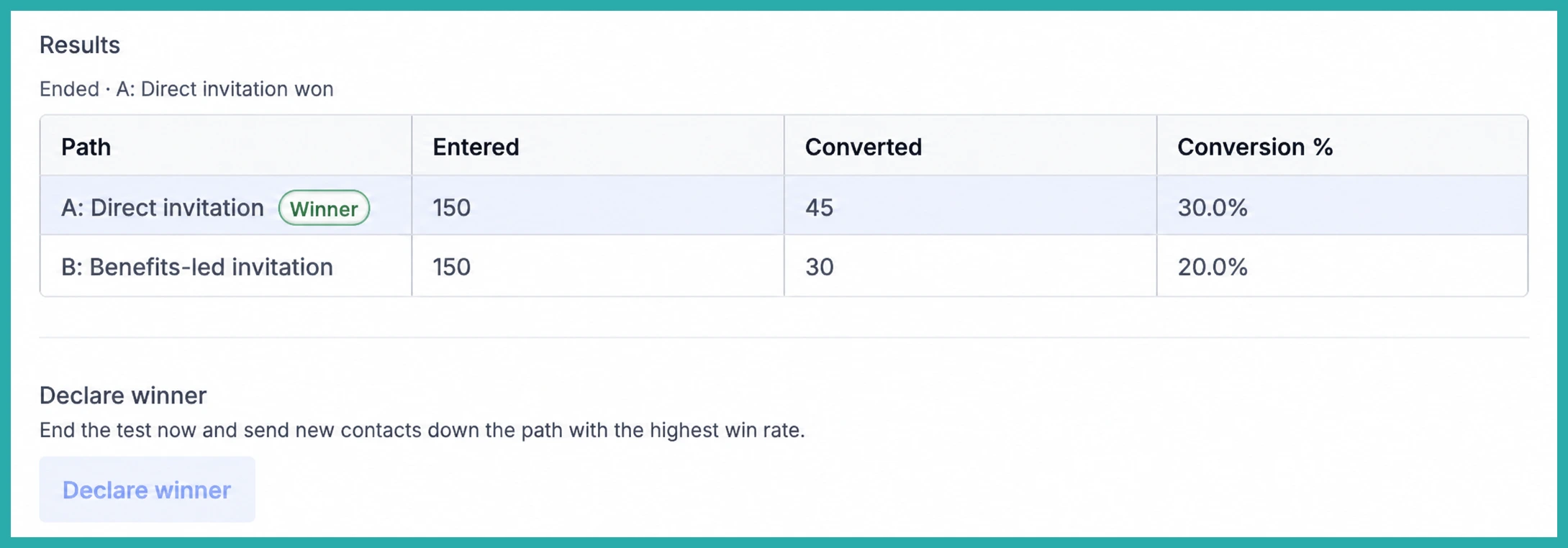
Once you've got enough data, you don't have to wait for the test to finish. Click Declare winner to end it early, and the path with the highest conversion rate is chosen.
A few handy things to know
- A/B Test is separate from the Split action. It measures conversions against your goal, it doesn't decide which path a contact enters.
- If two paths tie, the first one is treated as the winner. Date-based tests use your account's time zone.
- Need to run a fresh comparison? Reset test lets you start again. Saving after a reset clears the previous results, and returning contacts may take a different path.
Where this fits your business
A few real examples: compare a direct consultation invite against a warmer follow-up sequence, test which email gets more clicks, compare two nurturing paths using a qualification tag, or see which reminder sequence actually gets people to pay.
Pick one thing you've been unsure about and let the test answer it for you. You'll stop guessing and start knowing.
