
Your Workflows Now Get Checked Before They Go Live
You build a workflow, hit publish, and assume it's working. Then a week later you realise one step was misconfigured the whole time and nothing fired the way you meant it to.
Now your account catches that before it happens.
What landed
When you publish a workflow, ESC Hub checks it first. If something isn't set up right, it stops the publish, shows you exactly what's broken, and helps you fix it on the spot. No more broken workflows slipping into your live setup without you knowing.
Three things changed here, and they all make life easier.
Every error in one place
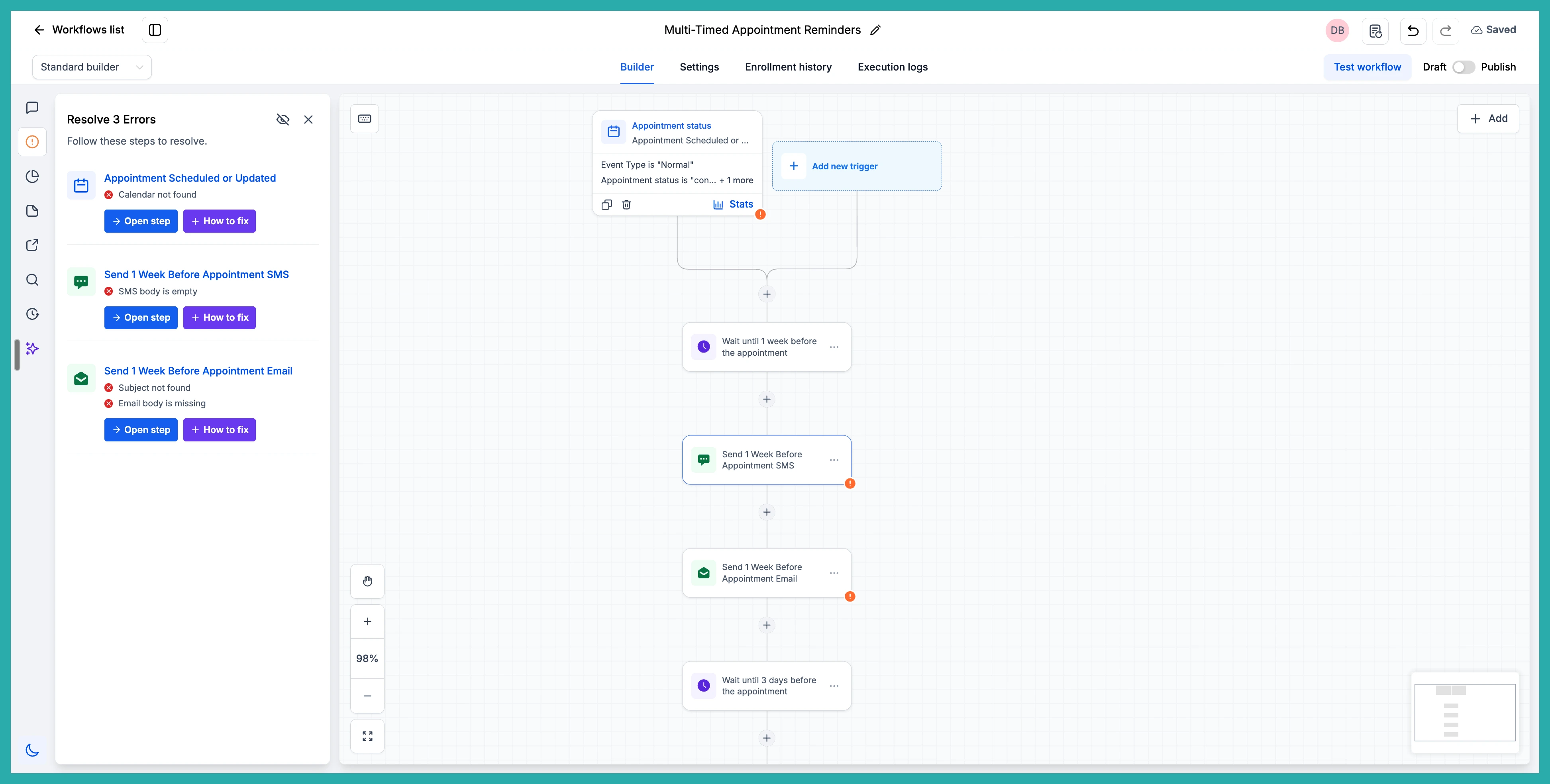
All the checks now land in a single Highlight Error sidebar. Before, the same workflow could show you different errors in different spots with no rhyme or reason. Now everything sits in one clear view.
Each error gives you two straightforward choices: open the exact step that's causing it, or let the AI help you sort it out.
Save your progress, even mid-fix
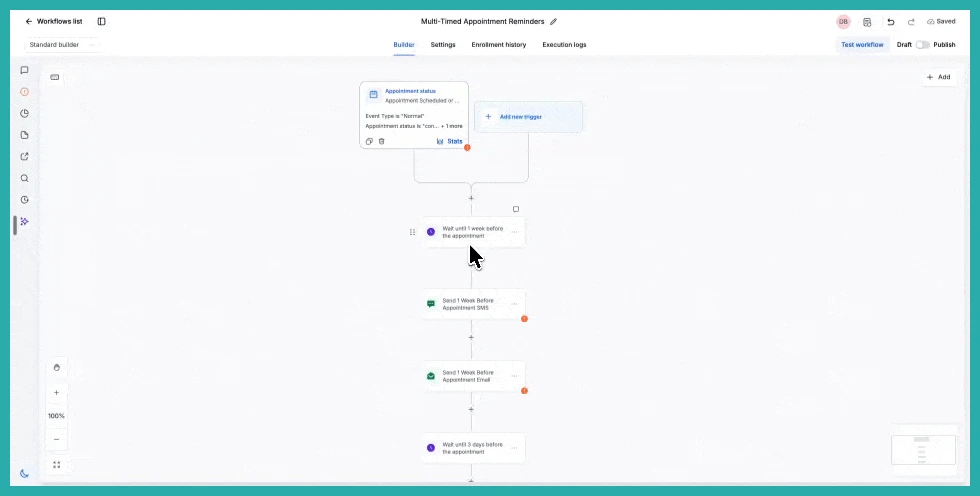
Auto save and manual save now work even when there are still errors on the canvas. Before, the system blocked the save entirely and threw error messages at you, which felt broken.
Now you can stop halfway, keep everything you've built, and come back to finish the rest later. Nothing lost.
Publish stays locked until it's clean
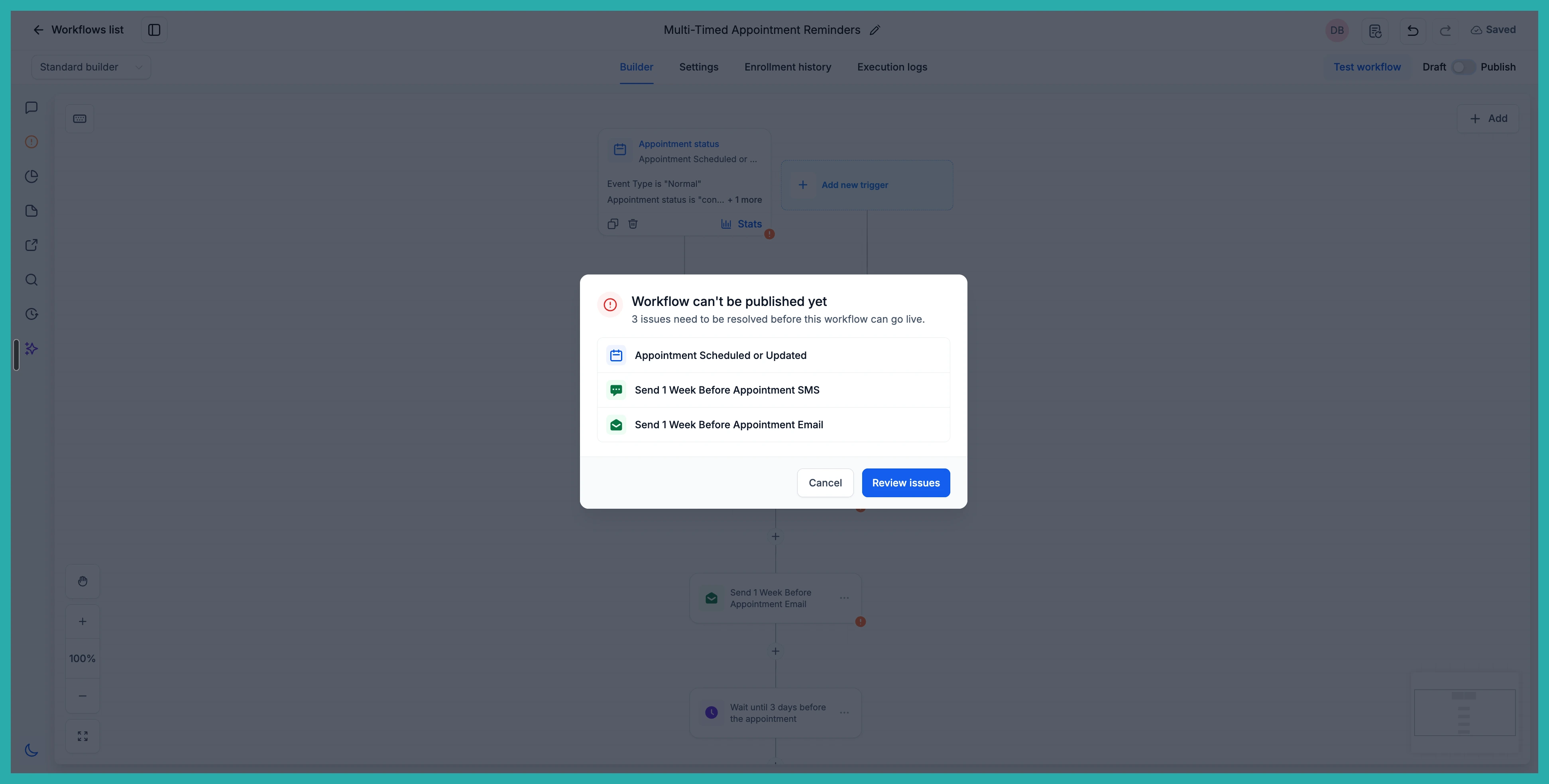
If you hit Publish while errors are still unresolved, you get a modal listing every one of them. Nothing goes live until it's actually working - which is exactly what you want for the people going through your automations.
How to use it
- Click Publish on your workflow.
- If there are errors, a modal lists what's unresolved.
- Click Review Issues to open the Resolve Errors sidebar.
- For each error, choose Open Step to jump straight to that action or trigger, or take the AI's help to fix it.
- Clear everything, then publish.
The canvas tells you what's wrong, the sidebar helps you fix it, and the publish gate makes sure only working workflows go live. Next time you build something, you'll know it's right before it ever reaches your contacts.
