
Workflow Maps Now Walks You Through It, With Guided Onboarding and a Resource Hub
Coming Soon: Workflow Maps isn't in your ESC Hub account yet. We'll let you know as soon as it arrives.
If you've ever opened your automations and felt a bit lost in all the moving parts, this one's for you. Workflow Maps will give you a visual way to see how everything connects, and it'll show you how to use it as you go.
No more poking around hoping you don't break something. You'll get a proper introduction, helpful prompts in context, and a resource hub you can come back to whenever you need a refresher.
What's coming
Workflow Maps will include guided onboarding and a built-in Resources section. When you first open the map, it'll explain what you're looking at and let you pick how you want to view it. As you explore, relevant tips will pop up to introduce features right when they're useful.
Think of it as a friendly tour guide sitting alongside your automations, rather than a manual you have to go and dig out.
Getting started
Once it arrives, head to Automation, then Workflows, then open Workflow Maps.
On your first visit, you'll get a short introduction that explains the map and lets you choose between a 2D and a 3D view. Pick whichever feels clearer to you. You'll always be able to switch later.
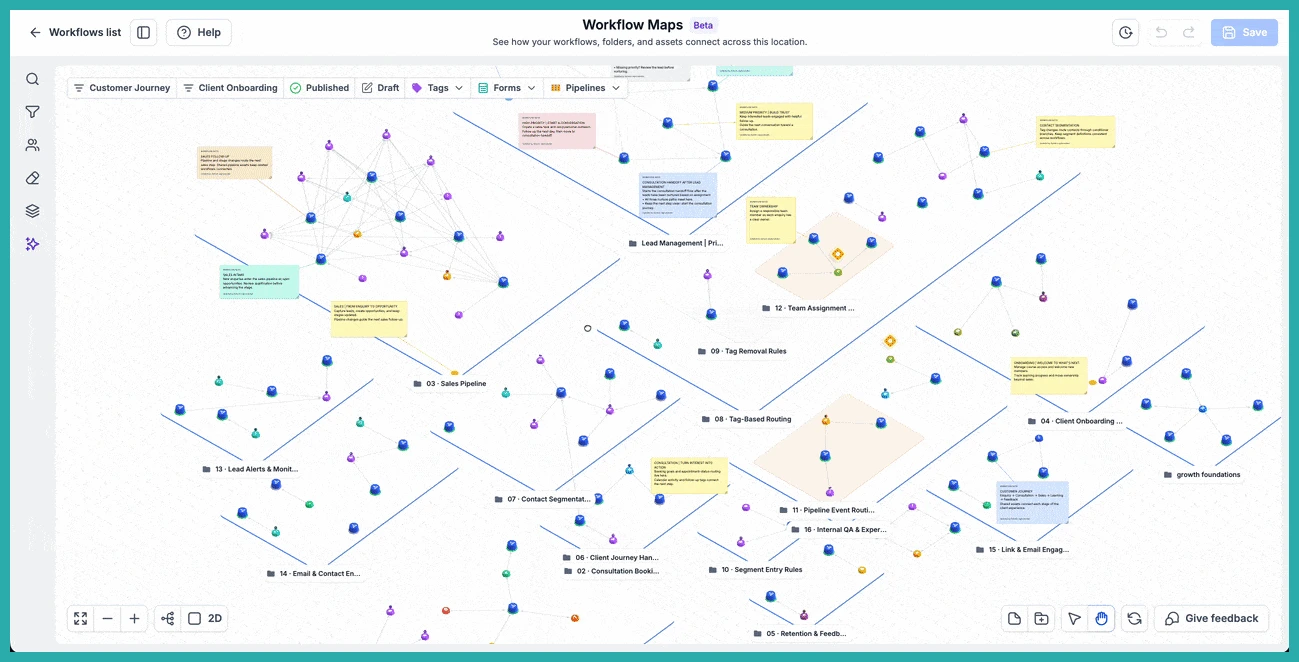
From there, just start exploring. As you move around your workflows and their connections, the map will offer prompts that introduce features in context. So instead of learning everything upfront, you pick it up naturally as you need it.
Walkthroughs for the fiddly bits
Some tasks are worth a proper step-by-step, and the map will have you covered. You'll find guidance for:
- Reviewing errors
- Tracing a contact's journey
- Inspecting folders
- Checking how an asset is being used
- Filtering the map
These are exactly the moments where a little hand-holding saves you ten minutes of second-guessing.
The Resources hub
When you want to look something up, click Help on the map to open Resources. You'll be able to search for the task you're trying to complete, or browse the Cheatsheet, Supported assets, and FAQ sections for a quick answer.
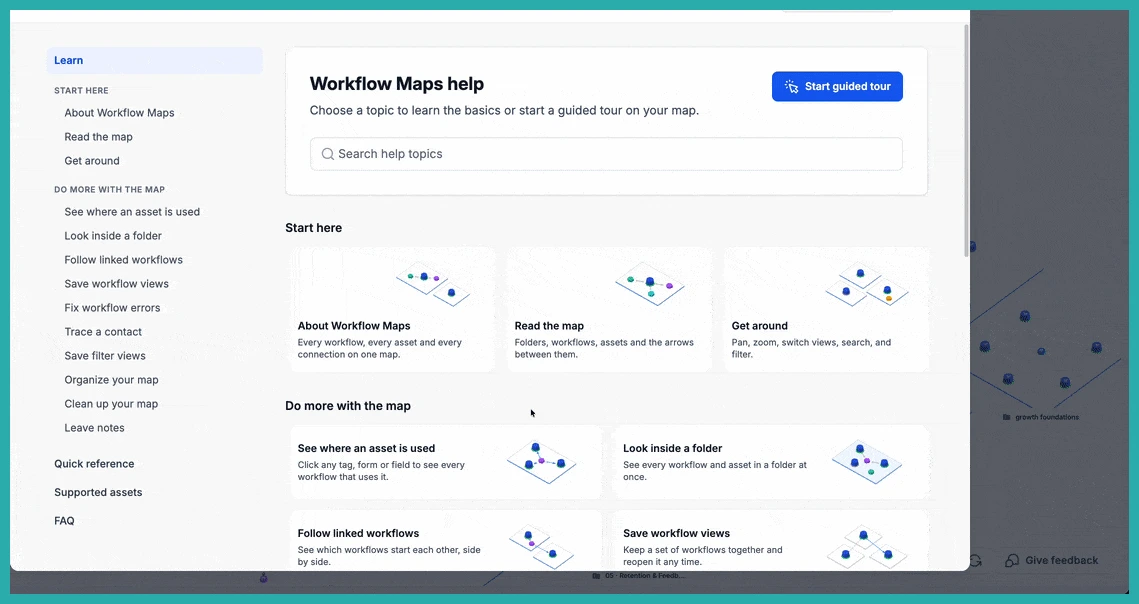
It'll stay available whenever you need it, so you're never stuck trying to remember how you did something last time.
A few handy notes
The onboarding tips will appear based on how you're actually using the map, so you see what's relevant to you. Editing guidance will show up where your permissions allow those actions. And Resources will always be there to revisit a topic.
This will also be a lovely way to introduce a teammate to your automations, or to find your footing while troubleshooting a workflow error. Once it arrives, open Workflow Maps and let it show you around. You might spot something useful you didn't know was there.
