
Your WhatsApp Template Builder Now Flags Bad Variables Before You Hit Save
You build a WhatsApp template, save it, and wait. Then it comes back rejected, with no clear reason why. So you start guessing what WhatsApp didn't like and try again.
That whole round-trip is gone now.
What landed
The Create WhatsApp Template builder now checks your variable placeholders inline, as you type. If something's wrong, it tells you right there in the builder and blocks the save until it's fixed. So you catch the mistake at the moment you make it, not hours later when a rejection turns up.
Here's what it's watching for.
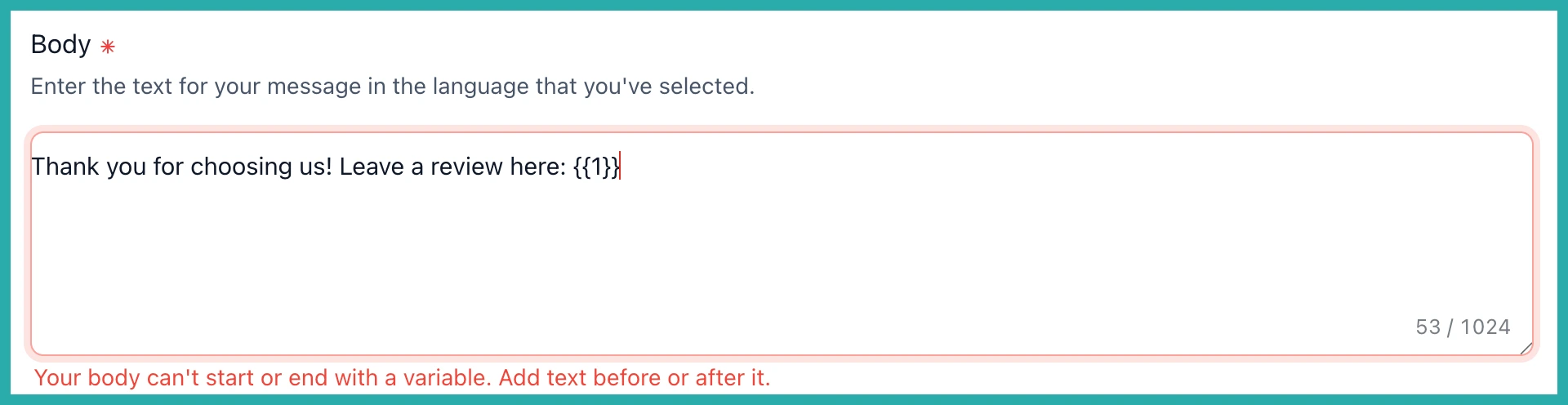
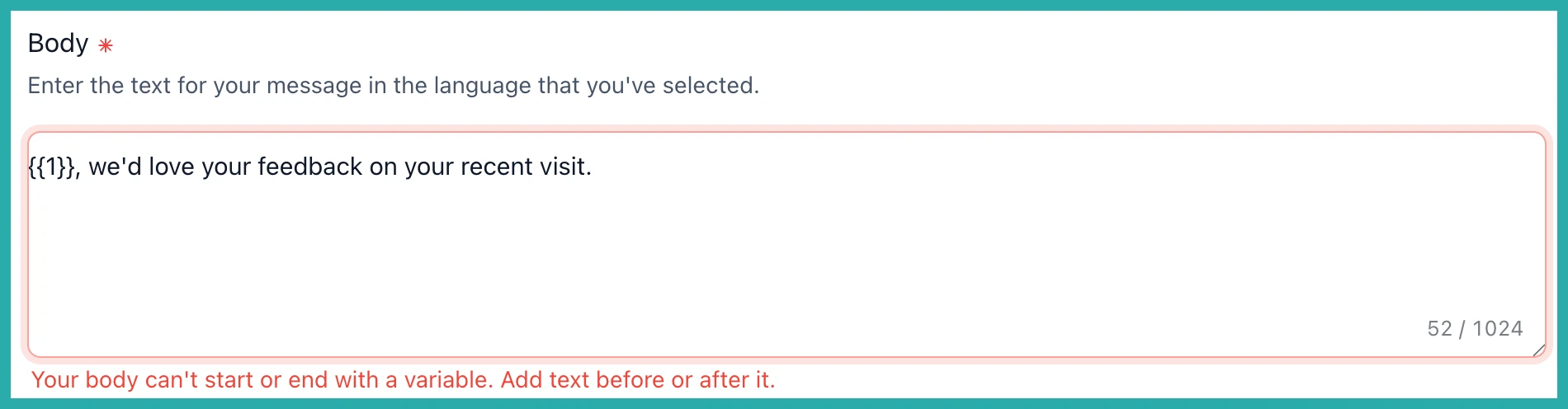
No starting or ending on a variable
WhatsApp rejects any message body that begins or ends with a variable. The builder now flags that straight away and won't let you save until there's actual text wrapped around the variable.
In the screenshot below, you'll see the builder catching a body that ends on a placeholder, with a prompt to add text around it.
Only proper numbered placeholders
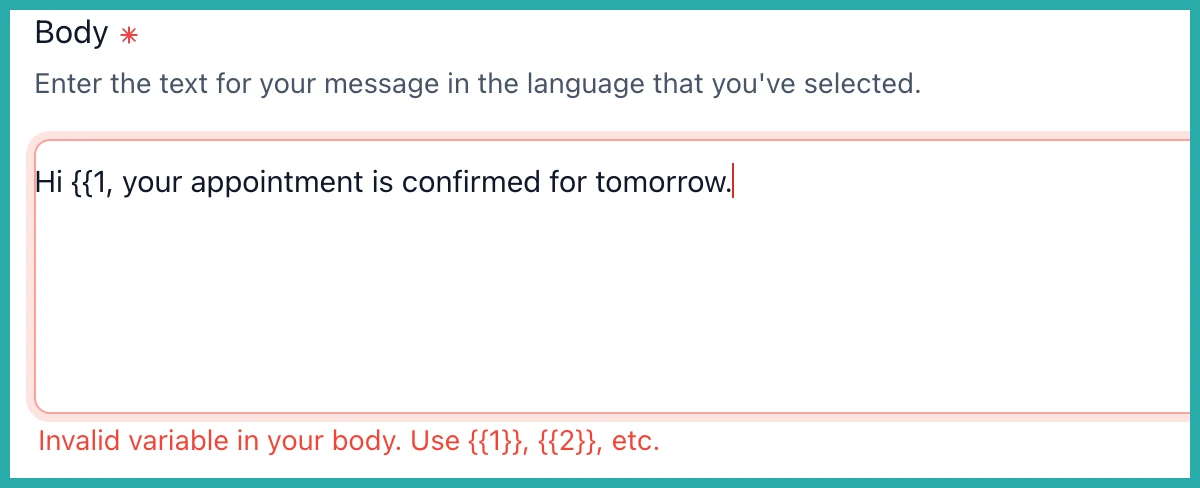
The only valid variables are numbered ones, like {{1}}, {{2}} and so on. Broken tokens such as {{1$}}, or unbalanced and extra braces like {{1 or {{1}}}, used to slip through and get rejected later.
Now they're caught the moment you type them, in both the header and the body, with guidance pointing you to the correct format.
The reputation review-request preset is fixed too
If you've built review-request templates, you may have hit this one. The default reputation template used to end on a trailing variable, which trips the very rule above. It's been cleaned up, so new reputation templates now pass validation with no manual edits from you.
How to use it
There's nothing to switch on. The checks are built straight into the builder. Go to Settings, then WhatsApp, then Templates, and start building. Any invalid variables get flagged inline before you can save.
Next time you set up a WhatsApp template, let the builder do the checking. You'll get it right on the first try, with no rejection to decode afterwards.
