
Send Your Rental Booking Notifications by WhatsApp
You send a booking confirmation or a reminder, and you're never quite sure it landed. Emails get buried. Texts get ignored. And for rentals, a missed message can mean a no-show.
Now you've got another way to reach people, and it's one most of your clients check all day: WhatsApp.
What landed
WhatsApp is now a notification channel for Rentals. You can turn it on for every event type - Unconfirmed, Booked, Canceled, Rescheduled, Reminder, and Follow-up - and toggle it per notification, so you decide exactly where it's used.
A few things worth knowing:
- You can send messages to Contacts, to your Business, or both.
- You can set different templates for each, so the client and your team get their own wording.
- Every notification type comes with a default template, or you can pick an existing approved WhatsApp template or build a new one right in the app.
- You can send yourself a test message before it goes live for real bookings.
How to set it up
Go to Calendar Settings, then Rentals, then Global settings, and open Notifications.
Under the notification type you want - say your Booked confirmation or your Reminder - toggle WhatsApp ON.
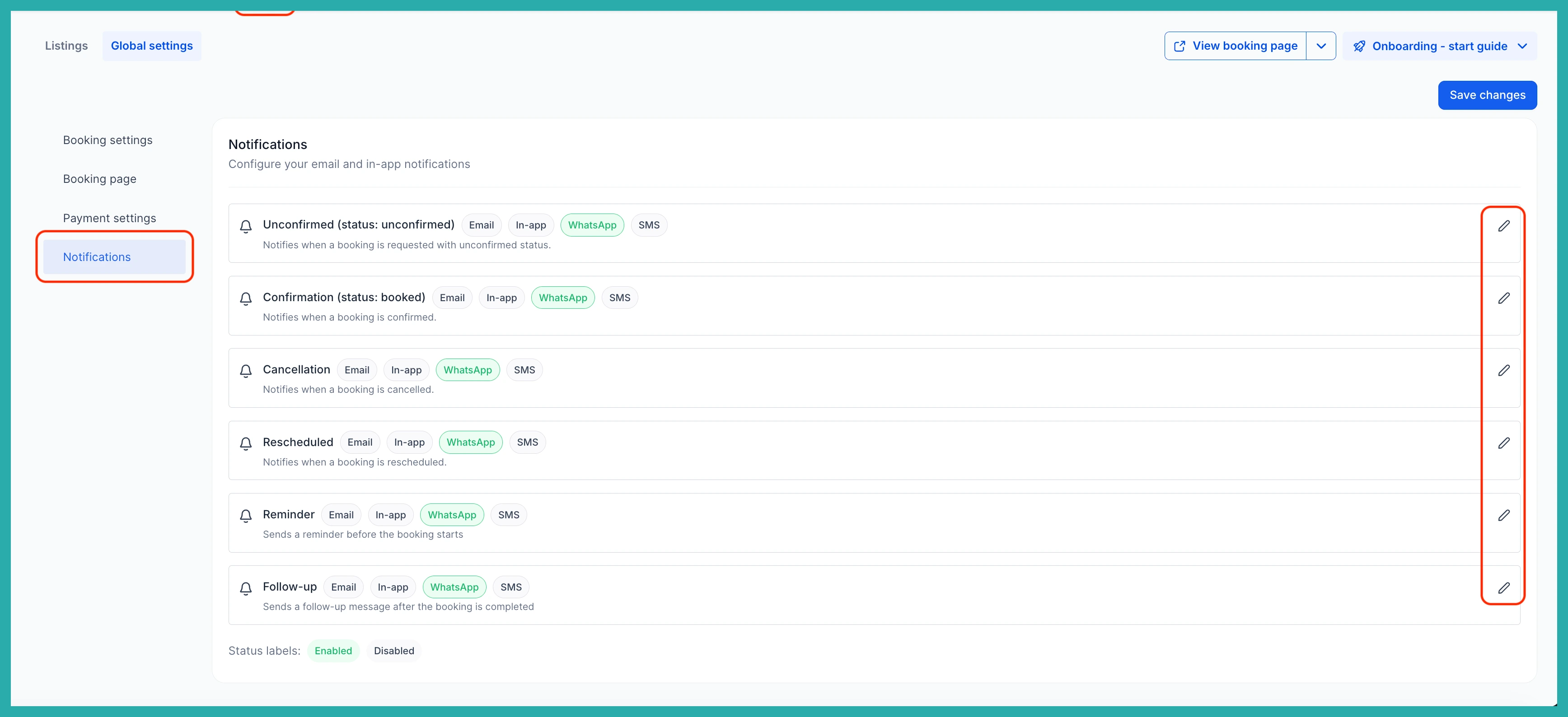
Choose who should receive it: your Contacts, your Business, or both. Then select the template you want to use. If you're not seeing the one you need, hit Fetch WhatsApp templates to refresh your list in real time, or build a new one with the in-app template builder.
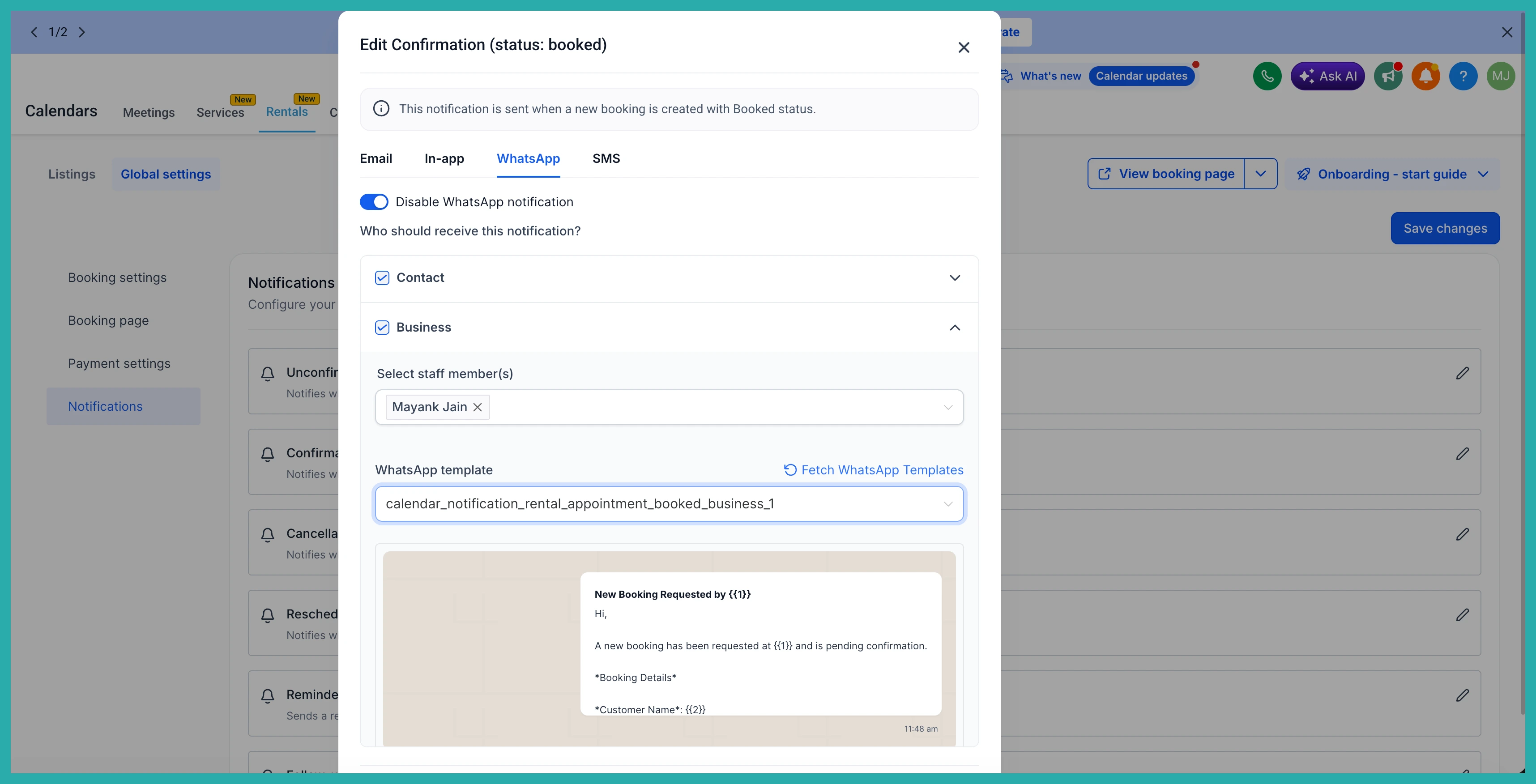
Before you rely on it, use Send test WhatsApp notification to preview the message and check it reads the way you want. Once you're happy, save your configuration. From then on, those WhatsApp messages go out automatically as bookings come in.
A quick note
WhatsApp uses approved templates, so make sure the template you pick is approved before you go live. The test send is your friend here - it takes a minute and saves you sending something odd to a client.
Go turn it on for your reminders first. That's usually where a message that actually gets seen makes the biggest difference to show-ups.
