
Your WhatsApp Sending Limit Now Shows One True Number, Not a Per-Number Guess
If you send on WhatsApp through your account, there's a change worth knowing about. Meta reworked how sending limits are counted, and ESC Hub now shows you the real number that governs what your business can send today.
Here's the short version: your daily limit is no longer set per phone number. It's now shared across your whole business portfolio - every number under it draws from one daily pool.
What actually changed
Meta's messaging limit is the maximum number of unique WhatsApp users you can message, outside a 24-hour conversation window, in a rolling 24-hour period.
As of early October 2025, that limit is set at the portfolio level and shared across all your numbers. So one busy number can use up the whole day's capacity on its own. That's exactly the kind of thing that leads to surprise send failures once you hit the ceiling without realising.
The old view in your account showed a limit next to each number, which made it look like every number had its own quota. It didn't. So we've fixed how this appears.
What's new in your account
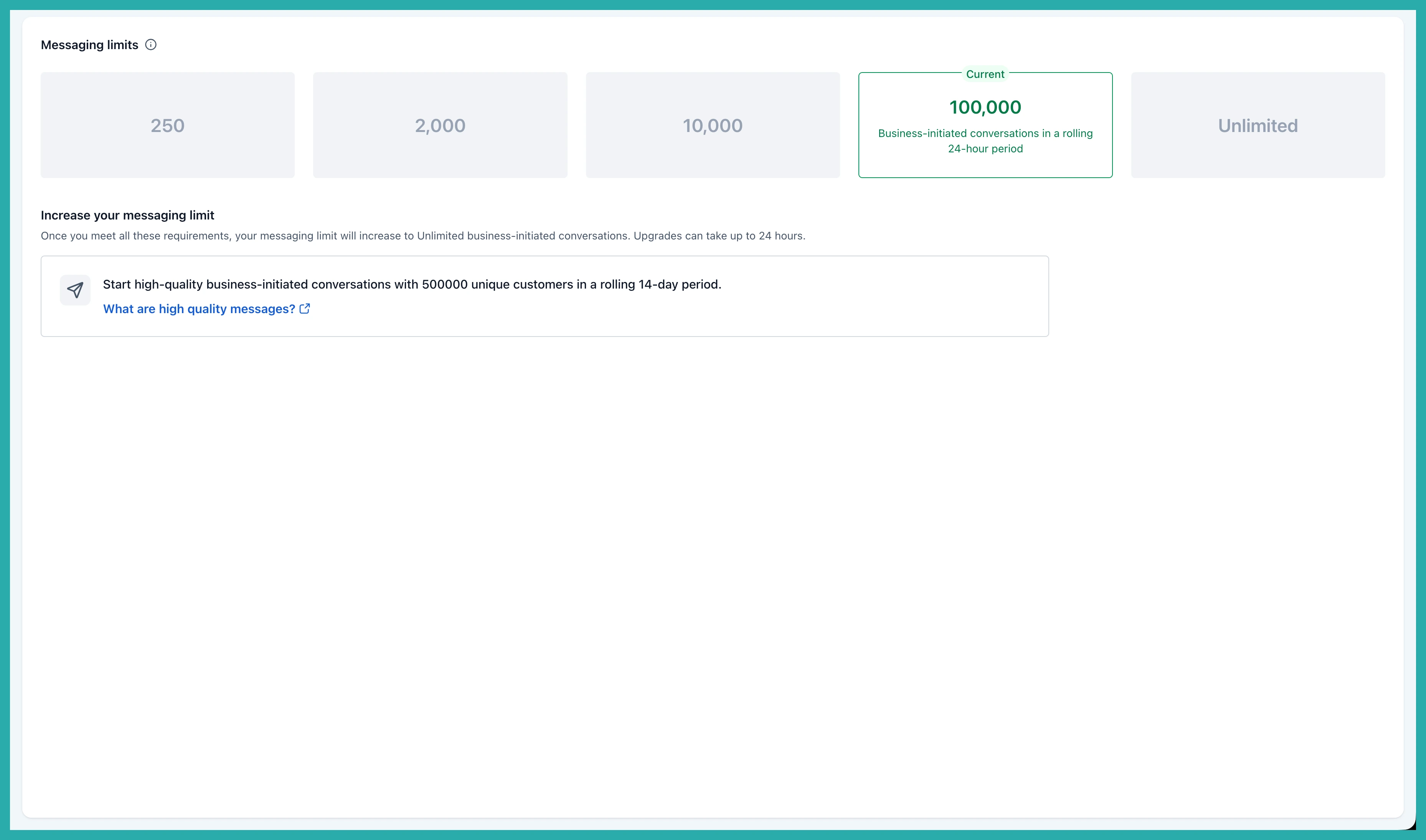
You now get a proper messaging limits panel under WhatsApp Settings. It shows the true shared limit that governs all your numbers - one honest number instead of a misleading per-number figure.
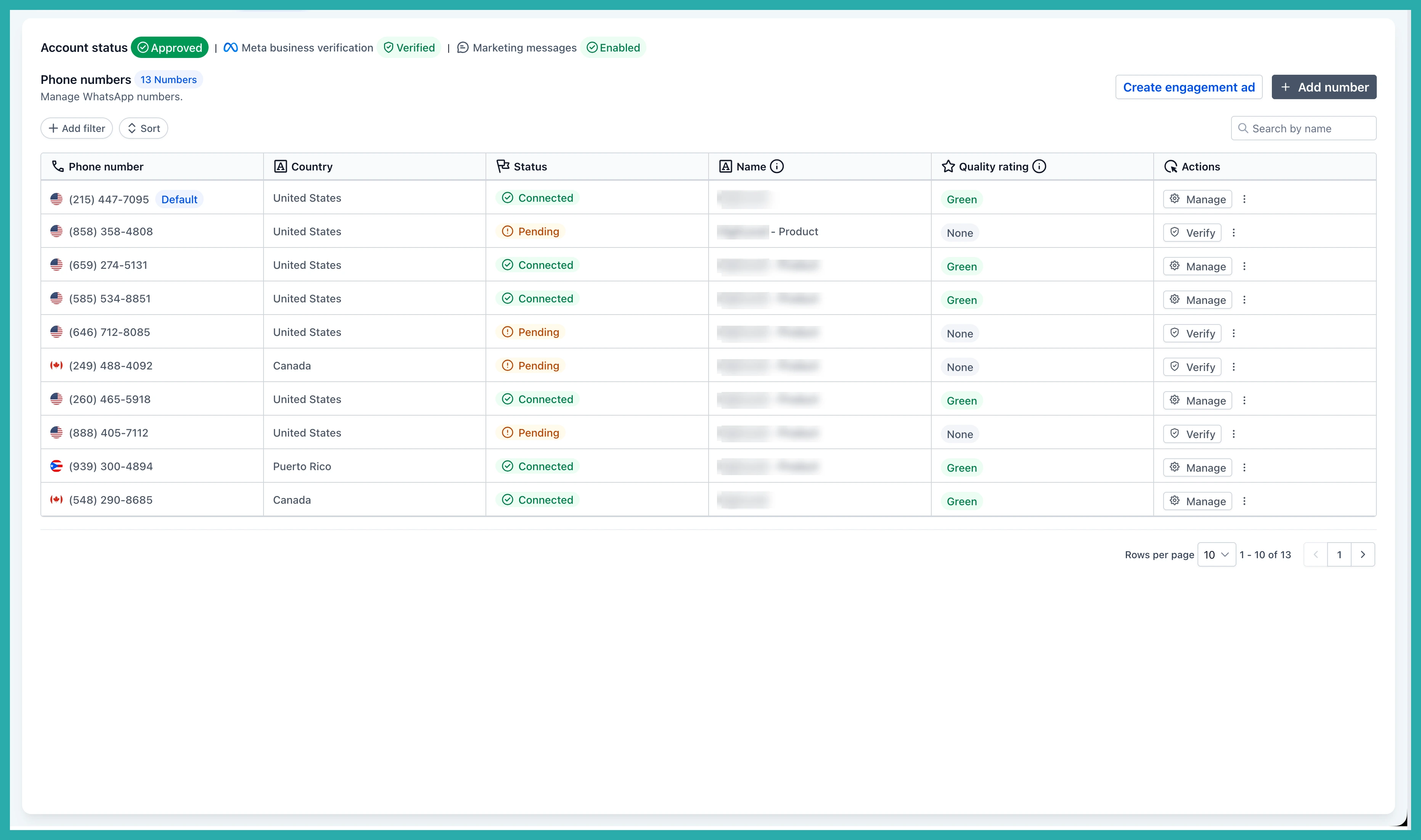
We've also removed the messaging limit column from the individual Phone Numbers view, because under the new model that column no longer reflects reality. No more false impression of separate quotas.
There's a tooltip too, explaining that the limit is shared across the portfolio and that a single number can consume the full amount. And the whole panel is available in 13 languages.
Where to find it
- Go to your account.
- Open WhatsApp Settings.
- Select Messaging Limits.
A quick note on the tier ladder
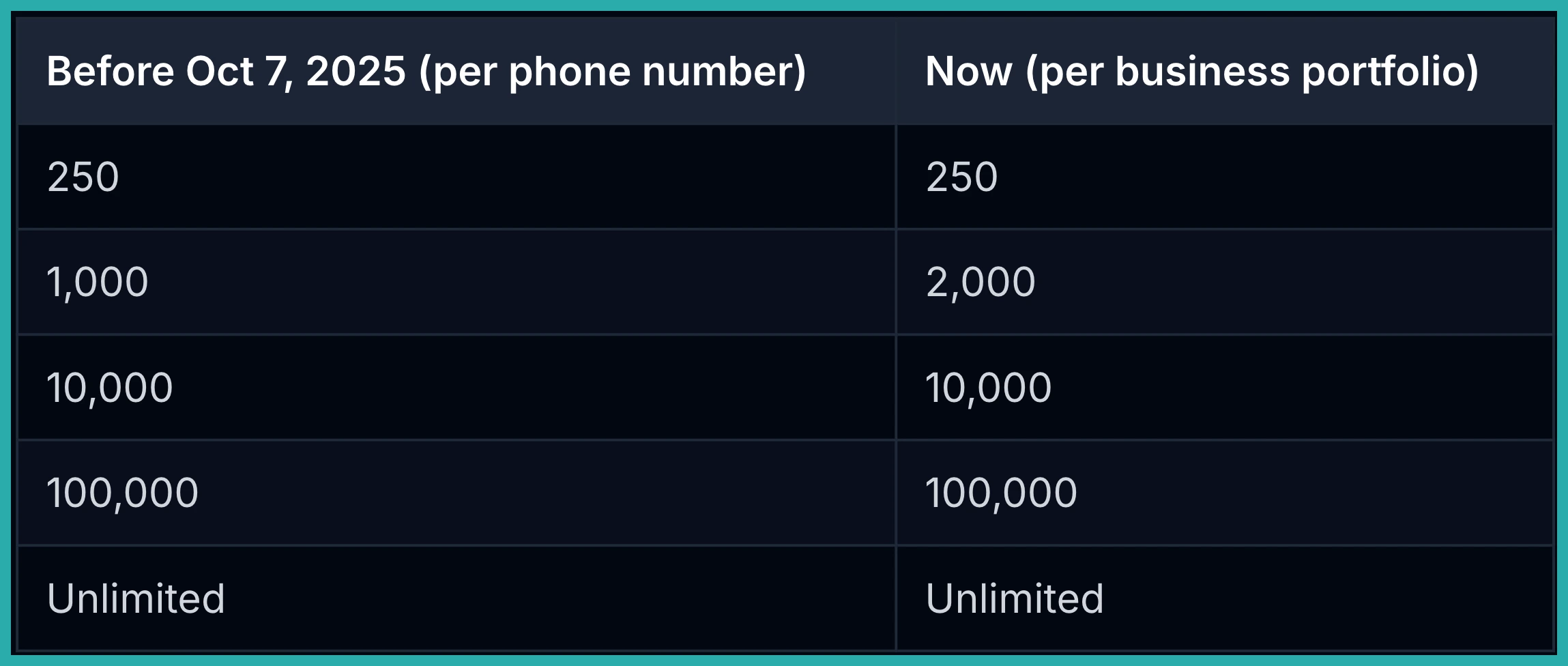
Meta also changed how you scale up. The first step above the 250 starting limit is now 2,000 (it used to be 1,000). You reach it by verifying your business, having a partner verify it, or sending 2,000 delivered messages to unique recipients over a rolling 30 days using high-quality templates.
After that, increases to 10,000, 100,000, and then Unlimited happen automatically, as long as you keep your message quality high and use at least half your current limit over a 7-day stretch. New numbers now inherit the portfolio's current limit straight away, with no warm-up period.
The upshot is simple. You can now plan your sending against the real ceiling instead of a per-number illusion. Pop into WhatsApp Settings and take a look at your true limit - it only takes a moment, and it's good to know where you stand.
