
WhatsApp Now Shows Your Customers a Live Countdown Clock on Limited Time Offers
Deadline offers have always been clumsy on messaging. You either typed "offer ends soon" and hoped it landed, or you baked a date into an image and rebuilt the whole thing every campaign.
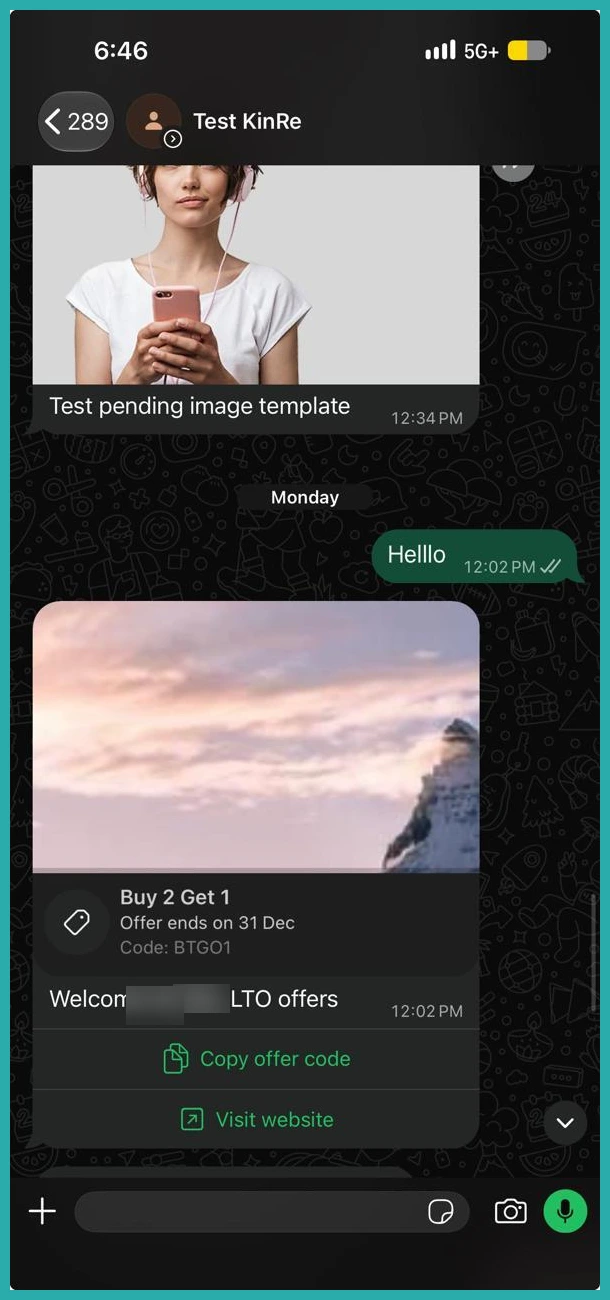
There's now a better way. A new WhatsApp template type shows your customer a real countdown clock, ticking down inside their own chat, with your discount code sitting right under it ready to copy in one tap.
What landed
This is a Limited Time Offer template, built for marketing deadlines. It has an offer heading, an image header, your body copy with variables, and two buttons: one to copy the discount code, one to go straight to your offer.
The clever part is the clock. WhatsApp draws it for you and it genuinely ticks down in the customer's chat, turning red in the final hour. Your customer watches the deadline shrink in real time instead of just reading about it.
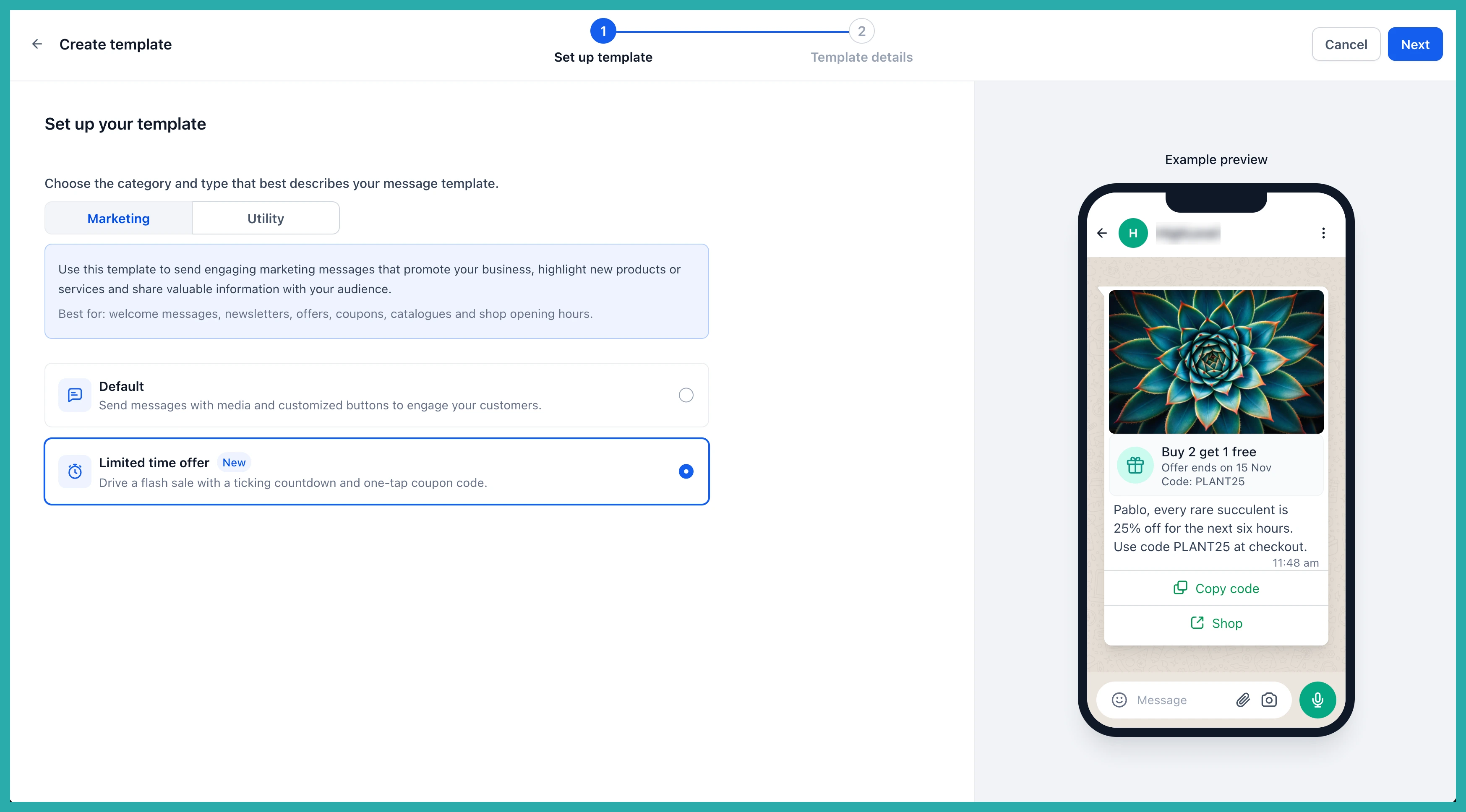
Because WhatsApp renders the countdown natively, there's no image to redesign for the next promotion. The urgency is shown, not claimed.
One template, every campaign
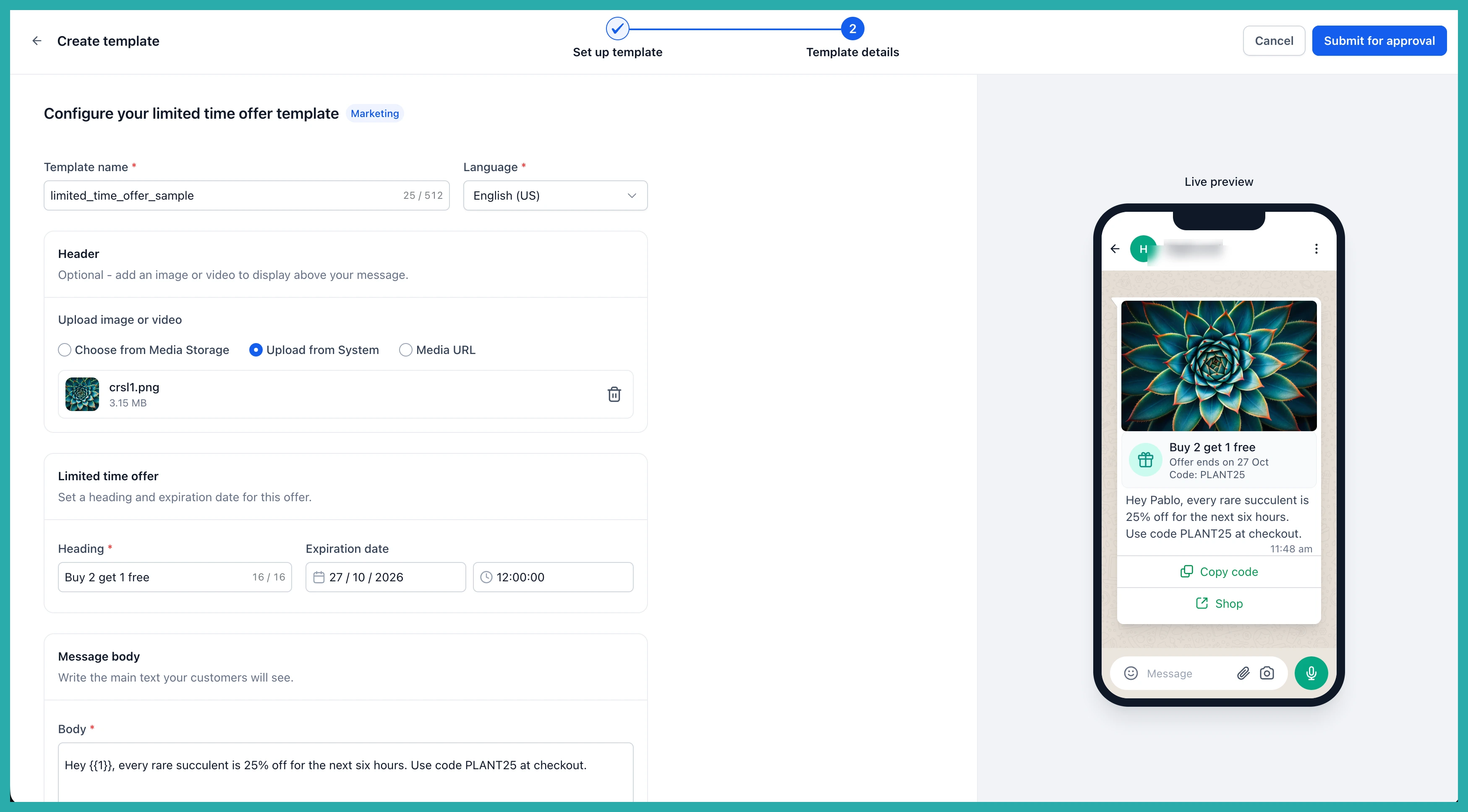
Here's the bit that saves you the most time. The template sets the structure, but you choose the expiry at send time. So one approved template runs promotion after promotion, with only the deadline changing.
That means no building and submitting a fresh template for every sale, and no waiting on Meta approval between campaigns.
One tap to copy, one tap to buy
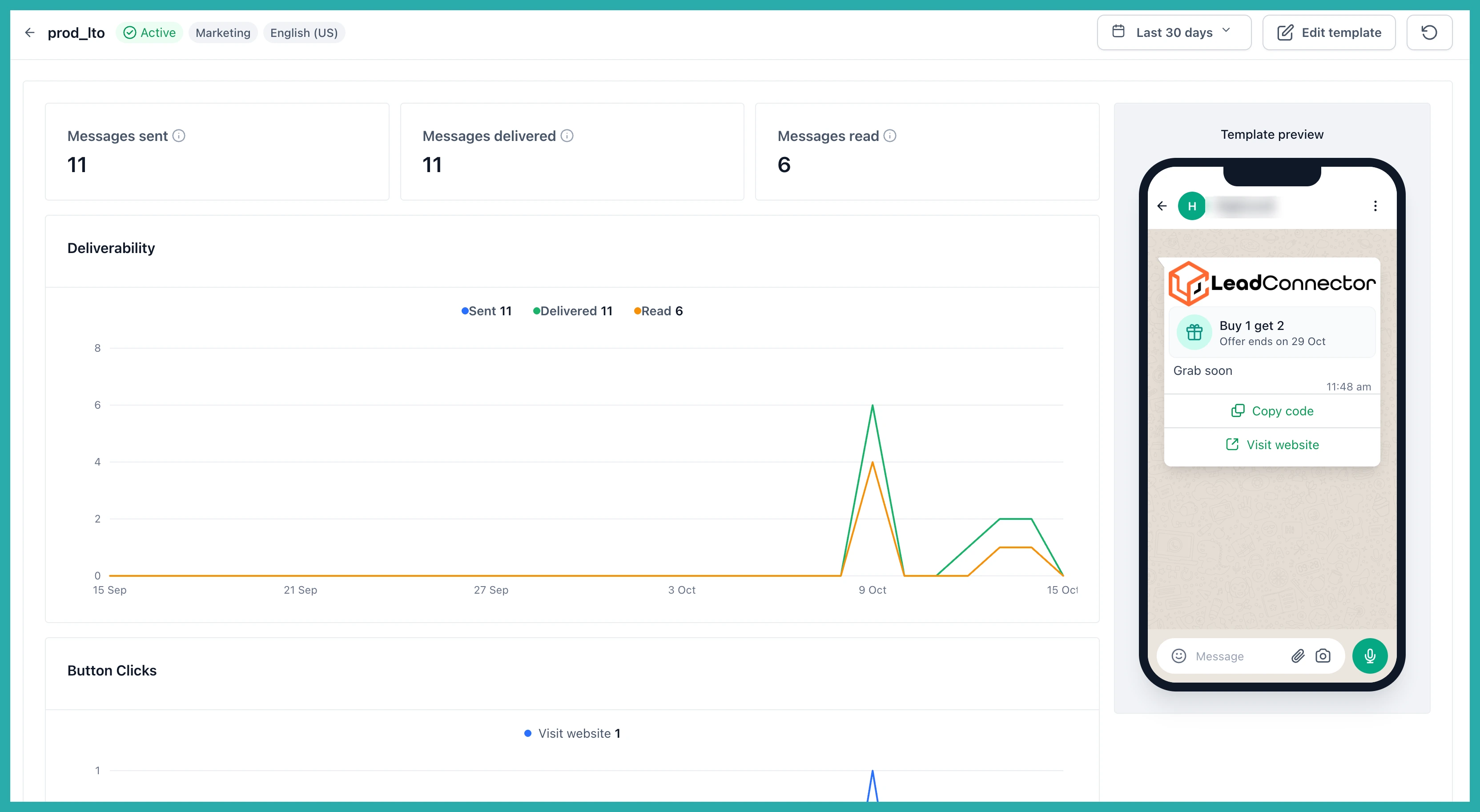
The discount code sits directly under the clock and copies with a single tap. Beside it, a URL button takes the customer straight to your offer. Nothing to memorise, nothing to retype between seeing the deal and using it.
Both buttons are always there, by the way. Meta requires both on this template type, so they can't be removed.
How to build one
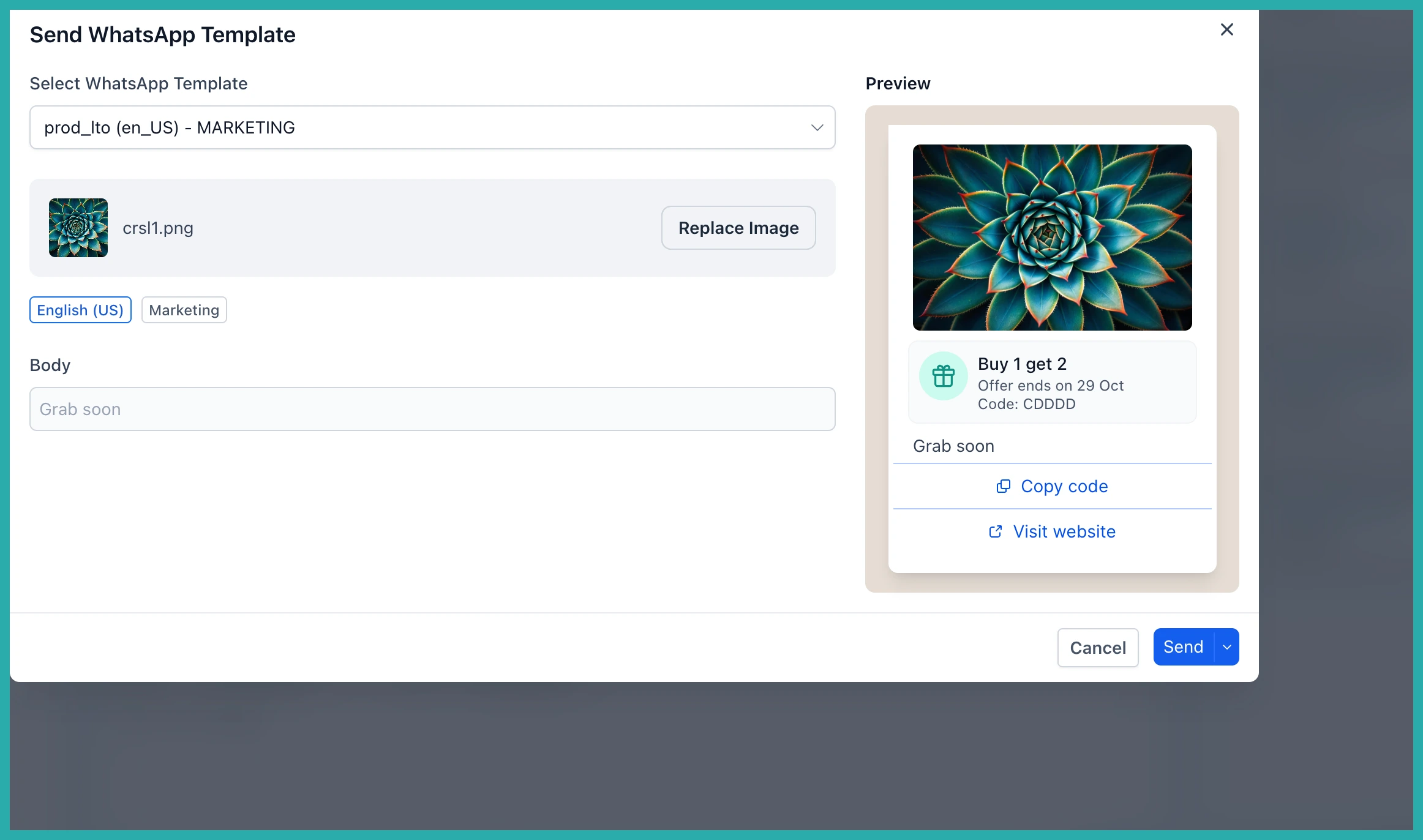
- Go to Settings, then WhatsApp, then Templates, and click Create template.
- Set Category to Marketing and Type to Limited time offer.
- Add your offer heading, image header, body copy, discount code, and URL.
- Submit for Meta approval as normal.
- When you send, choose the expiry for that specific campaign.
You build it in the usual template builder, with the live phone preview so you can see exactly what your customer will get.
If you'd rather not write it from scratch, the AI template writer can draft one for you, heading, expiry, offer code and image included.
Send it from everywhere you already send
Conversations, bulk actions, workflows, and calendar sends all support this template, so it fits straight into how you already work.
Picture a salon filling Friday's empty chairs with a code that expires at noon, a store recovering abandoned carts with a discount the customer can see running out, or a gym pushing a joining offer before the month closes. That's the kind of thing this is built for.
One thing to watch: if you send with an expiry that has already passed, Meta still accepts the message and the chat shows the offer as already expired. So double-check the deadline before a bulk send.
Head to Settings, then WhatsApp, then Templates, and build your first limited time offer. Once it's approved, every campaign after that is just a new deadline away.
