
Welcome New Members Automatically When They Sign Up to Your Client Portal
Someone signs up to your Client Portal or membership, and you want them welcomed straight away. A friendly email, maybe the first step of their onboarding, perhaps a task for you to follow up.
Until now there was no clean way to kick that off automatically. You had to spot the new signup yourself and start things manually.
That's sorted now.
What you get
There's a new workflow trigger called User Signup (Client Portal / Memberships). It fires the moment someone successfully registers through your Client Portal, and from there your workflow does the rest.
That means you can:
- Send a personalised welcome email the second they join
- Walk them through onboarding with a series of timed steps
- Assign a task to yourself or your team to check in
- Schedule follow-ups so no new member slips through the cracks
You set it up once, and every new signup gets the same warm start without you lifting a finger.
How to set it up
Here's the whole thing, start to finish.
- Go to Automation, then Workflows.
- Create a new workflow, or open one you already have.
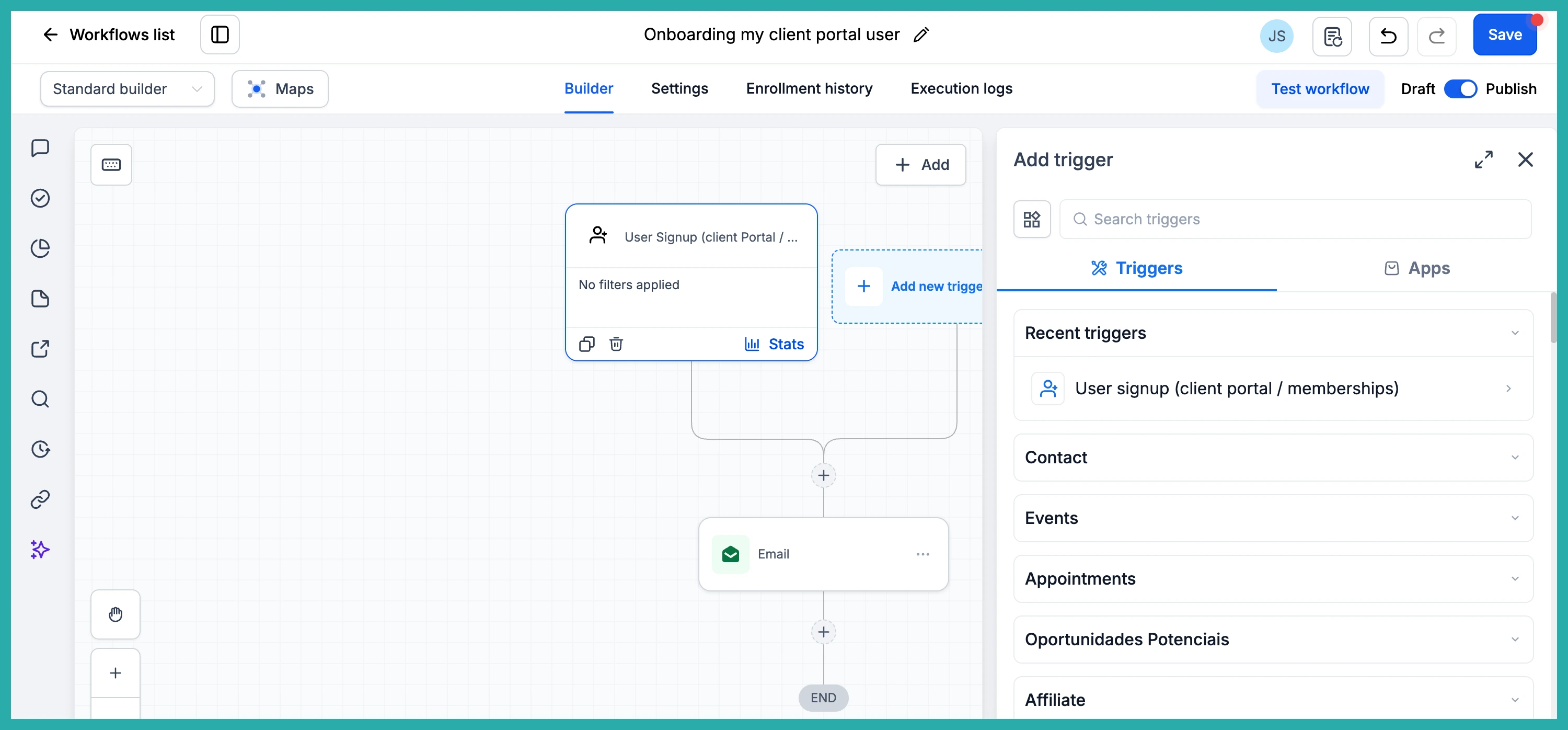
- Add the User Signup (Client Portal / Memberships) trigger.
- Build out your actions - a welcome email, a task, the first onboarding step, whatever fits how you work.
- Publish the workflow.
In the screenshot below, you'll see the new trigger ready to drop into your workflow.
Once it's published, it runs on its own every time a new member registers. No watching for signups, no manual sends.
If you've been meaning to tidy up your member onboarding, this is a lovely place to start. Set it up once and let every new person get the welcome you'd want them to have.
