
Voice Intelligence writes your call notes, updates contacts and scores every call for you
A quick heads-up: this one's in Labs
It's an early feature you turn on yourself in Settings > Labs inside your account. It works, but it's still in development - the documentation and support is limited and not everything will behave perfectly yet.
If you like getting your hands on new things early, switch it on and have a play. If you'd rather wait for the finished, fully-supported version, leave it off and we'll let you know when it lands.
Every call ends with homework. Write the notes. Update the contact. Log how it went. And most of the time it just doesn't happen - so details slip, follow-ups get missed, and nobody really knows how the call went.
Voice Intelligence does that homework for you. The moment a recorded call ends, it reads the conversation and hands you a summary, suggested contact updates, a logged outcome and a coaching score - all waiting for you to check and approve.
You stay in charge. Nothing changes on a contact until you say so.
Turning it on
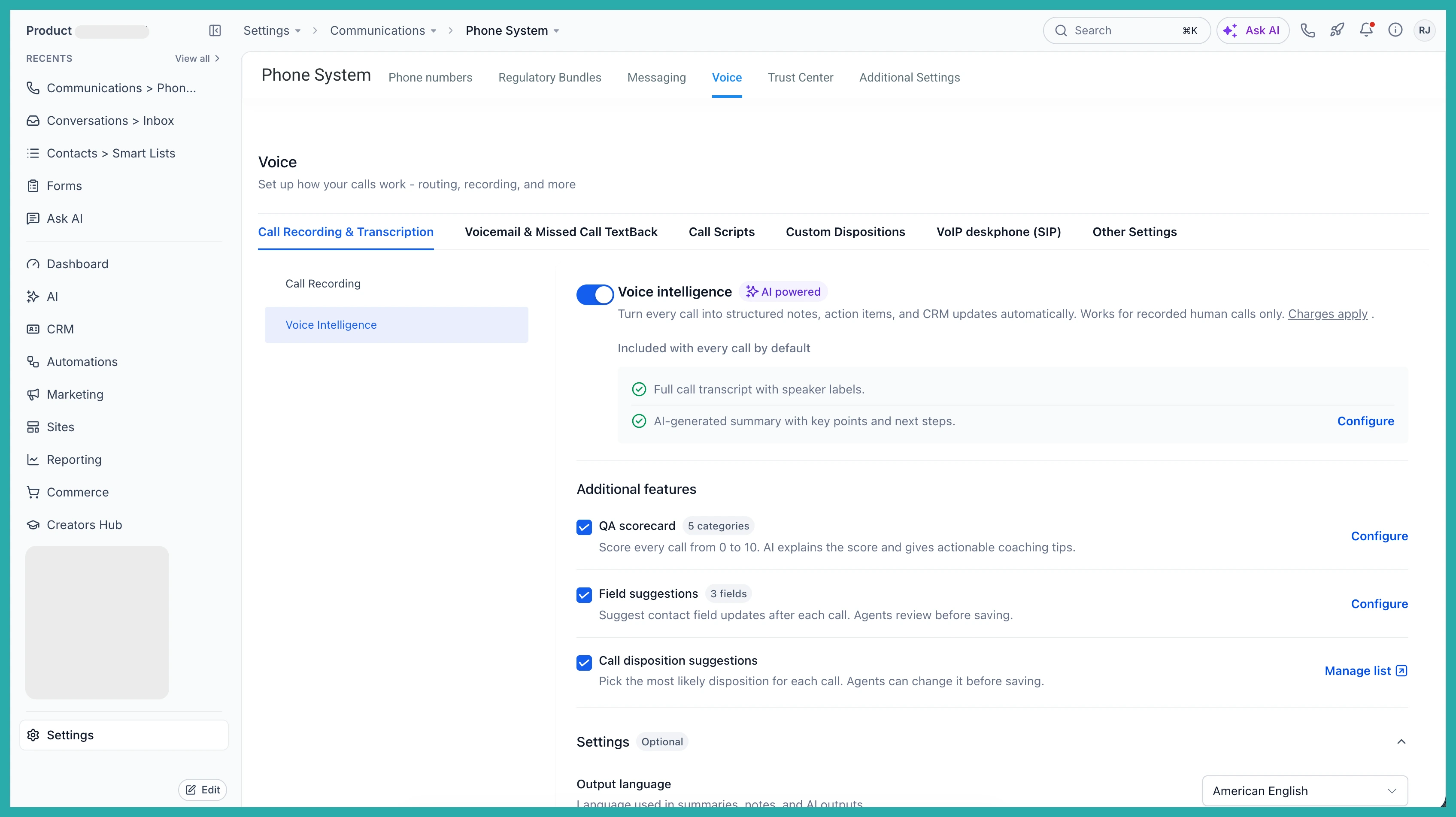
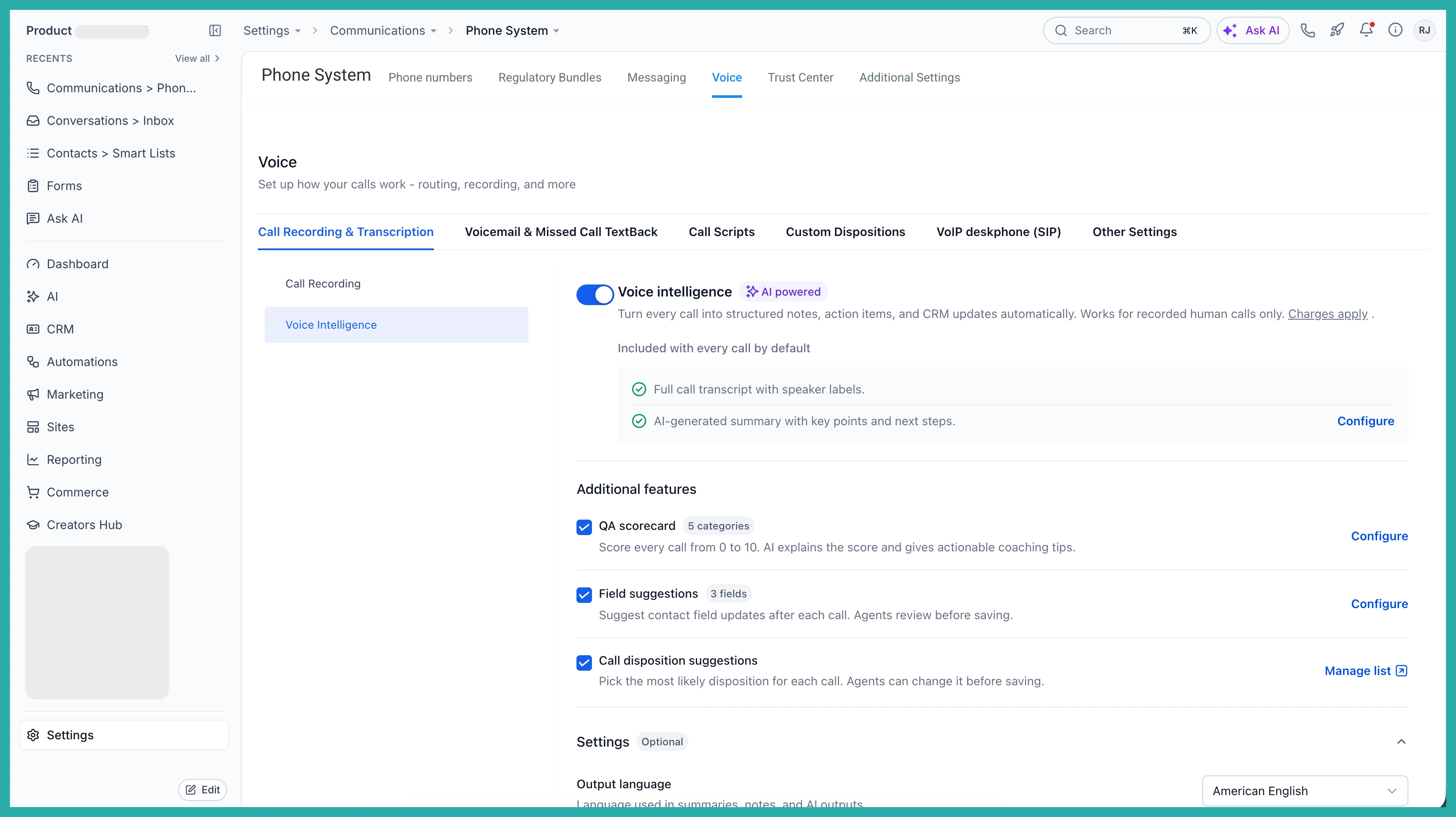
Once you've switched the feature on, go to Settings, then Phone System, then Voice, then Call Recording & Transcription, and turn on Voice Intelligence. Call recording needs to be on for this to work.
It runs on calls made with your account's numbers, skips voicemails and very short calls, and there's no extra charge beyond your usual call transcription.
Stop writing call notes
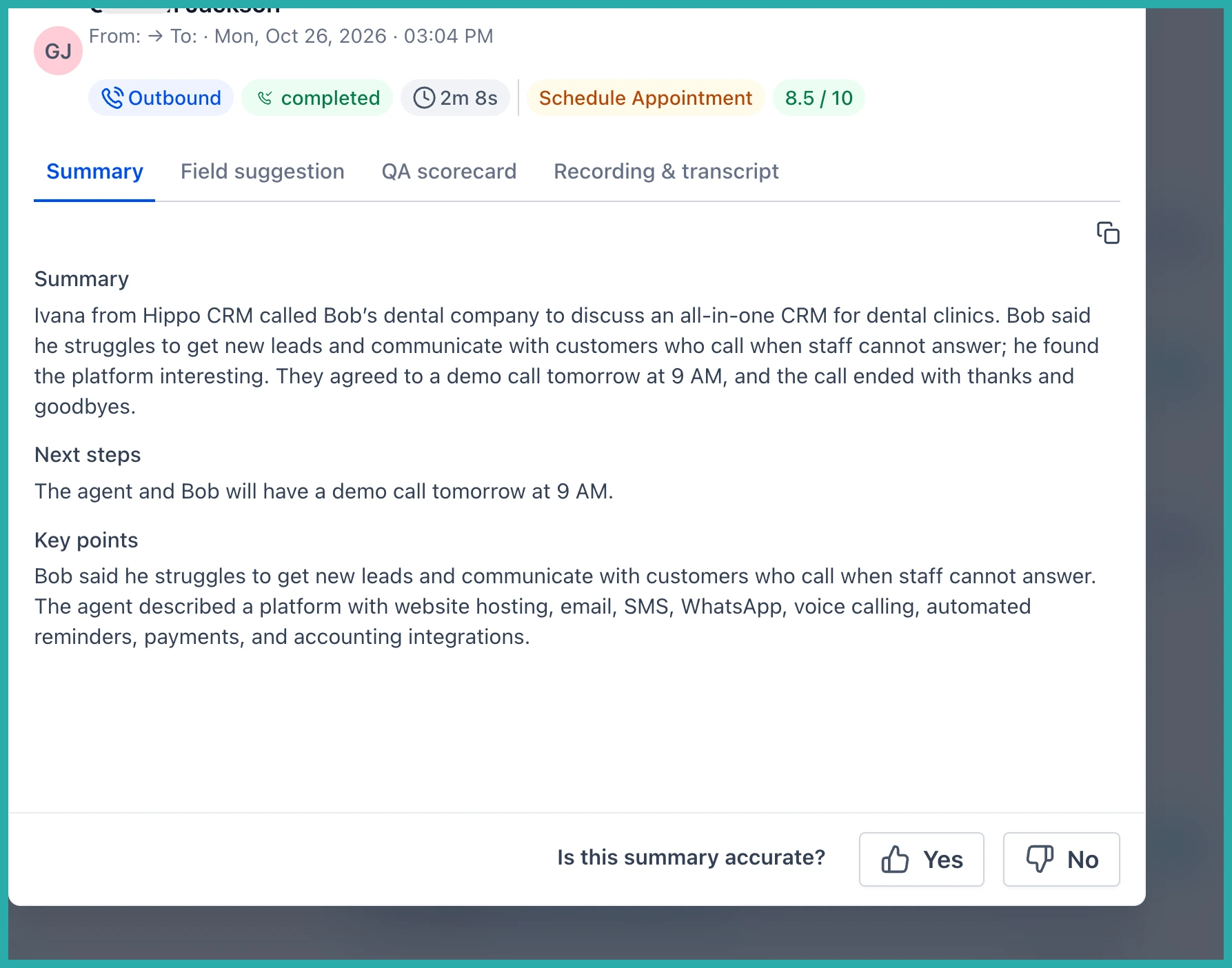
Open any recorded call and you'll see what the contact wanted, what was agreed, and what happens next - already written up for you.
No more scribbling notes from memory an hour later. It's all there, in plain language, the moment the call ends.
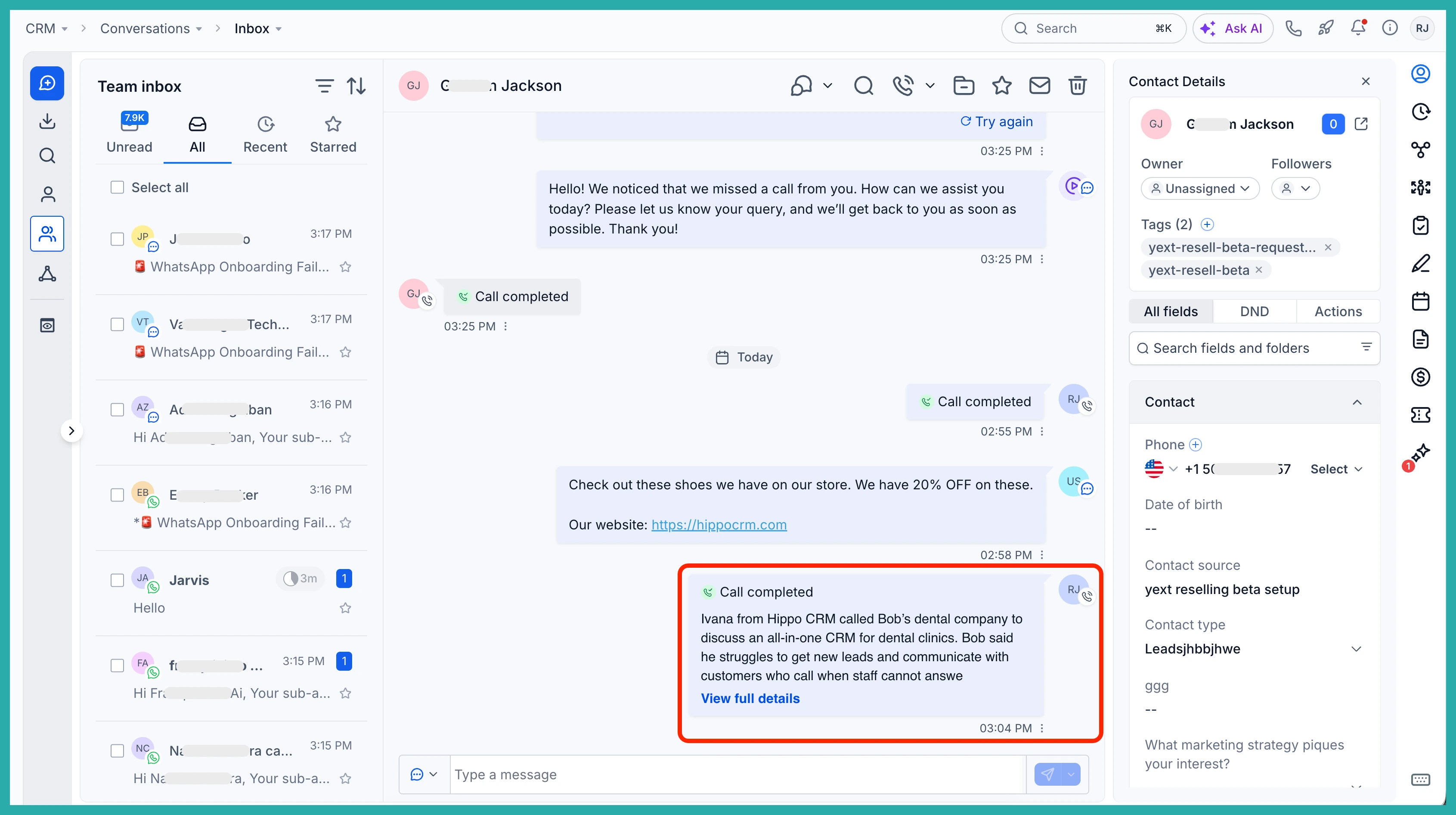
Pick up where anyone left off
When you or a teammate calls that contact next, you read the summary first. No one has to ask the customer to repeat themselves, and nobody walks into a call blind.
Keep your contacts up to date
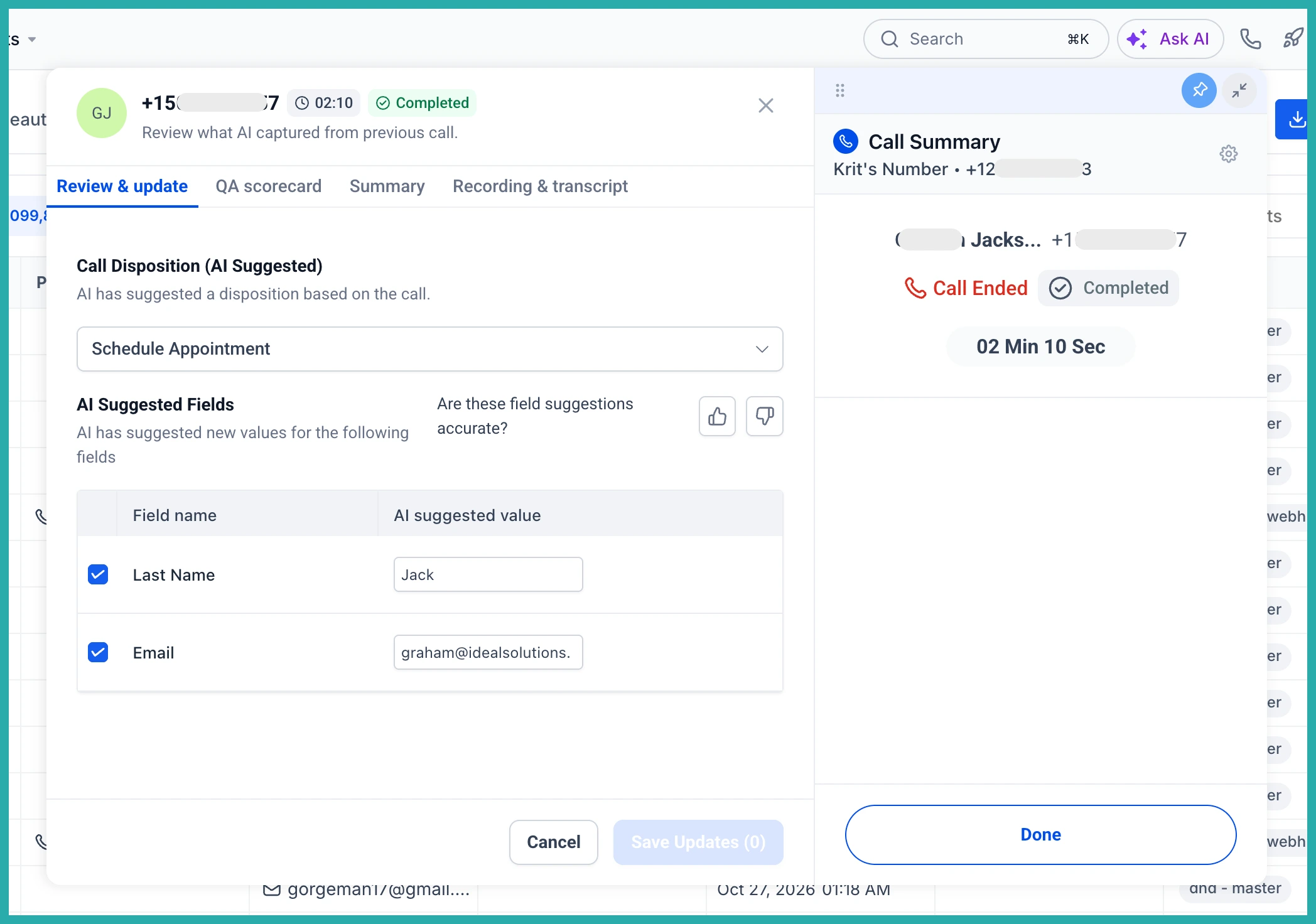
Names and emails mentioned on the call are pulled out and ready to save. You check they're right and click save - that's it.
In the screenshot below, you'll see the suggested field updates waiting for your approval. Nothing touches the contact record until you confirm.
Log every call the same way
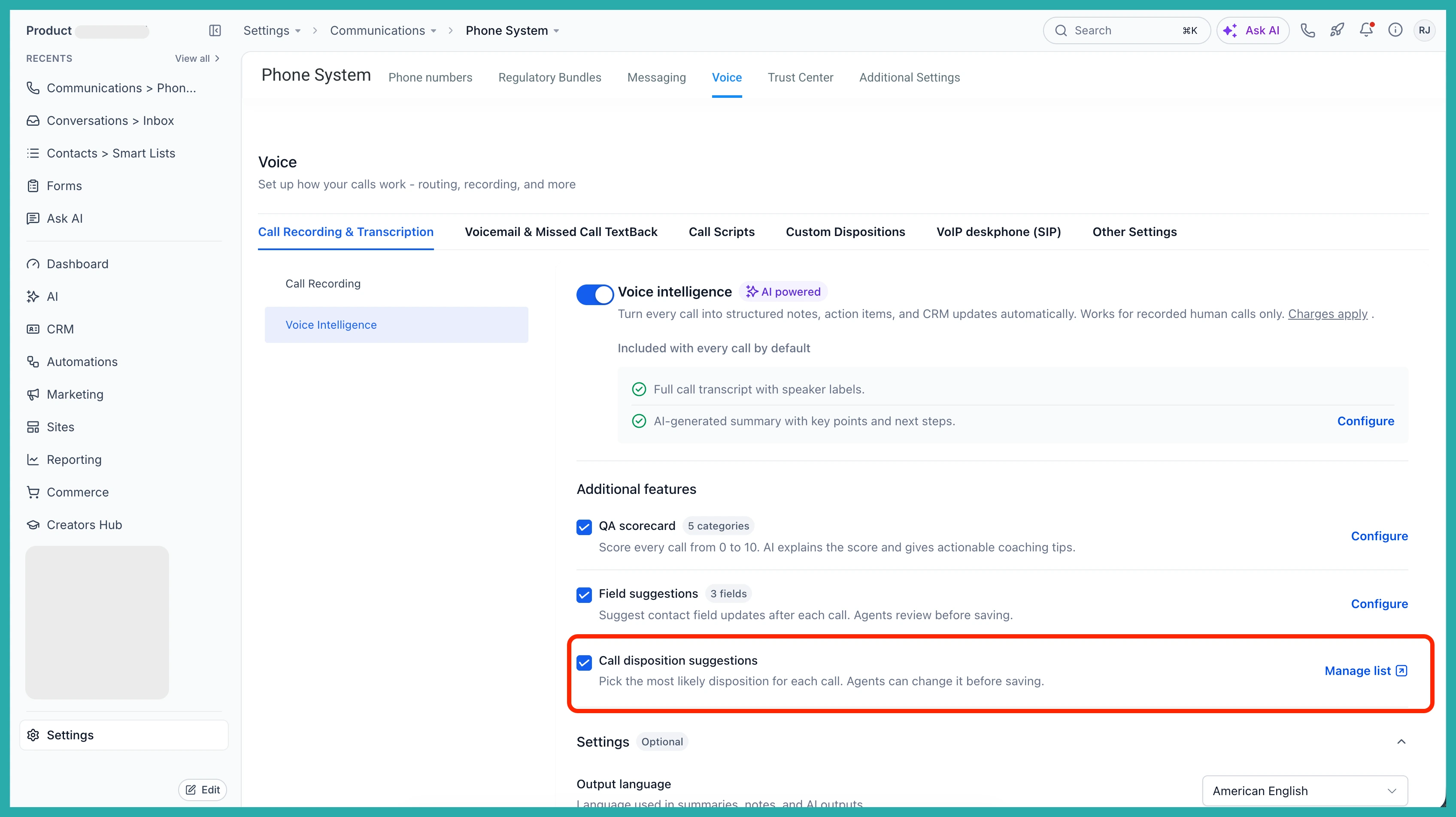
The call outcome is already picked for you from your own list. You just confirm it, so every call gets logged consistently without the usual guesswork.
Coach without listening to hours of calls
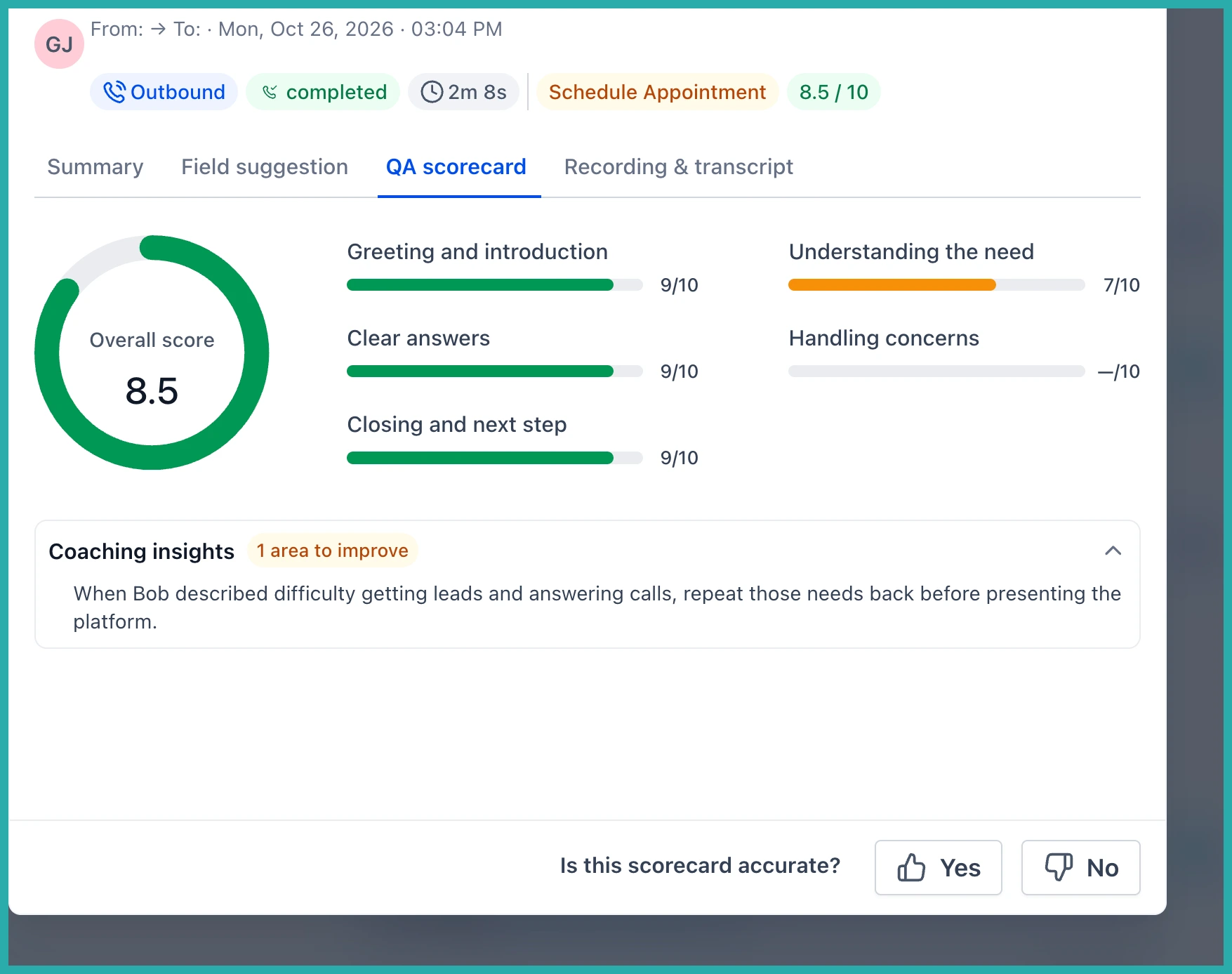
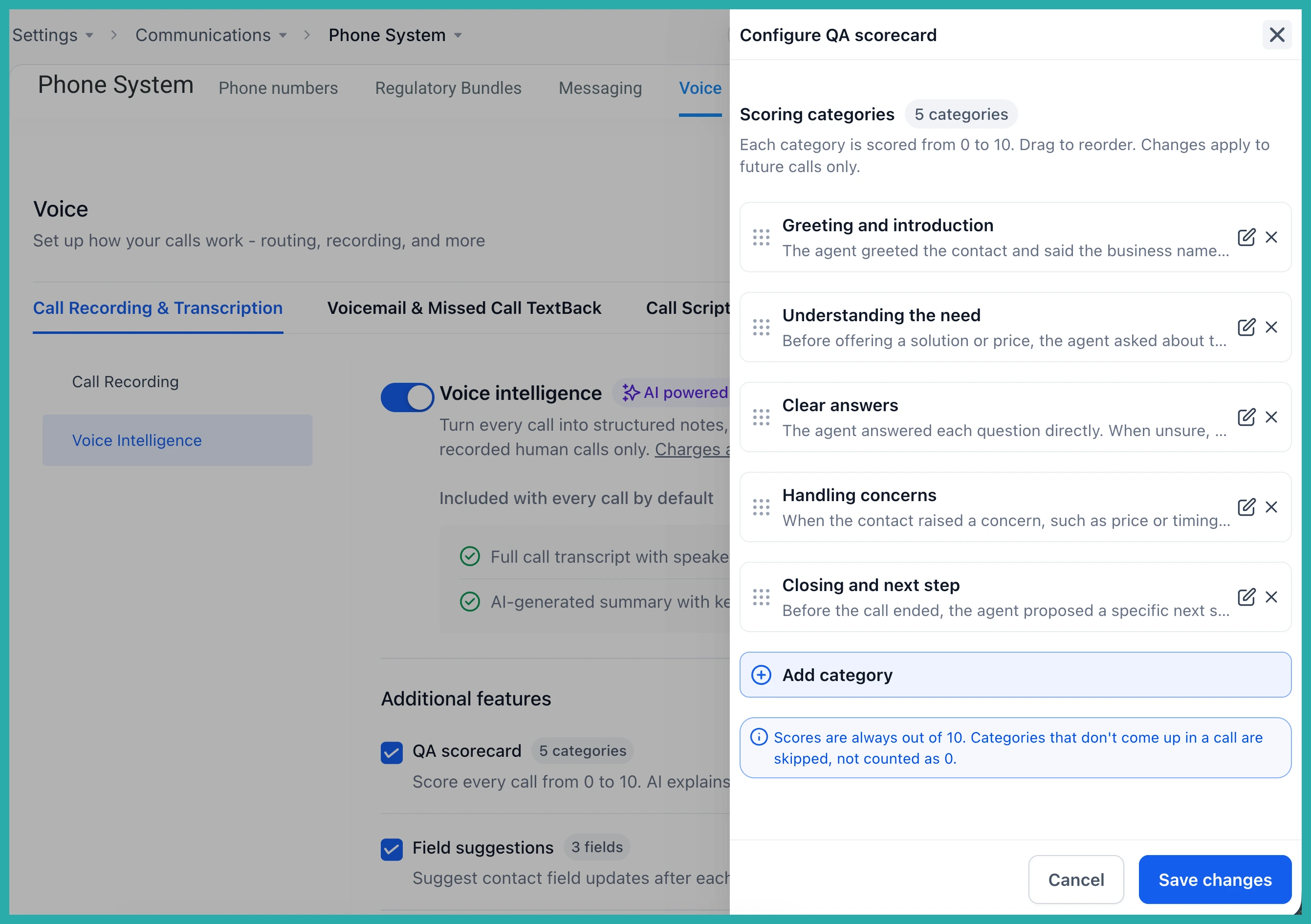
Each call gets a score out of 10 and a tip on what to do better. At a glance you can see who's doing well and who needs a hand, and with what - no sitting through recordings.
Set it up once, your way
Admins set the rules once and every call follows them. You decide what the system reads and reports on, so it matches how your team actually works.
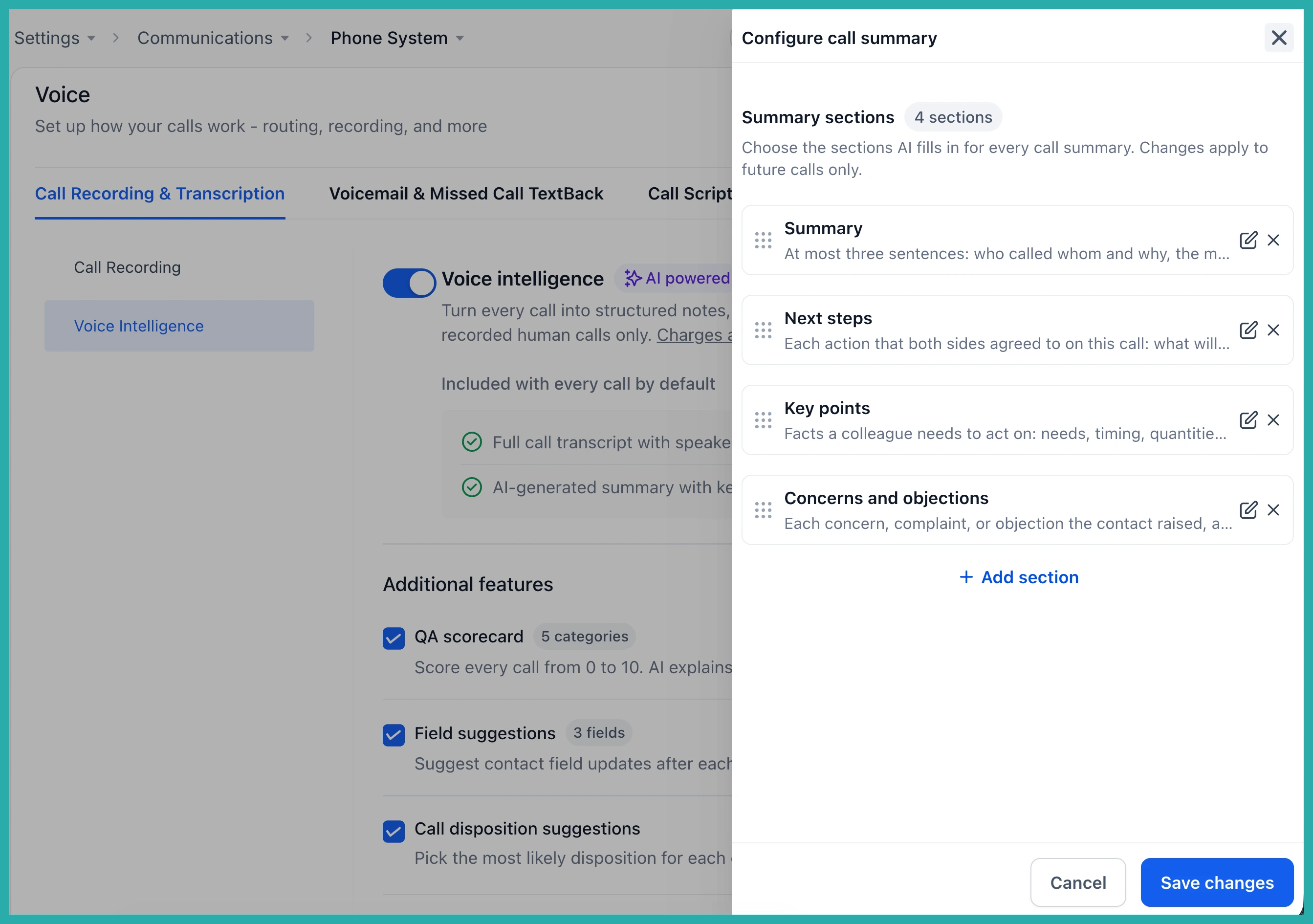
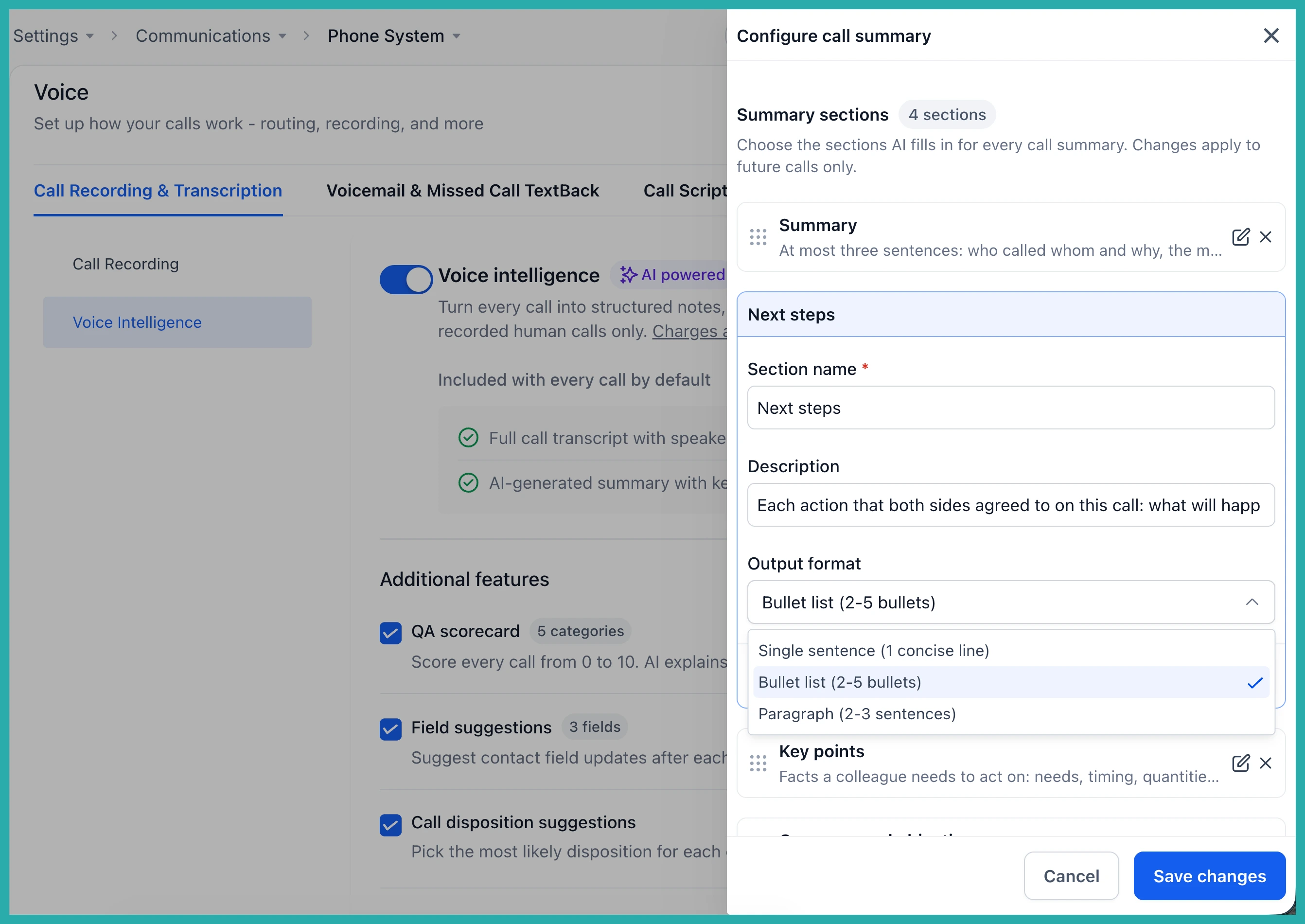
Start with the summary. Choose the sections your team wants to read, like next steps or objections, and set the order they appear in.
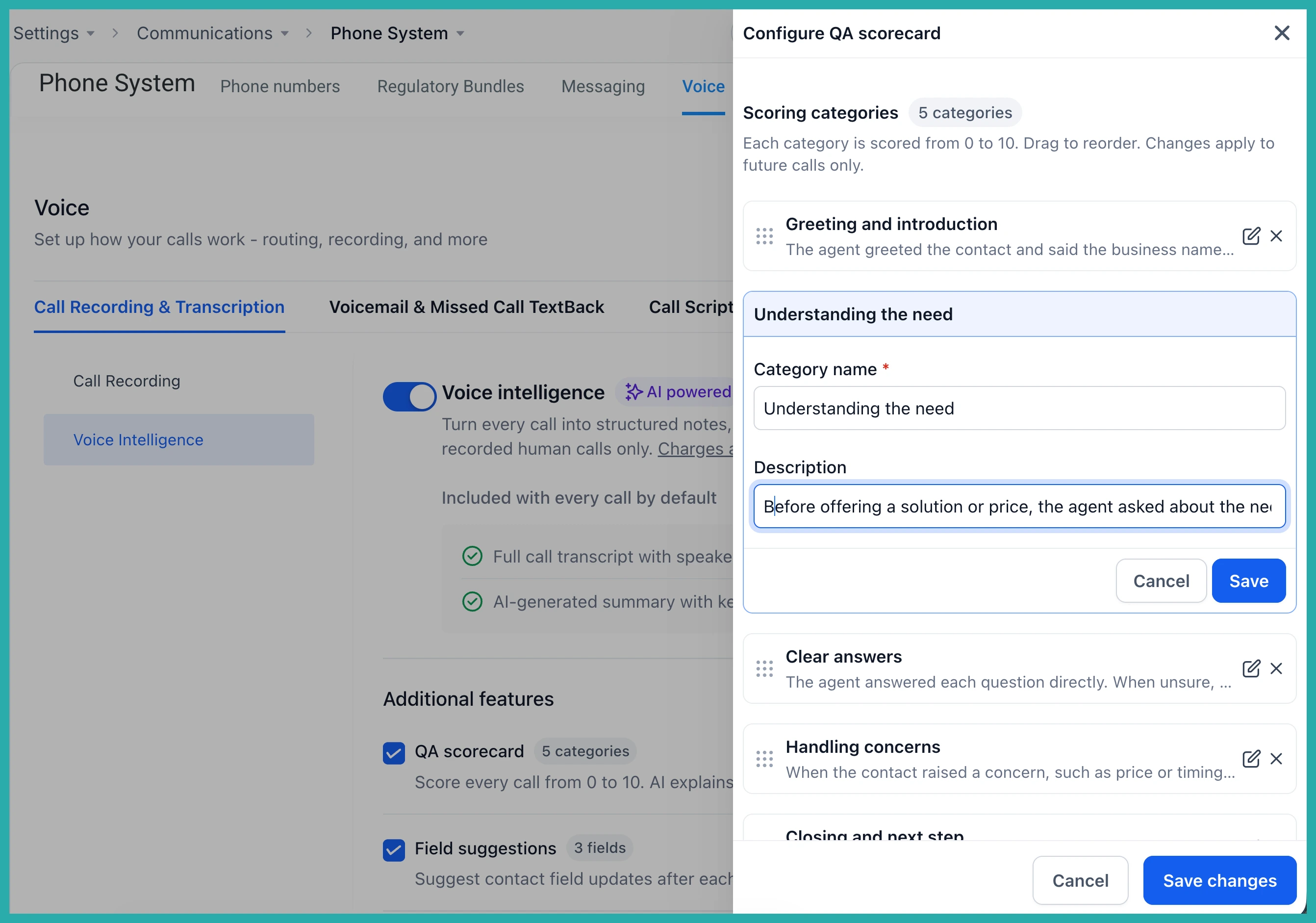
Next, the QA scorecard. Score calls on what matters to you. Add, edit or remove categories so they line up with your own call script.
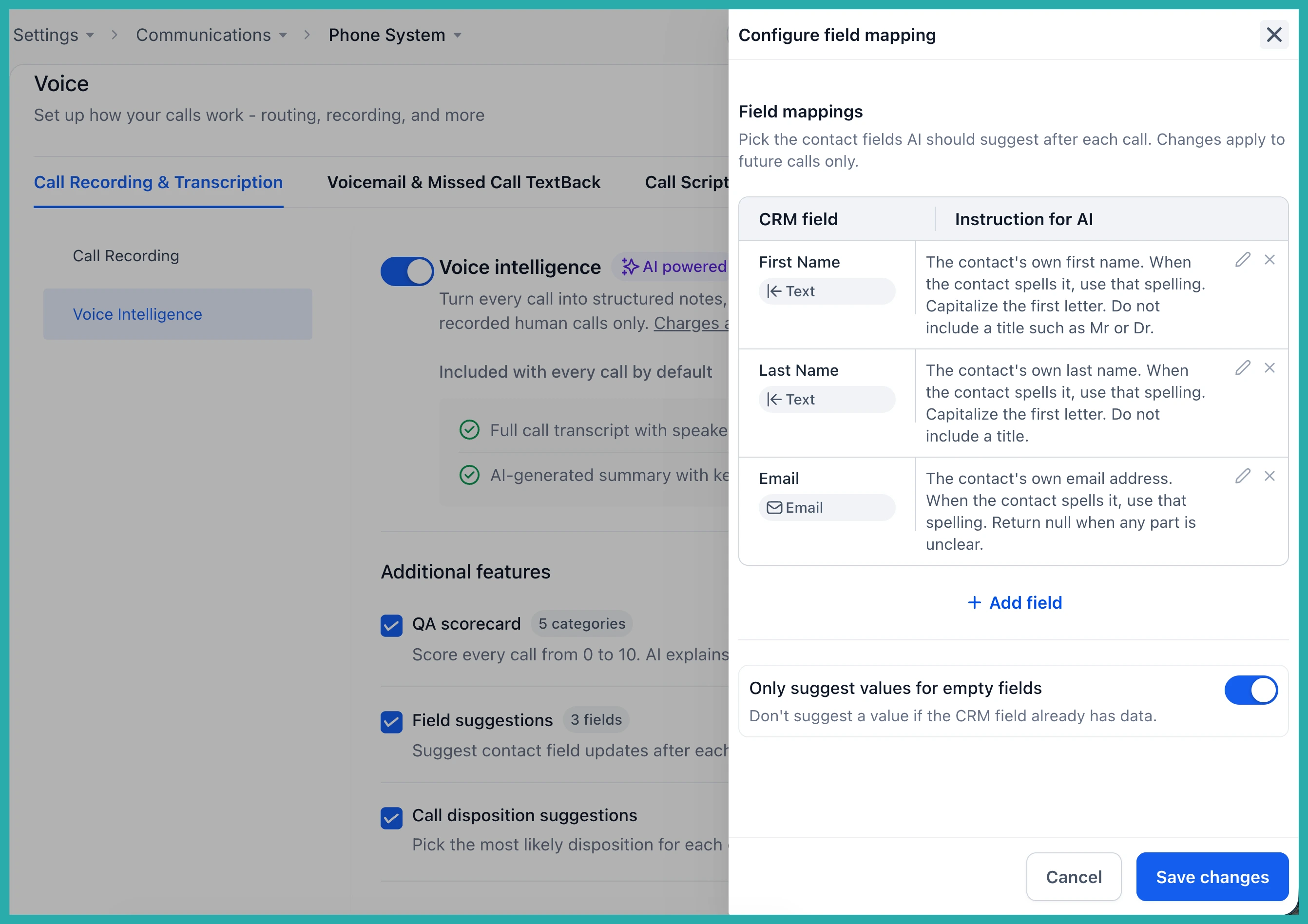
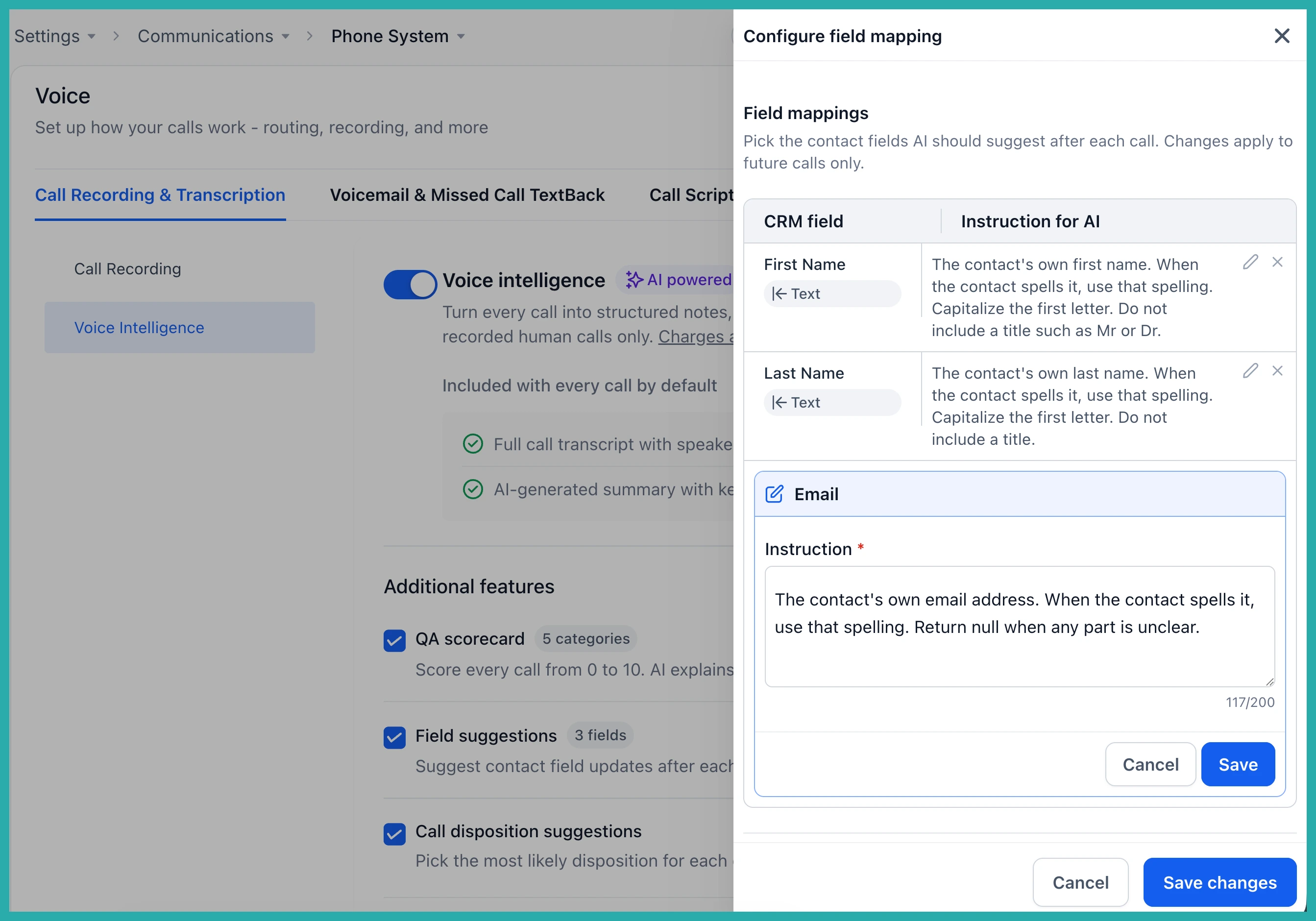
Then field suggestions. Pick which contact fields the system fills in, including your own custom fields.
For call outcomes, suggestions come only from your own disposition list, so you're never offered something that doesn't fit your business.
Set the language your team works in, and your results come back in that language.
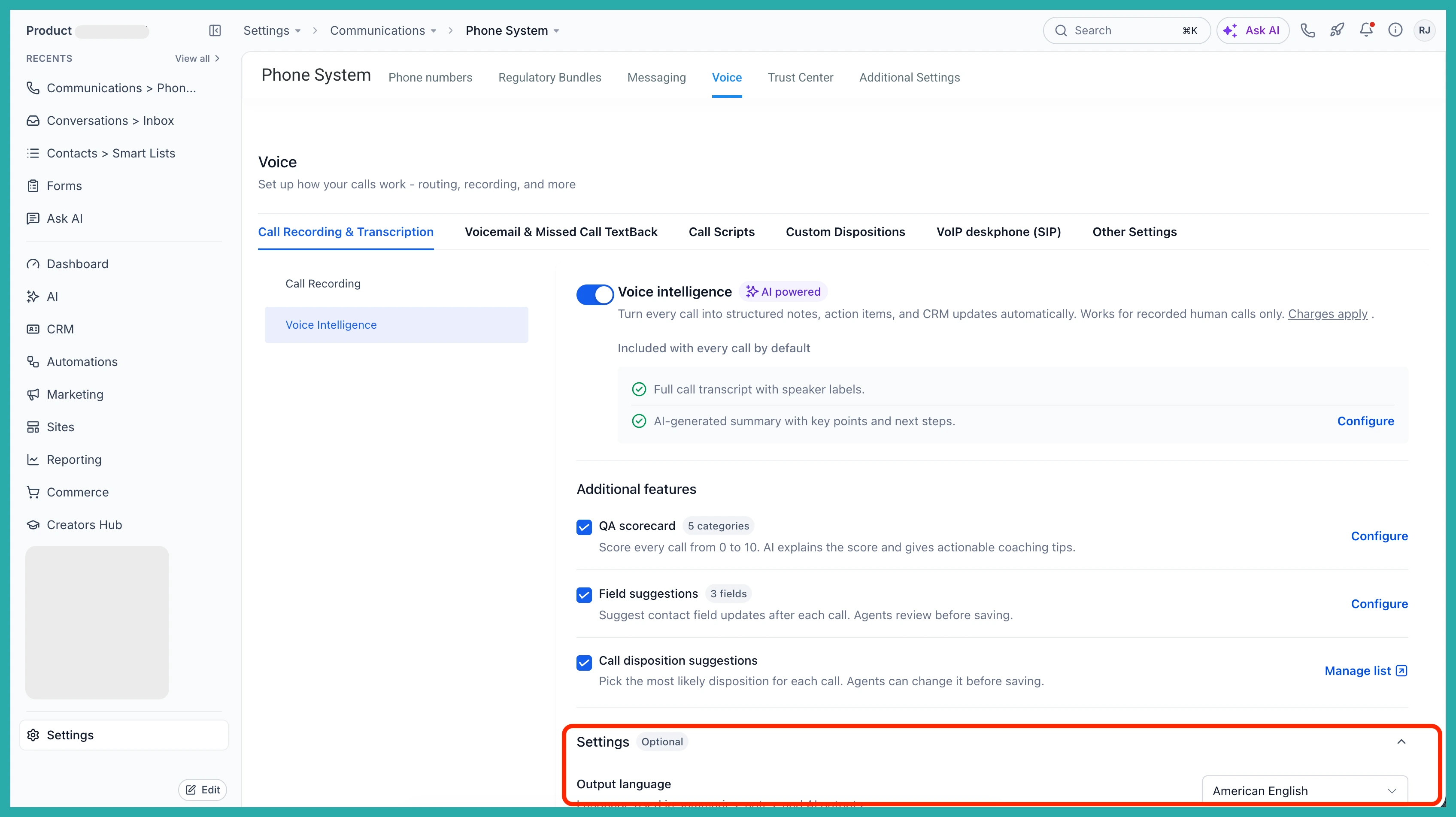
Turn off anything you don't need. You can change these settings anytime, and they'll apply to calls from that point on.
Share what you think
Since this is still an early feature, there's a thumbs up and thumbs down on each result. Use them - your feedback shapes where it goes next.
There's plenty more on the way too, from ready-made follow-up tasks to pipeline stage suggestions and sentiment on each call. For now, go open a recent recorded call and see how much of your after-call homework is already done.
