
Video Testimonials Can Now Trigger Follow-Ups and Wait for Your Approval
Someone records a lovely video testimonial for you. Two good things should happen next: they hear back from you fast, and you get to decide whether that video goes live on your site.
Both of those are now built in. You can trigger an automation the second a video testimonial comes in, and you can choose whether new ones publish automatically or wait for your say-so.
Automate the moment a testimonial lands
There is a new workflow trigger called Video Testimonial Received. It fires as soon as someone submits through one of your Video Testimonial Collectors, so you never have to sit there checking for new ones.
With it you can send an instant thank-you, notify yourself or your team, create a task or note, or pass the details on to another tool.
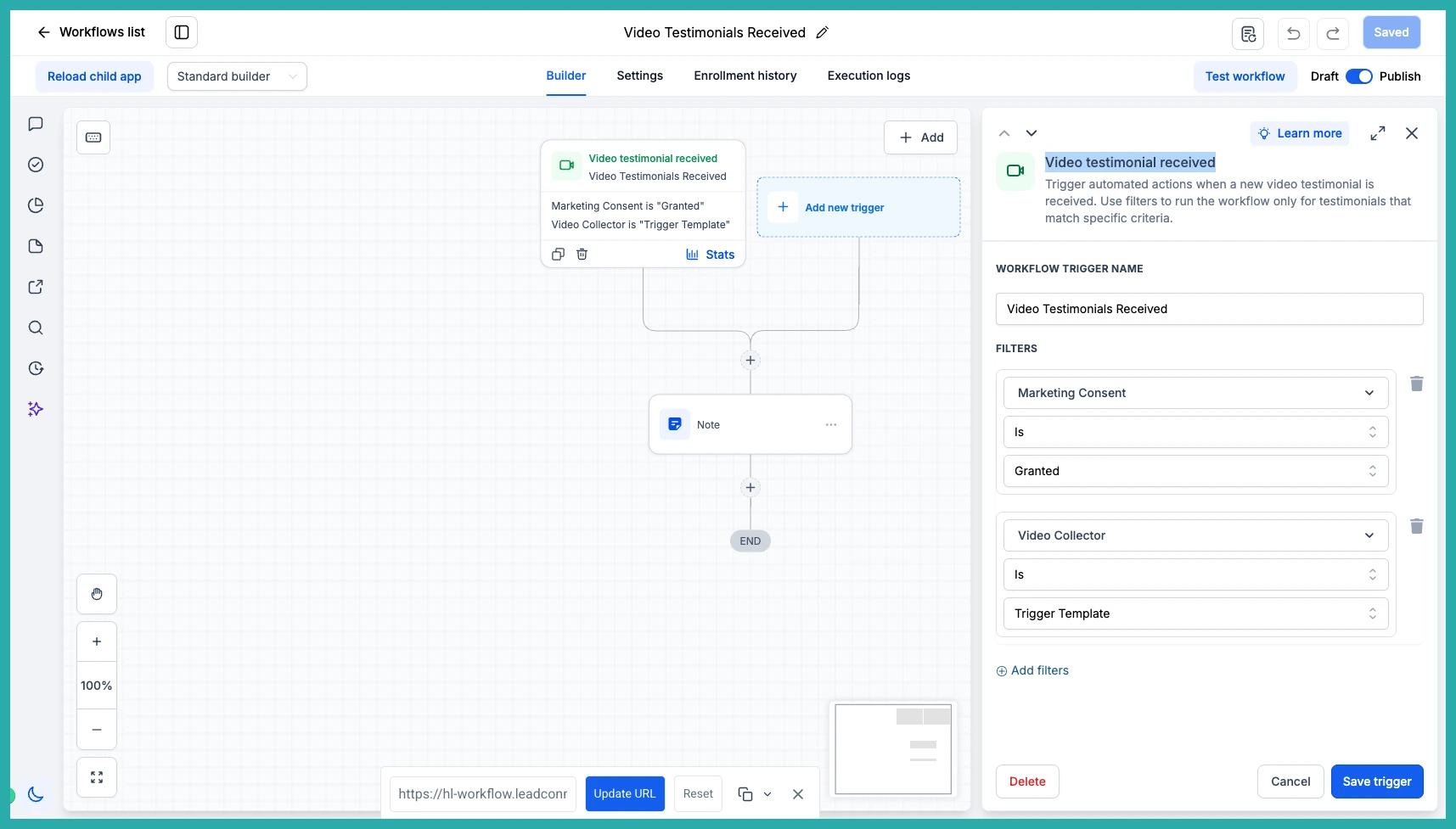
You can also add filters so only the right submissions kick off the workflow. In the screenshot below, you'll see you can filter by Marketing Consent, so you only follow up with people who agreed, and by Video Collector, so a testimonial from one campaign runs a different automation from another.
Use the testimonial details in your messages
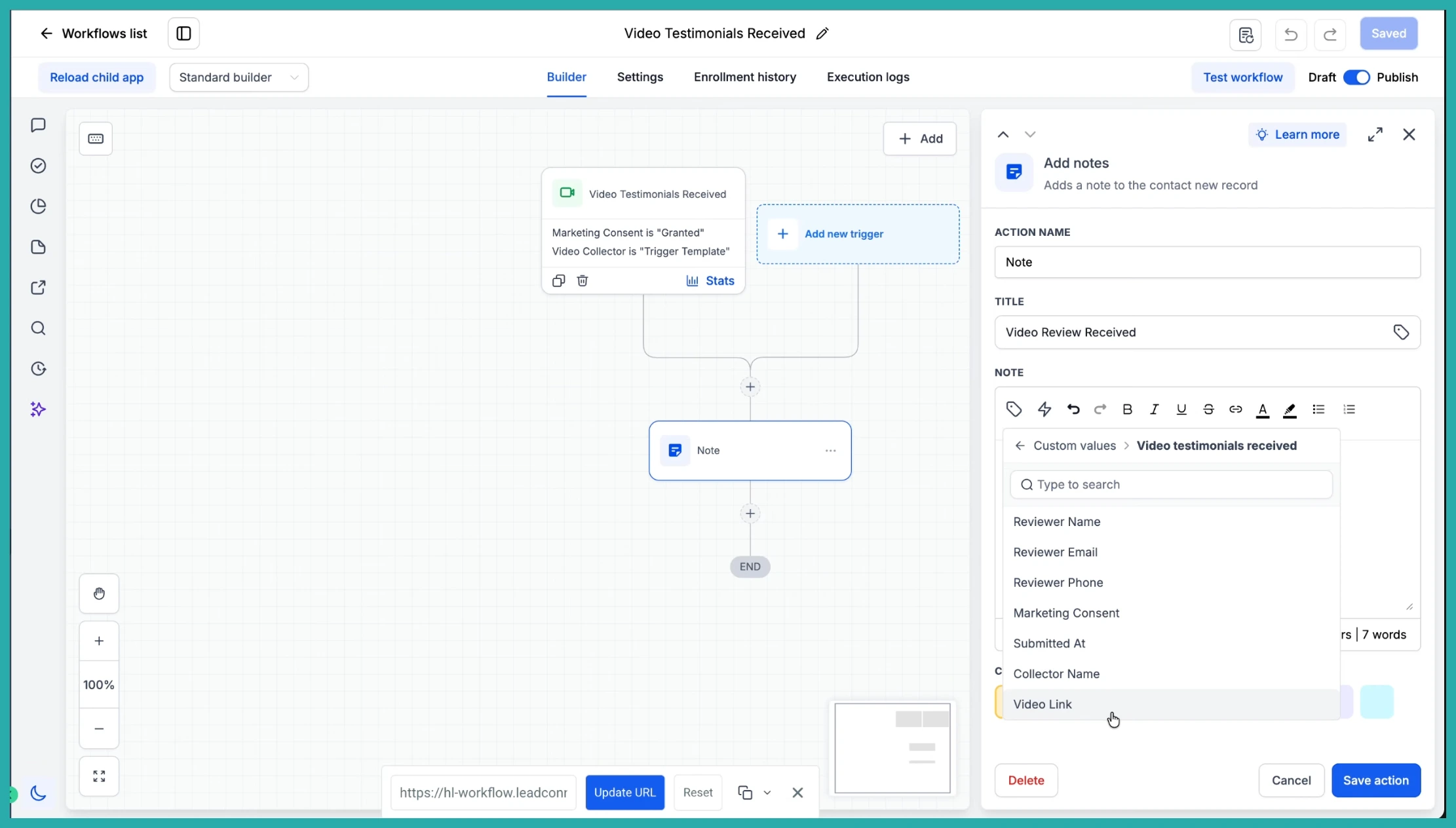
The testimonial's information comes through as custom values you can drop straight into your actions. That means the reviewer's name in your thank-you email, the collector name in your team note, the video link in a webhook, and so on.
Available values include Reviewer Name, Reviewer Email, Reviewer Phone, Marketing Consent, Submitted At, Collector Name, and Video Link. Use them in emails, SMS, internal notifications, notes, or webhooks.
Decide what goes live on your widget
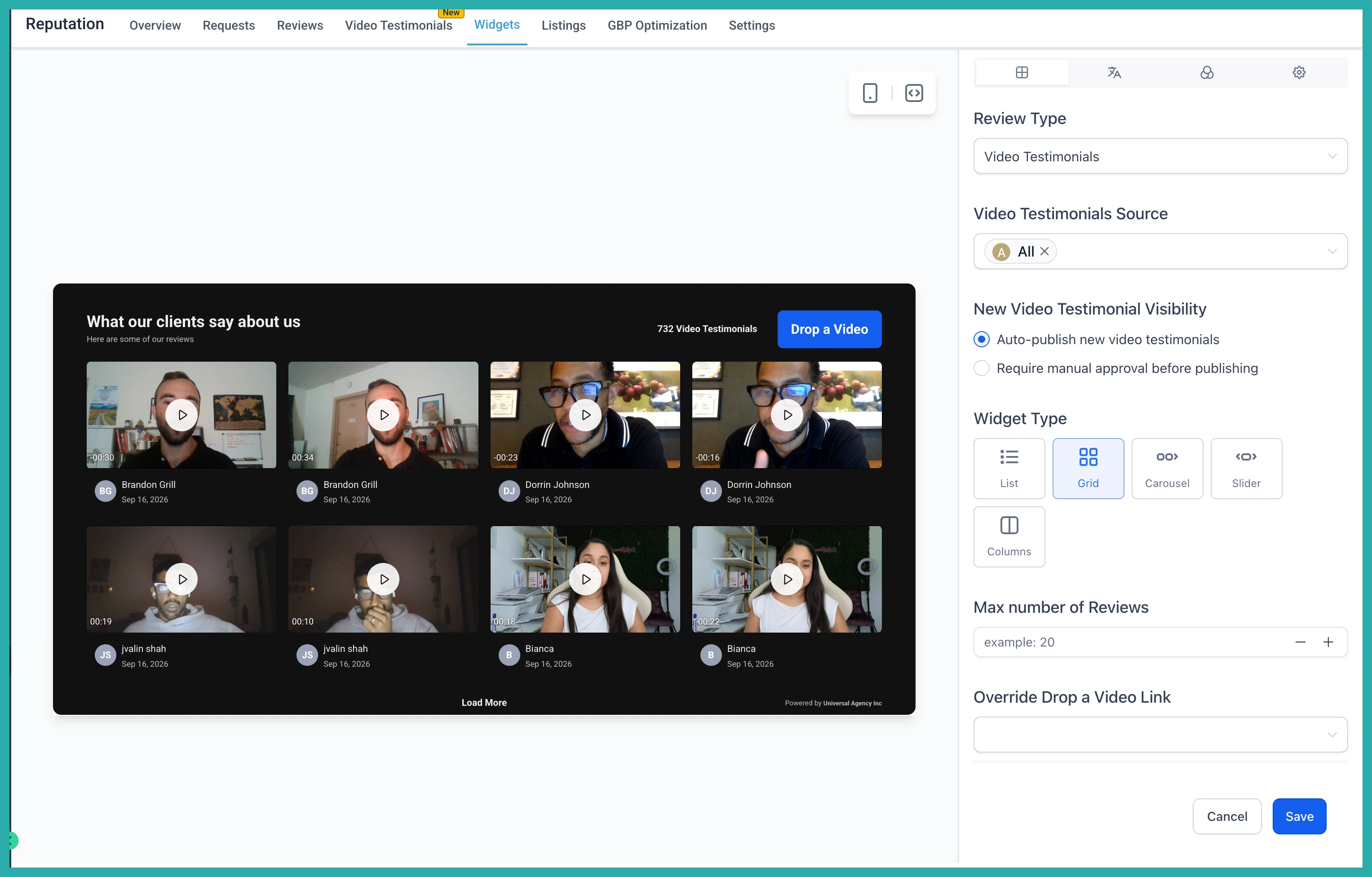
Now for the second piece. Head into your Reputation widget settings and you'll find a choice for how new video testimonials are handled.
- Auto-publish - new submissions appear on your widget straight away. This is the default.
- Require manual approval - new submissions wait until you've reviewed them before they show up.
Pick whichever suits you. Hands-off if you trust the flow, or a review step if you'd rather check each one first.
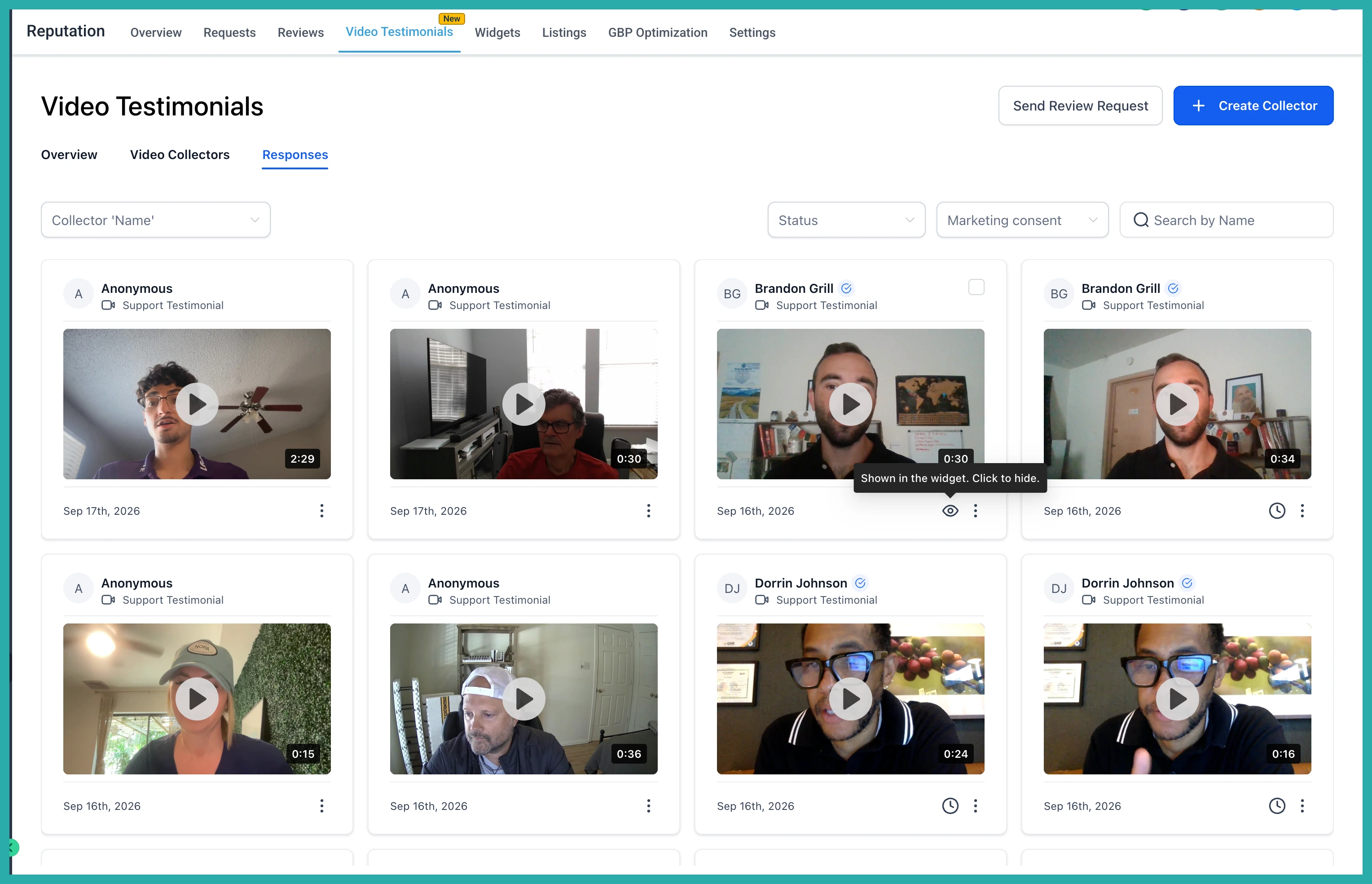
Review and manage each one from Responses
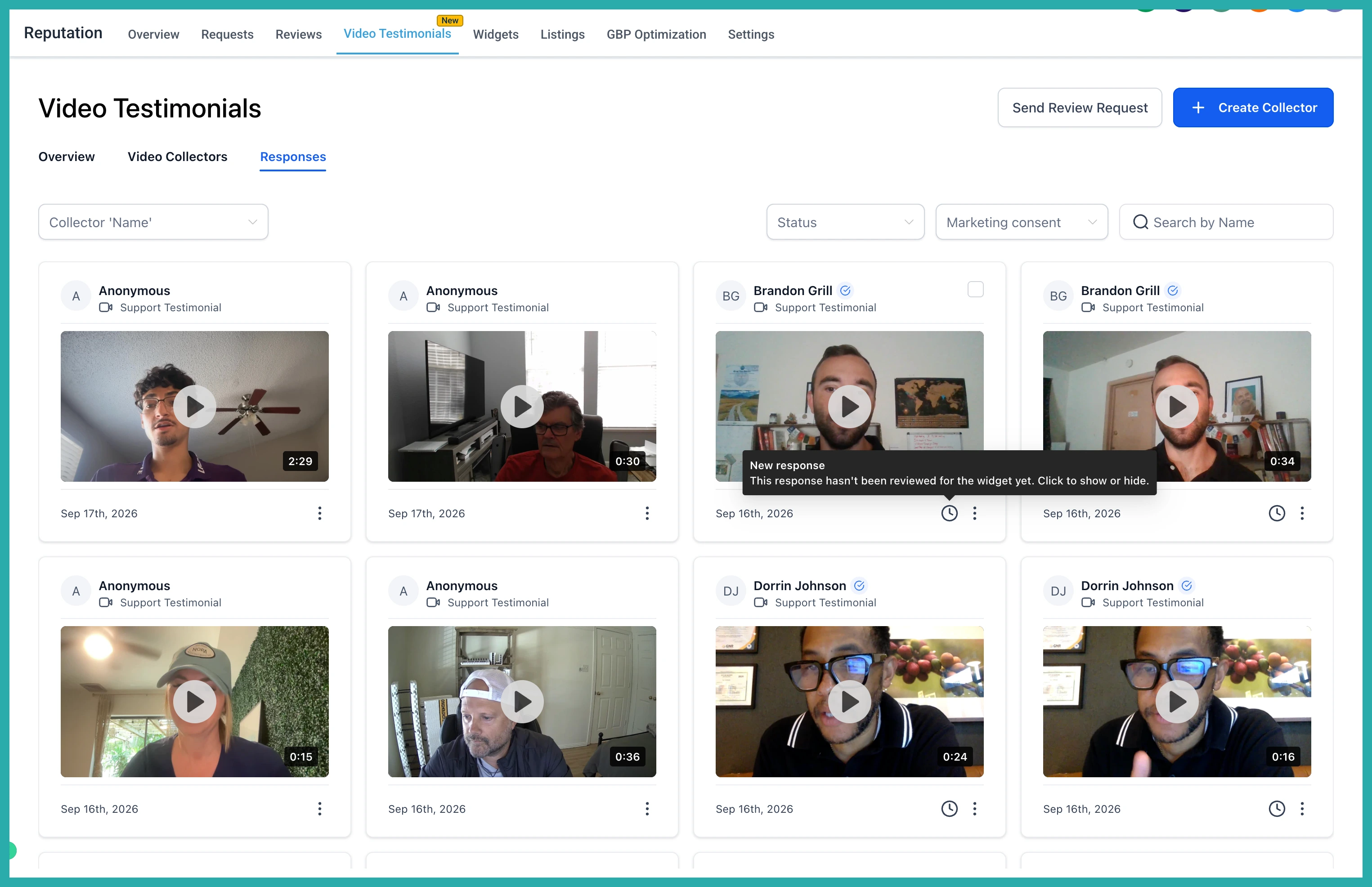
Open Video Testimonials, then Responses, and you can see everything at a glance. New testimonials that haven't been reviewed yet are flagged, and you can tell which ones are currently showing on your widget.
From here you can show or hide any individual testimonial with a click, without going back into your widget settings each time.
Set up your trigger once and every new testimonial gets a warm, fast reply on its own. Then it's just a quick yes or no on what the world sees. Go give it a try with your next submission.
