
Let Your Social Posts Trigger Workflows Automatically
Up to now, your scheduled posts and your workflows lived in separate worlds. If a post failed, got approved, or went live, you had to go and check for yourself.
That gap just closed. There's a new Social Planner Posts trigger in Workflows, which means the status of a post can now set off an automated action - a notification, a follow-up, whatever you need.
What this lets you do
In plain terms: your social posts can now talk to your workflows. When a post hits a certain status, a workflow fires.
You can trigger off any of these moments:
- Approval Requested - someone submits a post for sign-off
- Approved - a post gets the green light
- Approval Rejected - a post gets knocked back
- Scheduled - a post is lined up to publish
- Published - a post goes out successfully
- Failed - a post doesn't make it out, so you can jump on it
That last one is the standout for most people. Instead of finding out days later that a post never published, you get told the moment it happens.
Setting it up
Head to Automation, then Workflows, and either start a fresh workflow or open one you already have.
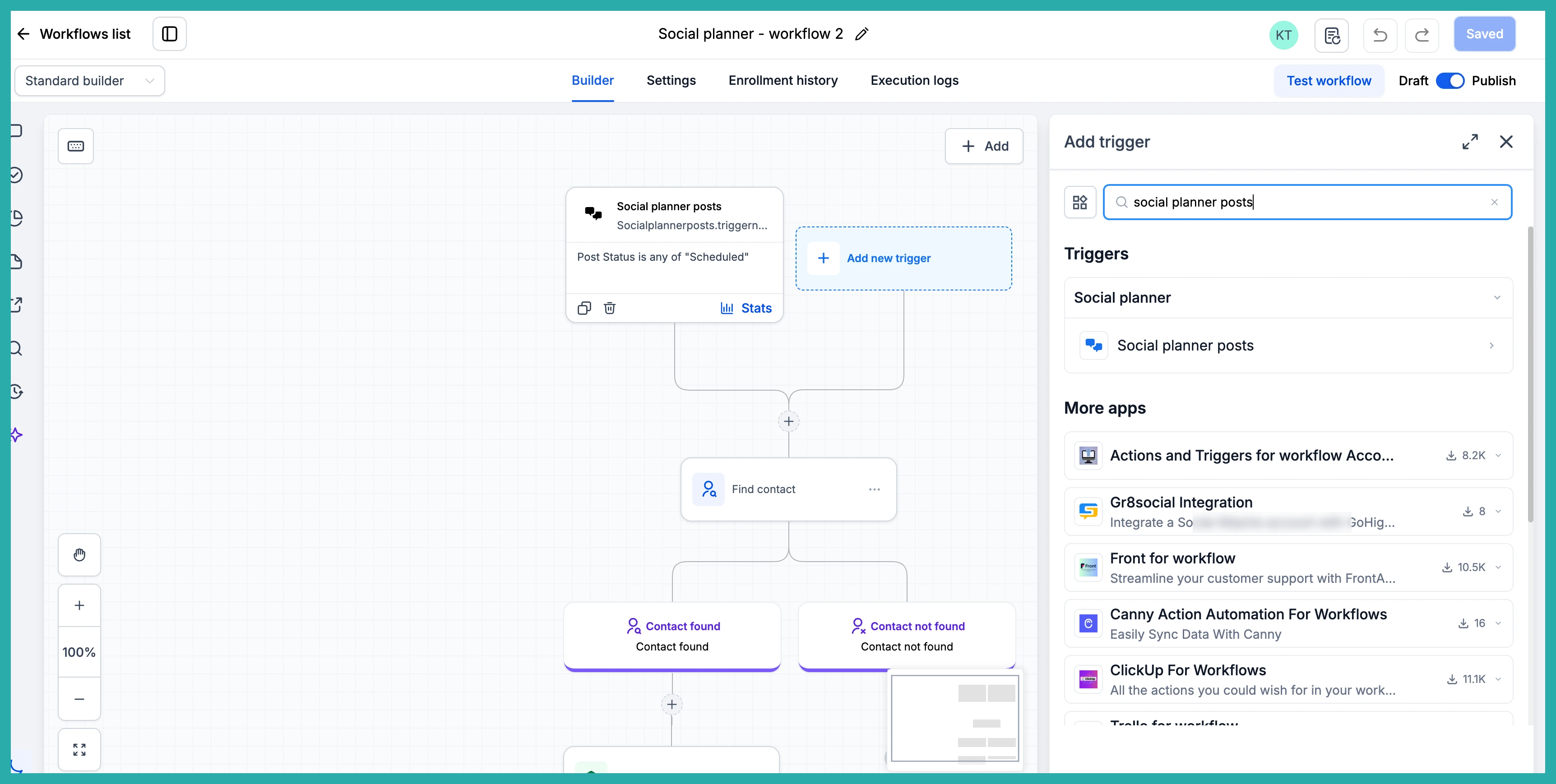
Add a new trigger and choose Social Planner Posts from the list. This is the piece that watches your posts and listens for the status you care about.
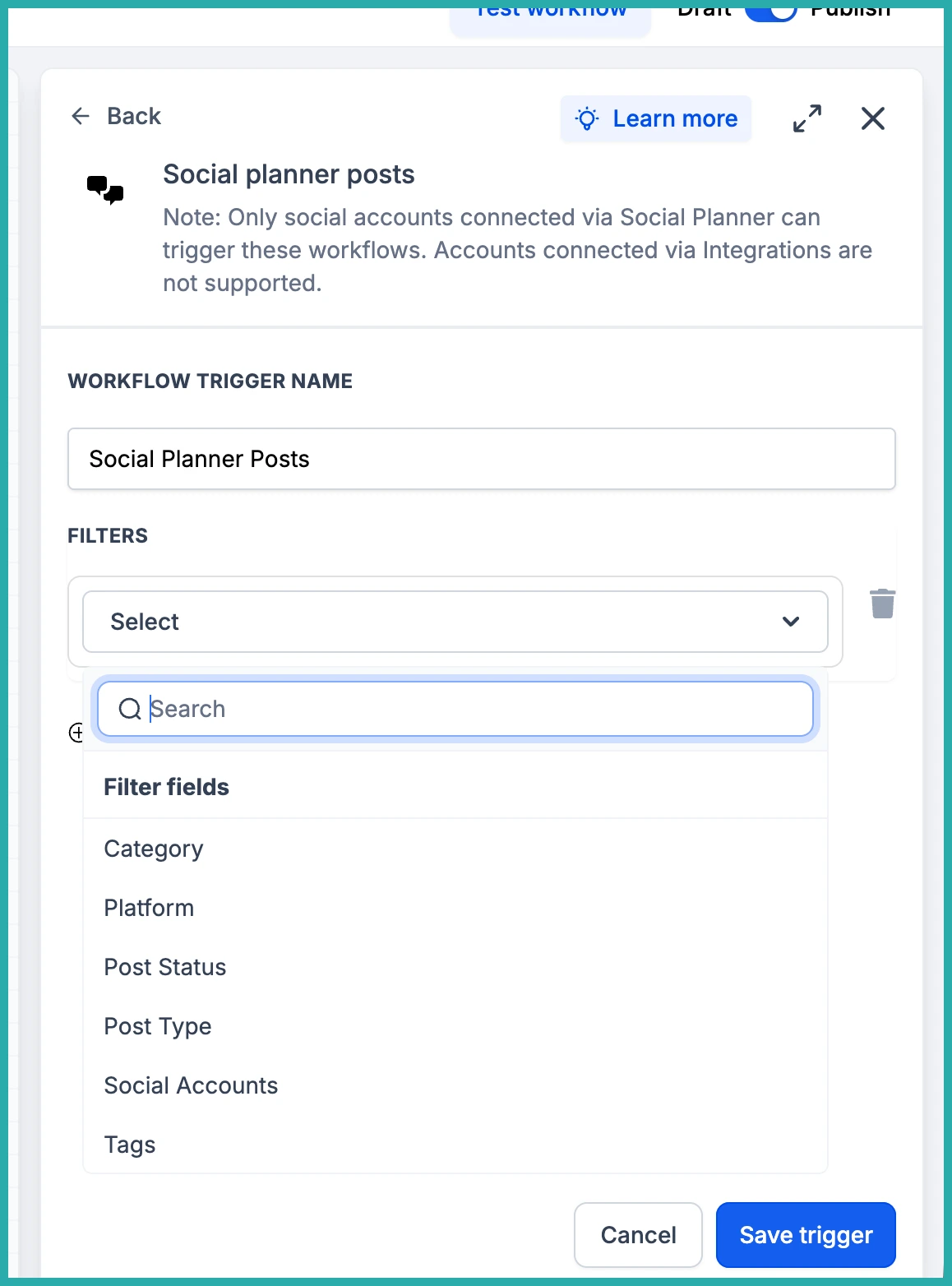
Now pick the status that should set things off. In the screenshot below, you'll see the full list - from Approval Requested all the way through to Published and Failed. Choose the one that fits what you're building.
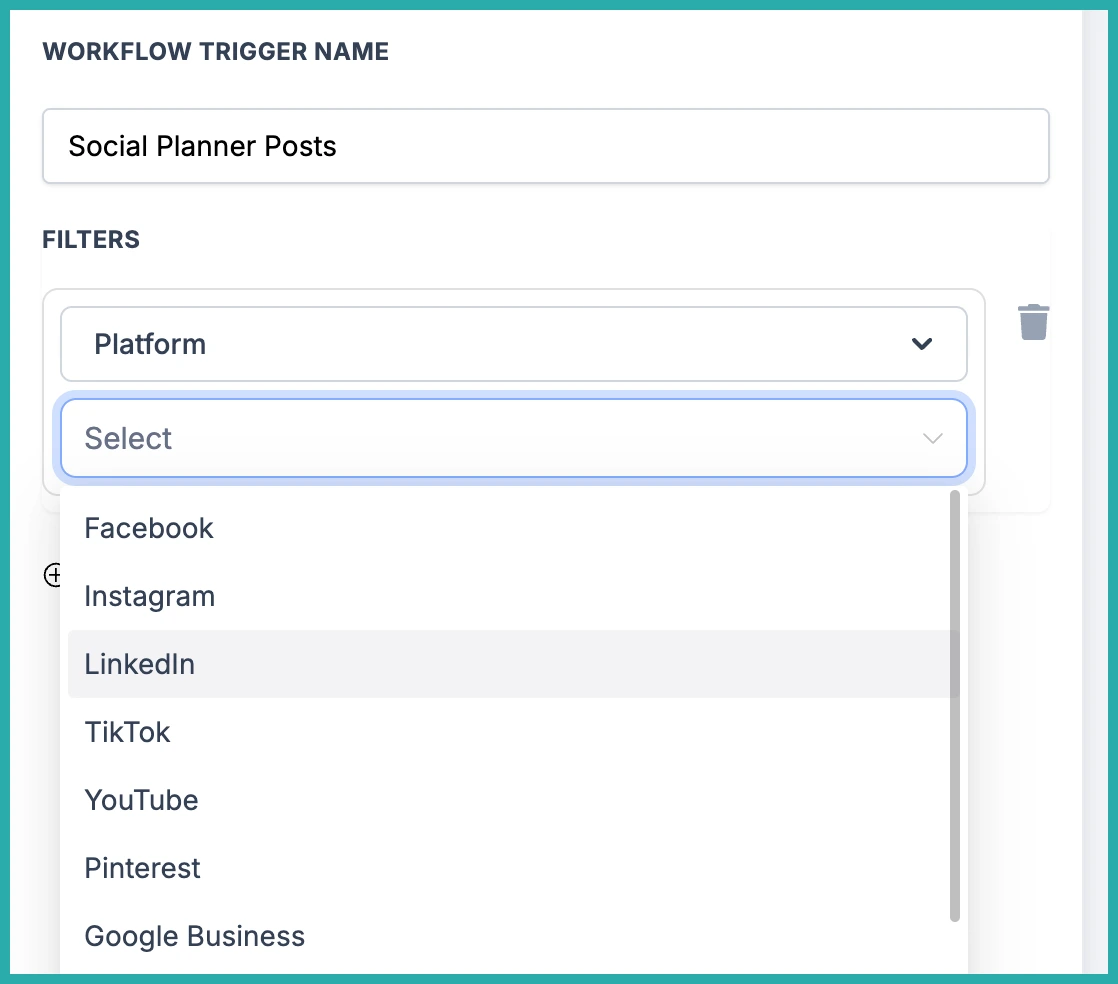
Narrowing it down
You don't have to trigger on everything. There are filters so your workflow only fires for the posts that actually matter to you.
You can filter by:
- Category - things like promotions, announcements, or educational content
- Platform - Facebook, Instagram, Bluesky, Google Business Profile, LinkedIn, Pinterest, Threads, TikTok, and YouTube
- Post Type - Carousels, Posts, Reels, Shorts, and Stories
- Social account and tags - handy if you juggle several brands or profiles with different rules
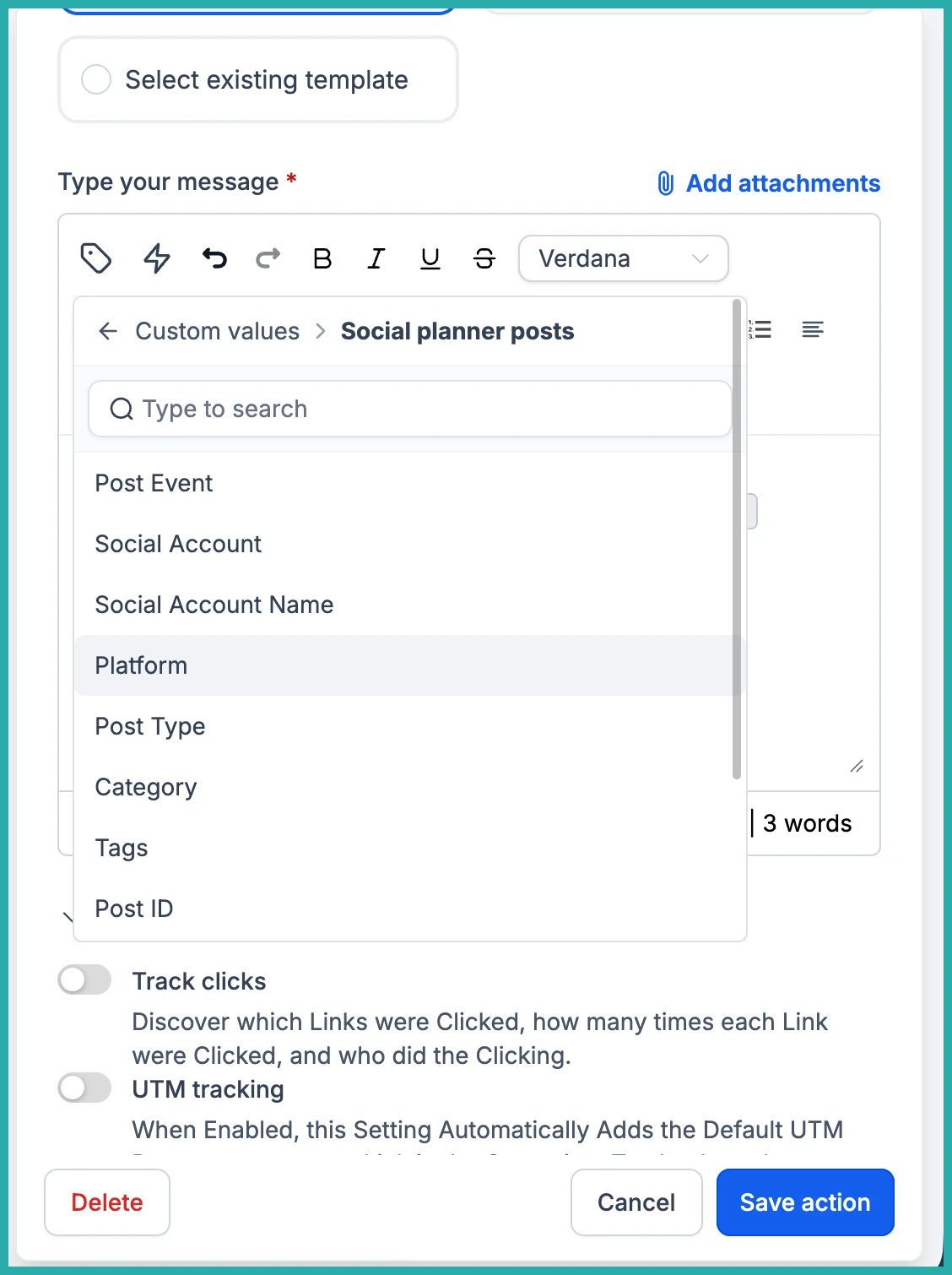
So you could, for example, get a notification only when a promotional Reel fails to publish on Instagram. As precise as you like.
Finishing the workflow
Once your trigger and filters are set, add the actions you want - an internal notification to yourself or your team, a follow-up task, whatever keeps things moving. Then save and publish.
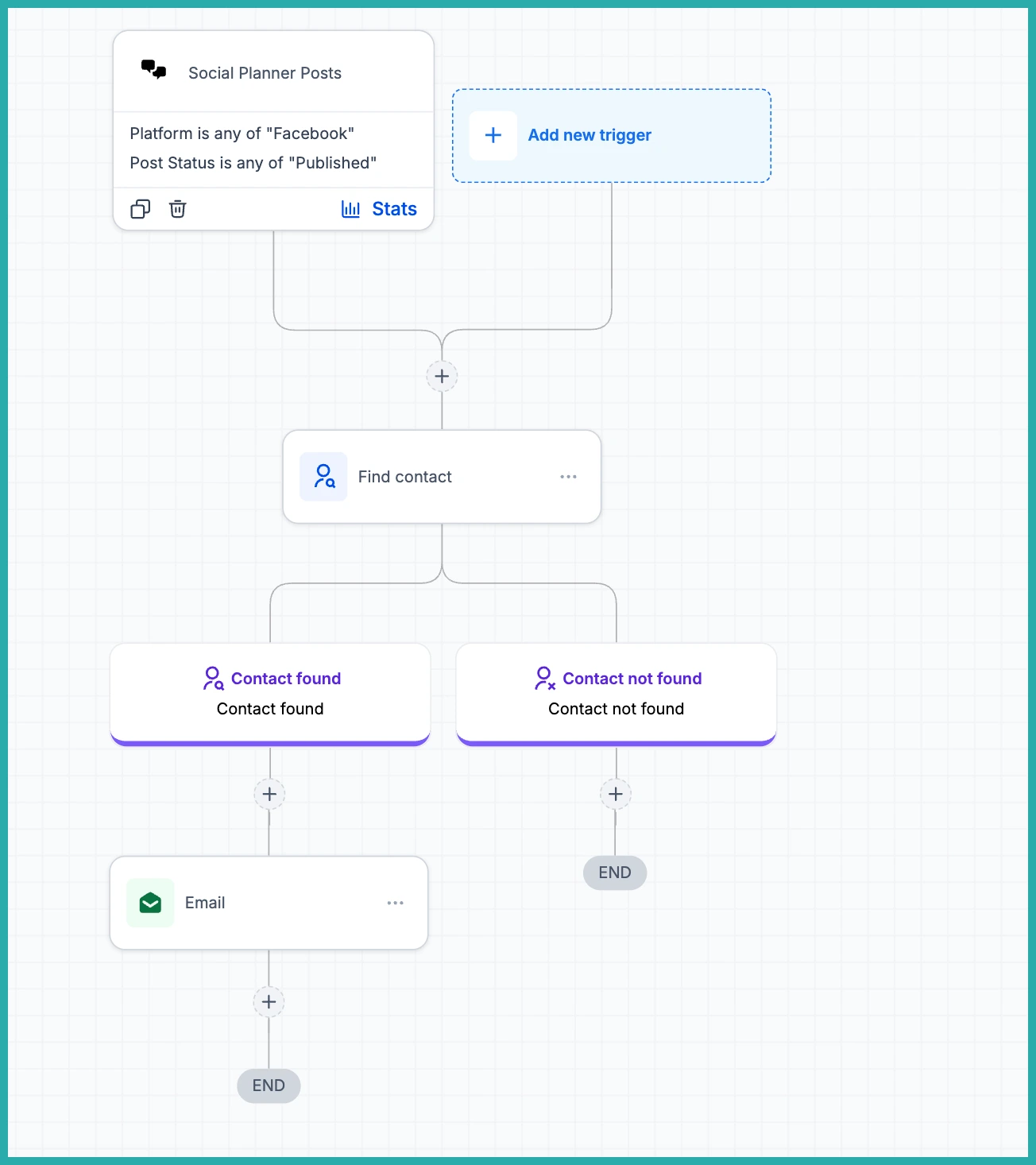
From then on, the workflow runs itself whenever a post meets your conditions. No more checking the Social Planner just to see what did and didn't go out.
One note: this works with accounts connected through Social Planner. Accounts linked through Integrations aren't supported just yet, but that's on the way.
If failed posts have ever caught you out, start there - build one simple workflow that pings you the moment a post fails, and let the system do the watching for you.
