
Track Workflow Activity by Contact, Opportunity or Task
Here's a handy one if you ever find yourself asking, "What on earth happened to that deal?" or "Did that task actually trigger anything?"
Until now, workflow activity was tied to contacts. If you wanted to see what a workflow did, you went digging through a contact's history. But automations don't always revolve around a contact - sometimes it's an opportunity moving through your pipeline, or a task that needs to fire something off.
Now opportunities and tasks can enrol in workflows on their own, no contact attached, and you can see all of that activity in one place.
What landed
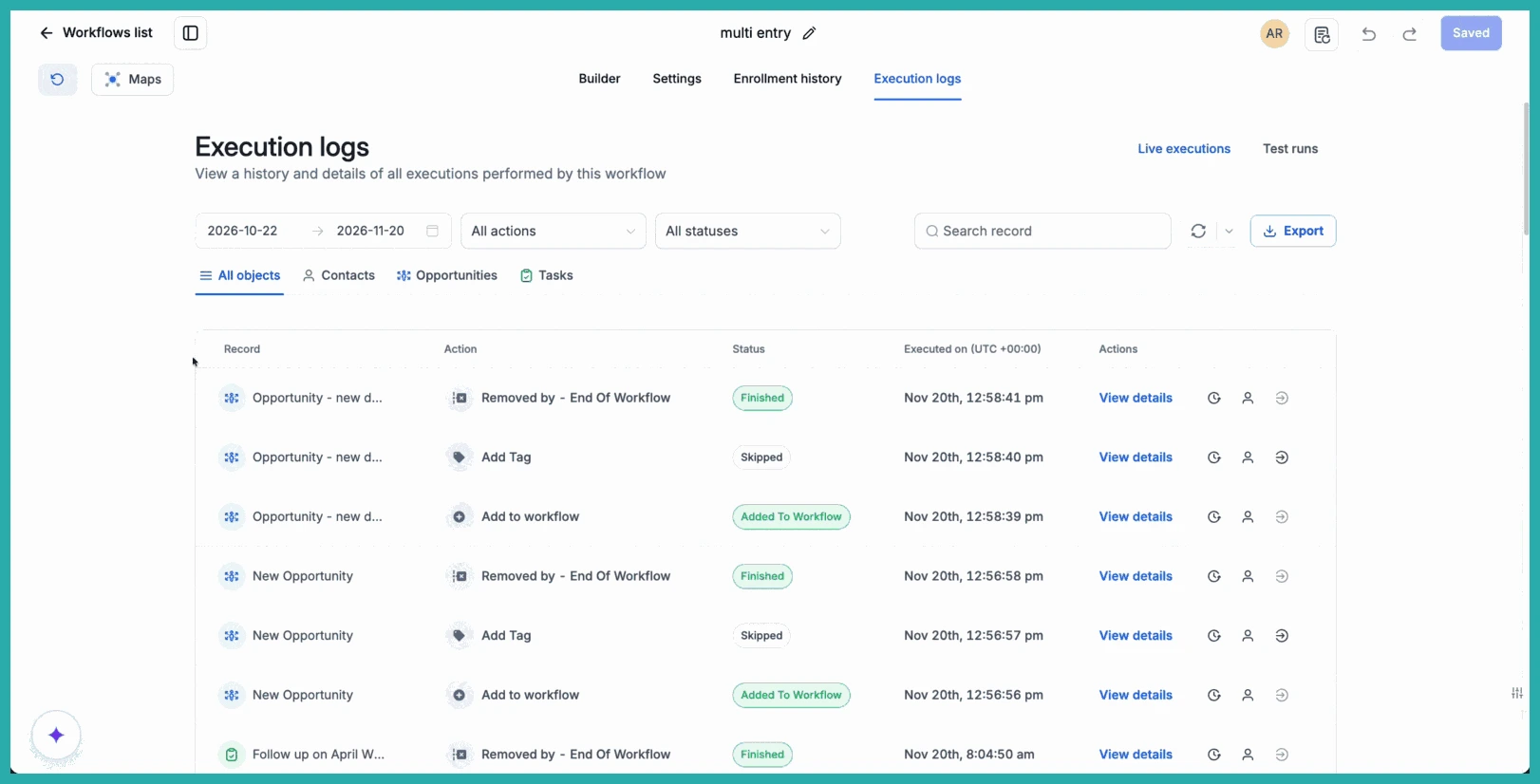
Inside any workflow, your Enrollment history and Execution logs can now be filtered by the type of record you care about. A few things that make this genuinely useful:
- See activity across objects. Pick All objects for the full picture, or narrow it to Contacts, Opportunities, or Tasks.
- Find a specific record. Search for the exact deal or task you're investigating. The search field adapts to whichever object you've selected.
- Know what you're looking at. The record column tells you the type of record alongside its name, so there's no guessing.
How to use it
It's a quick one to find.
- Go to Automations, then Workflows, and open the workflow you want to look at.
- Select Enrollment history or Execution logs.
- Choose an object type, or select All objects, then search for the record and use the other filters to dig into its activity.
In the screenshot below, you'll see the object filter and search field sitting right at the top, with the record column showing you the type and name of each one.
A few ways you'll actually use this
- Investigate an opportunity. Select Opportunities and search for a deal to see every workflow action tied to it.
- Check a task. Select Tasks and search for one to review what was recorded against it.
- Get the full view first. Select All objects to browse everything, then narrow down once you spot the record you want.
Next time something doesn't go the way you expected, you can trace it straight to the record itself - no detours. Go have a poke around one of your workflows and see what's been running behind the scenes.
