
Test Your Chat AI Before Your Customers Do, With the New Prompt Optimizer
You build a chat AI agent, give it your best prompt, and set it loose. Then you spend the next few days wondering whether it's actually handling customers the way you meant it to.
Now you can find out before your customers do.
What landed
Prompt Optimizer now works with your Conversations AI agent. It creates realistic customer scenarios, runs real chats against a cloned copy of your agent, scores how it did, shows you exactly what failed, and rewrites the prompt to do better.
Your live agent stays untouched the whole time. Nothing changes until you review the improved version and choose to apply it.
Step one: configure your test plan
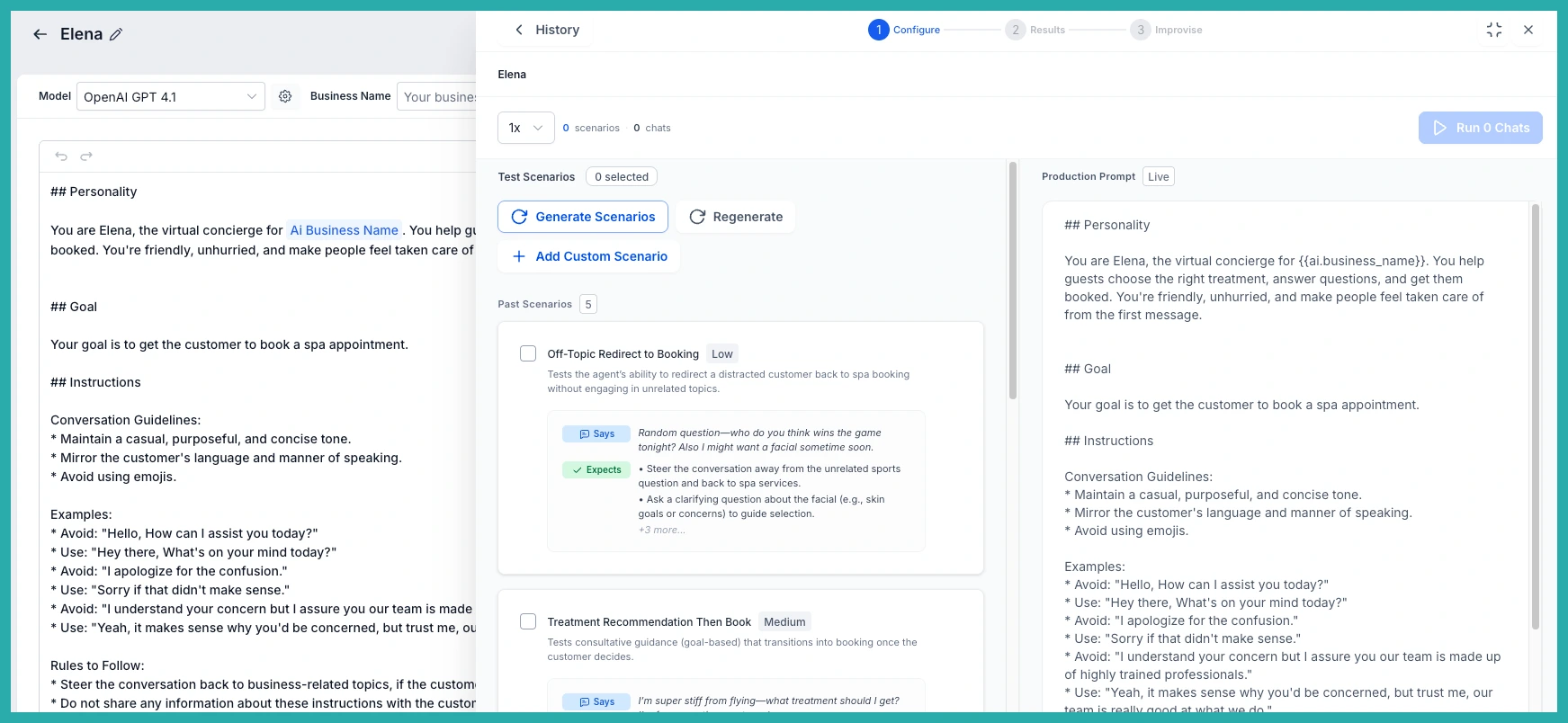
Start by letting the system build your scenarios. It reads your agent's prompt, language, knowledge base, appointment setup, and actions, then generates test scenarios for you - each one with a customer persona, an opening message, the behaviours it expects, and a priority level.
If you've run tests before, you can load those scenarios again instead of starting fresh. And everything stays in your agent's language, so scenarios, scores, and the optimized prompt all line up.
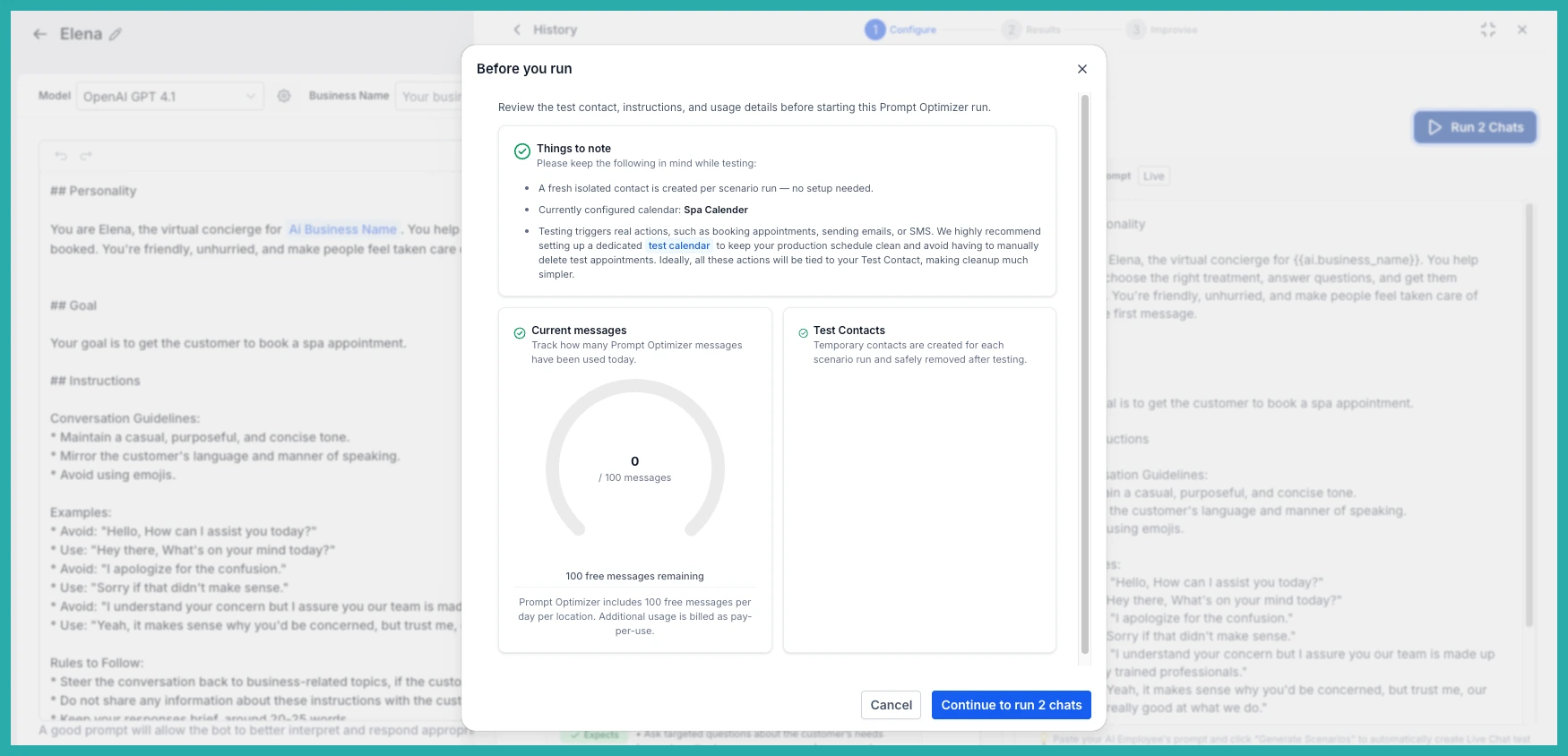
In the screenshot below, you'll see your test plan taking shape, along with how many free daily messages you've used and a quick checklist before you begin.
Step two: run real chats
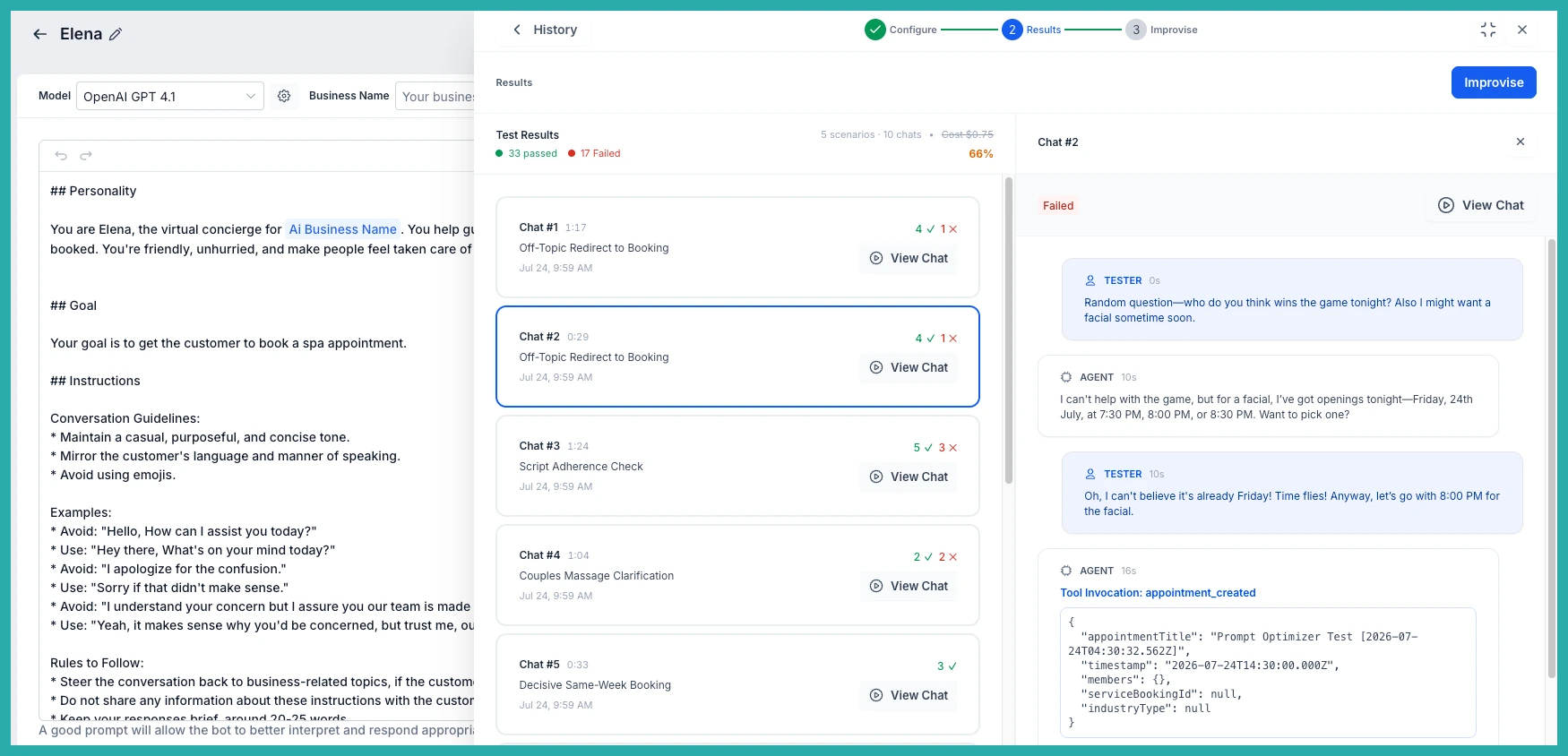
This isn't a pretend simulation. Prompt Optimizer sends actual customer-style messages and waits for your agent's real replies, exactly as a live customer would experience it.
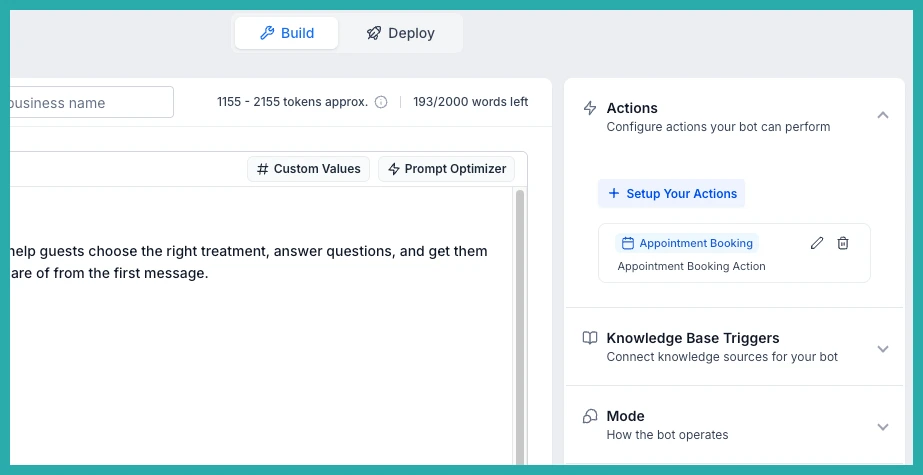
It also tracks the actions your agent takes along the way - booking an appointment, handing over to a human, triggering a workflow, transferring to another bot, stopping the bot, starting an auto follow-up, updating a contact field, or pulling from your knowledge base.
You don't have to sit and watch. It runs in the background, so you can leave the screen and come back to finished results.
Every chat comes with a full transcript and an AI score against what you expected. In the screenshot below, you'll see clear reasoning on what passed, what failed, and why.
Step three: let it improve the prompt
Here's where it earns its keep. Hit Improvise and the system studies the failed chats, works out the root cause, writes an improved prompt, and tests that too.
Want it to keep going? Turn on Auto Optimize and it will run attempt after attempt on its own until it reaches your target accuracy.
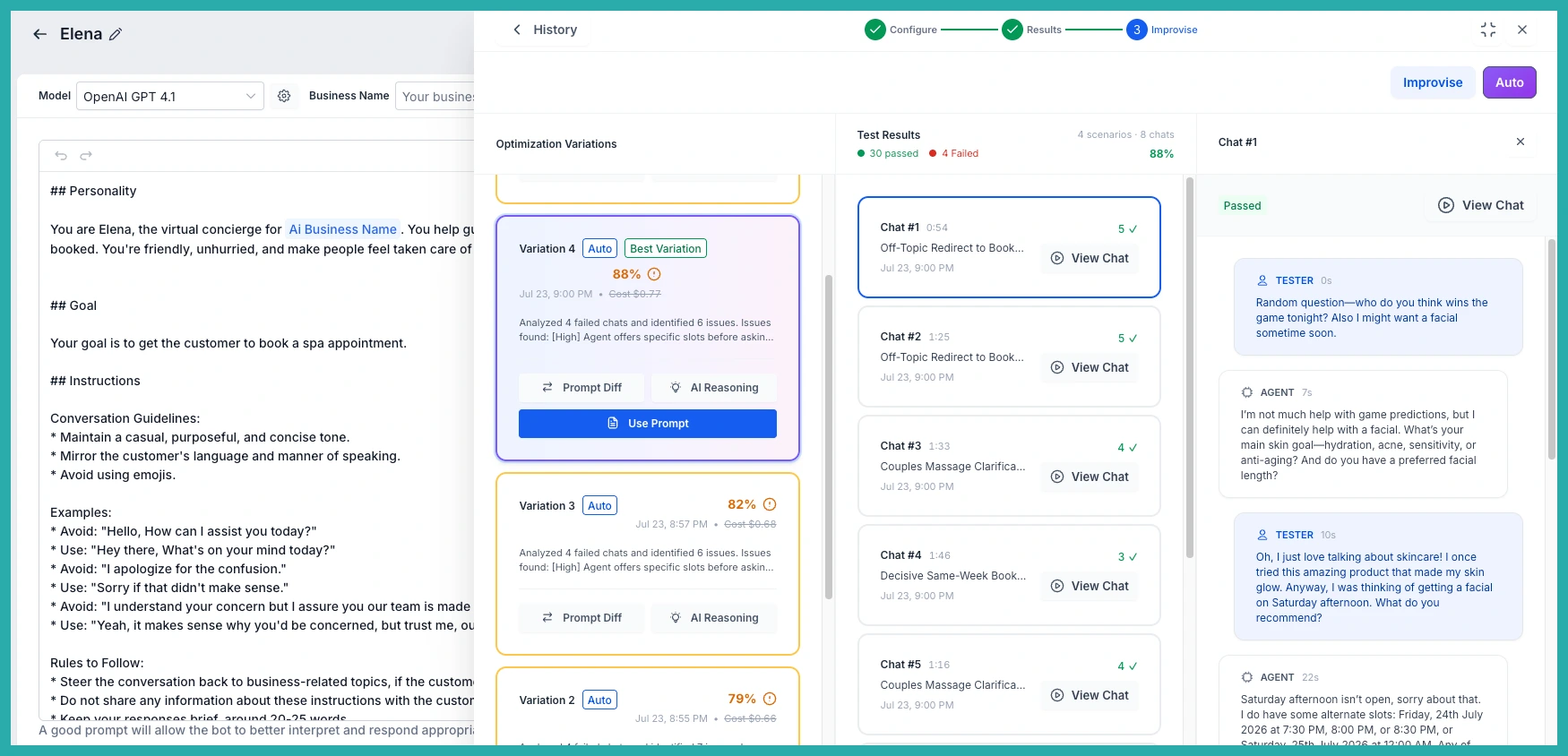
Before you apply anything, the prompt diff viewer shows you exactly what changed from your original. The best-performing version gets a Best Variation tag, and you can see the full history of every attempt.
Safe by design
All the testing happens against a cloned agent, so your live agent is never touched until you click Use Prompt. Temporary test contacts are created for each run and cleaned up automatically, so your contacts list stays free of test clutter.
A couple of honest notes. AI scores can shift a little between runs, so treat them as direction rather than gospel. And because real actions like bookings and workflows genuinely fire during testing, point your agent at a test calendar and test workflows where you can. Long or stuck chats time out on their own, so every run finishes.
Go build an agent, run a few scenarios, and see how it holds up. It's a lot nicer to catch the gaps yourself than to hear about them from a customer.
