
Give Each Team Member Exactly the Calendar Access They Need
You add a team member so they can handle bookings. Next thing you know they can also poke around your calendar setup, your resources, and every global setting you'd rather leave alone.
Now you get to draw those lines properly.
What landed
The permission controls that already existed for Meetings now cover Services and Rentals too. Same structure across all three, so you can decide exactly what each person can view and manage - and nothing more.
There are also two new controls worth knowing about:
- Manage associated resources - covers access to locations, staff, resources, add-ons, and other related pieces.
- Manage preferences & global settings - lets you hand over module-level settings on their own, without opening up everything else.
The permissions you can set
Each module - Meetings, Services, and Rentals - now follows the same set of switches:
- View Calendars - access to Meetings, Services, or Rentals.
- Manage setup - manage calendars, services, or rental listings.
- Manage appointments - handle appointments and bookings.
- Manage groups/categories - manage meeting groups, service categories, and rental categories.
- Manage associated resources - locations, staff, resources, add-ons, and the rest.
- Manage preferences & global settings - the module-level global settings.
Mix and match them to build the exact role each person needs. A booking coordinator might get View and Manage appointments, while setup and global settings stay locked down.
How to set it up
Go to Settings, then My Staff, and select the team member you want to adjust. Open Roles & Permissions, then head to the Calendars section.
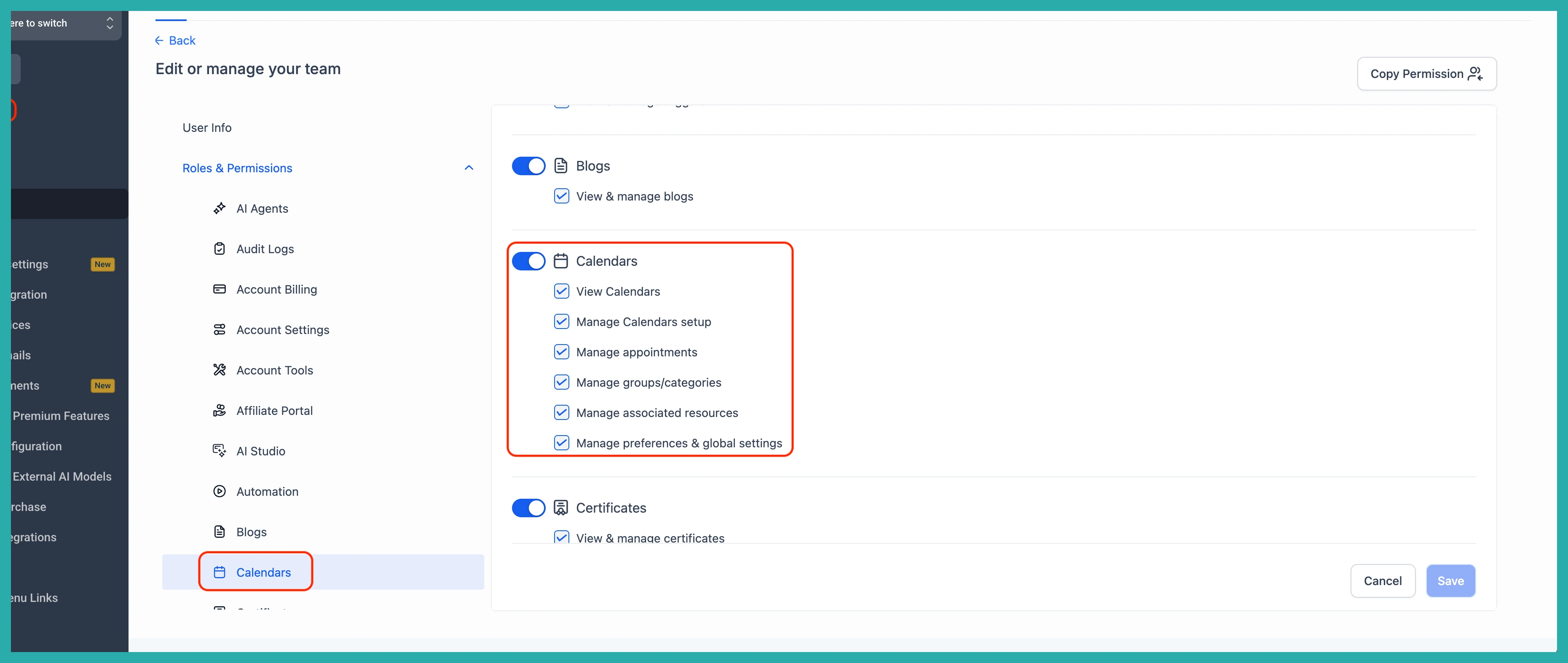
From here, tick the View and Manage permissions you want for Meetings, Services, and Rentals. In the screenshot below you'll see the full list of switches laid out for each module - just turn on what applies and leave the rest off.
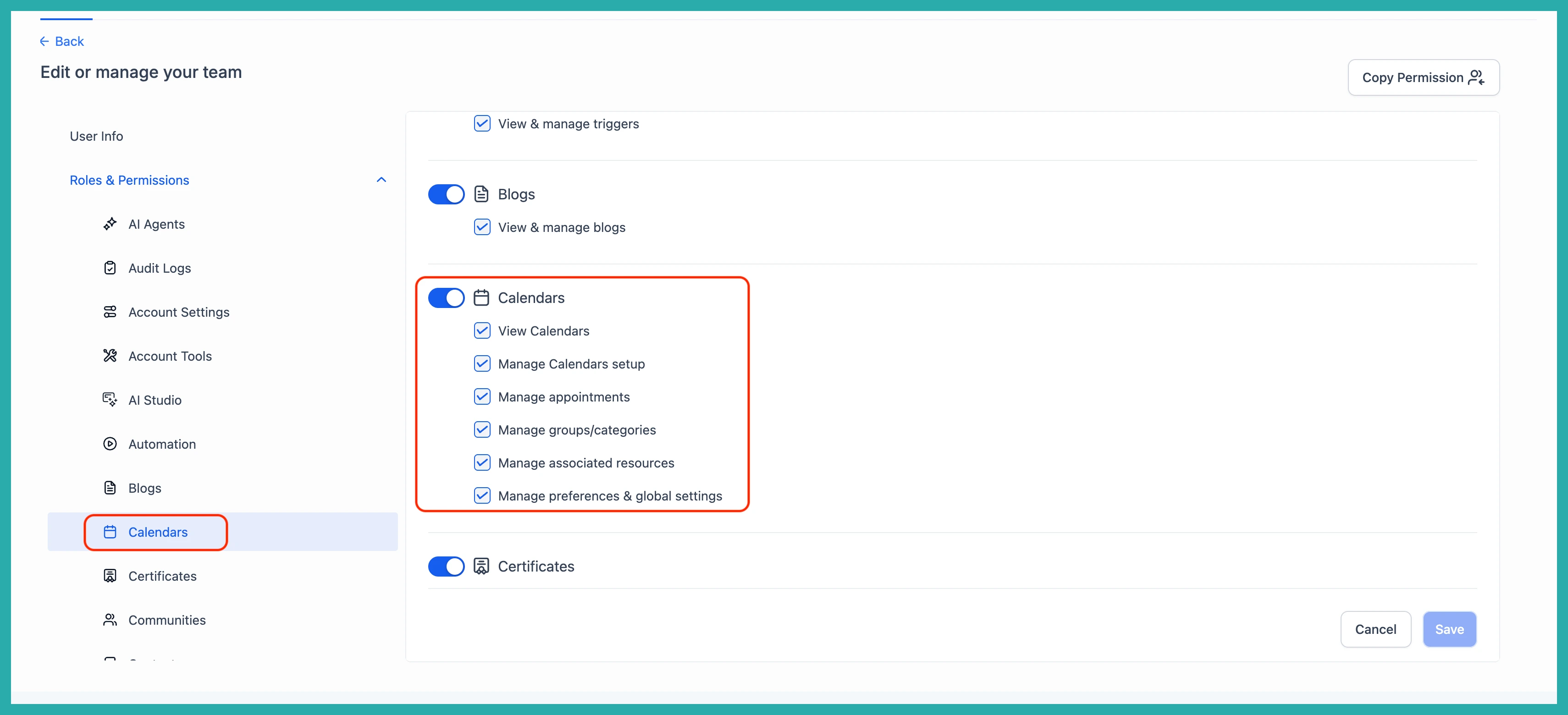
When you've set everything the way you want it, click Save. That's the whole job.
It only takes a minute, and it means the right people can get on with bookings while the parts you care about stay exactly as you left them. Go set your team up the way you actually run things.
