
Your Automations Can Now Stop the Moment Your Team Replies
You set up a nurture sequence, it starts sending, and then a real conversation kicks off. One of your team replies to the lead, they get talking, and meanwhile your automation is still firing off scheduled messages in the background.
Now the contact is getting a friendly human reply and a canned follow-up an hour later. Not a great look.
There's a fix for that now.
What landed
The Goal action in your workflows now supports User Replied as a goal event.
In plain terms: the moment a team member replies to a contact, that contact jumps straight to the Goal step and skips everything in between. Your automation stops trying to do the talking once a real person has started.
No more duplicate messages. No more nurture emails landing while your team is mid-conversation.
How it works
A Goal action sits in your workflow as a checkpoint. When the goal event happens, the contact leaps ahead to that step, bypassing any actions still queued up between where they are and the goal.
With User Replied set as the event, that leap happens the instant one of your team sends a reply to the contact through a conversation channel. From there, the workflow runs whatever you've told it to do after the goal is reached.
How to set it up
- Open the workflow you want and add a Goal action where you'd like the automation to hand over.
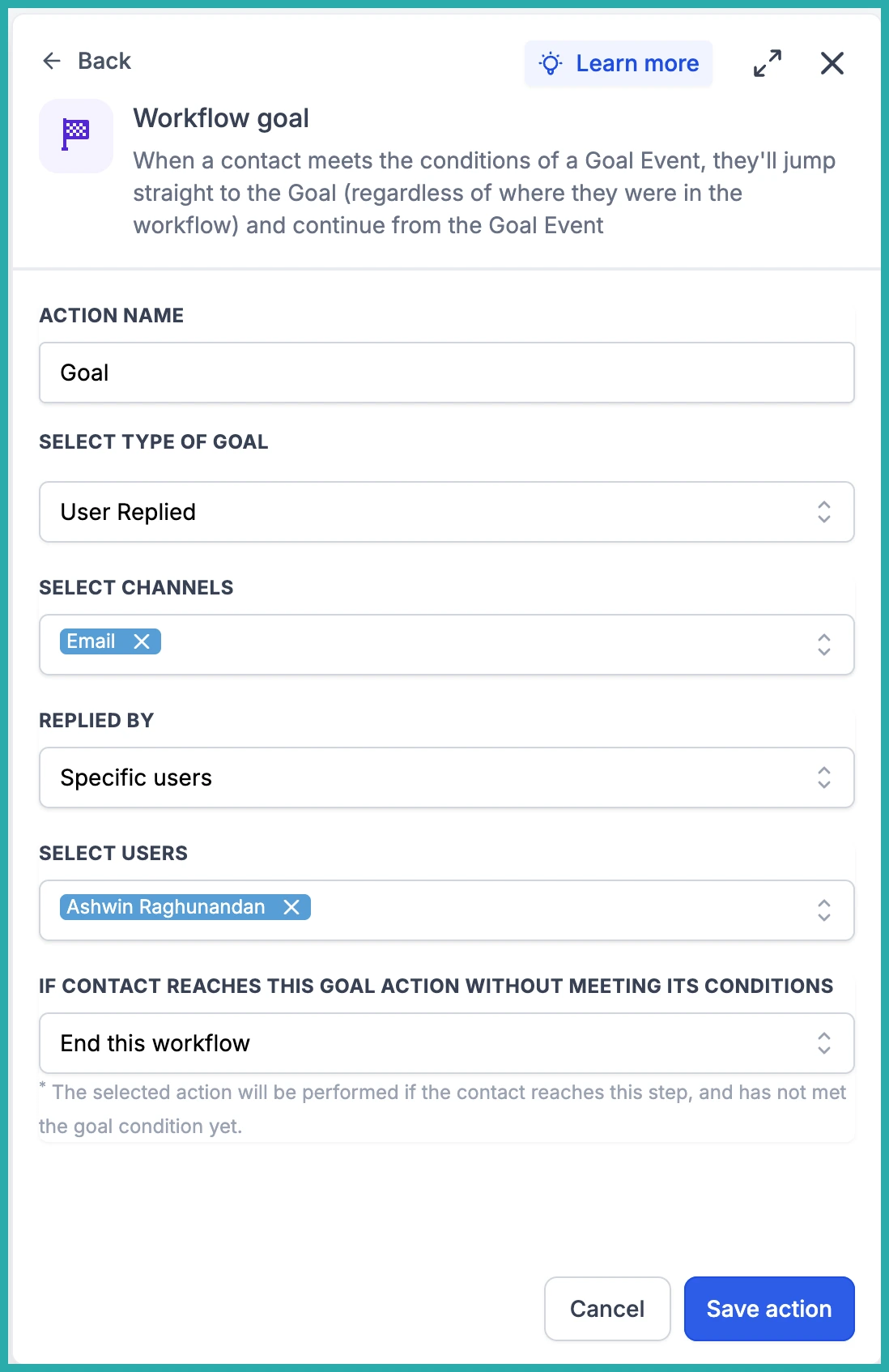
- Select User Replied as the goal event.
- Set up the actions that should run once the goal is reached - or leave it as the end point if you just want the automation to stop.
In the screenshot below, you'll see the Goal action with User Replied chosen as the event.
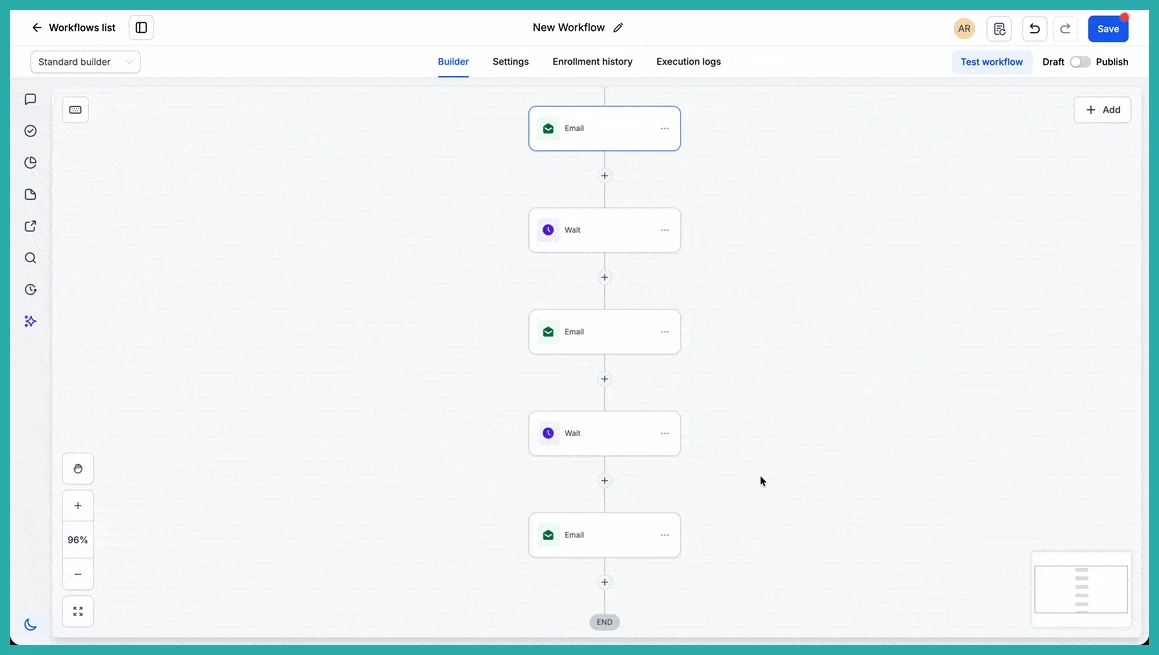
And here's how it sits in the flow, with the steps after the goal ready to take over.
Where it earns its keep
A couple of everyday examples:
- A lead is halfway through a 7-day booking follow-up. On day two you reply to their text personally. The workflow hits the User Replied goal, drops the rest of the emails, and moves them to the end.
- A support flow sends reminder nudges while you wait to get to a message. The second someone on your team replies, the reminders stop.
One thing to keep in mind: the goal is reached only when your team replies to the contact, not the other way around.
If you've got a sequence running that could do with a human off-ramp, add this goal to it. It's a two-minute change that keeps your automation from stepping on your team's toes.
