
Split Your Workflow Contacts Evenly or by Weight, Not Just at Random
You set up a Split action to share leads across two teams. You pick 50/50, feel sorted, and move on. Then you check the numbers and one path has eight contacts and the other has two.
That's the catch with a random split. Equal percentages don't guarantee equal groups, especially when only a handful of contacts have come through.
Now you have two new ways to split that fix exactly that.
What you get
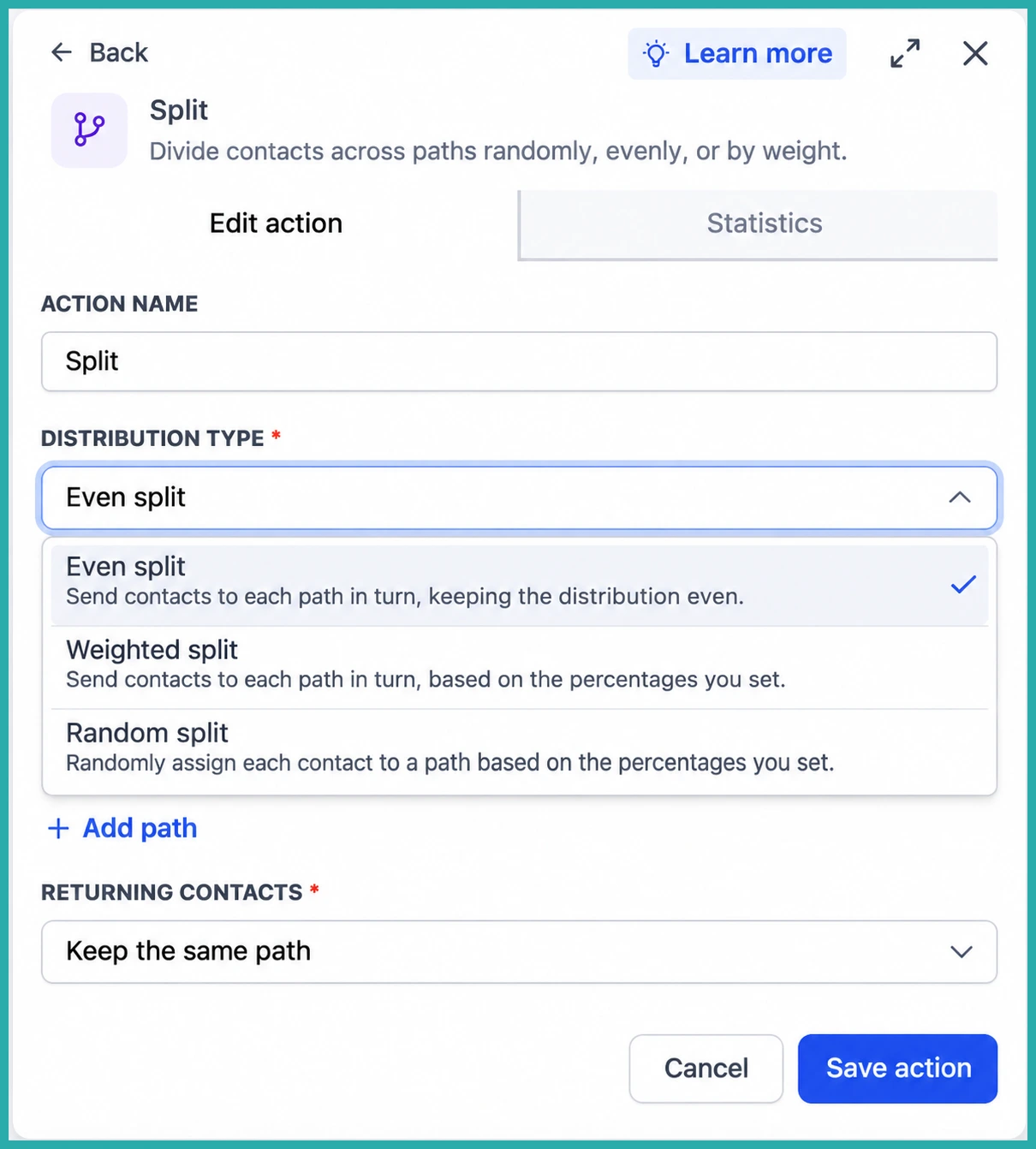
The Split action in your workflows now has three distribution types instead of one.
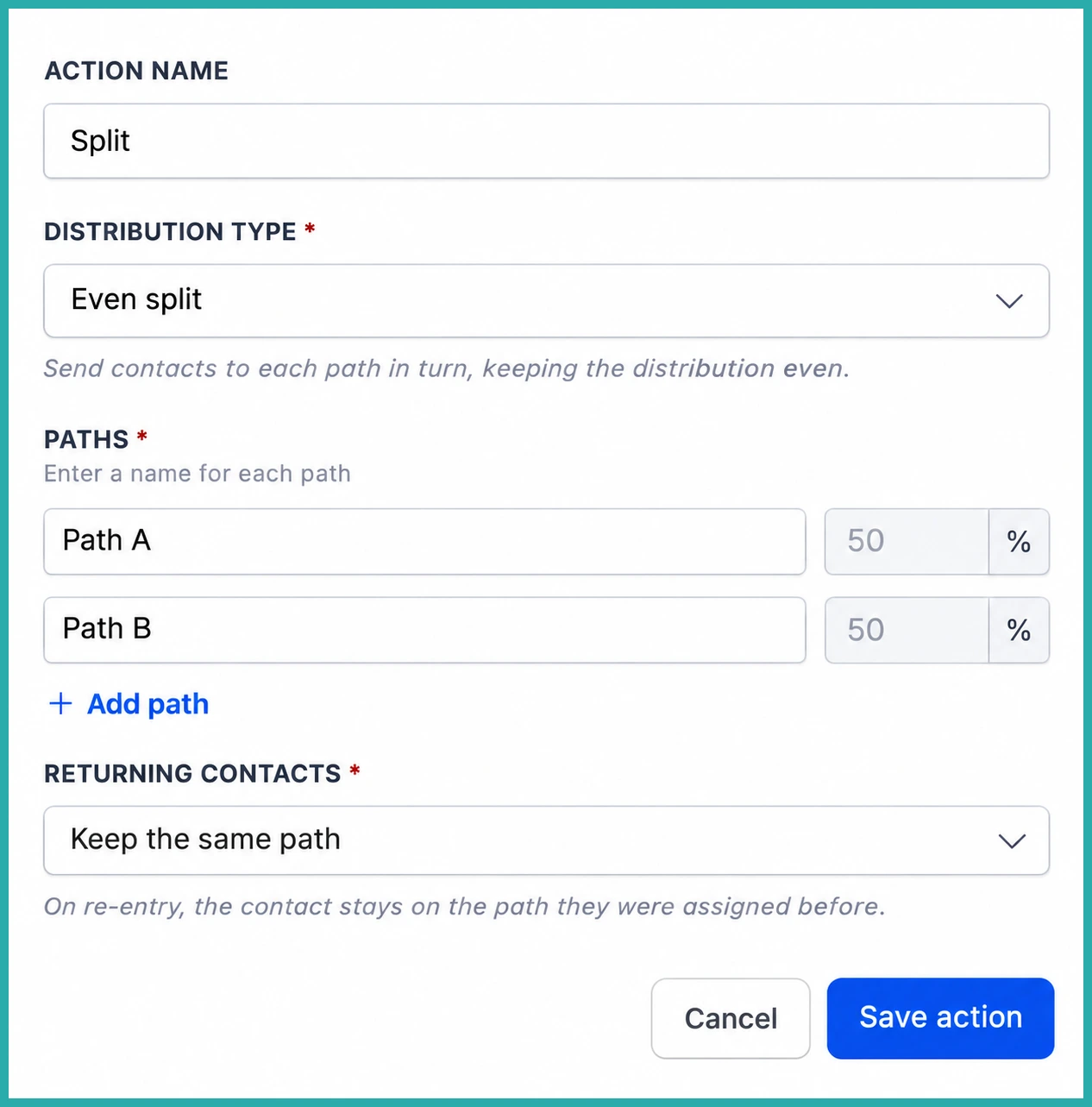
- Even split sends contacts to each path in turn, keeping the groups balanced as leads arrive. Good for sharing incoming leads evenly across teams, or building matched groups for different follow-up journeys.
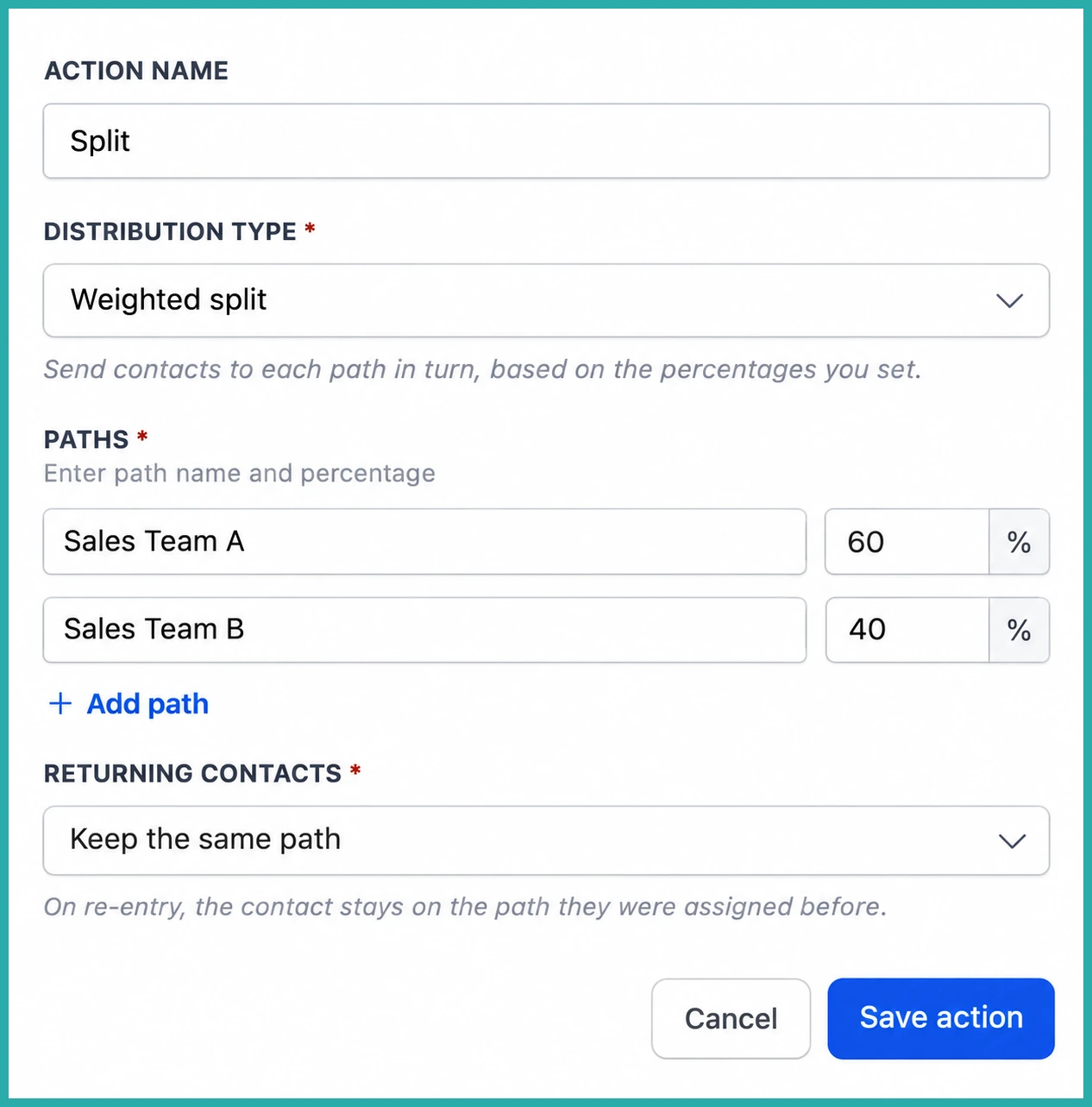
- Weighted split also goes in turn, but by the percentages you set. Use it when one team or journey should take a bigger share. A 60/40 split sends three of every five new contacts to one path and two to the other.
- Random split is still there, assigning each contact to a path at random based on your percentages.
The difference is turn-based versus chance. Even and Weighted both rotate through your paths in order, so the balance holds even with small numbers. Random leaves it to luck.
How to set it up
Open your workflow and add or edit a Split action. In the screenshot below, you'll see the Distribution Type at the top - that's where you choose how contacts get shared.
Pick Even split if you want the paths kept balanced automatically. Name each path, and contacts will take turns filling them as they come through.
Pick Weighted split if the shares should differ. Name your paths, then enter a whole-number percentage for each one, making sure they total 100%.
Save the action and publish your workflow when you're ready.
A couple of things to know
- Your existing Random split actions keep their current setup. Nothing changes unless you change it.
- Once contacts have started flowing through an Even or Weighted split, its settings lock so the rotation stays accurate. To edit them again, use Reset test. Saving a reset clears that split's stats and starts the rotation fresh.
- If Returning contacts is set to Keep the same path, anyone who re-enters follows the path they were given before.
If you've ever squinted at a lopsided split and wondered why 50/50 didn't land 50/50, this is for you. Open a workflow, try an Even split, and watch the paths stay level.
