
Coming soon: Send an SMS Straight From Your Custom Object and Company Workflows
Coming soon
This one isn't available in your account just yet. We're sharing it now so you know what's on the way, and we'll let you know as soon as you can use it.
If you run your business with Custom Objects or Companies, you've probably had a moment where you wanted to send a quick text from one of those workflows and couldn't. A renewal coming up, a service update, an account message. Now you can.
The Send SMS action is available inside your Custom Object and Company workflows, and it sends to the contacts linked to the record - chosen by their relationship to it.
What this lets you do
Instead of jumping between workflows to get a message out, you keep the record update and the customer follow-up in the same place. And because you can pull in both the record's fields and the recipient's own details, each text actually reads like it was written for that person.
You can:
- Add Send SMS straight into a Custom Object or Company workflow
- Pick exactly who gets it - all associated contacts, the most recently associated, or the earliest associated - by association label
- Blend record fields with recipient contact fields so every message carries the right details
- Write a fresh message or reuse an existing SMS template
- Check delivery afterwards in Statistics, down to each recipient
How to set it up
- Go to Automation, then Workflows, and open a Custom Object or Company workflow.
- Add the Send SMS action.
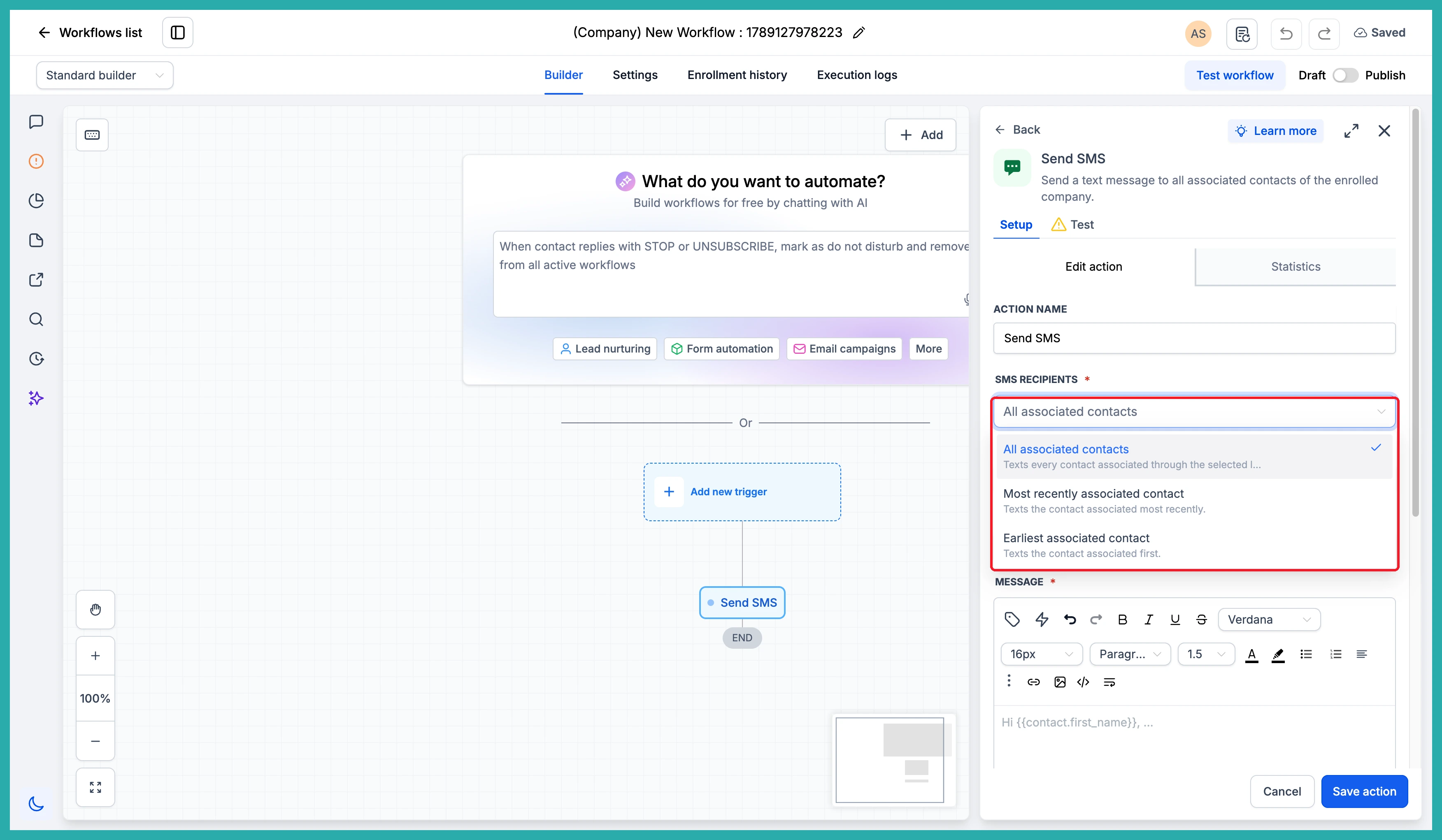
- Choose your recipients - all associated contacts, the most recently associated, or the earliest associated - then pick one or more association labels.
- Select a template or write your message. Use the custom value picker to combine record fields with recipient fields.
- Save the action, review your workflow, and publish when you're ready.
In the screenshot below, you'll see where you set your recipients and association labels, and where you build the message itself.
A few things worth knowing
- If you combine Primary Company with another label, the action sends to all associated contacts.
- A contact who falls under more than one of your selected labels still gets just one SMS per run - no accidental doubles.
- After a run, open Statistics on the action to see exactly who received the message.
Have a workflow that could use a well-timed text? This is a tidy way to keep the whole follow-up in one automation.
