
See Who Actually Answered Each Call, Right From Your Phone
If you use ring groups or call forwarding, the person a conversation is assigned to often isn't the person who actually picked up the phone. Until now, on mobile you couldn't tell the difference.
That's fixed. Your call details on the mobile app now show who really answered - and on which device.
What you get
Open a call on your phone and you'll see Answered By, showing the teammate who took it. If no teammate answered, it shows the phone number instead (masked, so nothing sensitive is on display).
There's also a small device icon next to it, so you can see at a glance where the call was picked up: the web app, the mobile app, a phone number, or SIP. If the device isn't known, no icon shows - simple as that.
It works across your regular calls, IVR calls, and WhatsApp calls too.
How to find it
Here's the quick version.
- Open Conversations and tap into a conversation that has a call.
- Long-press the call message, then choose Details.
- Look for Answered By with the name and device icon.
In the screenshot below, you'll see where to long-press the call message to open its details.
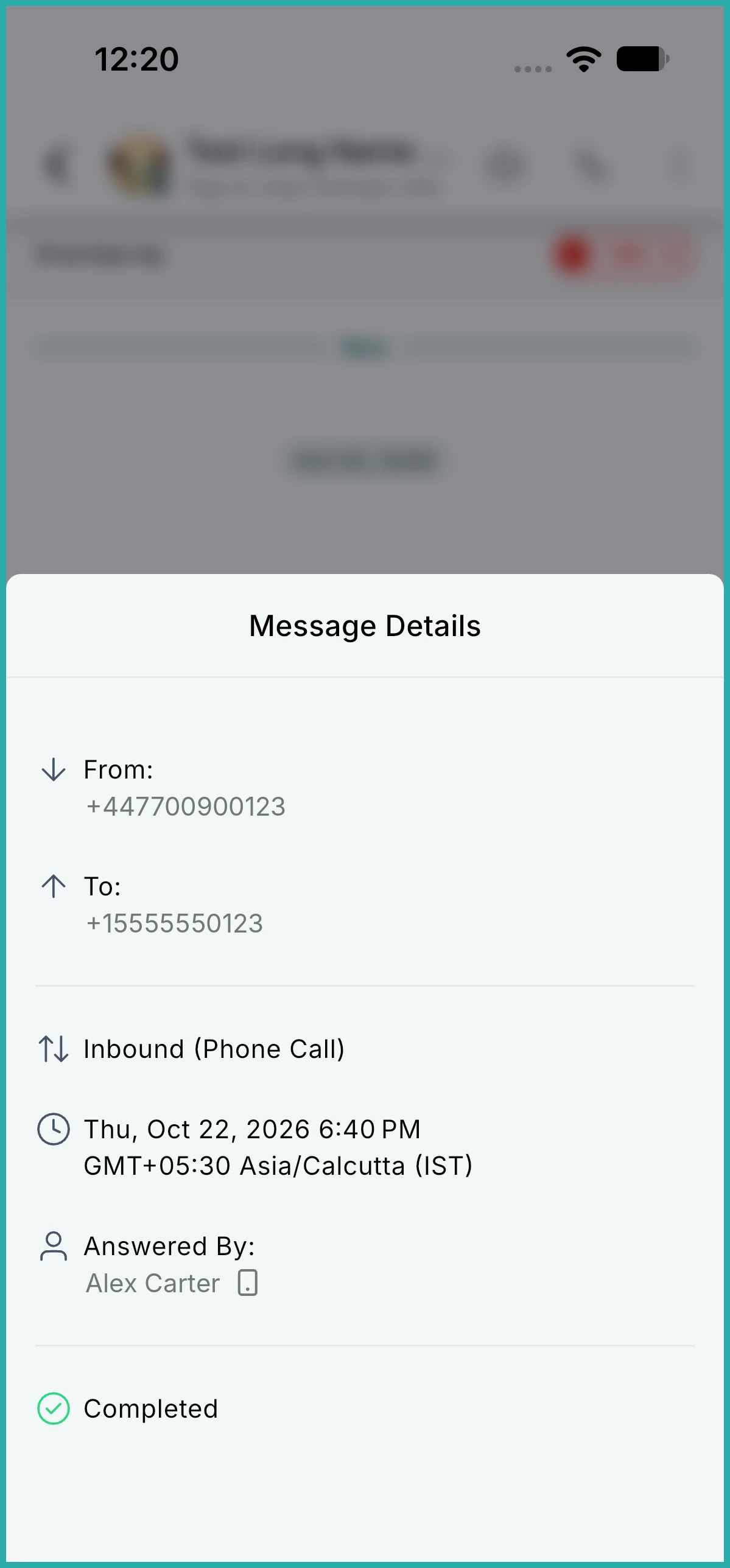
And here's the call details view, with Answered By and the device icon showing exactly who took the call and from where.
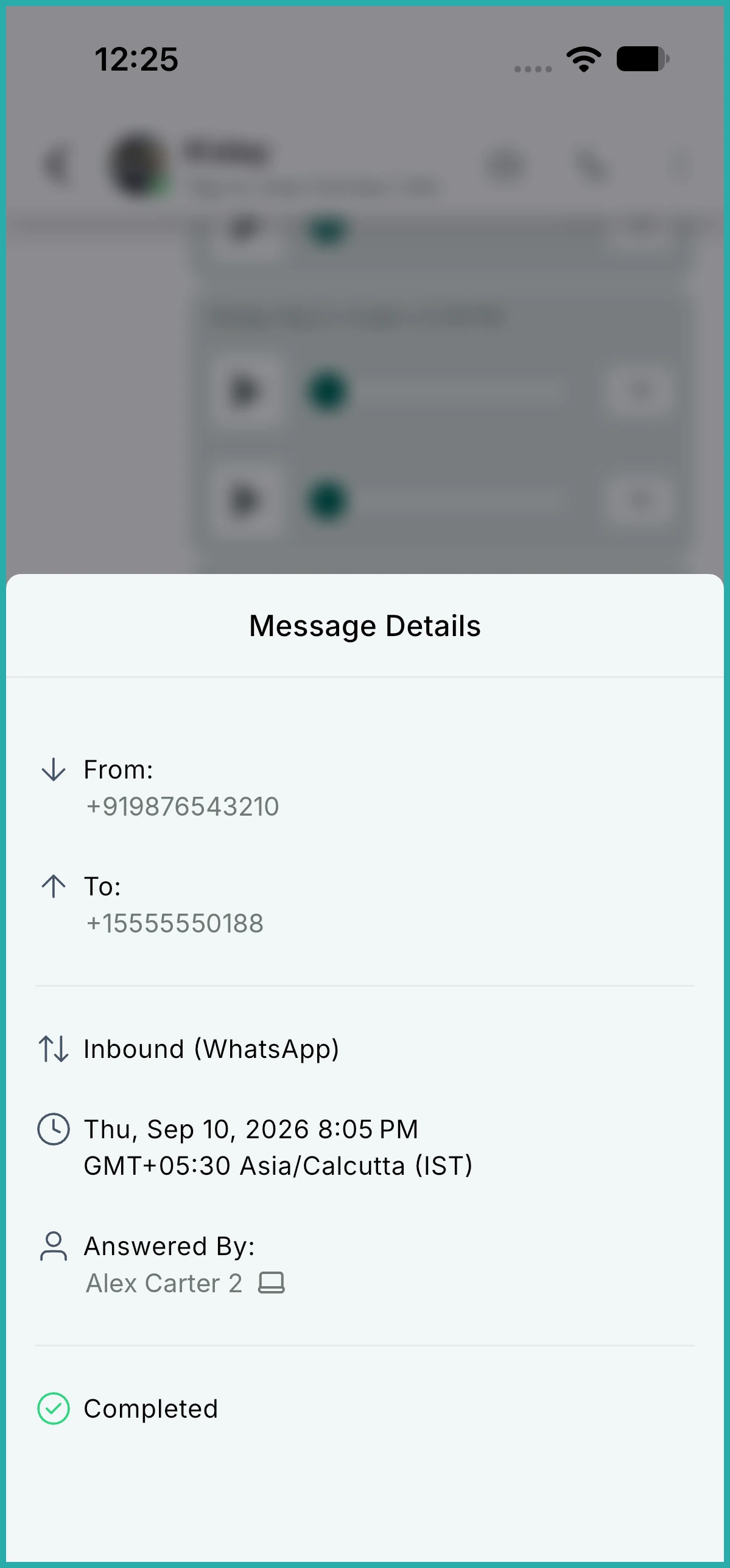
Why you'll use it
It gives you clearer accountability when calls bounce around a team, faster follow-ups because you know who to ask, and an easier time coaching when you can see who handled what.
You'll need version 4.27.x or later on iOS or Android. And there's more coming - this same call context is heading to your call logs soon, so you'll be able to understand a call without even opening Conversations.
Next time a call comes in through your team, you'll know exactly who picked it up. Go take a look.
