
Connecting Your Inbox: See Exactly What Syncs Before You Say Yes
Connecting your Gmail or Outlook inbox to your account is handy. It pulls your email conversations into one place so you can see everything in one thread. But it's fair to want to know exactly what you're agreeing to before you hand over access to your inbox.
Now you do. Before you connect, your account lays out what will sync, who can read it, and what happens if you disconnect later. No guessing.
What you get
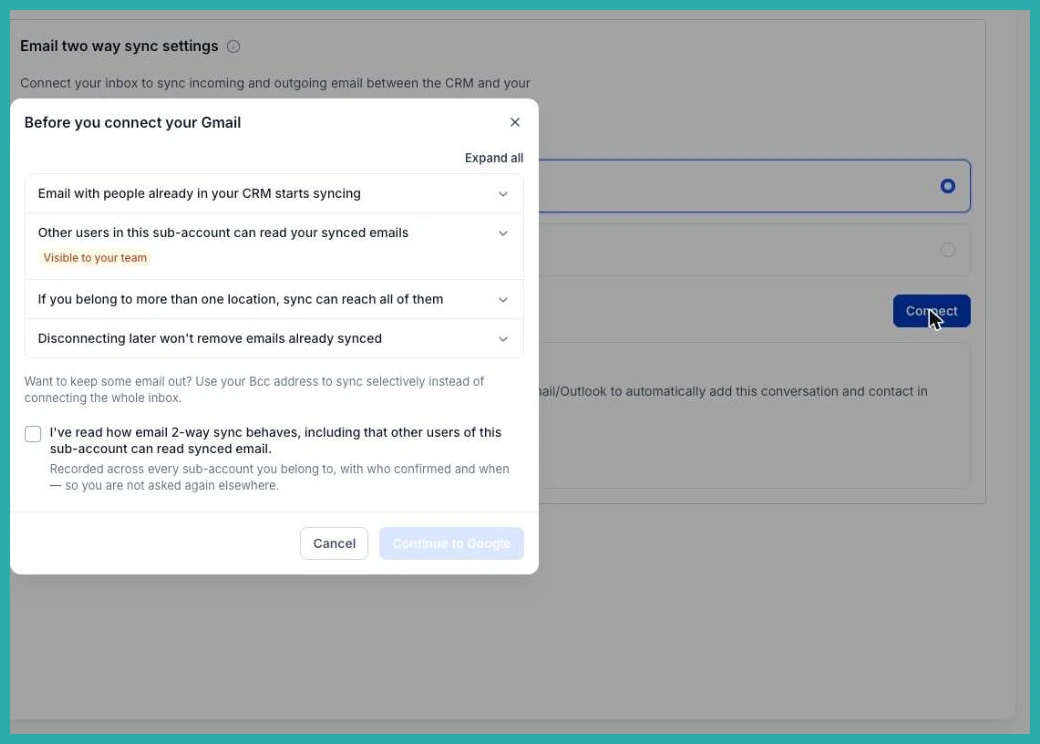
When you go to connect an inbox, a short notice appears first. It lists four things that change once your inbox is connected. You can open any of them to read the detail, then tick a box to confirm you've read them before you continue through to Gmail or Outlook.
In the screenshot below, you'll see the notice with those four points ready to open.
Nothing about how sync works has changed here. This is purely about telling you what's happening in plain language, so you go in with your eyes open.
Already connected? You'll see it once
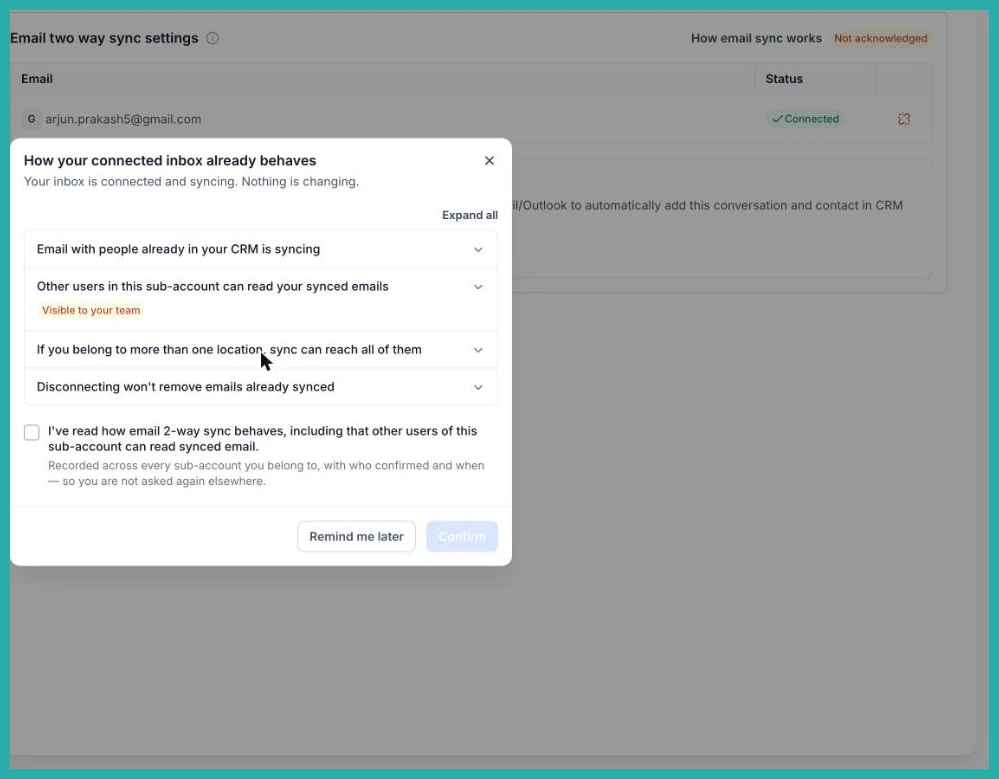
If you linked your inbox before this update, you'll see the same four points one time. It simply describes how your inbox already behaves. Nothing about your existing sync changes, and you don't need to do anything differently.
How to connect, step by step
- Go to Settings, then My Profile, then Email and conversations.
- Select your provider and press Connect.
- Read the four points, tick the confirmation, and continue through to the provider.
Confirming just records who read the notice and when. It doesn't switch sync on or off, and it changes none of your settings. And because it applies across every account you belong to, you won't be asked again somewhere else.
Want to check back later?
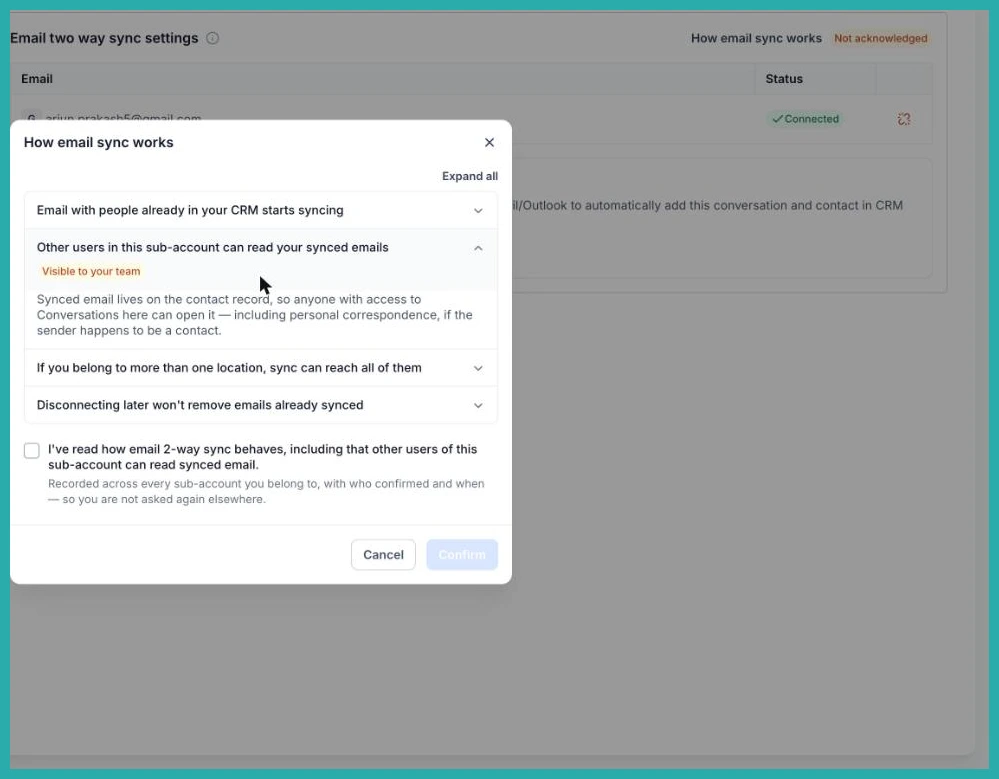
The same four points stay available any time. Next to your email sync settings, open How email sync works and they'll reopen whenever you need a reminder.
A small change, but a reassuring one. Now you always know exactly what connecting your inbox means before you do it, and where to look if you forget.
