
See How Your Workflows Connect, All on One Map
Coming Soon: Workflow Maps isn't in your ESC Hub account yet. We'll let you know as soon as it arrives.
You build one workflow to capture a lead. Another to qualify them. A third to follow up. Each one makes sense on its own. But six months later, when something isn't firing the way you expected, you're clicking between workflows trying to remember how they all hand off to each other.
Soon there'll be a way to see the whole picture at once.
What you get
Workflow Maps will let you open a workflow and view everything linked to it, together, on one canvas. If one workflow adds a tag that starts another, or drops a contact straight into a follow-up sequence, you'll be able to see those connections laid out instead of holding them in your head.
It's built for the journeys that span several workflows, which, if you've been at this a while, is most of them.
How to open it
Once it arrives, go to Automation, then Workflows, and open Workflow Maps. Select the workflow you want to start from, then open Linked workflows.
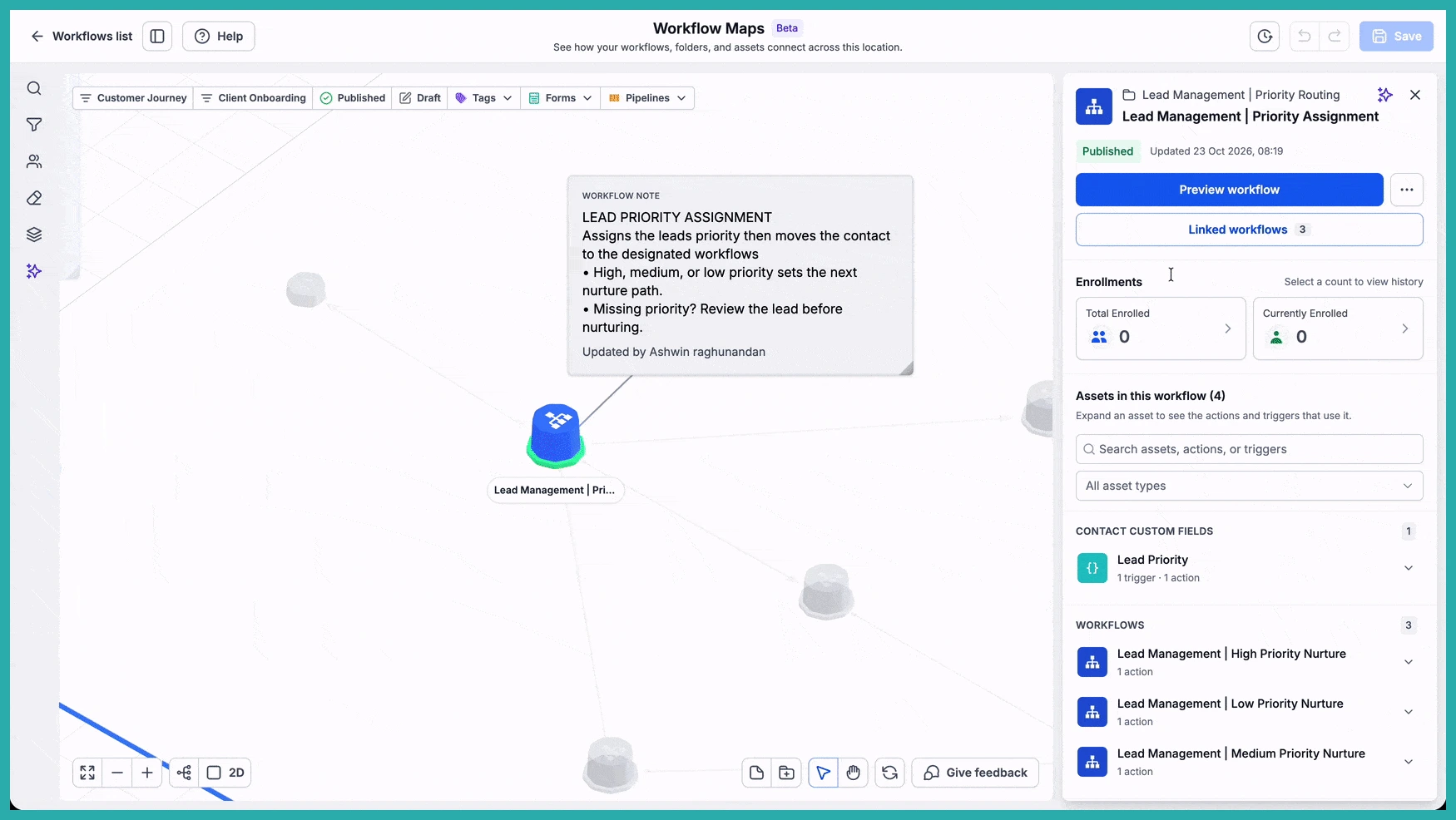
From there, you'll be able to explore everything connected to the one you picked, including links that reach across different folders. The map will show you how each workflow passes a contact along to the next, whether that's through a shared tag, a shared asset, or a direct action that adds them to another workflow.
Following the handoffs
Once your linked workflows are on screen, you'll be able to trace the sequence from start to finish. In the screenshot below, you'll see how the connected workflows sit together, so you can read the overall flow rather than guessing at it.
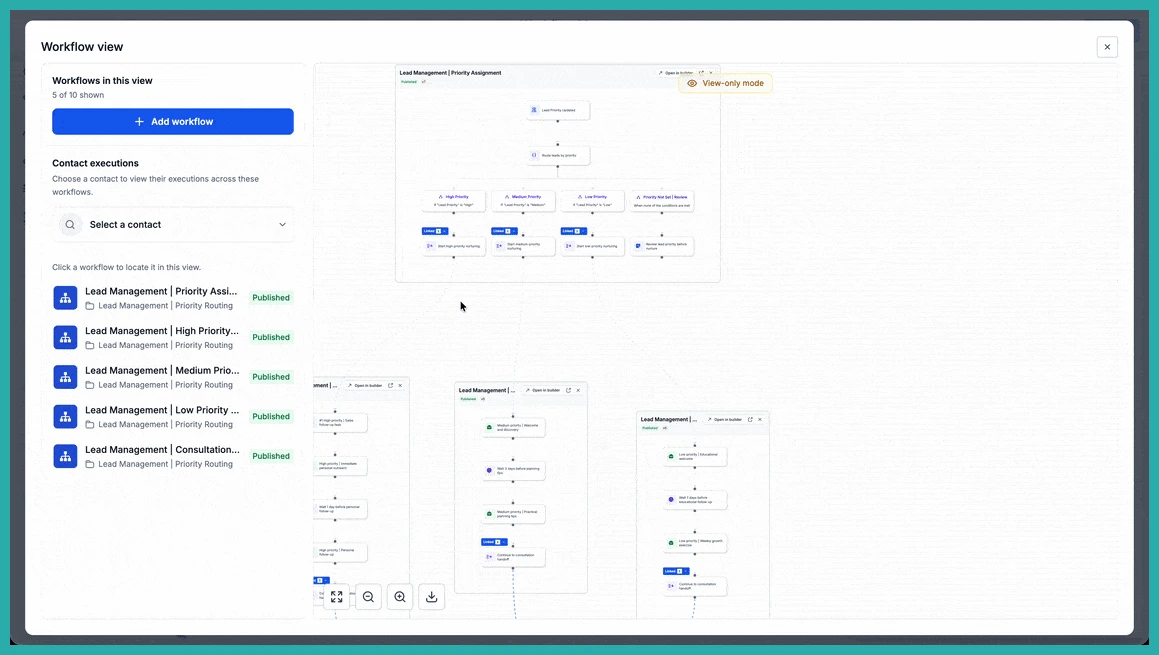
If something looks off, use the map's asset-usage details to find the exact trigger or action behind a shared asset. That's usually where the surprise is hiding. When you've spotted what needs changing, open that workflow in the builder and edit the steps there.
Where this is handy
- Seeing a lead-capture, qualification and follow-up sequence as one connected process.
- Checking how a booking workflow feeds into reminders and post-appointment follow-up.
- Walking someone else through a process that spans several workflows during a handover.
A quick note on how the pieces fit: Workflow Maps will give you the overview of how your automations connect. To investigate what happened for one particular contact, use their contact journey instead, and make any step changes in the builder.
If you've got a tangle of workflows you've been meaning to untangle, this will be the easiest way to finally see how they really fit together.
