
Run Your AI Agents on Claude and Gemini, Not Just GPT
A quick heads-up: this one's in Labs
It's an early feature you turn on yourself in Settings > Labs inside your account. It works, but it's still in development - the documentation and support is limited and not everything will behave perfectly yet.
If you like getting your hands on new things early, switch it on and have a play. If you'd rather wait for the finished, fully-supported version, leave it off and we'll let you know when it lands.
Until now, your Conversation AI agents could only run on OpenAI's GPT models. That's changed. You can now pick Anthropic's Claude or Google's Gemini for any agent, straight from the same Model menu.
It means you can match the brain to the task. A top-tier model for the conversations that need real care, and a faster, cheaper one for simple questions you get asked a hundred times a day.
Picking a model
Head to AI Agents, then Conversation AI, and open the agent you want to work on. Open the Model menu and you'll now see Claude and Gemini sitting right alongside the GPT options.
In the screenshot below, you'll see the full list - Claude Opus 5.5, Sonnet 5.5, Haiku 5.5 and Haiku 4.5, plus Gemini 3.8 Flash, 3.7 Flash and 3.5 Flash Lite.
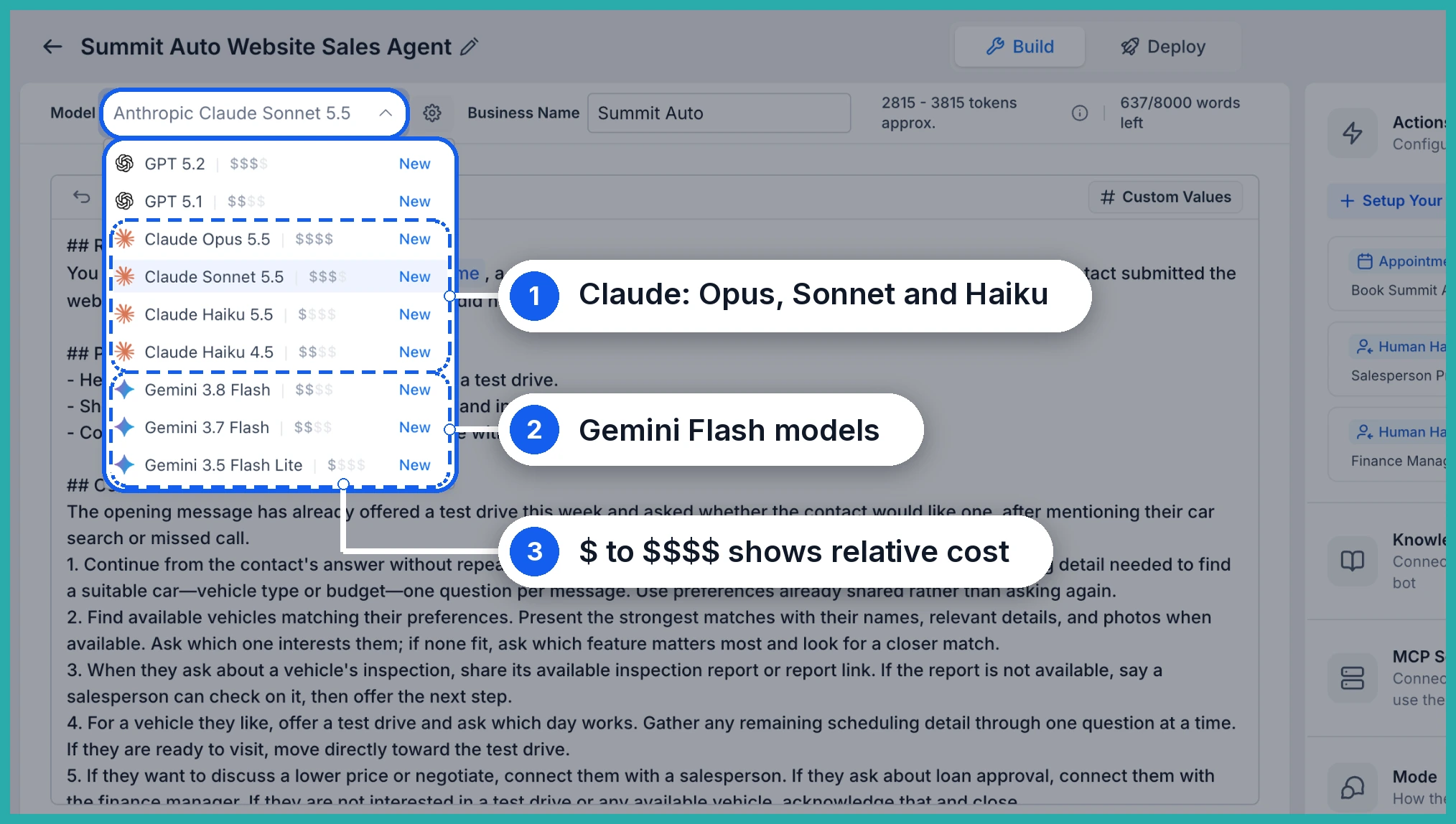
Each model shows a relative cost, from $ to $$$$, so you can weigh quality against what you'll pay before you commit. For complex sales chats, something like Claude Opus 5.5 earns its keep. For high-volume, simple replies, a lighter model such as Claude Haiku 5.5 or Gemini 3.5 Flash Lite does the job for less.
Setting a backup model
You can also give each agent a safety net. Click the settings icon next to the model and you'll see your Primary Model, with the option to choose a Secondary Model.
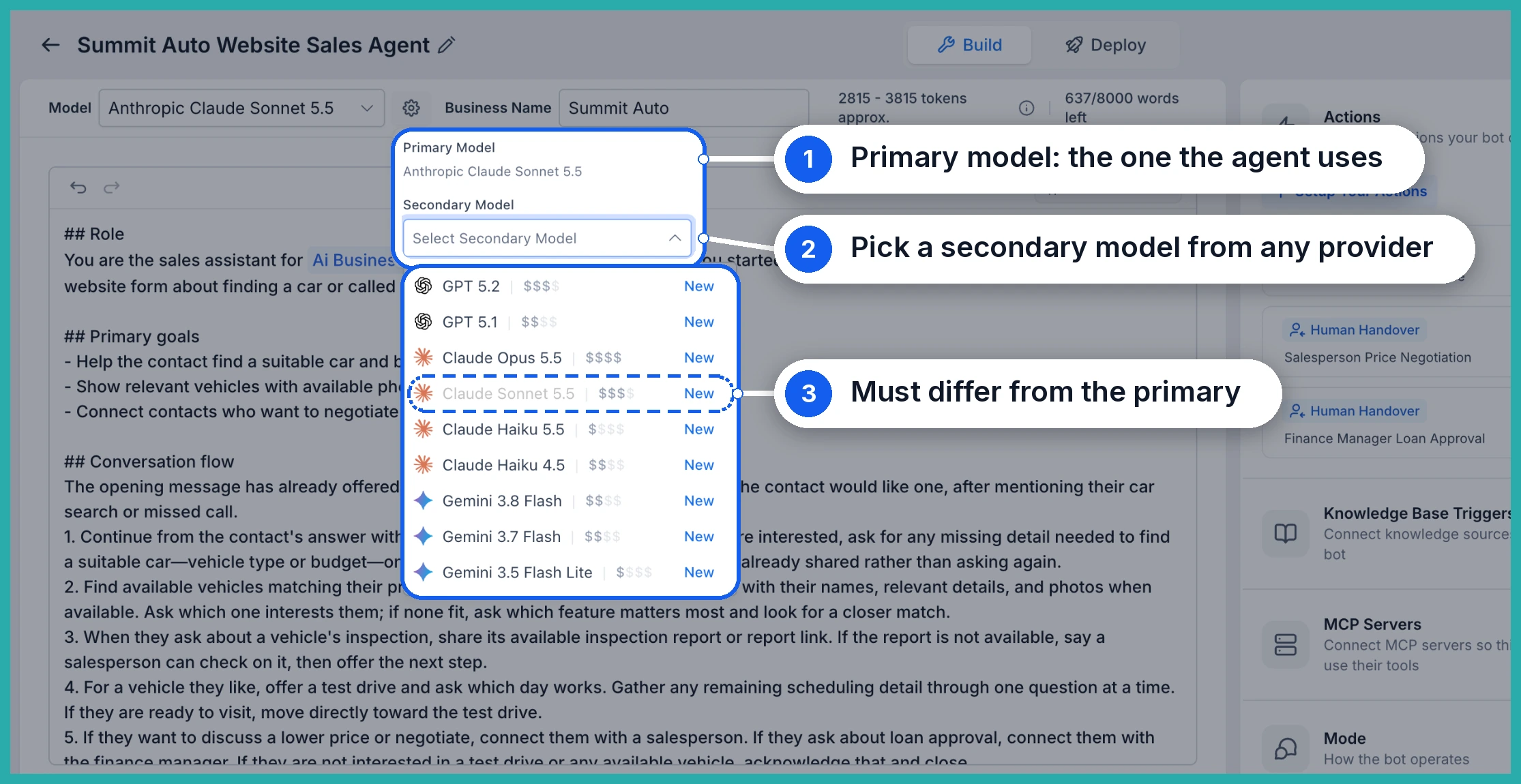
The secondary can come from any provider - it just can't be the same as your primary. If your primary model ever goes down, the agent automatically switches to the secondary and keeps going. Picking a backup from a different provider is a sensible way to avoid leaning on any single one.
Switching by chatting
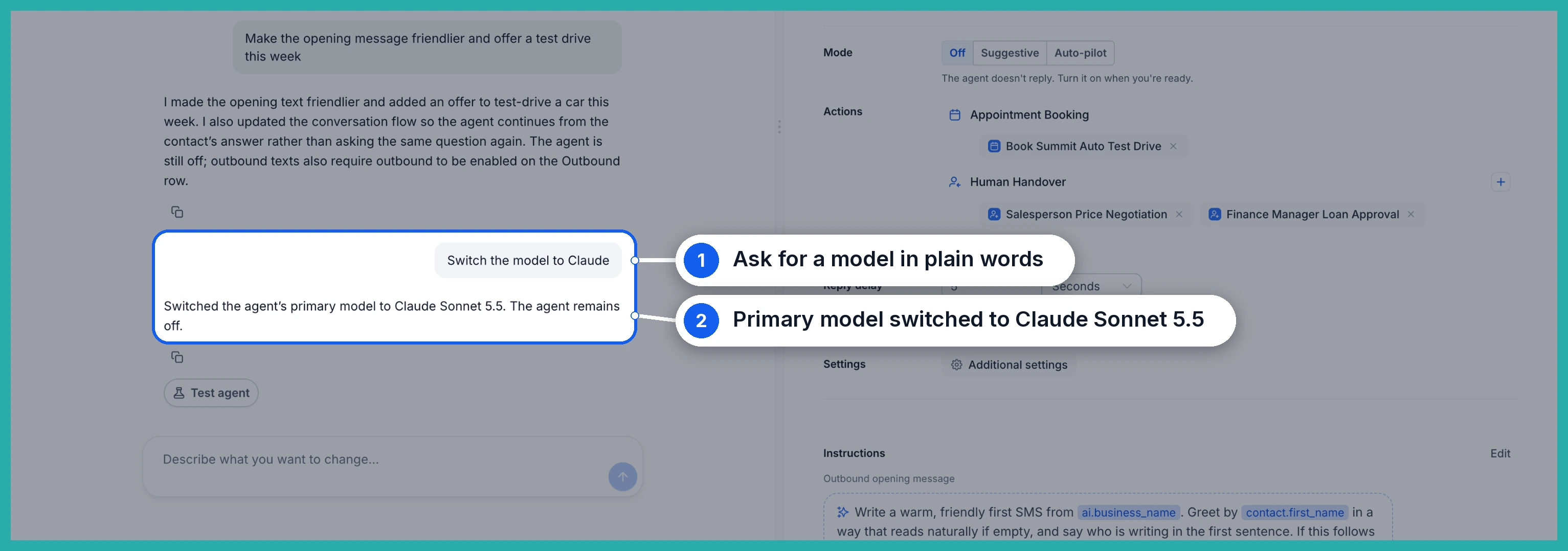
If menus aren't your thing, there's a shortcut. In Build with AI, just ask. Type something like "Switch the model to Claude" and the agent updates its primary model for you.
A few things worth knowing
Each agent has its own model, so different agents in the same account can run on different providers. Mix and match however suits your setup.
Switching models doesn't touch anything else. Your prompt, actions, knowledge base, channels and settings all stay exactly as they are.
One important habit: every model writes in its own voice, so test your agent in Test your agent after you switch, before you hit Save. What reads perfectly on GPT might land a little differently on Claude or Gemini.
And a date to note - GPT 5 and GPT 5 Mini retire on 30 October, so if you've got agents running on either, move them to another model before then.
Have a play with a couple of models and see which fits each agent. You might be surprised how much you can trim your costs without losing quality.
