
Send One Contact Down Every Matching Branch With the New Router Action
If you've ever built a workflow with If/Else, you know the catch. It stops at the first branch that matches and skips the rest, even when your contact matched them too. So if someone wants three things, only one of them gets handled.
The new Router action fixes that. It checks every branch and runs each one that matches, one after another, left to right.
What you get
Router lives in the same family as If/Else, but it behaves very differently. Instead of picking the first match and moving on, it acts on every match.
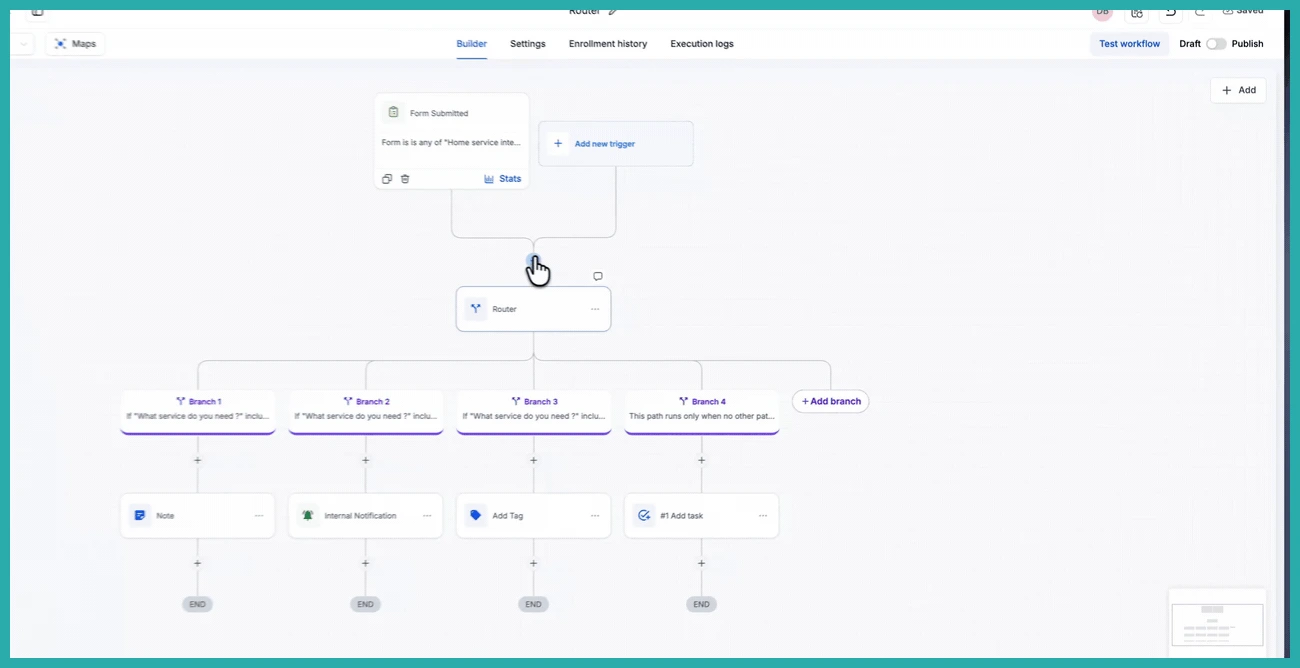
You get three branch types to work with:
- Custom rules: the branch runs only when its conditions match.
- Always run: the branch runs for every contact, no conditions needed.
- Fallback: the branch runs only when no other branch matched.
You set conditions the same way you already do, under Only continue if. Pick a field, choose an operator, and add more conditions or rule groups as you need them.
How to set it up
- Go to Automation, then Workflows, and open the workflow you want.
- Add the Router action.
- Open a branch and choose its type: Custom rules, Always run, or Fallback.
- For Custom rules, set the conditions under Only continue if.
- Click Add branch for each path you need.
- Add the actions that should run inside each branch.
- Save, then test it before you publish.
You control the order
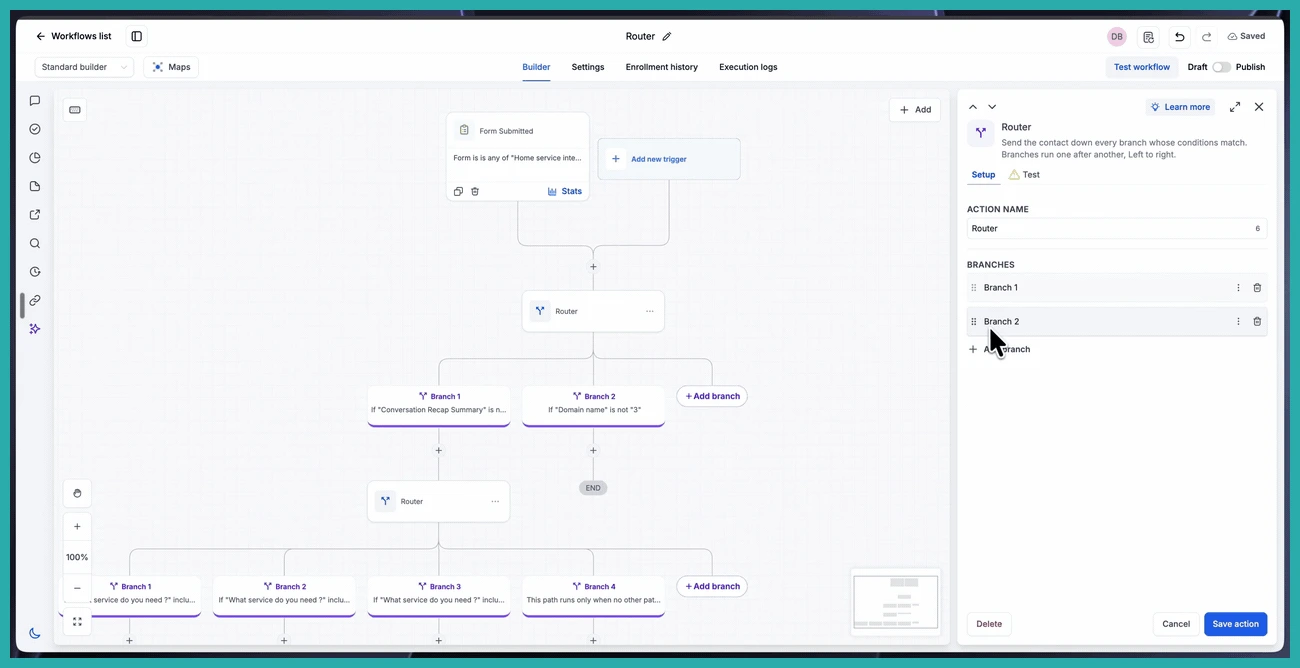
Branches run left to right. If you want one to run first, just drag it to the top of the Branches list. That step is optional, but it means you decide what happens first.
A real example
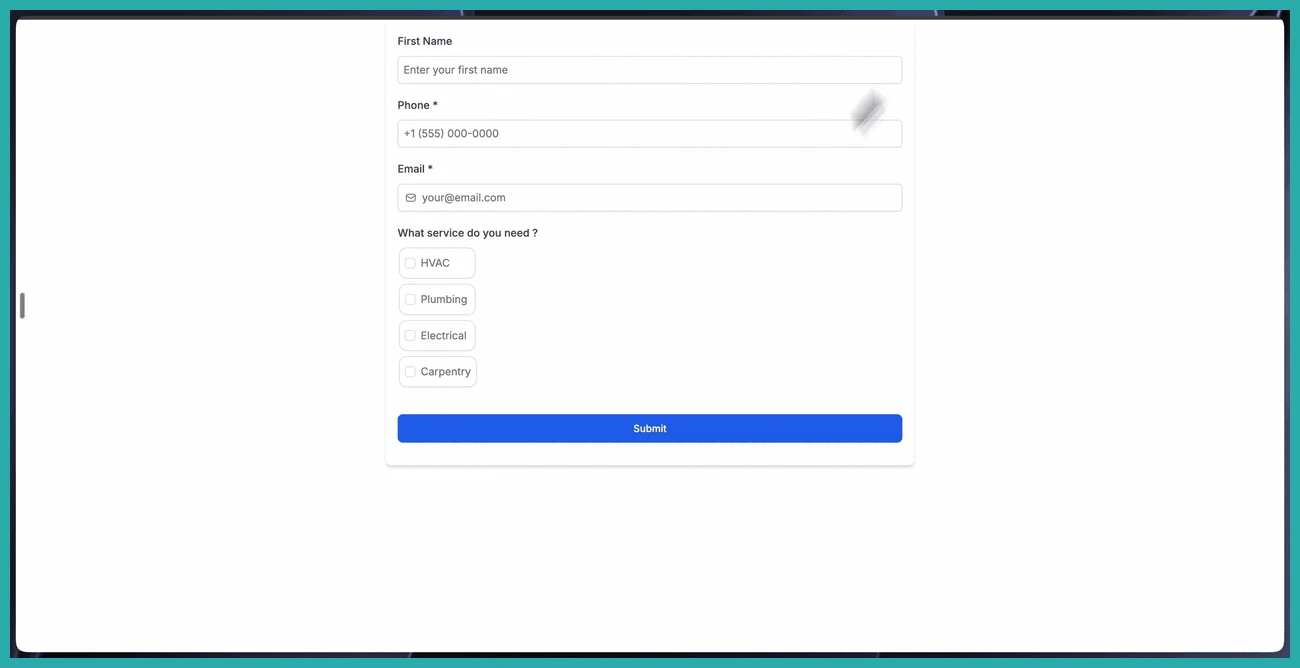
Say a home services business asks one question on its form: "What service do you need?" The lead can pick more than one - HVAC, Plumbing, Electrical, or Carpentry.
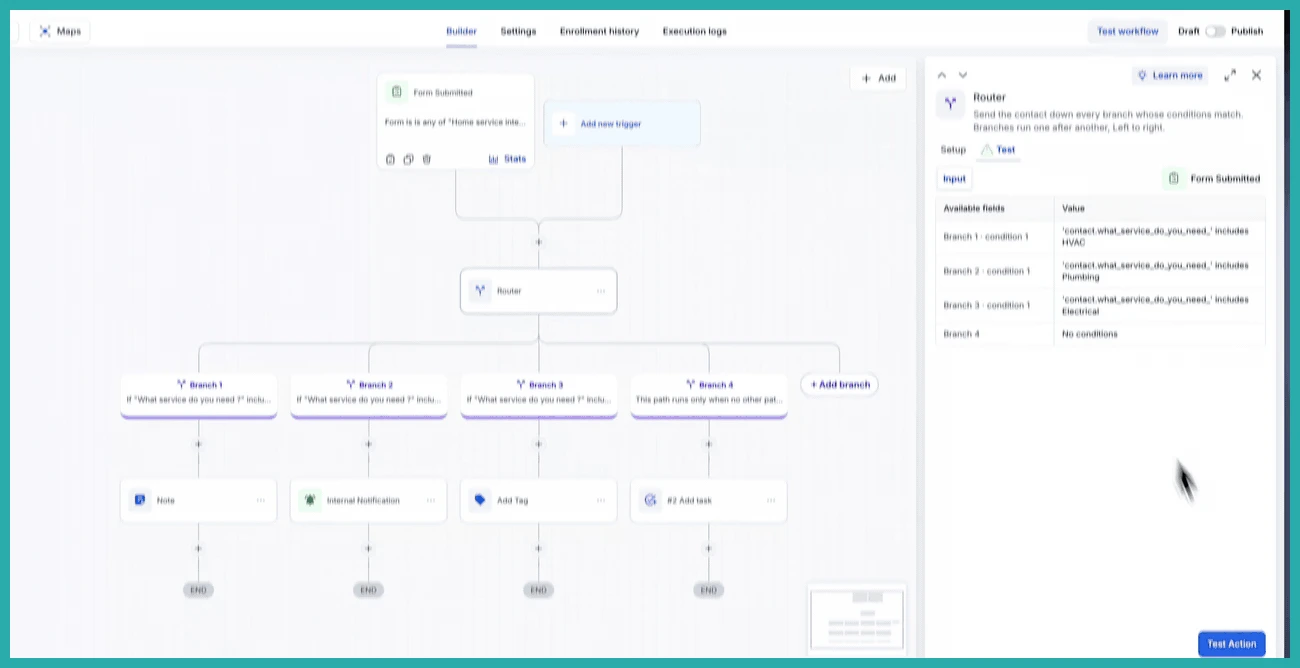
You set up four branches: one for HVAC, one for Plumbing, one for Electrical, and a Fallback for anyone who matches none of them.
A lead picks HVAC, Plumbing, and Electrical. With the old If/Else, only the HVAC branch would have run. With Router, all three matching branches run, each firing its own next steps - a note, an internal notification, a tag, a task. Every team gets the lead.
Test it before you go live
You can test the Router action on a real event with Test workflow. The output lists every branch condition as passed or not, with the reason and the actual value the contact had. So you can see exactly which branches fired and why before anything goes out.
Good to know
- Branches run one after another, not all at the same time.
- A Fallback branch only runs when no other branch matched.
- One Router can replace the duplicate workflows you built just to catch a second or third match.
Real leads rarely want just one thing. If you've got a form or trigger where people can match more than one path, Router is worth a look - build it once and let it handle every match at the same time.
