
Ring Number Pool Calls to Your Whole Team at Once, on Any Device
A call comes in on one of your tracked numbers and you want it answered, not missed. Until now, number pool calls couldn't be routed to specific team members' devices, which left a gap.
That's been sorted.
What you get
You can now send number pool calls to several team members at once - up to six people. Everyone's devices ring at the same time, and each person answers on whatever they prefer: web, mobile, desk phone, or their own number.
So the call goes out to the whole group, and whoever's free picks it up. No more routing a pool to a single spot and hoping someone's there.
How to set it up
Open the settings for the number pool you want to change. Look for Ring Incoming Call to selected Users and turn it on.
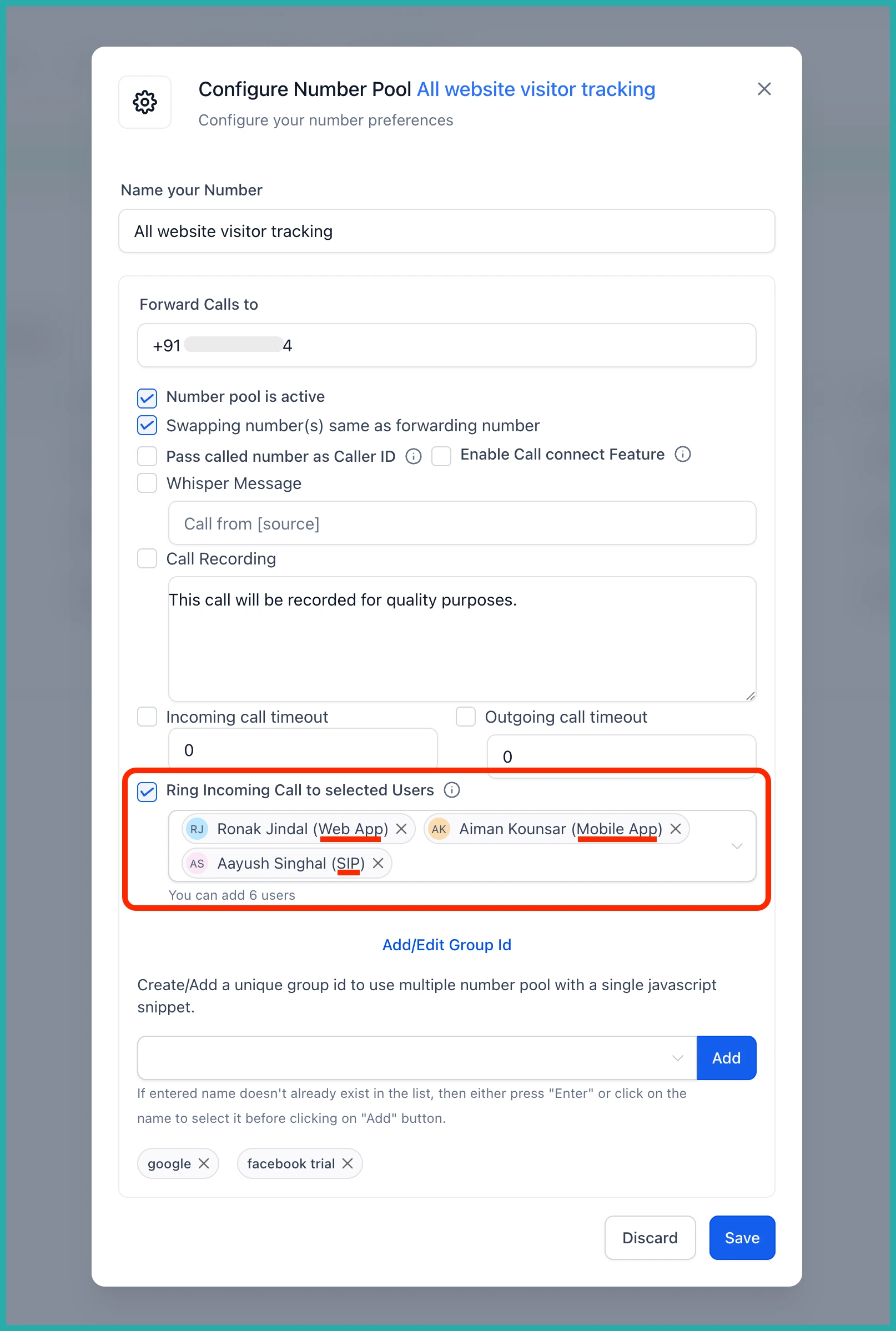
Then pick the team members you want the call to reach - up to six. Each person's devices will ring together, using the ring channel they've already got set up.
Your choices are saved, so the next time you open the pool they'll be waiting for you. No need to redo it.
Good to know
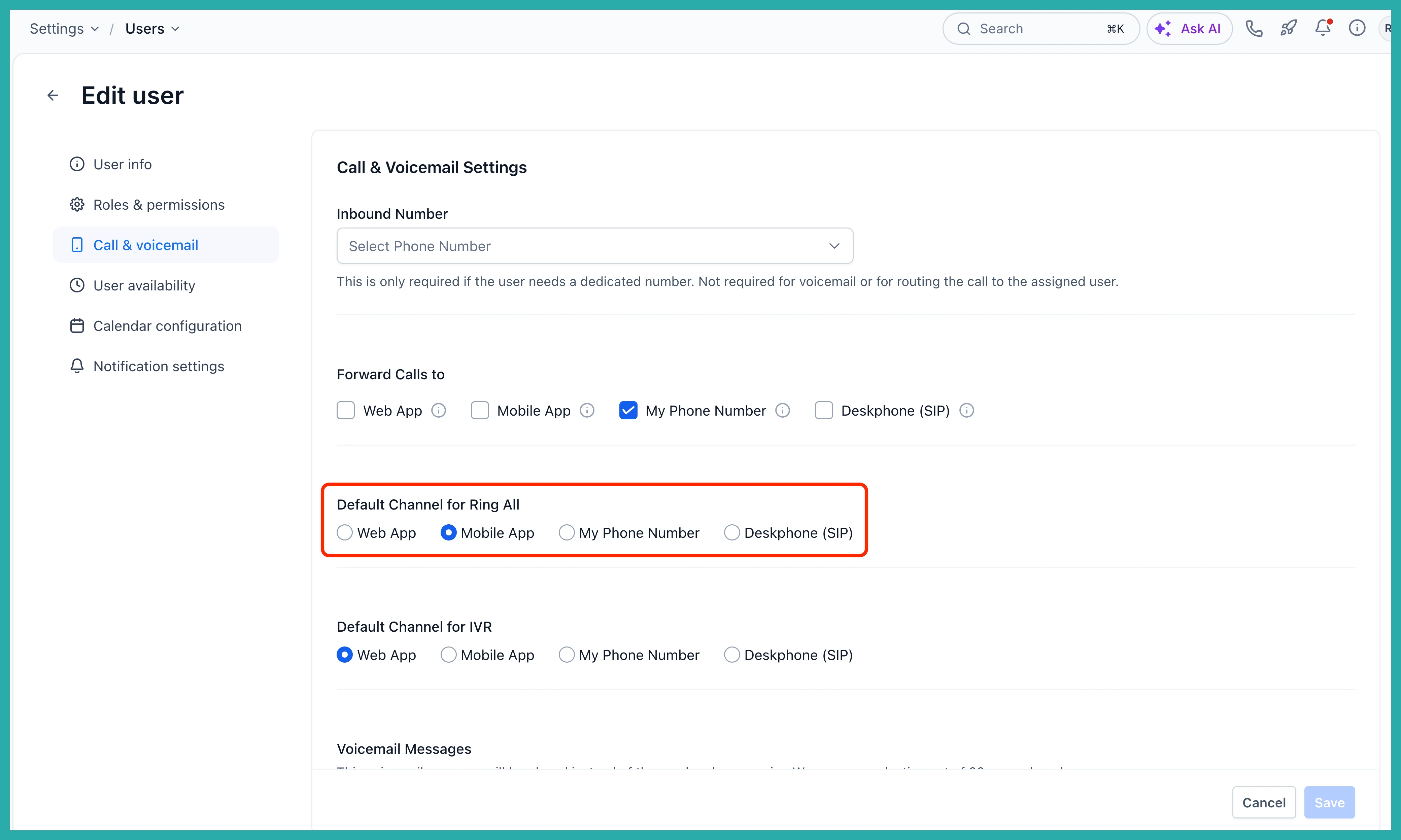
Each person's preferred device is set under Settings, then Users/My Staff, then Edit, then Call & voicemail, where you'll find Default channel for ring all. That's what decides whether their call lands on web, mobile, desk phone, or their own number.
If you've got a pool that's been pointing at just one place, go turn this on and add your team. It takes a minute, and it means fewer calls slipping through.
