
You Can Now Write Python in the Custom Code Workflow Action
If you've ever used the Custom Code action to do something your workflows couldn't do out of the box, you've got a new option. Python is now available in that action, right alongside the JavaScript you already had.
Same place, same setup. Just one more way to write the logic that runs behind your automations.
What landed
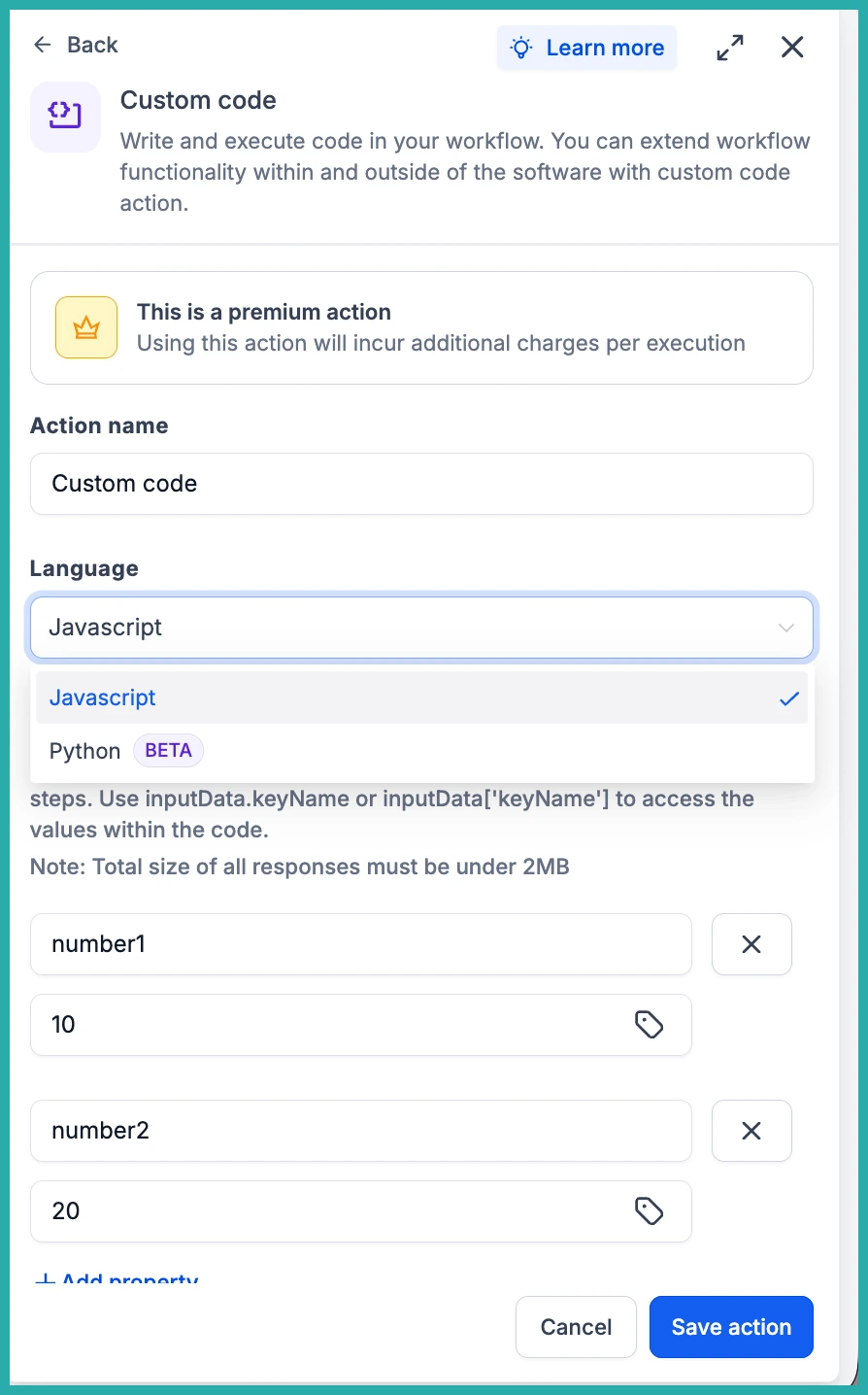
The Custom Code action used to give you one language to work in. Now there's a dropdown, and Python is in it.
So if Python is what you're comfortable with, or it's simply the better fit for what you're building, you can pick it and go. Nothing else about the action changes.
How to switch to Python
It's a quick change inside any workflow that uses the Custom Code action.
- Open the workflow you're working in and add or open a Custom Code action.
- Find the language dropdown at the top of the action.
- Select Python.
- Write your code, save, and the action runs in Python from then on.
In the screenshot below, you'll see the dropdown with Python selected, ready to take your code.
That's the whole change. If JavaScript has been holding you back from a particular bit of automation, this might be the unlock you were waiting for. Go pick the language that suits you and build the thing.
