
Move Your WhatsApp Marketing to MM Lite - A Few Minutes Now Saves a Scramble Later
If you send marketing messages over WhatsApp, there's a change coming that's worth getting ahead of now rather than later.
Meta has confirmed that from October 13, 2027, marketing messages will stop being delivered through the old Cloud API. From that date, every WhatsApp marketing send has to route through Meta's Marketing Messages API, which your account already supports as MM Lite.
You have about twelve months, so there's no panic. But the real reason to move now isn't the deadline. It's that everything good is on MM Lite, and the old way is frozen in place.
What's actually changing
Only your marketing sends are affected. Your service and utility messages carry on through the Cloud API exactly as they do today. Nothing there changes.
For marketing, Meta has drawn a clear line. The Cloud API stays switched on until October 2027, but it gets no new features between now and then, and it stops carrying marketing entirely on that date.
What you gain by moving
Switching over isn't just ticking a box before a deadline. MM Lite has things the old way will never get:
- Better delivery on the same send. MM Lite reads engagement signals and prioritises messages people actually want, so more of your send lands. Meta's own test across 12 million messages measured up to 9% higher delivery for high-engagement messages, with no extra volume.
- Richer creative. Animated GIF headers, app deep links that open your app on a customer's phone, and automated creative touch-ups Meta applies for you.
- Real measurement. Track the whole path from message to purchase, not just delivered and read. Plus spend per template, cost per click, and cost per delivery.
And your media, carousels, catalogues, flows and interactive replies all keep working too.
Nothing to rebuild
This is the part that worries most people, so let me put it plainly. Your existing phone numbers and approved templates carry over untouched. No re-creating, no re-approval. Your current campaigns and workflows keep running right through the switch. Activation takes a few minutes per account.
How to turn it on
Do this in whichever account sends the most marketing first, since that's where you'll feel the benefit soonest.
- In the account, go to Settings, then WhatsApp. You'll see a banner prompting you to activate MM Lite.
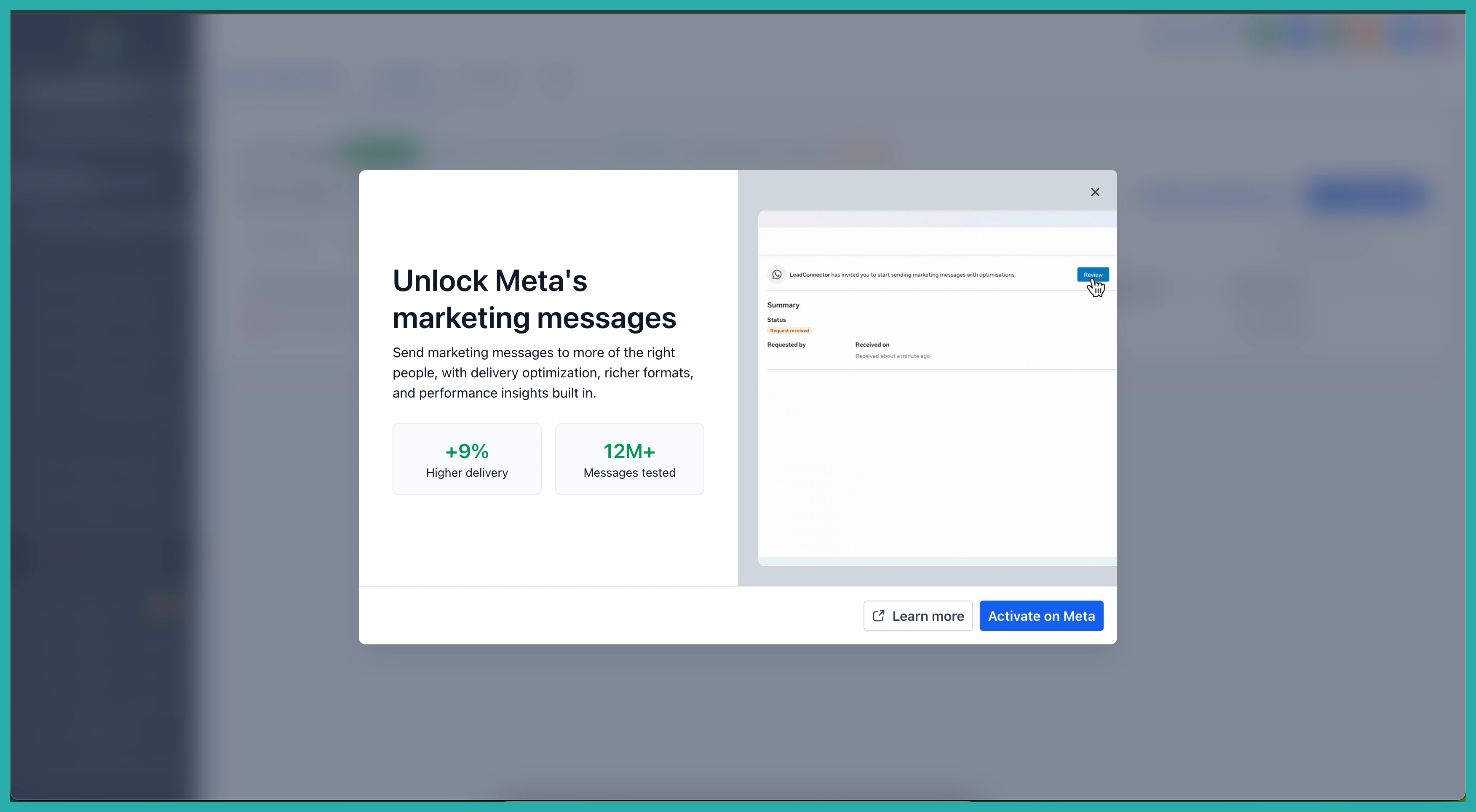
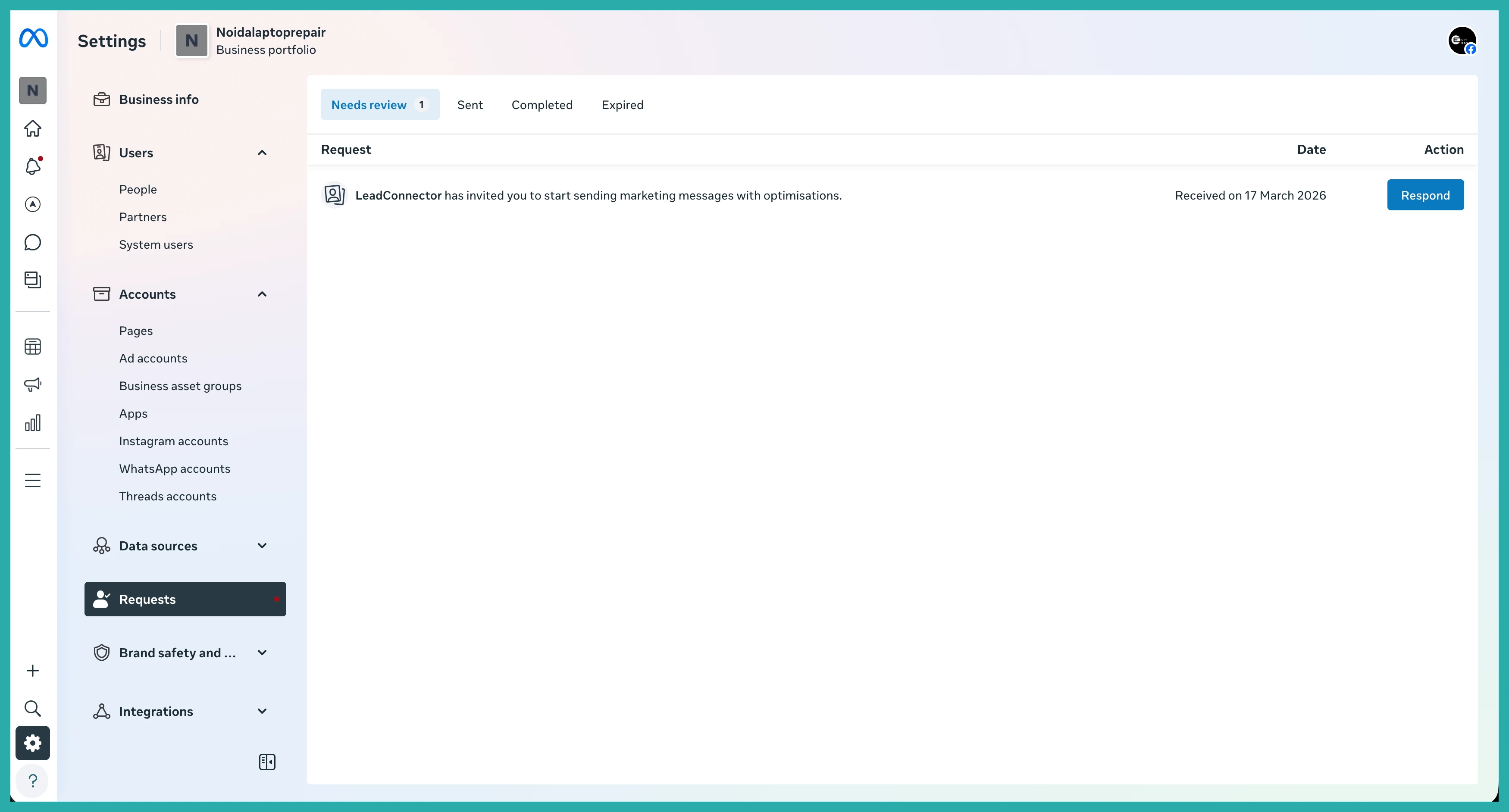
- Click Enable MM Lite. This sends you over to the WhatsApp account screen. Open the Requests tab and click Respond.
- When the prompt about improving ROI with the Marketing Messages API appears, click Continue. On the access request screen, check the permissions and click Finish.
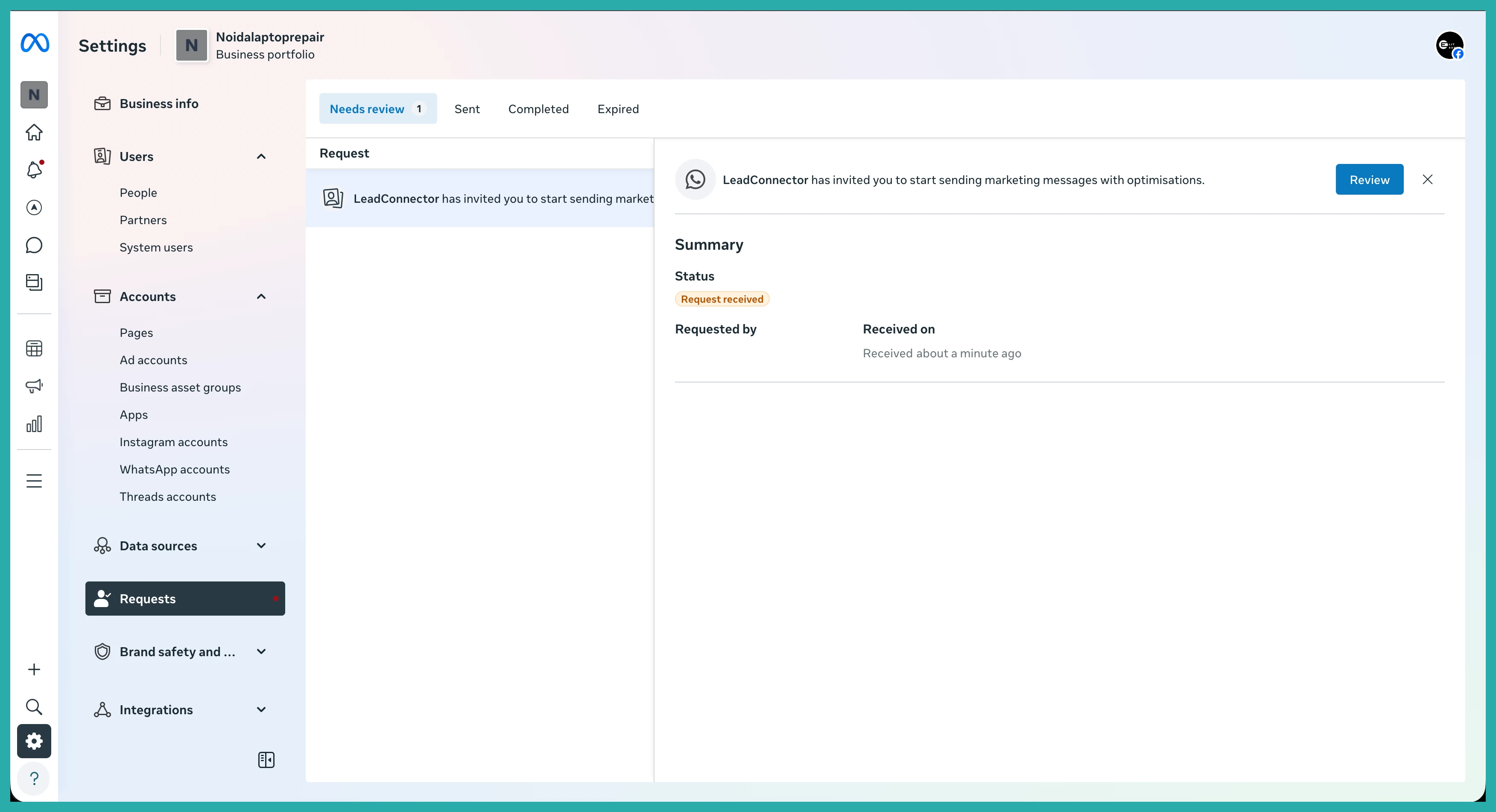
That's the whole thing. Your numbers, templates and campaigns are already where they need to be.
You've got a full year, so there's no rush and no stress. But moving one account today, before the rush hits, means you're set up on the version Meta is actually building for - and you skip the scramble everyone else will be doing in late 2027. Go switch on your busiest account and get the easy win.
