
Manage A2P Registrations for Every Account From One Dashboard
A quick heads-up: this one's in Labs
It's an early feature you turn on yourself in Settings > Labs inside your account. It works, but it's still in development - the documentation and support is limited and not everything will behave perfectly yet.
If you like getting your hands on new things early, switch it on and have a play. If you'd rather wait for the finished, fully-supported version, leave it off and we'll let you know when it lands.
If you run more than one account, keeping A2P registrations in order has always meant hopping in and out of each one to check what's approved, what's stuck, and what got rejected. Tedious, and easy to lose track of.
The new Agency Trust Center pulls all of it into one place. You can see every registration across all your accounts, spot the ones that need attention, and start new ones - without ever switching location.
Start with the overview
Go to Agency View, then Settings, then Phone Integration, and open Trust Center (A2P). The Overview tab gives you the whole picture at a glance.
You'll see how many registrations are Fully Approved, how many are In Review, and how many were Rejected across everything you manage. Rejection insights group the common reasons together, so instead of guessing you can see exactly what's holding things up and jump straight to the registrations affected.
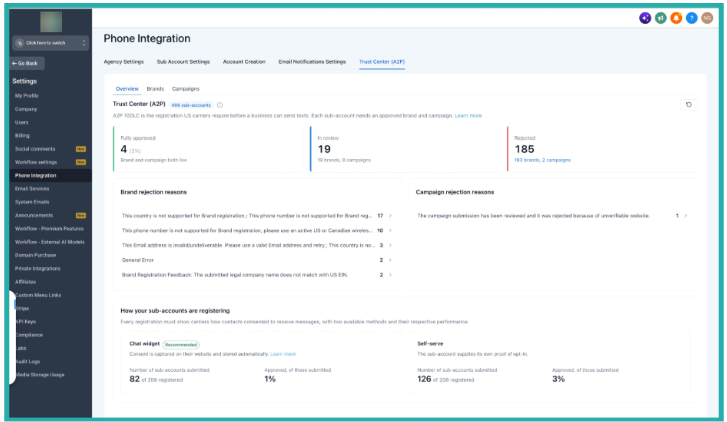
There's also a bit of analytics in here comparing Chat Widget and Self-Serve registrations, so you can see which approach is getting approved more often and lean into it.
Manage your Brand registrations
Open the Brands tab to see every Brand registration in one list. Search or filter by account and by status, so you can go straight to what you need.
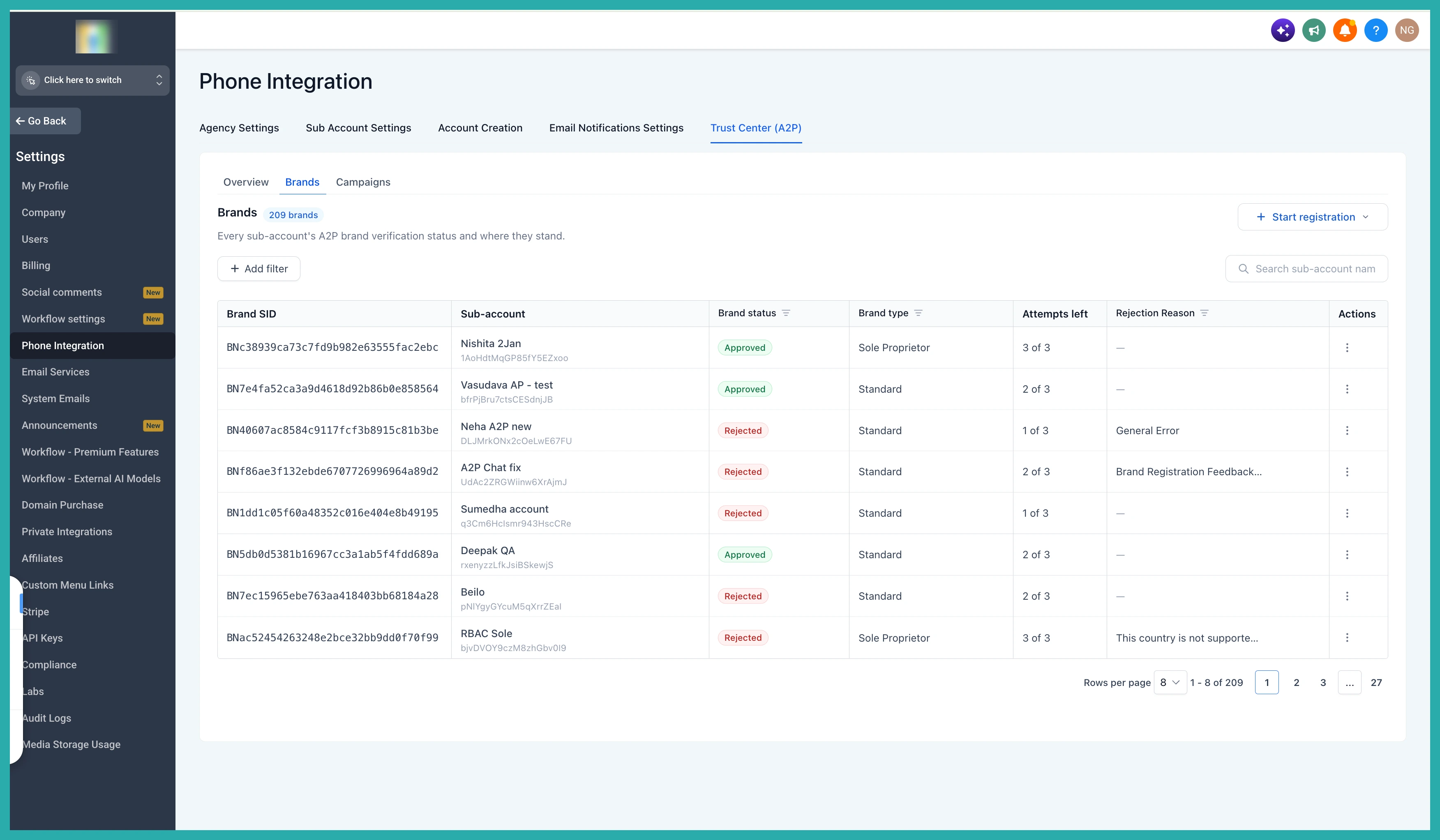
Click into any Brand to see its details - the registration type, approval status, any rejection reason, and how many attempts are left. If a rejected Brand is eligible to be fixed, you can correct it and resubmit right there, no need to open the account it belongs to.
Track and fix your Campaigns
The Campaigns tab works the same way. You get every Campaign registration across your accounts, along with the Brand it's tied to, the messaging service, and the use case.
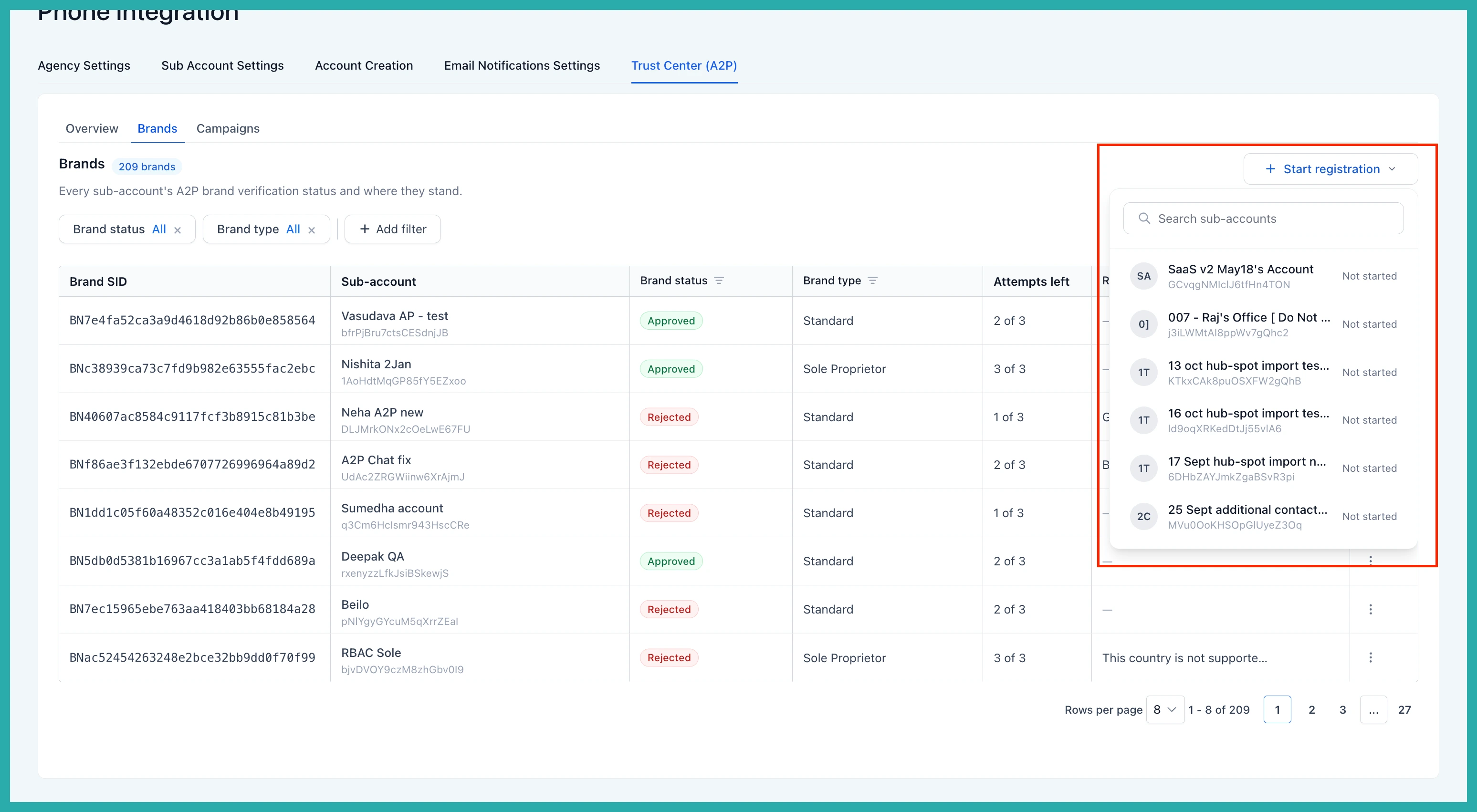
Filter down to the Campaigns that need attention, read the rejection reason, and resubmit any eligible ones directly from here. Everything stays in the one view.
Start a new registration
You don't have to wait for a problem to use this. To register a new Brand, click Start Registration, choose the account it's for, and work through the registration steps.
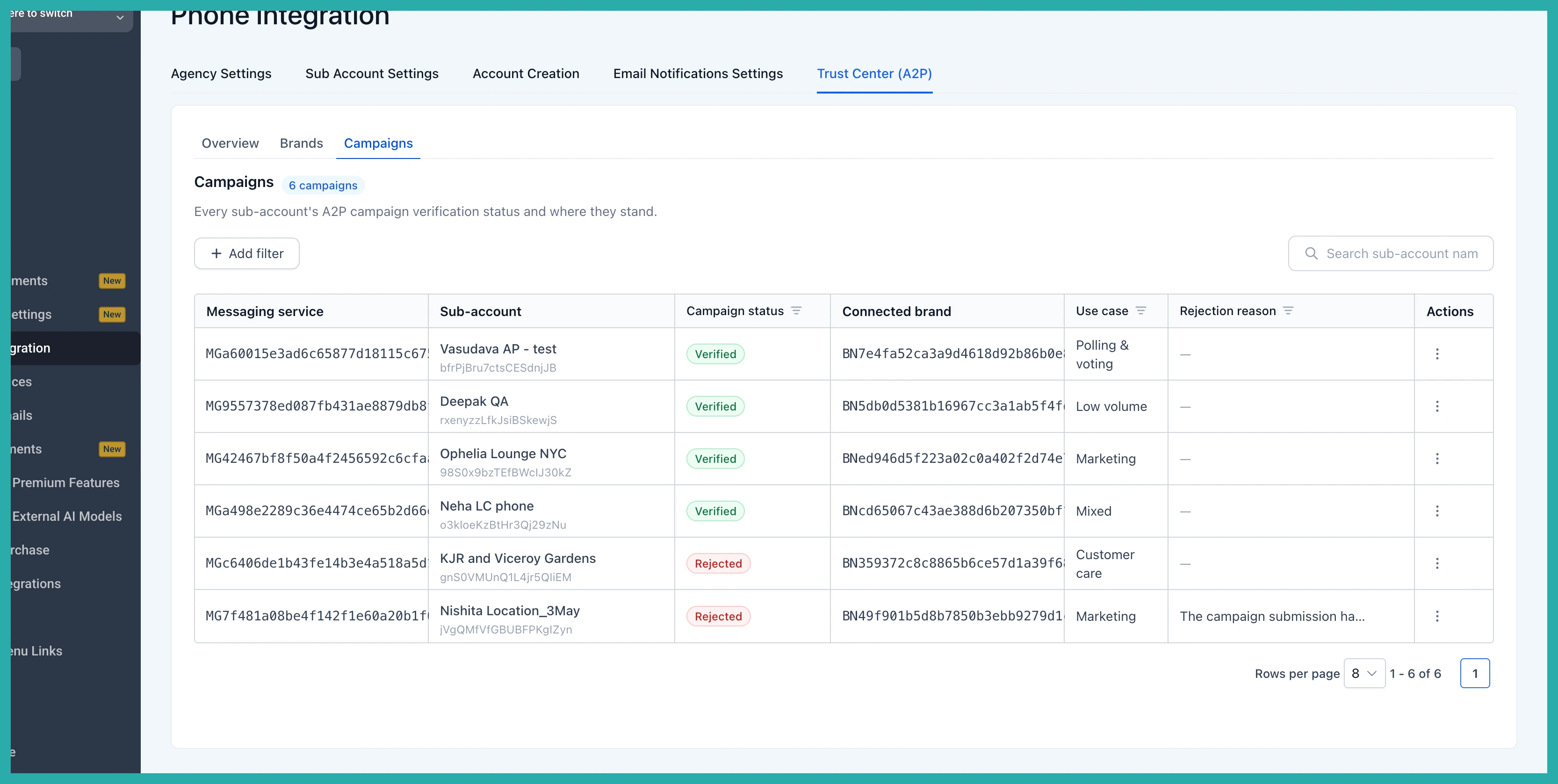
Once it's submitted, you can follow its progress from the Trust Center alongside everything else, so you always know where each account stands.
A couple of things to know
This one is for Founder's plan agencies, and it's available to Agency Owners and Agency Admins. The Trust Center inside each individual account stays exactly as it was, so nothing changes there.
If managing A2P across several accounts has been eating your time, this is the view that gives it back. Have a look at your Overview and see what's been sitting there needing a nudge.
