
Keep Your Existing Business Number and Use It for SMS in ESC Hub
A quick heads-up: this one's in Labs
It's an early feature you turn on yourself in Settings > Labs inside your account. It works, but it's still in development - the documentation and support is limited and not everything will behave perfectly yet.
If you like getting your hands on new things early, switch it on and have a play. If you'd rather wait for the finished, fully-supported version, leave it off and we'll let you know when it lands.
You've probably got a business number your customers already know by heart. The one on your car, your cards, your website. Until now, using that exact number for SMS inside ESC Hub meant jumping through hoops.
Hosted Numbers changes that. You can bring an eligible US local number into the system and send text messages from it, while your voice calls carry on through your current carrier as normal. Nothing gets disrupted.
What this actually does
It lets you keep the number your customers recognise and add SMS to it, rather than picking up a brand new number nobody knows. Your existing phone service stays exactly where it is throughout the whole process.
The setup walks you through each stage: checking your number is eligible, proving you own it, adding a service address, signing an authorisation letter, and then tracking the request as it works through to being ready.
One thing worth noting up front: this is for Agency Owners and Admins to set up. Users on an account can see Hosted Numbers and view the requests for their location, but an Owner or Admin needs to kick things off.
Where to start
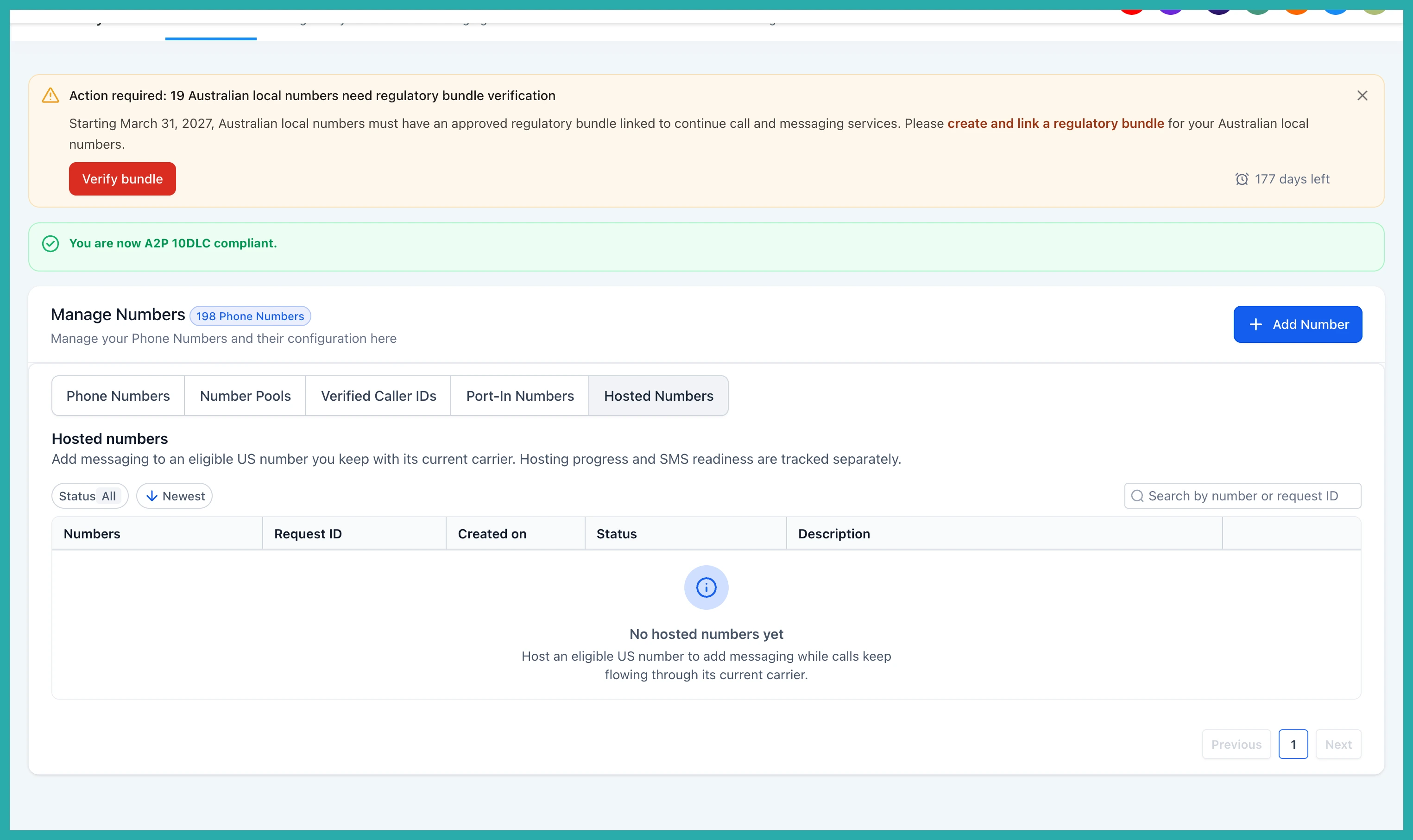
Go to Settings, then Phone System, then Manage Numbers. From there, select Add Number and choose Host a Number.
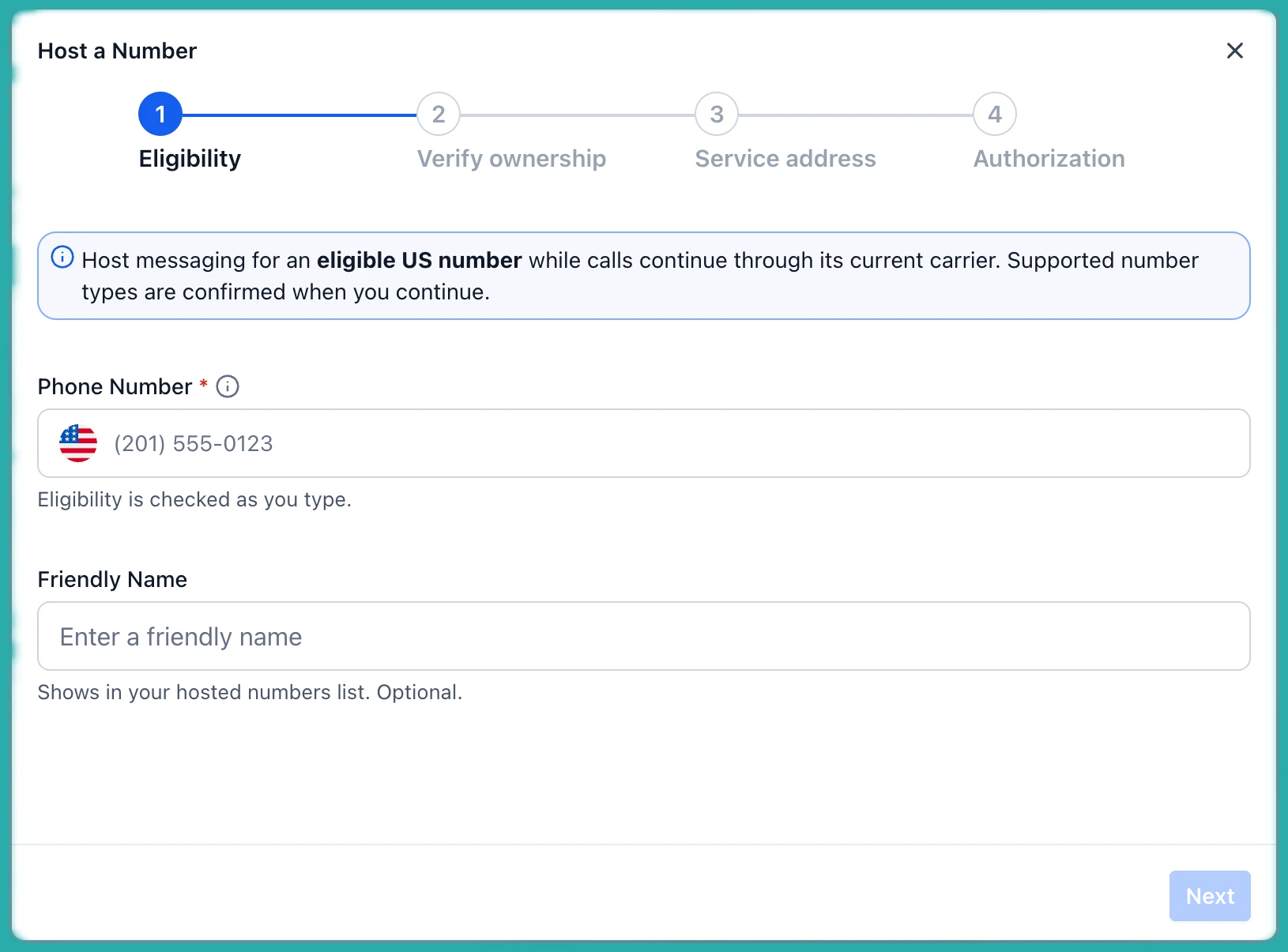
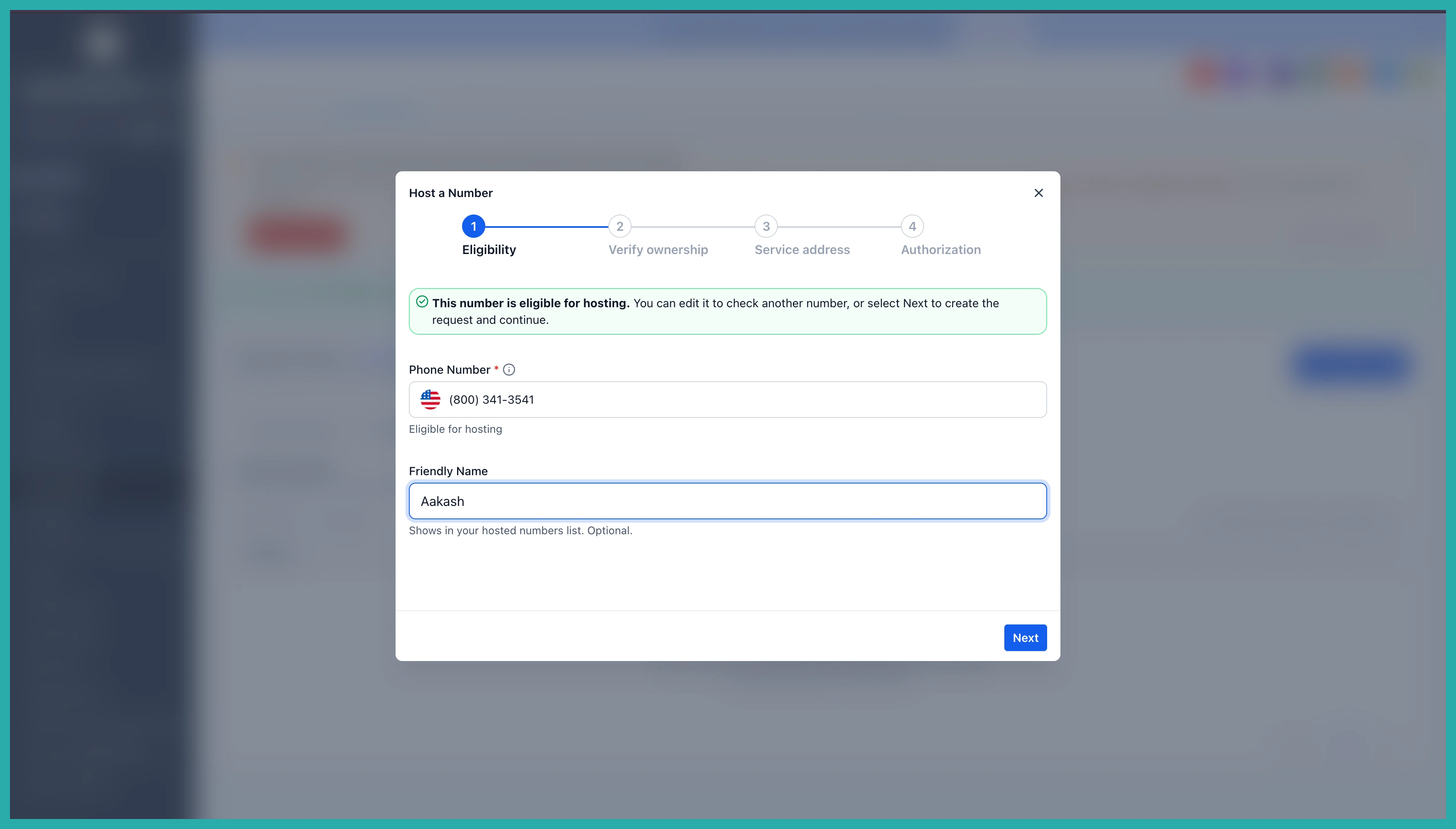
Enter your US local number and the system checks whether it's eligible to be hosted. This first step saves you time, so you know before you go any further.
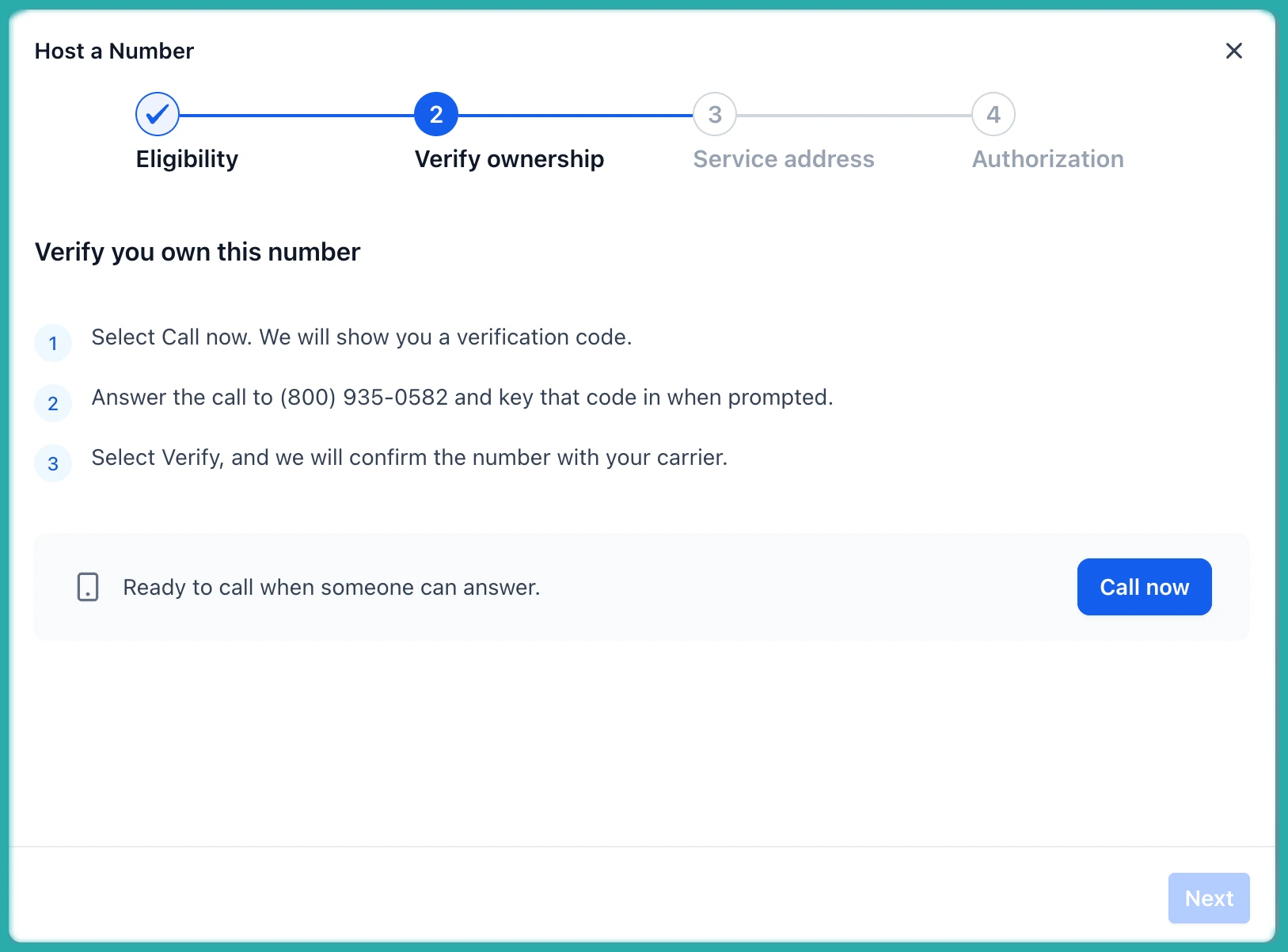
Proving the number is yours
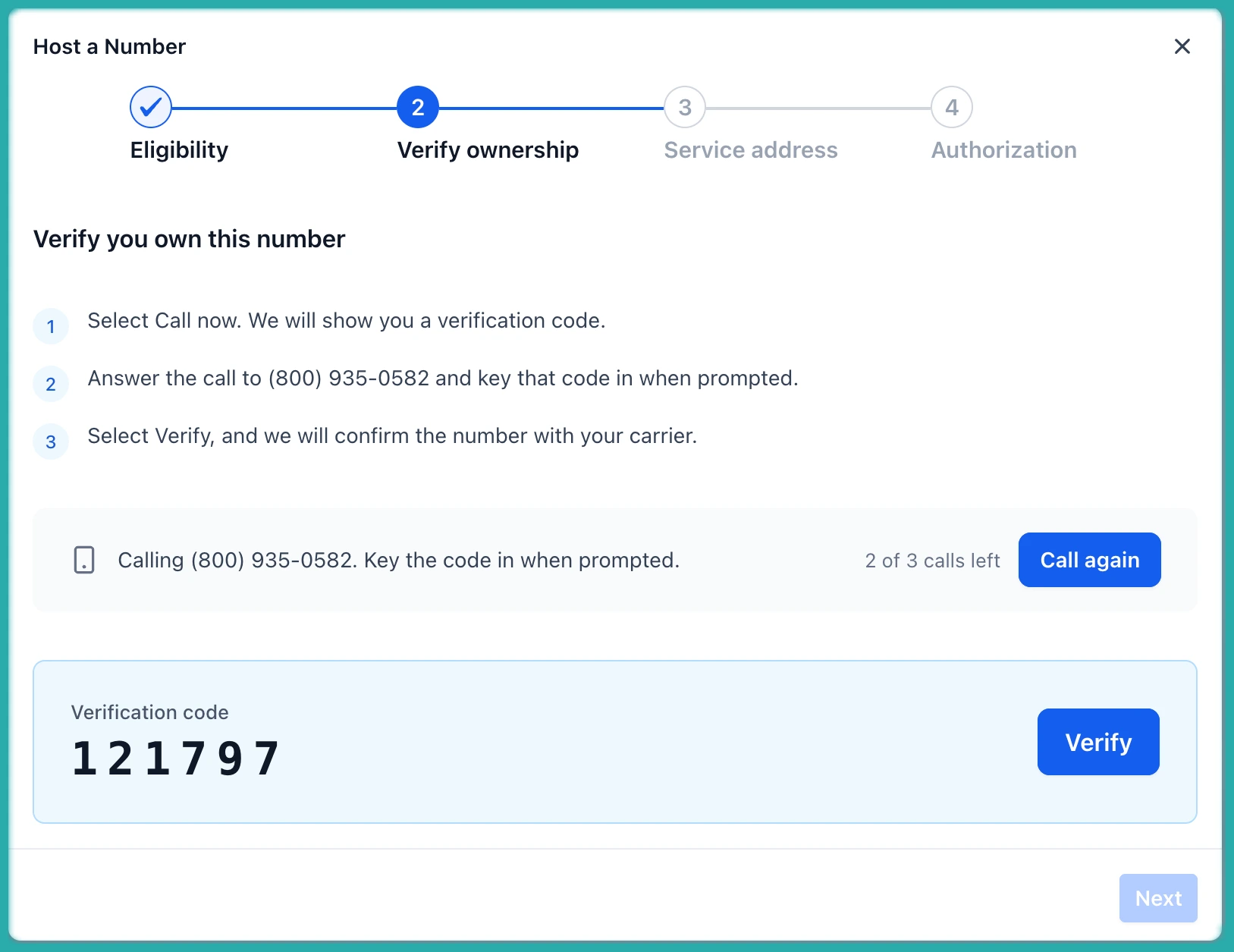
Next, you verify that you actually own the number. This happens through an automated call, so have the phone handy.
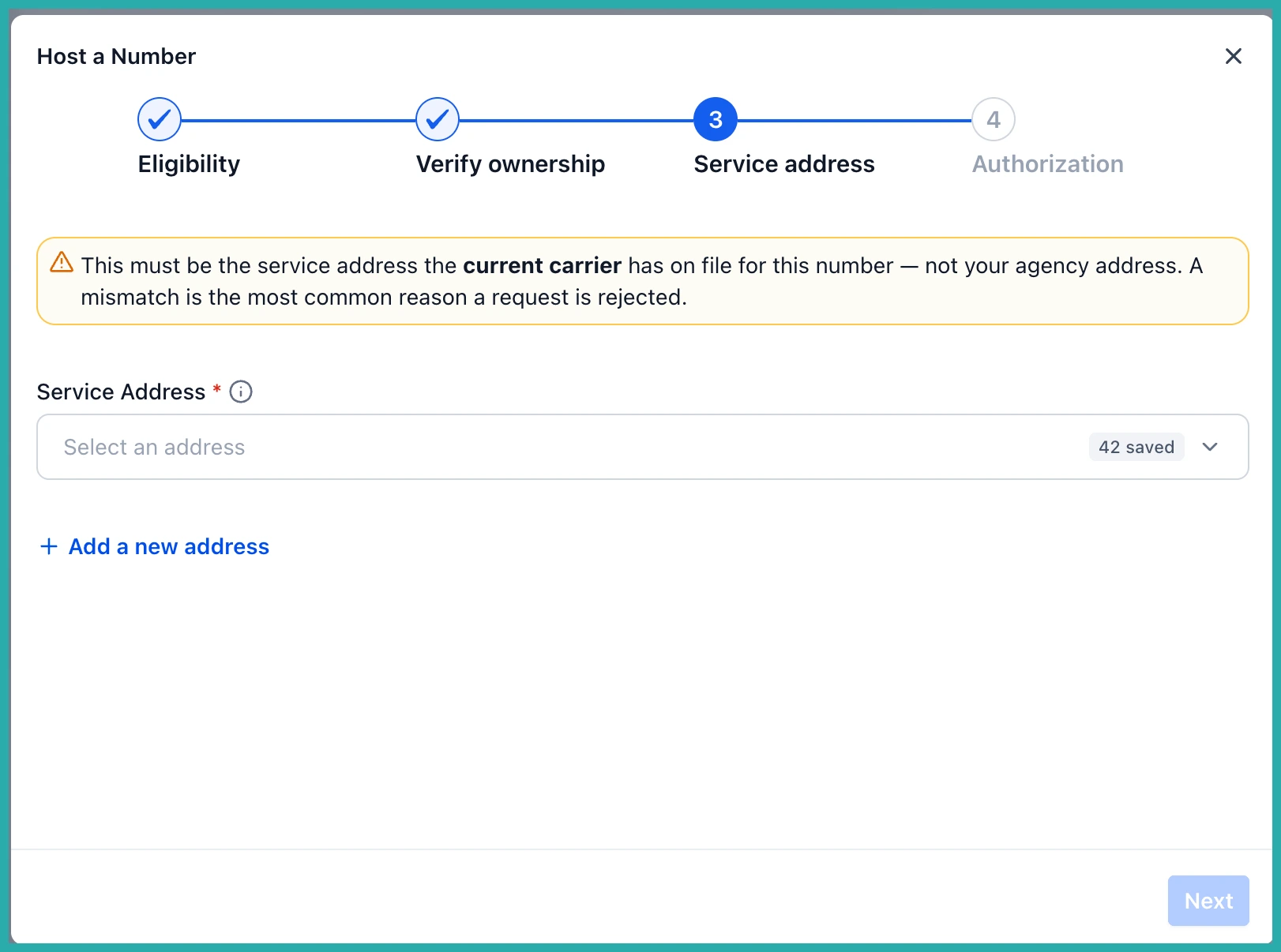
Then you select or add the service address tied to the number. In the screenshot below, you'll see where that goes.
Signing off
An authorisation letter gets sent for electronic signature. This is the formal bit that gives permission to host the number for SMS. Sign it and you're moving.
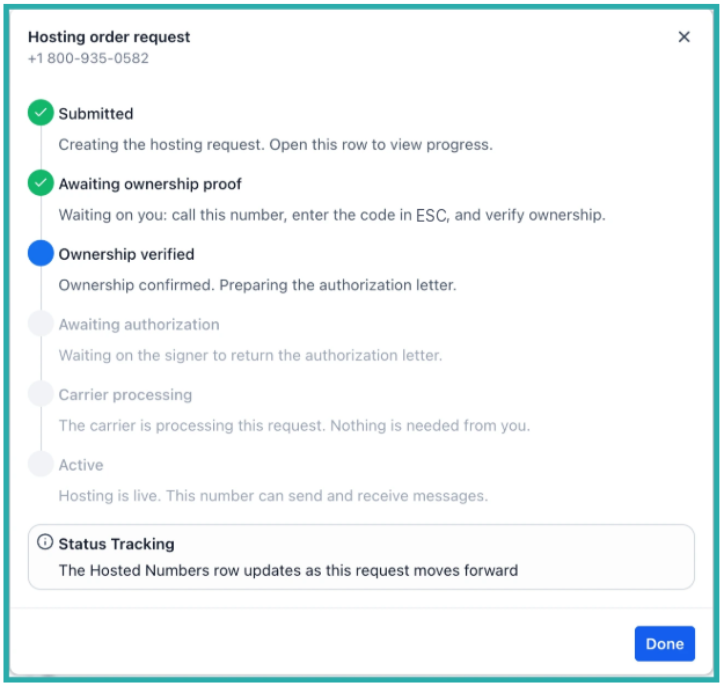
From there you can track the request as it moves through verification, authorisation, processing, and the final checks. No guessing where things are up to.
Hosted versus SMS ready
These are two different things, so it's worth understanding the difference.
A number marked Hosted has finished the hosting process. It becomes SMS ready once the remaining requirements are done:
- Location identity verification, where it's needed
- A2P registration at the location level
- Messaging sender setup
Here's a nice touch: if your location already has an approved A2P registration, the system reuses it. You don't have to repeat the registration or pick a campaign for every hosted number. In the screenshot below, you can see how hosted and in-progress numbers show up across both Hosted Numbers and your Phone Numbers.
A few honest limits for now
This first release handles eligible US local numbers, SMS hosting, one number per request, and setup by an Owner or Admin. If you try to host a toll free number, you'll also need to complete toll free verification.
And through all of it, your voice calls keep running through your current carrier. Nothing about how people reach you by phone changes.
If keeping your familiar number has been the thing holding you back from texting your customers through ESC Hub, this is worth a look. Have a play and see how it goes.
