
Two New AI Models in Your Workflows: Smarter Results at Half the Cost
If you're already using AI steps inside your workflows to tag contacts, write replies, or summarise messages, this one's a nice upgrade. Two new models just landed in your account, and they do the same jobs better and cheaper.
They're called GPT-6 Sol and GPT-6 Luna, and they replace the older models you were using. More accurate outputs, tidier responses, and pricing that's about half of what you were paying before.
The two models, in plain terms
You get a choice between two, depending on the job.
- GPT-6 Sol is your model for the heavier thinking - multi-step tasks, workflows that stretch across a few apps, and anything that needs careful reasoning. It makes roughly half as many factual mistakes as the model it replaces.
- GPT-6 Luna is the fast, efficient one for high-volume, repetitive work like classifying, summarising, tagging, and quick replies. Turn its effort setting up and it matches the older Sol model on accuracy, for a fraction of the cost.
A simple rule of thumb: reach for Sol when the task is complex, and Luna when you're running the same simple job over and over.
How to use them
You'll find both wherever you already use AI inside your workflows.
Start by adding or opening an AI Agent action or a GPT action in your workflow. In the screenshot below, you'll see the action ready to edit.

Open the Model dropdown. This is where the two new models now appear alongside your other options.
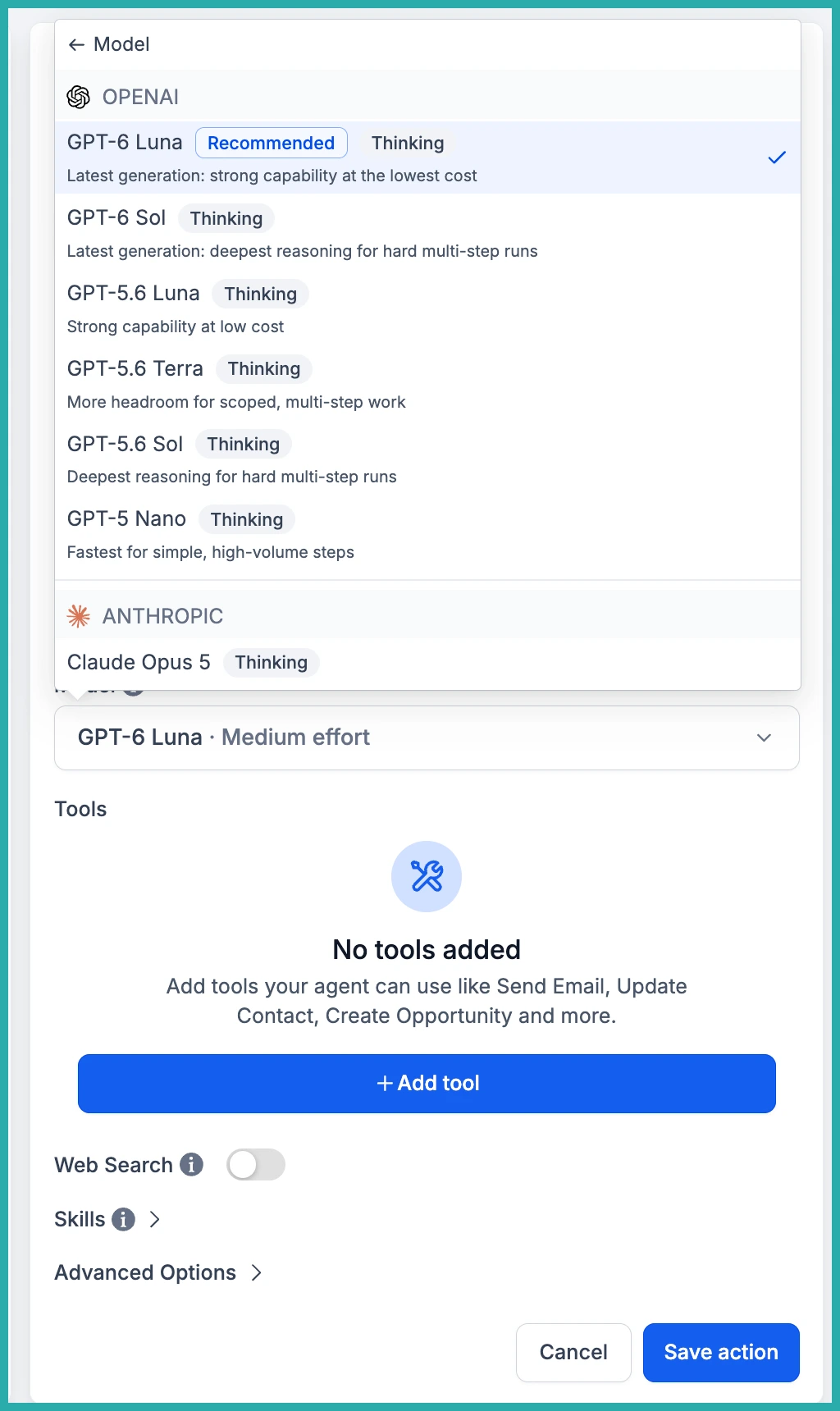
Pick GPT-6 Sol for the complex tasks, or GPT-6 Luna for the fast, high-volume ones. In the screenshot below, you can see both selected and ready to go.
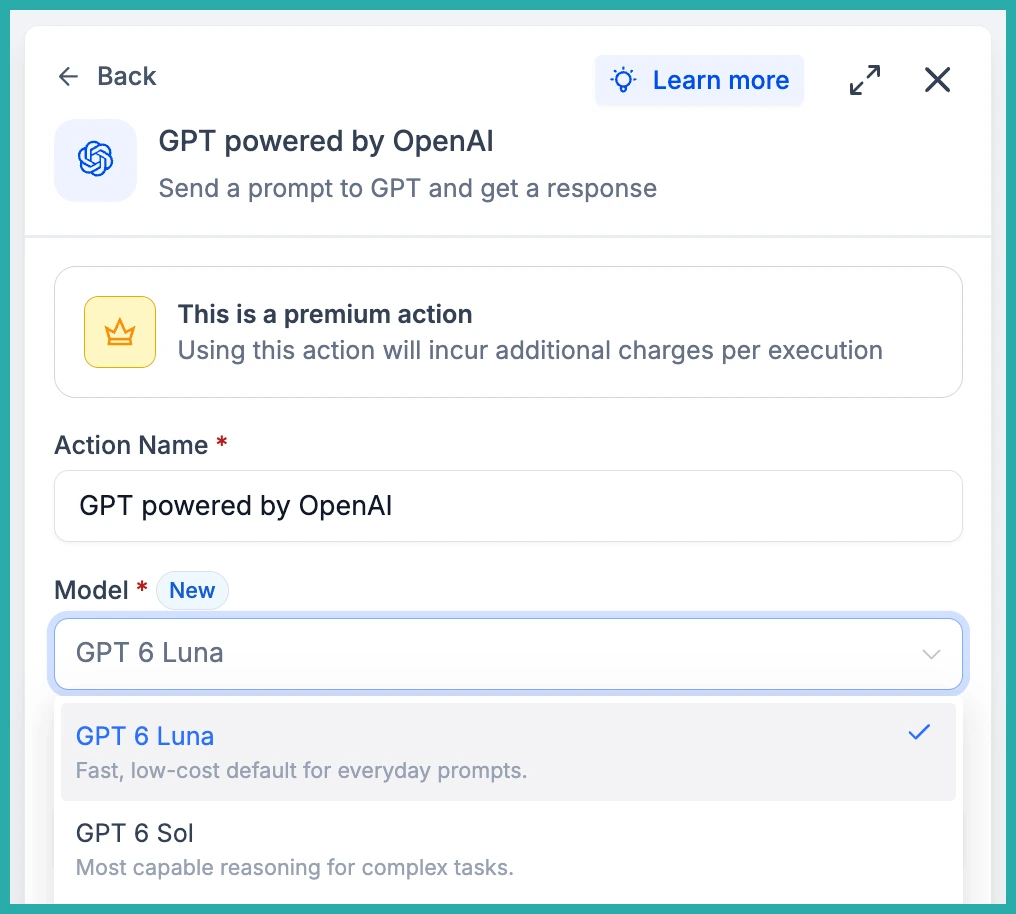
Then just save and publish your workflow as normal. That's the whole change.
What this means for your automations
Fewer factual mistakes means fewer bad outputs slipping into the next step - a wrong tag, a misrouted contact, or a reply that isn't quite right. On real business workflows across sales, marketing, support, and operations, both models outperform the ones they replace.
The responses are also cleaner. Less jargon, tighter wording, no loss of substance, so anything the AI writes needs less tidying up before it reaches a customer.
And because both cost half of what the previous models did, it's now practical to run AI steps across more of your workflows without watching the meter.
If you've got an AI step running right now, pop into it and switch the model. It takes about a minute, and you'll get better results for less.
