
Give Each Team Member Exactly the Gift Card Access They Need
Up to now, giving a team member access to Gift Cards meant giving them access to everything. Whoever could view orders could also issue cards, change products, and see the full card code.
That's fine when it's just you. It's less fine when you've got a support person who only needs to look things up, not hand out balances.
Now you can decide, action by action, exactly what each person can touch.
What you can control
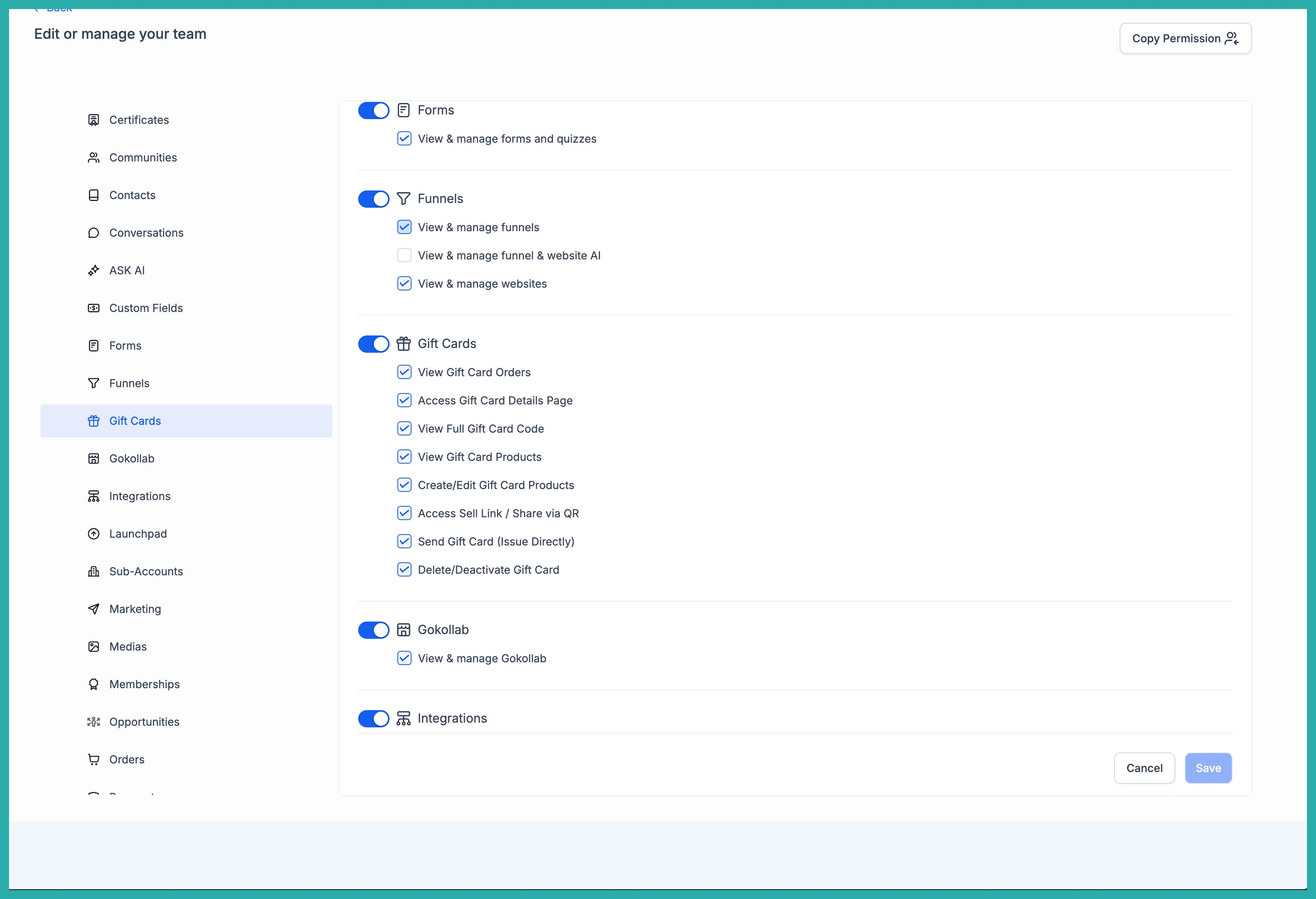
Gift Card access is now broken into separate permissions, so you can switch on only the ones a role actually needs:
- View Gift Card Orders - see the list of issued cards and their order details.
- View Gift Card Products - open products and see how they're set up.
- Create/Edit Gift Card Products - build new products or change existing ones.
- Access Sell Link / Share via QR - grab and share the Sell link or QR code for a product.
- Send Gift Cards - issue cards directly to customers.
- View Full Gift Card Code - reveal the complete code from the details page.
- Access Gift Card Details Page - open the full detail view for an order.
- Delete/Deactivate Gift Cards - remove or switch off cards.
There's also an option to show a user only their assigned data, rather than everything, even when they have page access. Handy if you've split work across a team.
These rules are enforced everywhere, not just hidden from view. So a support person can look up orders without being able to send cards, edit products, or reveal a full code. The sensitive full code is protected on its own, so only people with that specific permission can see it.
How to set it up
Go to Settings, then My Staff. Pick the team member you want to adjust and click the Edit icon. Open Roles & Permissions and scroll to the Gift Cards section.
In the screenshot below, you'll see the list of Gift Card permissions. Switch on the ones that match what this person is responsible for, and leave the rest off.
You keep full access by default as an admin. Everyone else gets only what you give them.
If you've got a team touching Gift Cards, it's worth five minutes to go through each person and tighten things up. Your balances and customer details will be safer for it.
