
Confused by an Imported Workflow? Get It Explained in One Click
You import a snapshot, open one of the workflows inside it, and stare at a wall of triggers, actions and branches you didn't build. What does this thing actually do? And is it safe to edit?
Until now you had to trace it step by step and guess. That gap is closed.
What landed
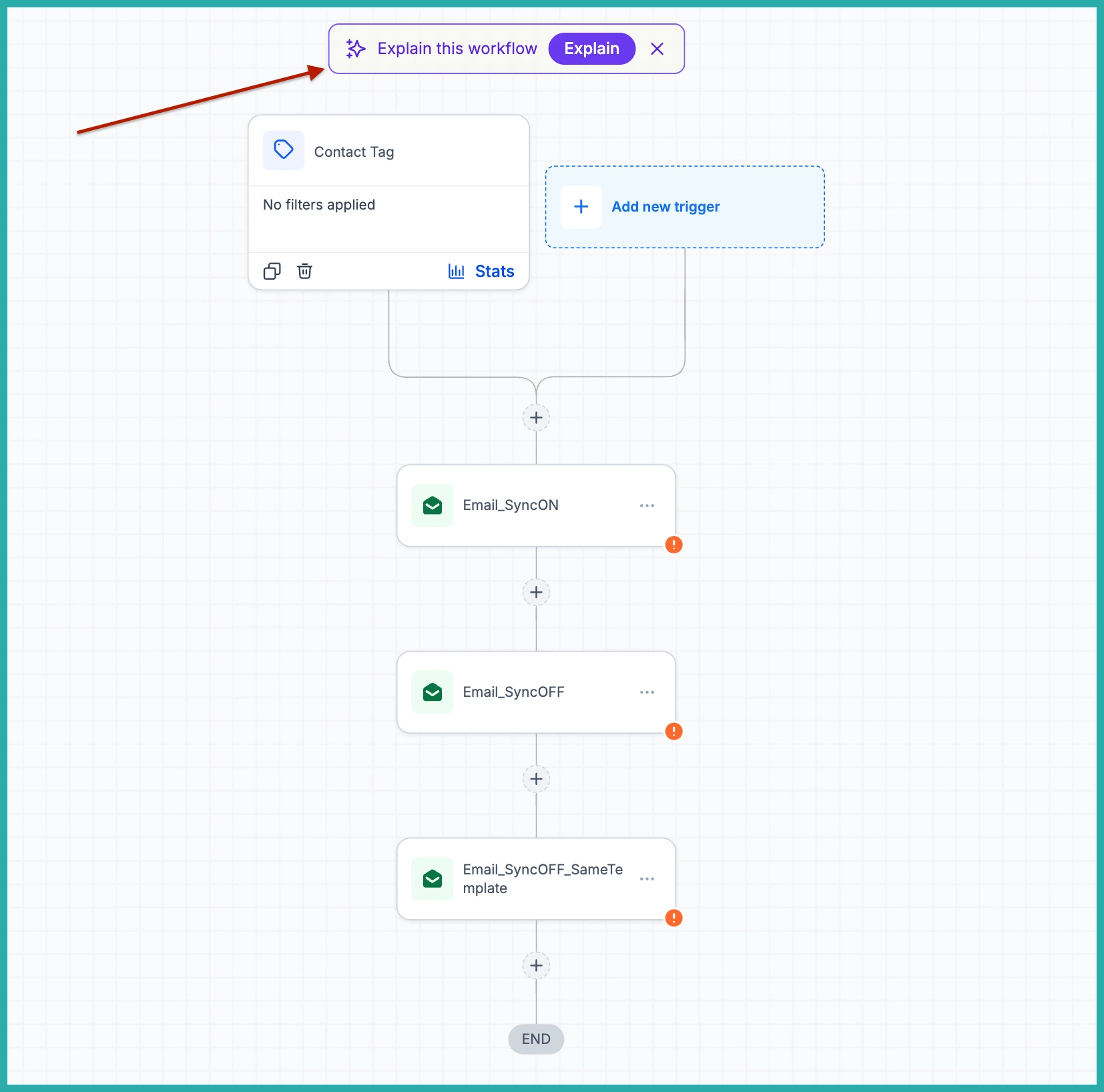
Any workflow that came in through a snapshot now shows an Explain This Workflow pill right at the top of the builder. One click opens the AI Assistant with a plain breakdown of what that workflow does - its triggers, its actions, and how the branching logic flows.
So instead of reverse-engineering an inherited automation, you get the summary handed to you before you touch a thing.
How to use it
- Open any workflow you imported through a snapshot.
- Click the Explain This Workflow pill at the top of the builder.
- Read the explanation in the AI Assistant panel.
In the screenshot below, you'll see the pill sitting at the top of the builder, ready for that first click.
From there it gets better. You can ask follow-up questions about a specific step you're unsure about, or describe the change you want and let the AI Builder apply it for you - all without leaving the workflow.
One small thing to know
The pill is dismissible. Once you've read the explanation and you're comfortable, you can close it and it won't come back on that workflow. So it's there when you need it and out of the way when you don't.
Got a snapshot workflow you've been avoiding because you weren't sure what it did? Open it up and give the pill a click. You'll finally know what you're working with.
