
Your Conversations Inbox Now Filters by Phone Number, Missed Calls and Open Deals
You open your inbox to find the person who missed your call, or the lead sitting on an open deal, and end up scrolling past everything to get there. Or worse, hopping between Conversations, Contacts and Opportunities just to piece it together.
That's the bit that just got easier. Your Conversations inbox has six new filters, so you can narrow it down to exactly the conversations that need you right now.
What you can now filter by
Six new options sit alongside your existing filters:
- Channel Account - show only conversations tied to a specific phone number, Facebook page or Instagram account. Handy if you run more than one number or social account.
- Last Call Status - find the most recent calls by outcome, like completed, no answer or voicemail, so missed calls and callbacks are easy to spot.
- Contact Type - separate your leads from your customers, plus any custom contact types you've set up.
- Opportunity Pipeline - focus on conversations tied to a particular sales process.
- Opportunity Stage - jump to contacts sitting at a stage like Proposal Sent or Negotiation.
- Opportunity Status - show open, won, lost or abandoned deals, so you can chase what's live or reconnect with what slipped away.
The best part: you can stack any of these with your existing filters using AND/OR conditions, so you can get as specific as you like.
How to use it
Head to Conversations and click the Filters icon at the top of your conversation list. In the screenshot below, you'll see the filter panel open up ready for you.
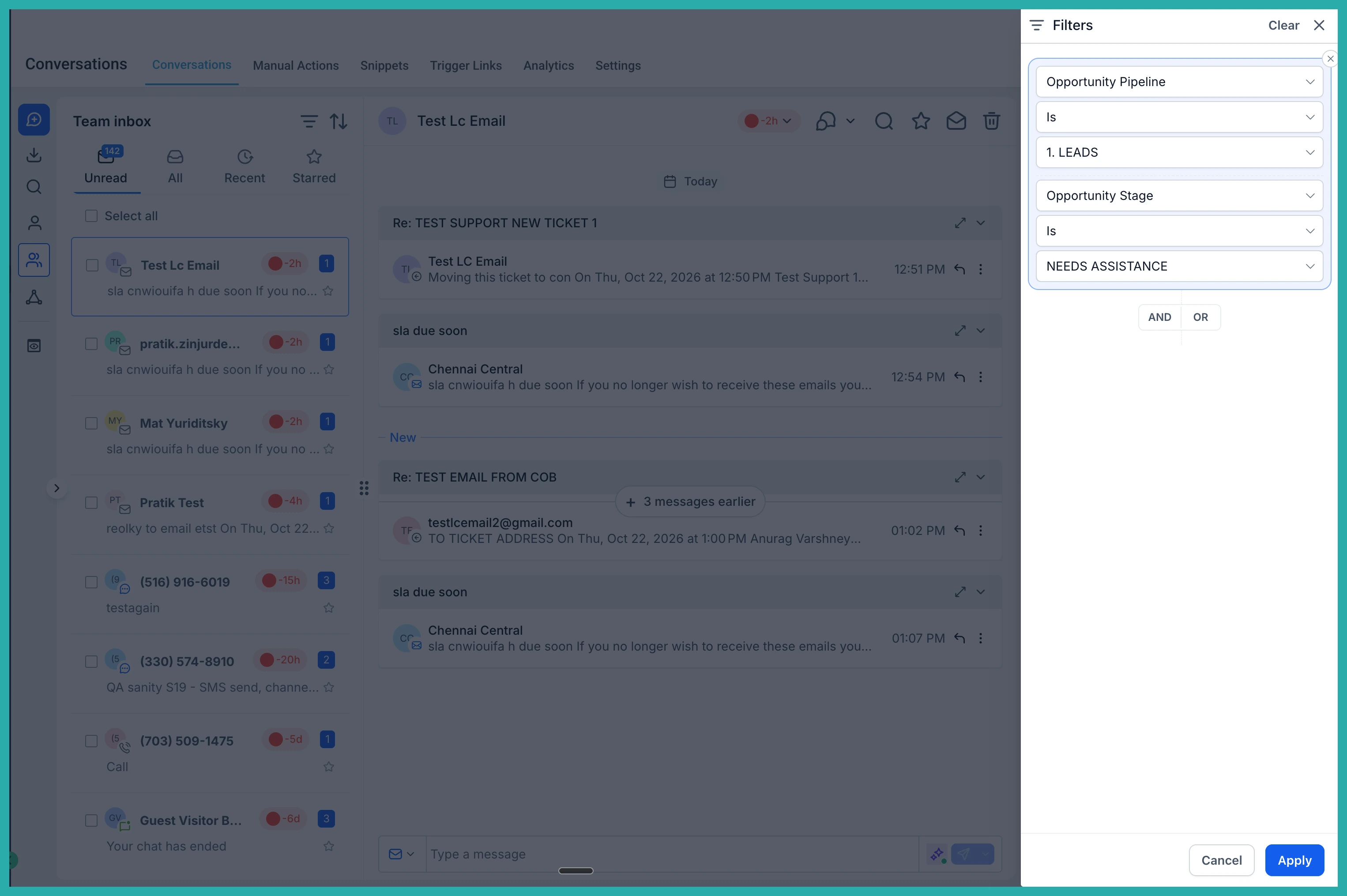
Open the Filter Type dropdown and pick one of the new filters. Here you can see the full list to choose from.
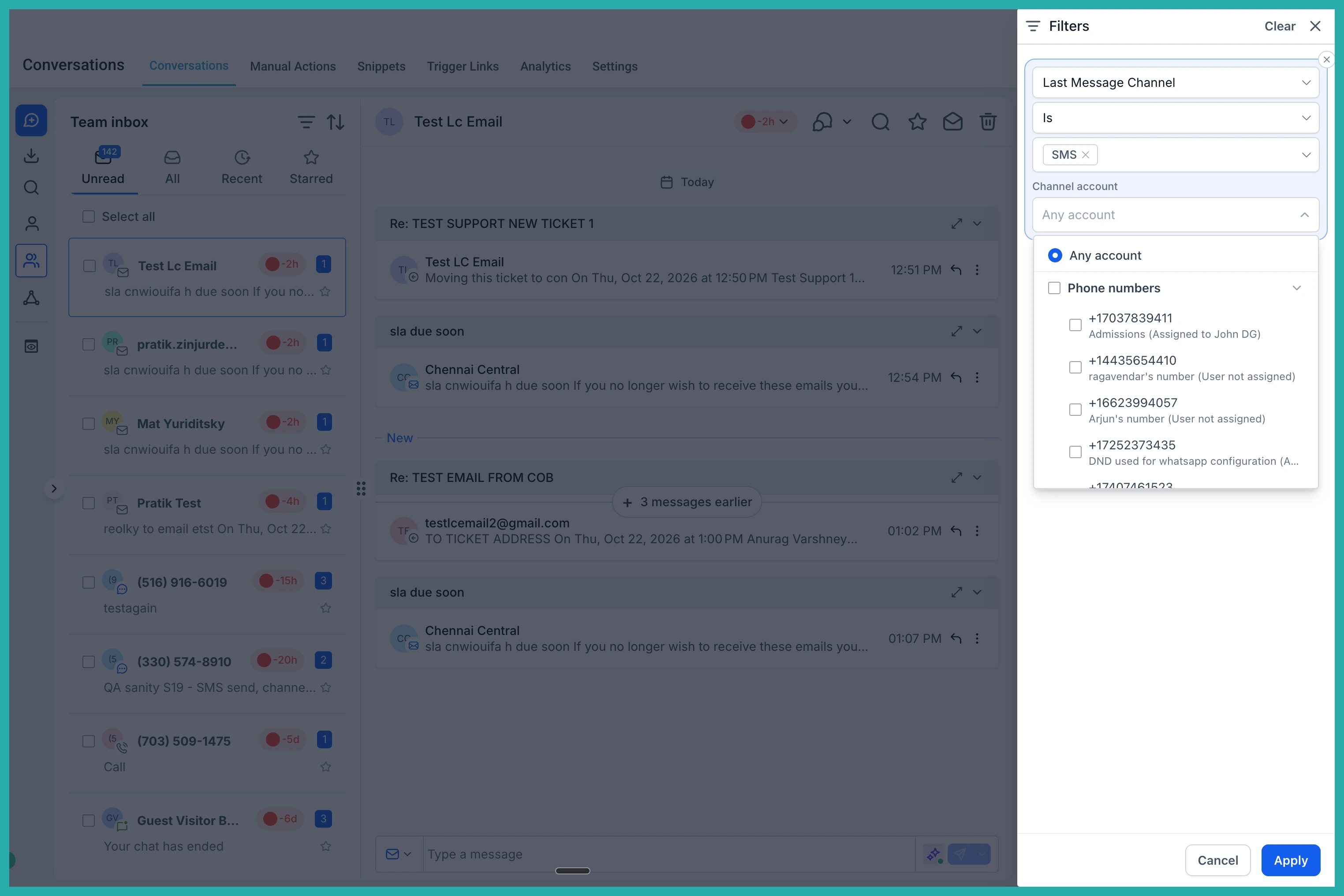
Select one or more values - a channel account, a call status, a pipeline stage, whatever you're after - then click Apply. Your inbox narrows down straight away.
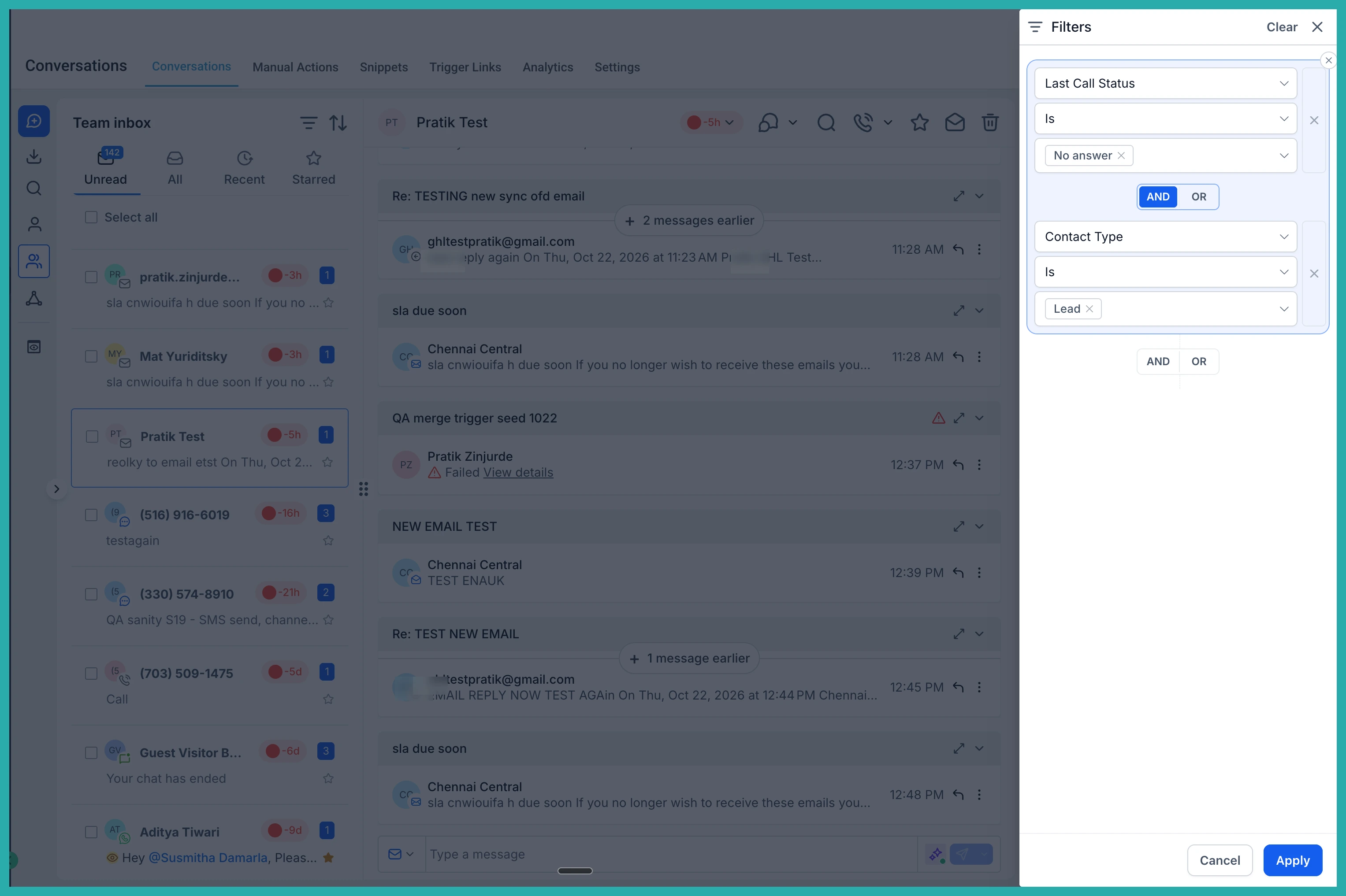
Want to go further? Add another filter to combine conditions. When you're done, hit Clear to bring the whole inbox back.
This pulls your CRM context right into the inbox, so the missed calls, the open deals and the customers needing support are a couple of clicks away instead of a hunt. Give it a go next time your inbox feels crowded - you'll wonder how you managed without it.
