
Connect More Than One Facebook Account to the Same ESC Hub Account
A quick heads-up: this one's in Labs
It's an early feature you turn on yourself in Settings > Labs inside your account. It works, but it's still in development - the documentation and support is limited and not everything will behave perfectly yet.
If you like getting your hands on new things early, switch it on and have a play. If you'd rather wait for the finished, fully-supported version, leave it off and we'll let you know when it lands.
If you've ever juggled more than one Facebook account - maybe one for your business and one for a side brand - you'll know the old pain. You could only connect one at a time. Want the other? Disconnect, reconnect, and repeat.
That's done with. You can now connect multiple Facebook accounts to the same account, each with its own Pages, all sitting side by side.
What this actually lets you do
Once you've connected more than one Facebook account, everything flows into the same place:
- Messaging - replies from Pages across different Facebook accounts all land in your conversations.
- Lead sync - leads from every connected Page come through together.
- Automations - your supported workflows can run across multiple Pages without a separate setup for each.
Behind the scenes, the Facebook integration has also moved to a more stable, more secure setup, with your login tokens stored safely. You don't need to do anything for that part. If you already had Facebook connected, it's being carried over for you - no need to disconnect anything by hand.
Connecting an extra account
Head to Settings, then Integrations, and search for Facebook. In the screenshot below, you'll see the Facebook integration with the option to add a connection.
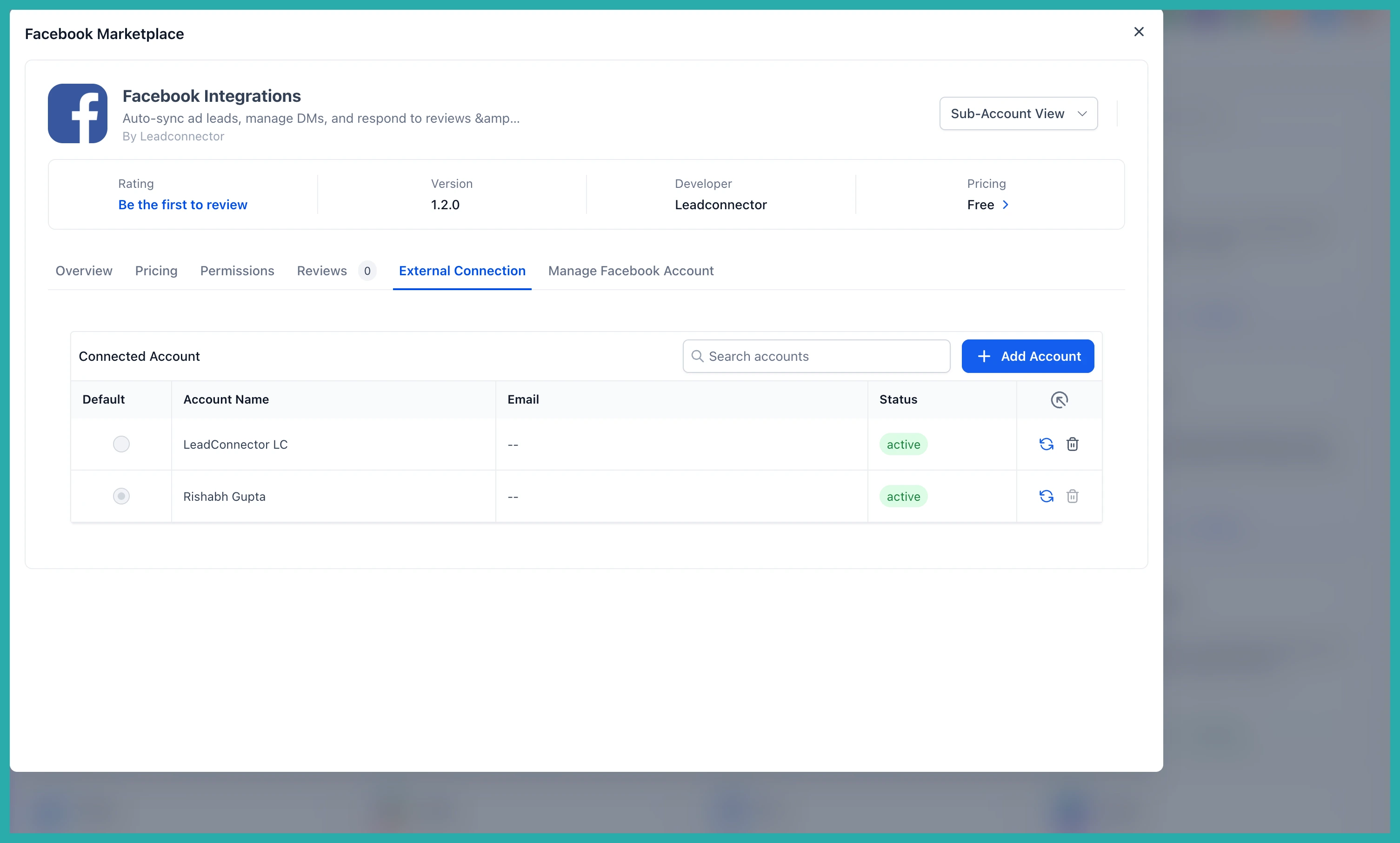
Click to connect an additional Facebook account. This opens the Facebook authorization flow, where you log in to the account you want to add.
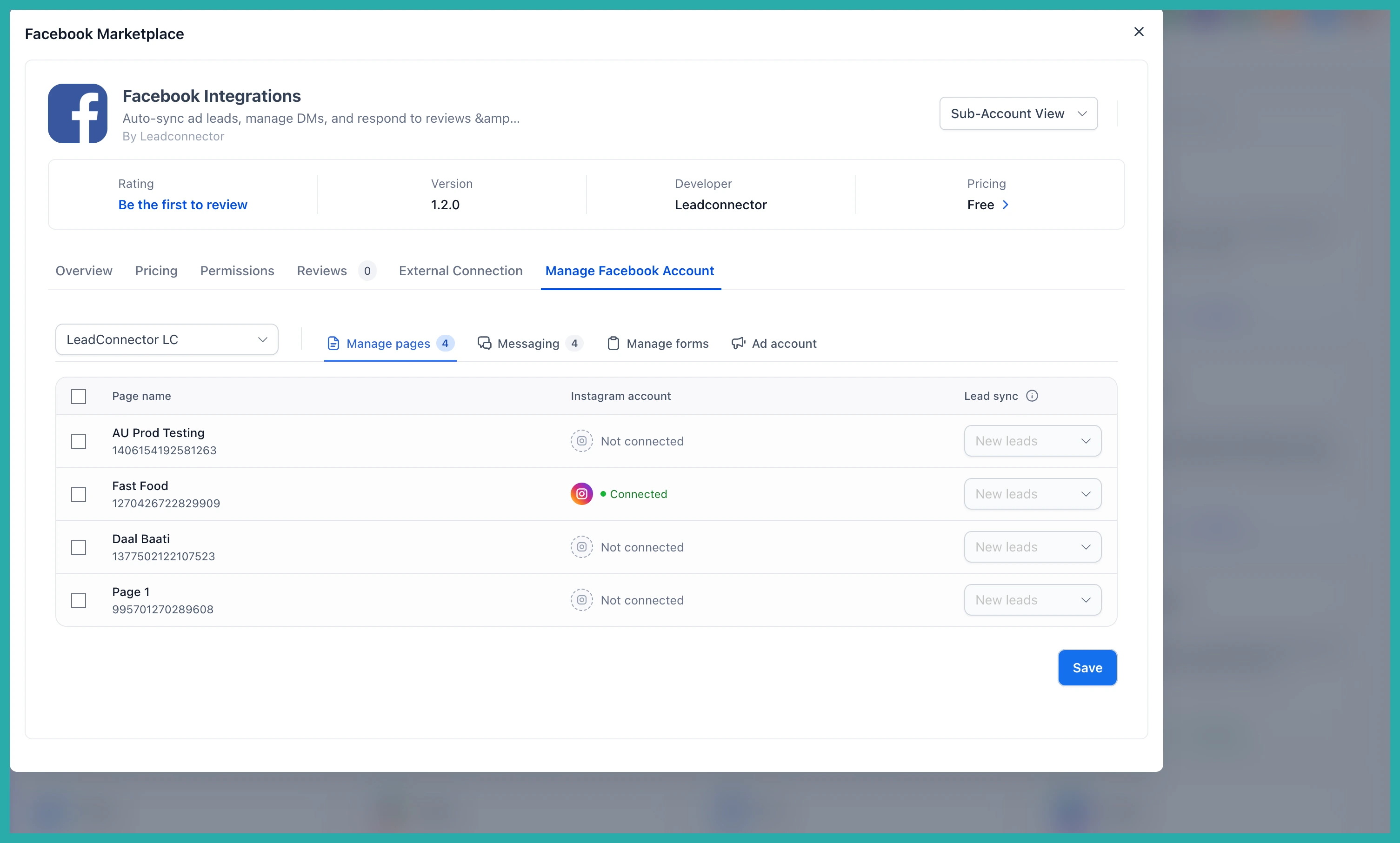
Next, choose which Pages you want to bring in and grant the permissions it asks for. The Pages you see here depend on the access you allow during this step, so pick everything you'll want to use.
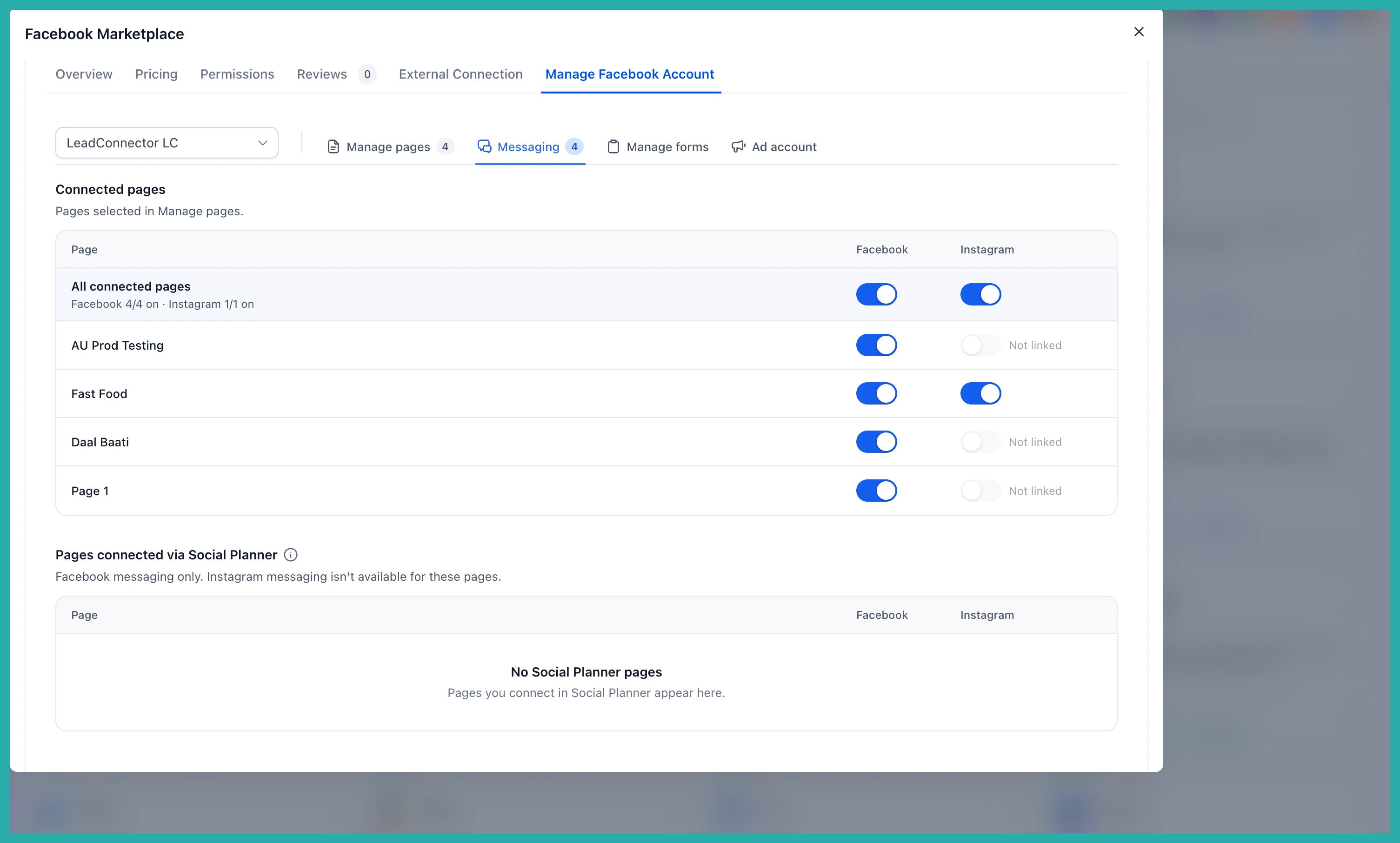
Once it's connected, you'll see all your Facebook accounts and their Pages listed together. From here they're ready to work across your messaging, lead sync and automations.
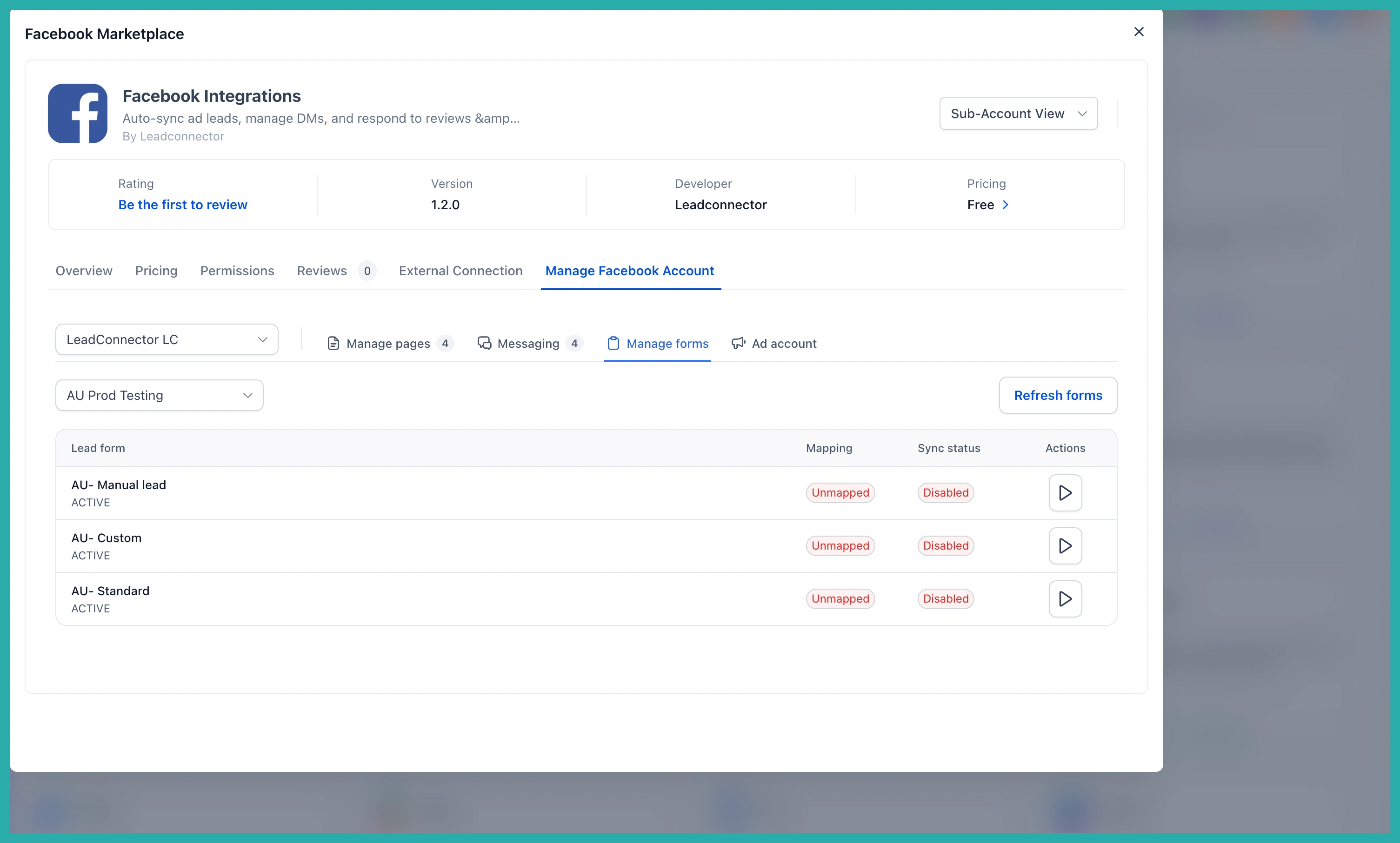
A couple of things worth knowing
- Facebook Shops and Ad Accounts still work with a single Facebook account for now. Multiple accounts currently cover messaging, lead sync and automations.
- Which Pages and assets show up comes down to the permissions you approve during the Facebook login, so if something's missing, it's usually a permissions step to revisit.
- Authorization follows Facebook's own rules, so the login screens you see are theirs, not ours.
The next step on the roadmap is bringing these Facebook connections together with Social Planner, so one connection powers everything. For now, if you've been working around the one-account limit, this takes that headache away. Give it a go and get all your Pages talking to you in one place.
