
Your Chat Widget Now Blocks Spam Bots Automatically - Without Bugging Real Visitors
A spam attack on your chat widget can flood your account with hundreds of fake contacts in a very short time. If your automations then start firing off texts and emails to those invalid numbers and addresses, you end up paying for messages nobody ever wanted, and your sender reputation takes the hit.
Your chat widget now has built-in spam protection that handles this for you, in the background.
What you get
The system watches for bot and high-volume suspicious submissions and steps in before they cost you anything. And it does it without changing a thing for your real visitors.
- No CAPTCHA
- No extra form fields
- No verification step or added loading
- No change at all to the experience for genuine people
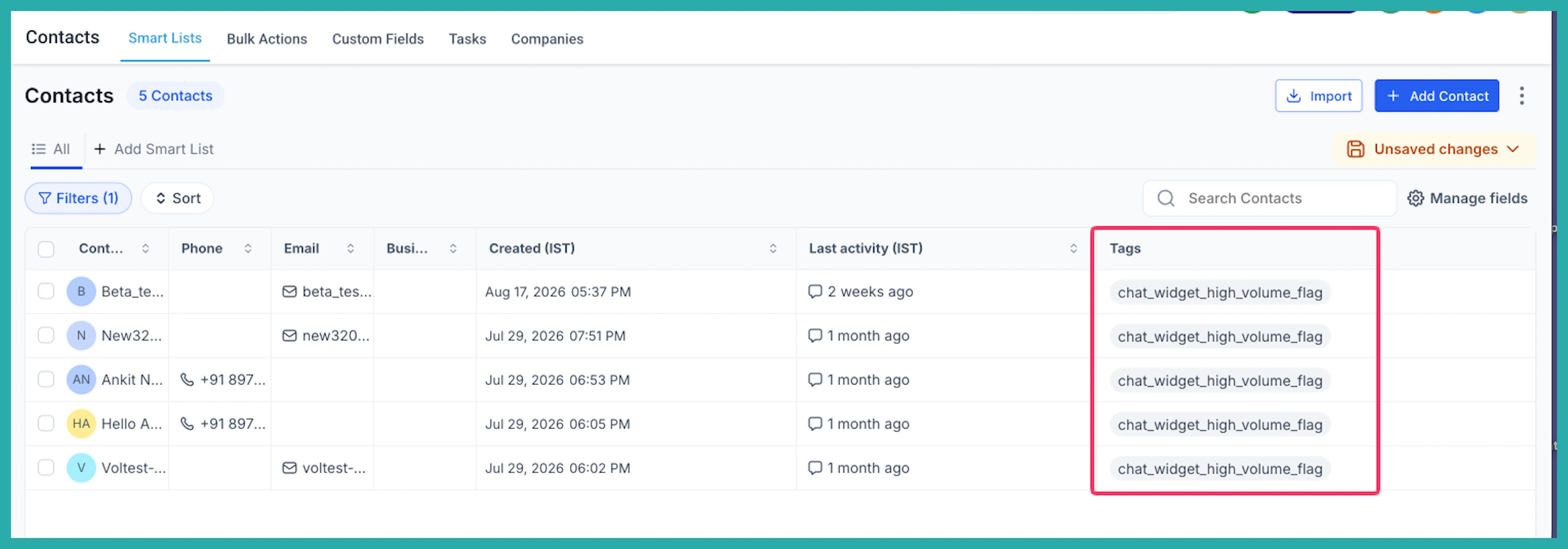
Here's the part I like most: suspicious submissions aren't deleted. The contact is still created, then tagged with chat_widget_high_volume_flag so you can review it later. Depending on your setting, the system can pause SMS, email, or both for that contact - so no outbound messages go out to a dodgy destination, but a genuine lead that got caught by mistake isn't lost.
Every time messaging is paused, it's recorded in the contact's activity log, with the affected channel named. So you're never guessing about what happened.
You choose what happens
Spam protection is set up per widget, so you can treat each one differently. When a suspicious submission is detected, you pick from four actions:
- Tag Only - just flag it for review
- Pause SMS
- Pause Email
- Pause Both
Only the channel you choose is affected. Everything else, including existing do-not-disturb preferences, stays exactly as it was.
How to turn it on
Go to Sites, then Chat Widget, and open the widget you want to set up.
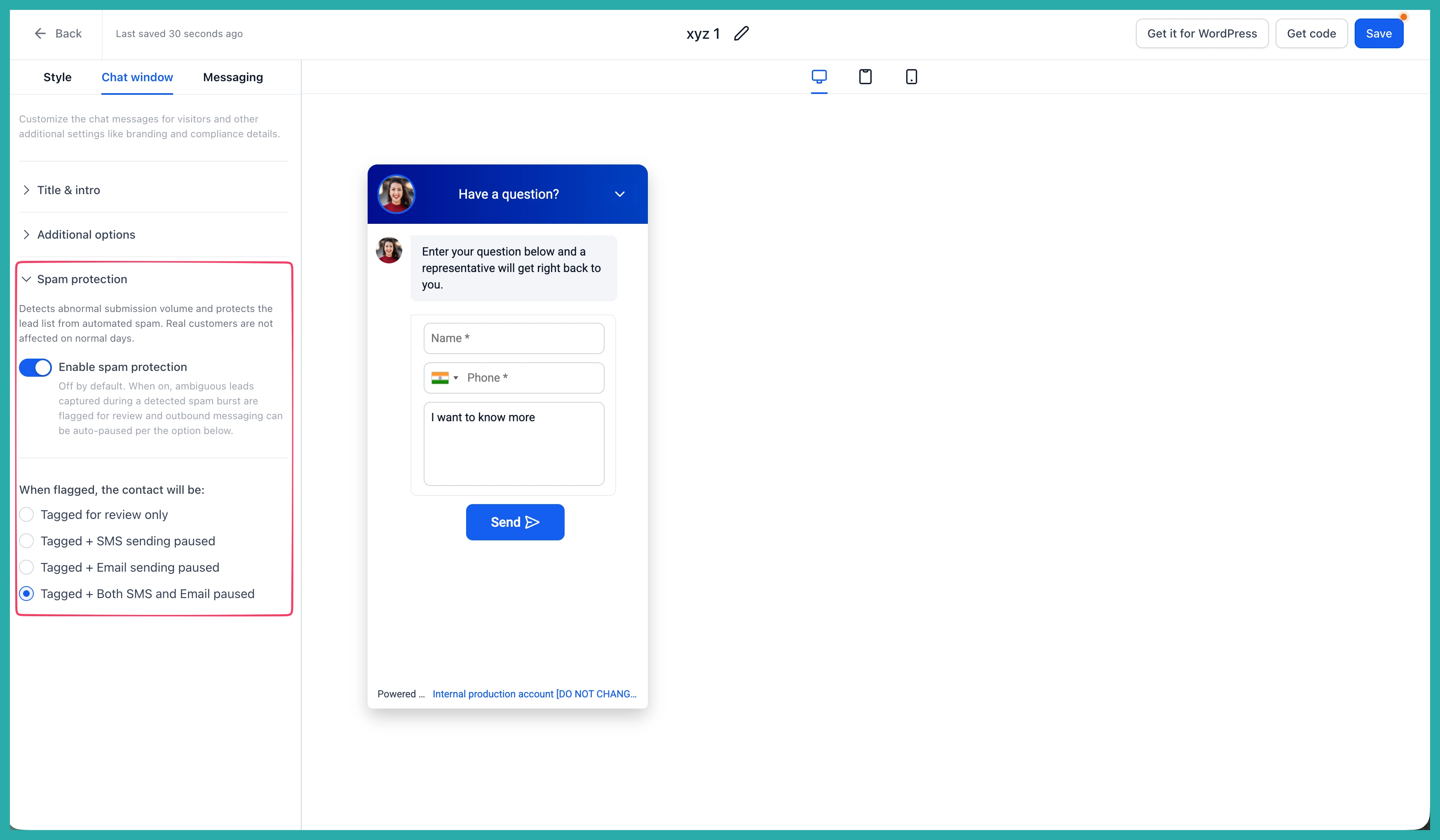
In the builder sidebar, open Spam Protection and switch it on.
Then select the action you want the system to take when it spots a suspicious submission, and save your changes.
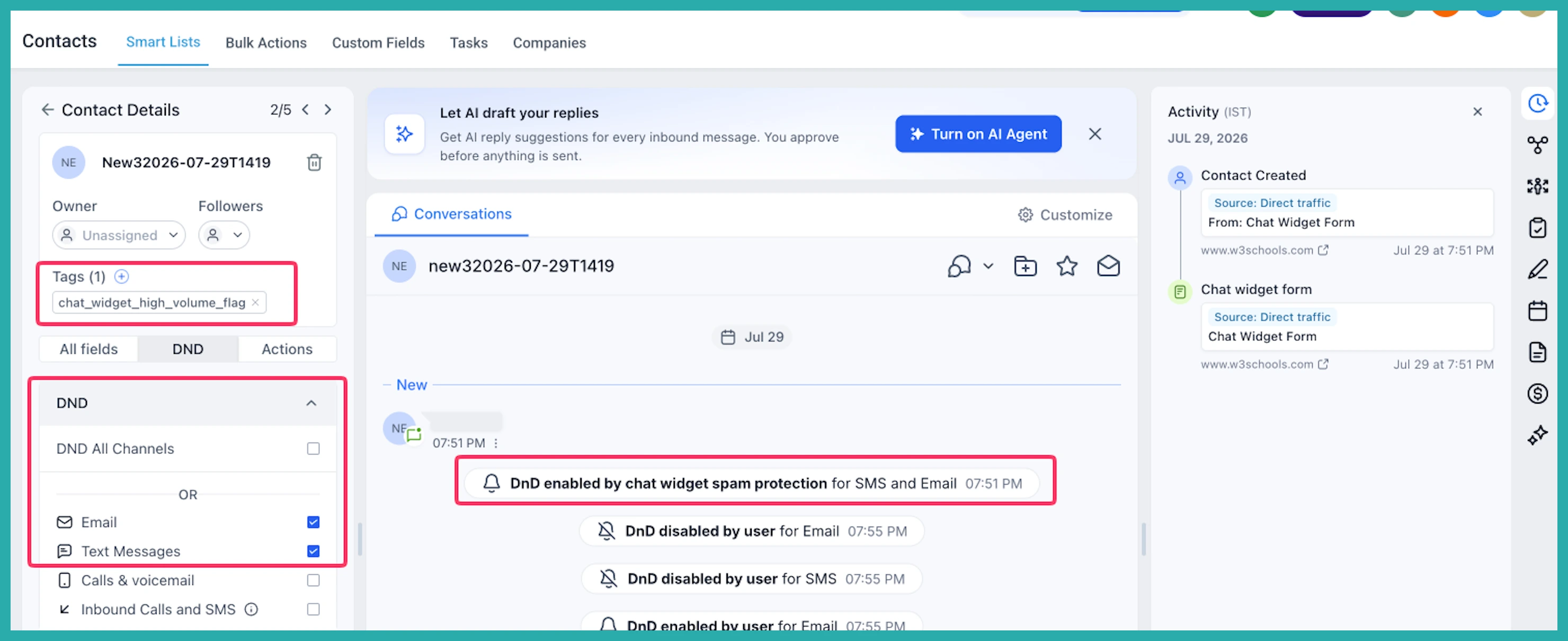
To check flagged contacts later, just filter your contacts by the chat_widget_high_volume_flag tag. You can then restore messaging for anyone who turns out to be a real lead.
A couple of things worth knowing
On your existing chat widgets, spam protection is off by default, so nothing changes unless you decide to turn it on. Any new widget you create comes with it on and set to Pause Both.
If you're expecting a genuine surge in traffic - a launch, a big campaign, an event, a press mention - you can switch protection off for that widget while it's busy, then turn it back on afterwards.
Set it once per widget and it just gets on with the job. Go and switch it on for your busiest widget - it takes about a minute.
