
Recolour Loads of Tags at Once, and Build Categories Without Leaving the Page
A quick heads-up: this one's in Labs
It's an early feature you turn on yourself in Settings > Labs inside your account. It works, but it's still in development - the documentation and support is limited and not everything will behave perfectly yet.
If you like getting your hands on new things early, switch it on and have a play. If you'd rather wait for the finished, fully-supported version, leave it off and we'll let you know when it lands.
If you've been colour-coding your tags since categories and colours arrived, you'll know the slow part: changing a colour one tag at a time. When you've got dozens, or hundreds, that adds up fast.
Two things have landed to fix that. You can now recolour up to 100 tags in a single action, and you can create a new category right in the moment you're assigning one, without wandering off to set it up first.
Recolour a batch of tags in one go
Head to your Tags management page. This is where all your existing tags live, ready to be tidied up.
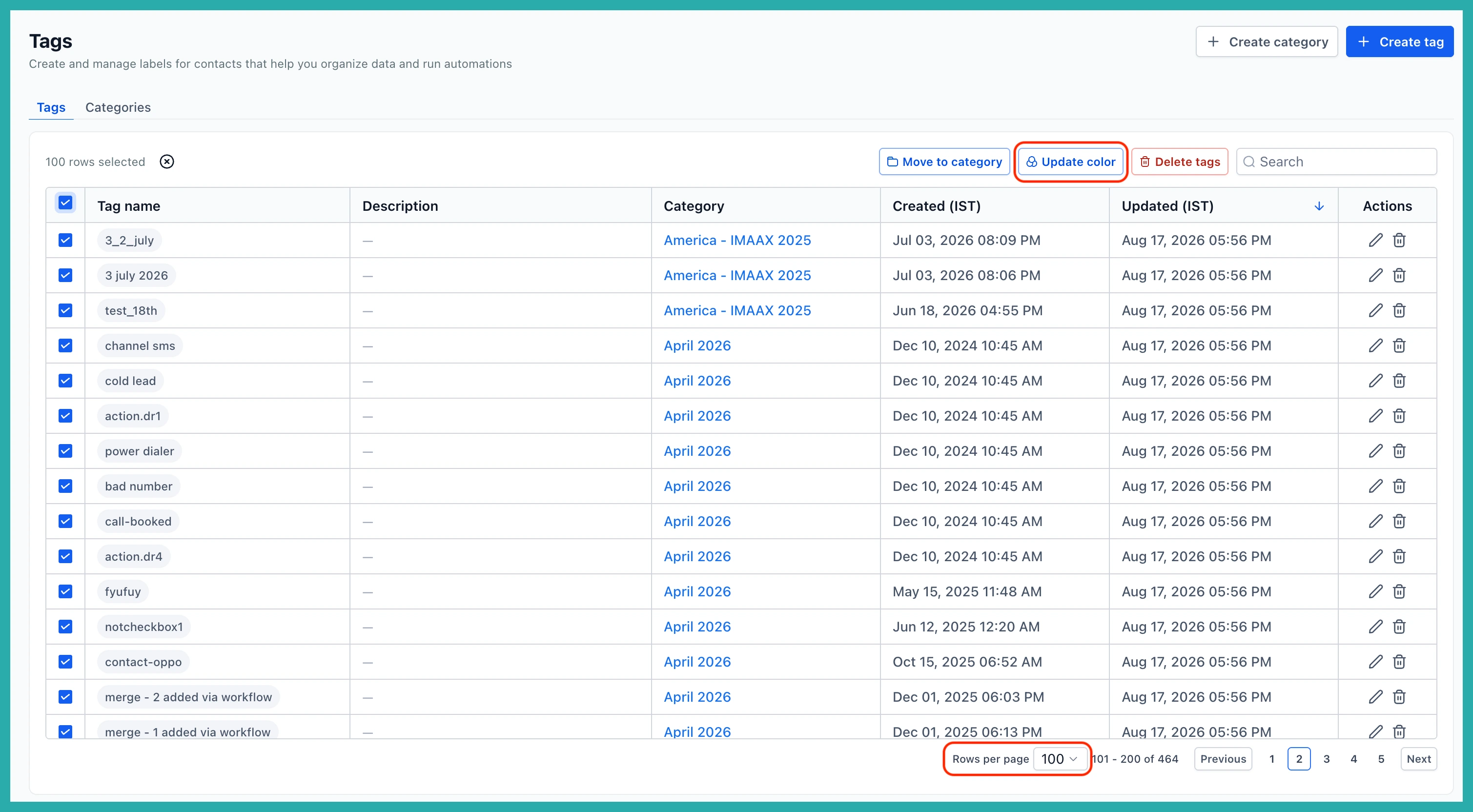
Tick the tags you want to change. You can select up to 100 at a time, so grab everything that belongs to the same theme, team, or use case in one sweep.
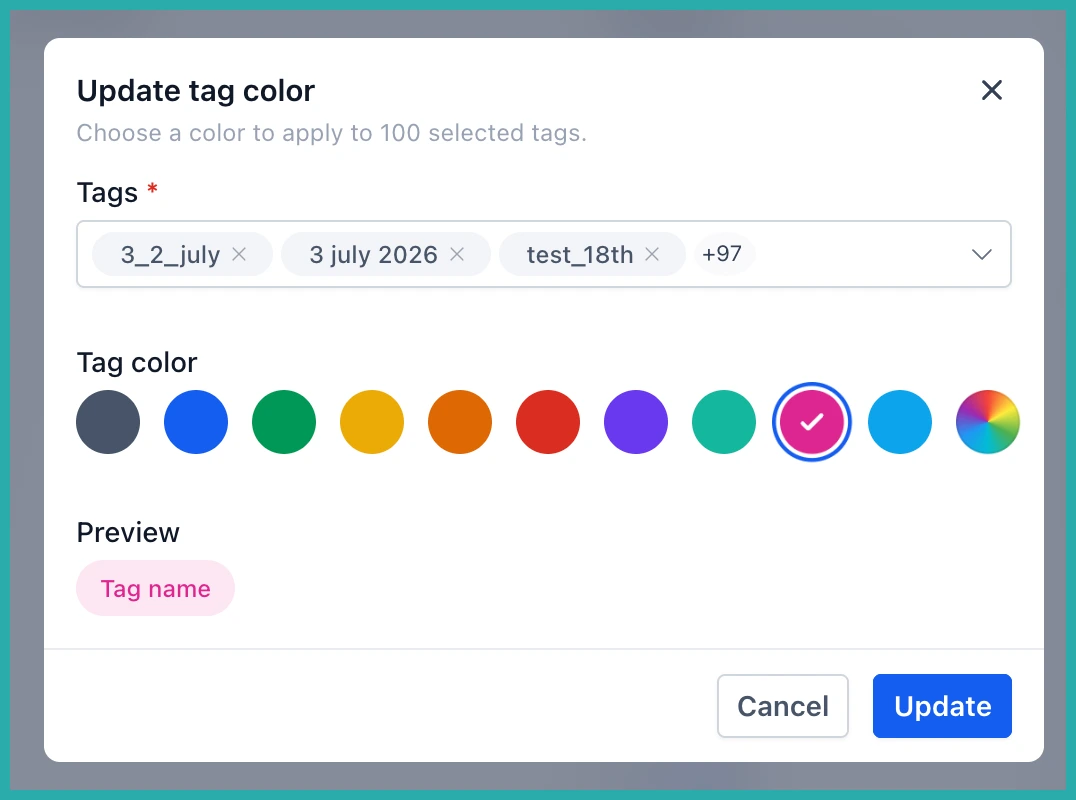
With your tags selected, choose the update colour action. In the screenshot below you'll see the colour picker come up for the whole batch.
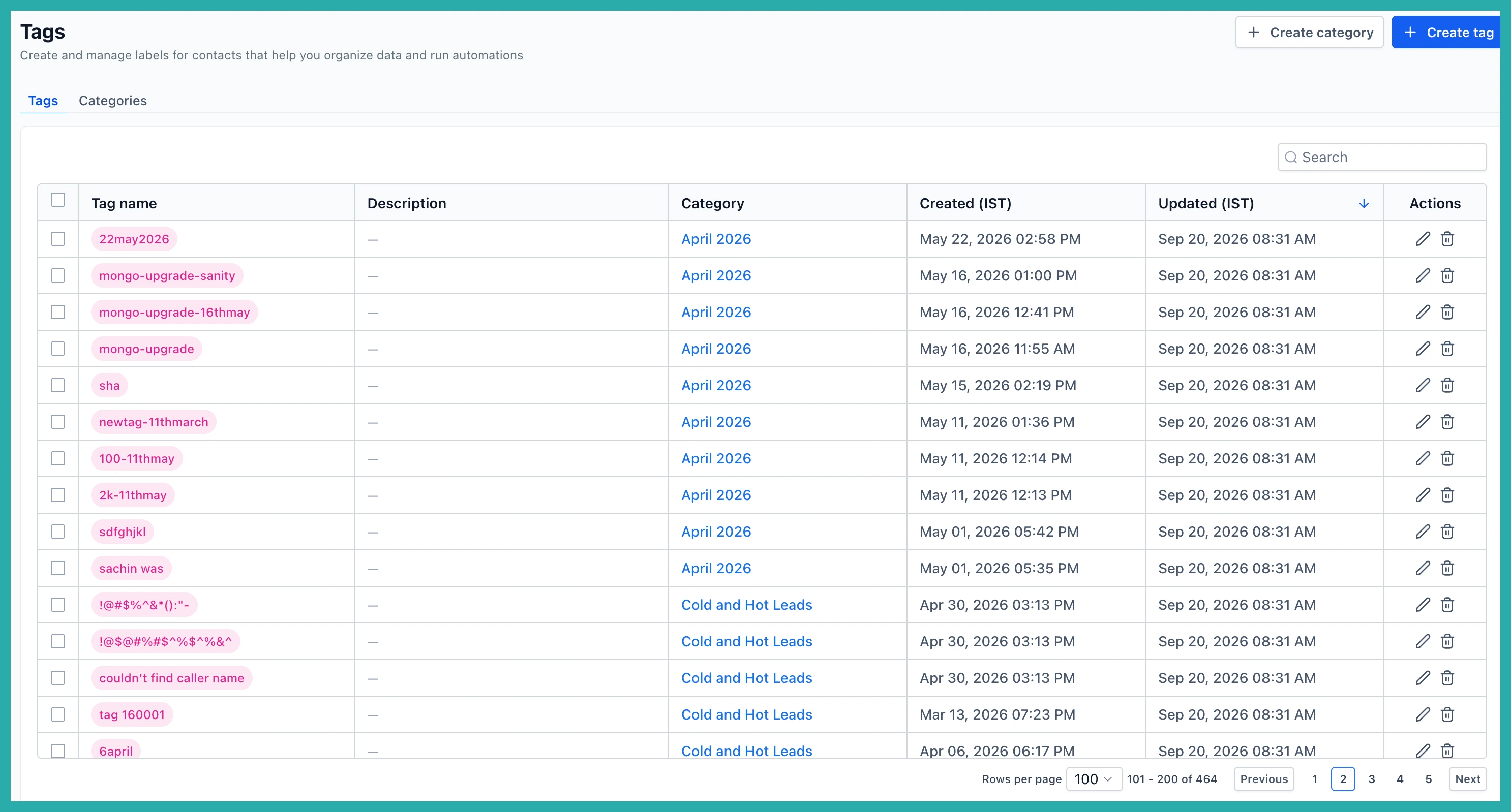
Pick your colour and apply it. Every selected tag takes on the new colour in one move, so you can build a consistent visual system across your library without editing each tag by hand.
Create a category without breaking your flow
The other handy bit is category creation. Before, if the category you wanted didn't exist yet, you had to stop, go and make it, then come back to assign your tags.
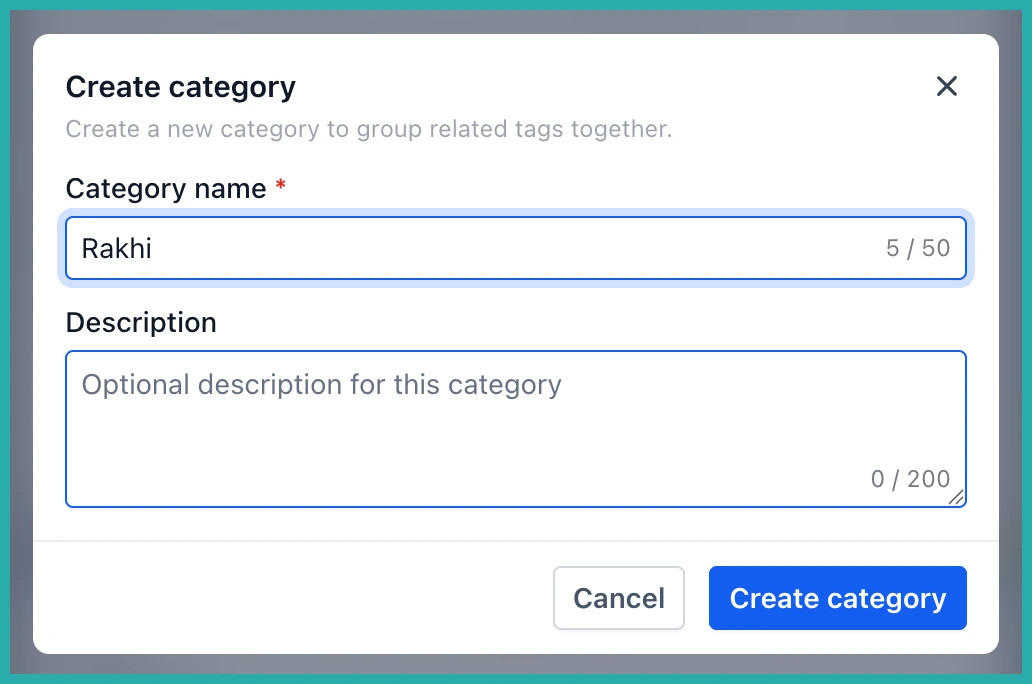
Now, when you open the category selector and the one you need isn't there, you can create it right then and there.
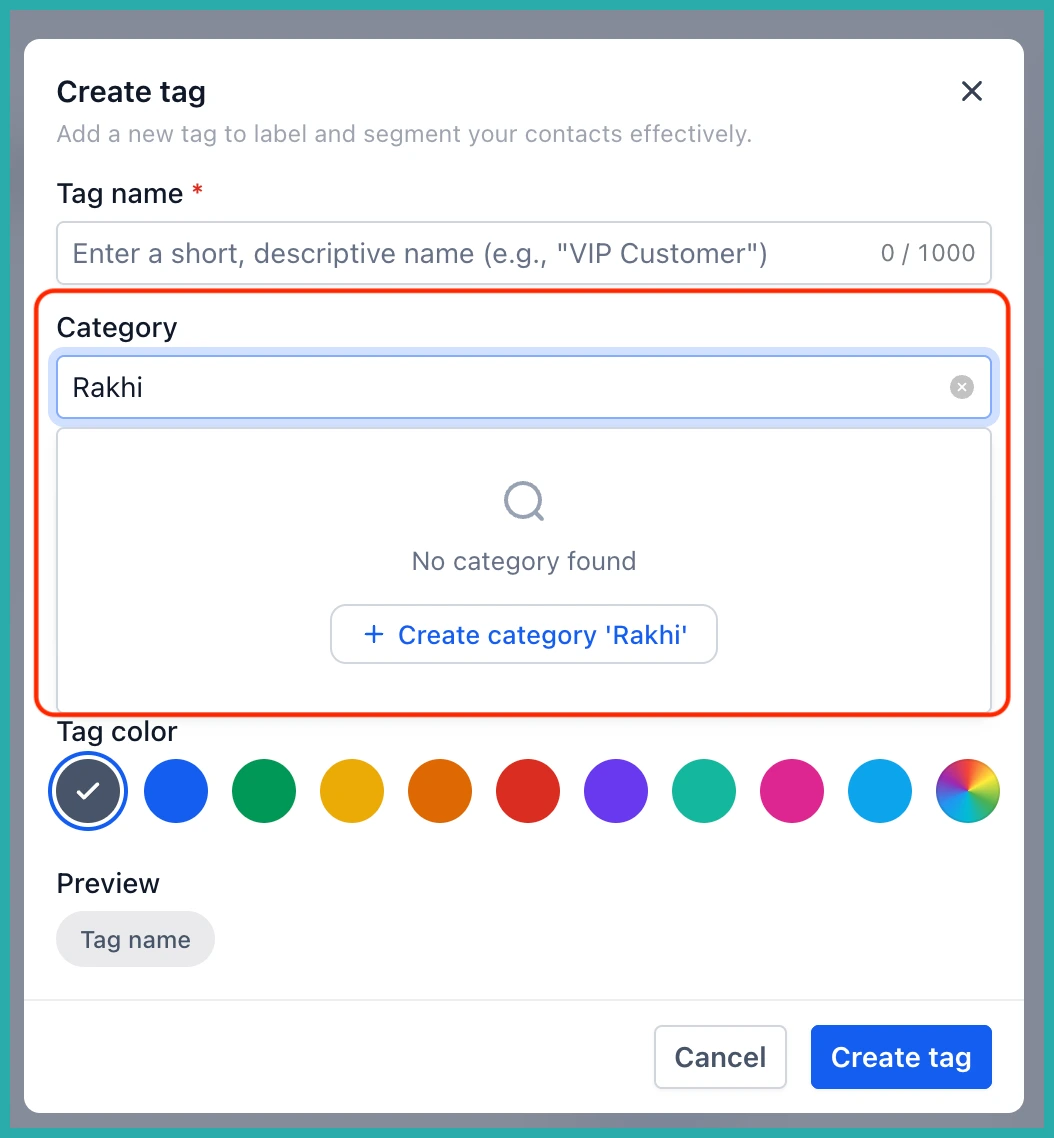
Type the new category name, create it, and carry straight on assigning your tags. No detour, no losing your place.
Together these two changes take a job that used to be all repetitive clicking and turn it into a few minutes of tidy-up. If your tag list has grown into a bit of a jumble, this is a good excuse to sort it out. Have a play and see how much faster it feels.
