
Automate Your Community Join Requests, So You're Not Approving Every One by Hand
If you run a community group, you know the drill. Someone asks to join, you check them over, you approve or you don't. Fine when it's a handful. A slog once your group starts growing.
There's now a way to hand that job to your account. A new workflow trigger fires the moment someone requests to join, so you can screen, sort, and approve requests automatically, using the actual answers people give.
What you get
The new trigger is called Requested to Join Group. It fires whenever someone submits a request to join one of your community groups, which means you can build an automation around the whole thing.
Two parts make this genuinely useful.
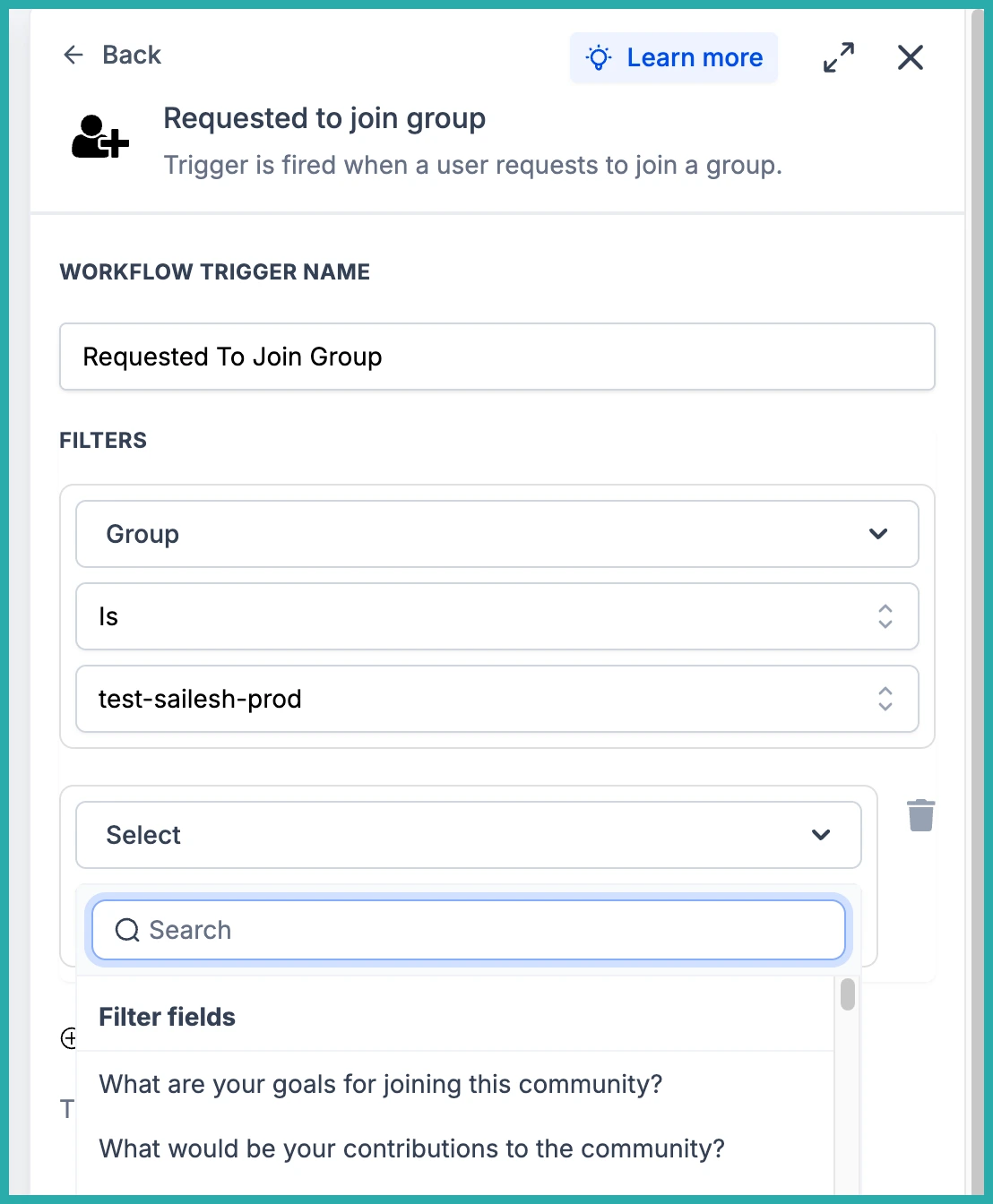
First, dynamic filters. Once you pick a group, every membership question you've set up for that group shows up as a filter you can use. So you can route people differently based on what they actually answered.
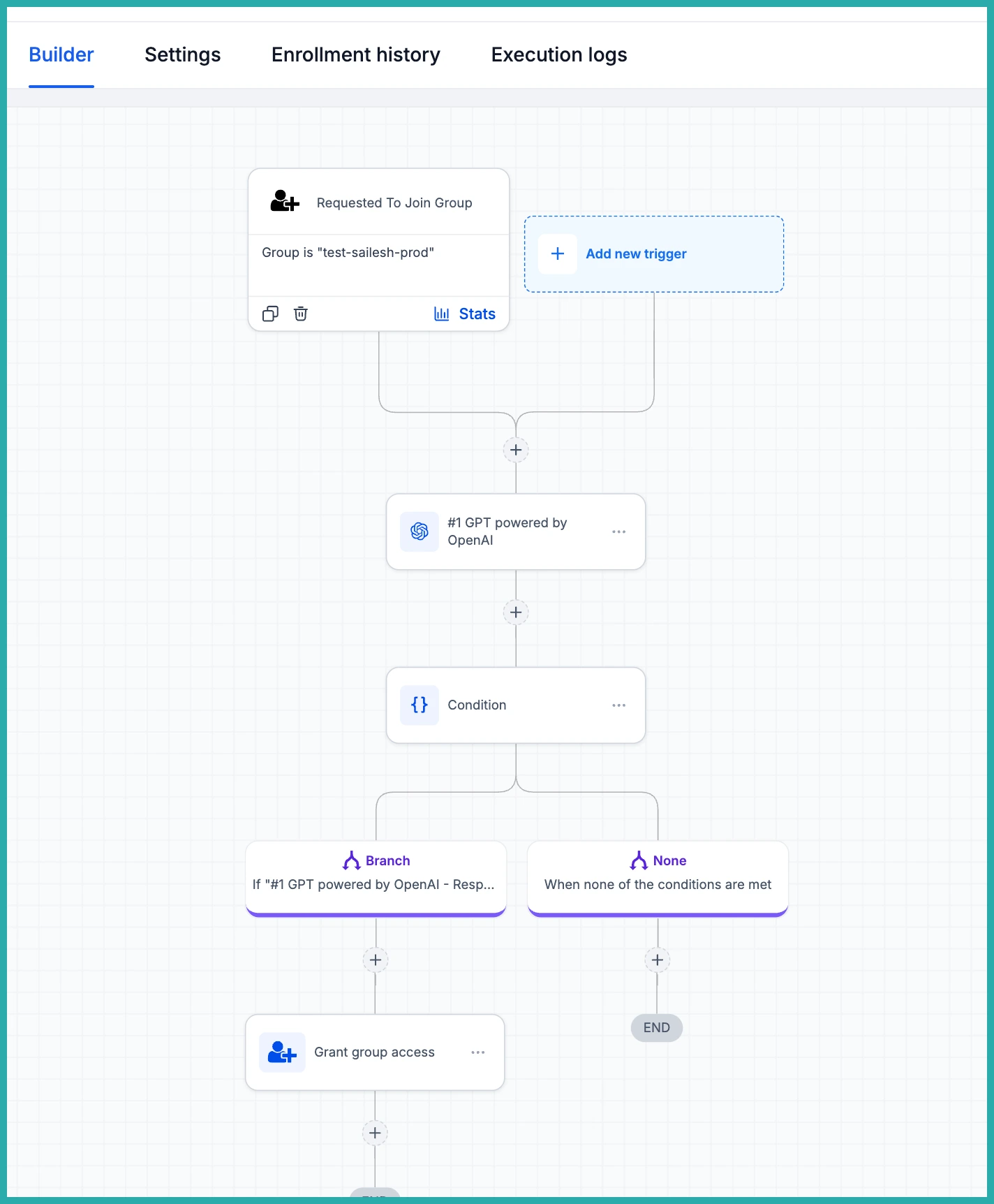
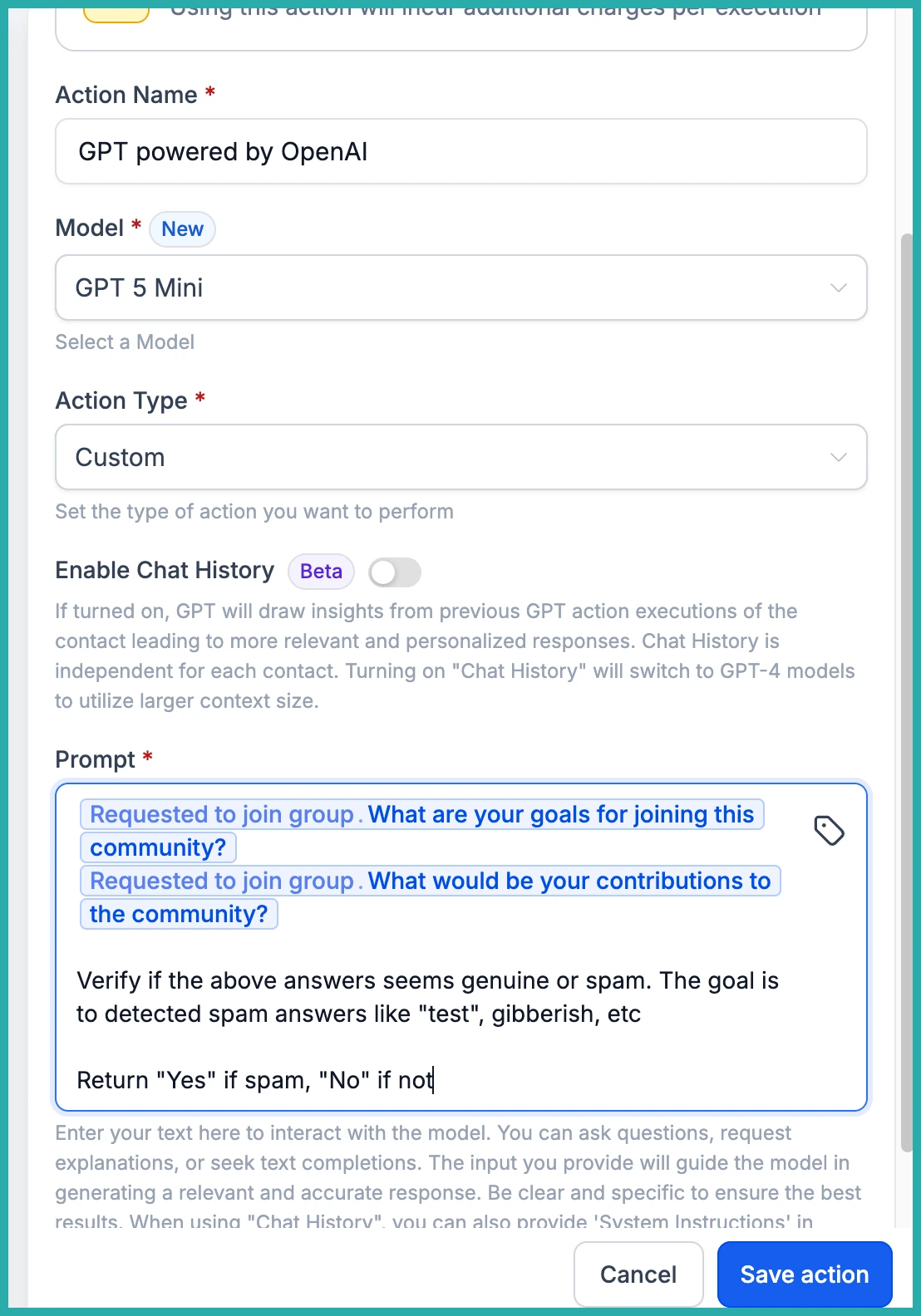
Second, AI screening. You can pass those answers into a GPT step inside the workflow to check whether a response looks like spam, gibberish, or a low-effort filler. Then an If/Else condition either approves the person and grants access, or flags them for you to look at yourself.
How to set it up
You'll do all of this from Workflows, as the group admin. Here's the shape of it.
- Create a new workflow and add the Requested to Join Group trigger.
- Select the group you want it to watch. Your membership questions for that group will appear automatically as filters.
- Optionally add a GPT action to read over the responses, for example to catch spam.
- Use If/Else conditions to branch based on the GPT result or the answers themselves.
- Add your actions - Grant Group Access, send a welcome message, tag the contact, whatever you need.
In the screenshot below, you'll see the new trigger sitting in your workflow builder, ready to pick.
Next, once you've chosen your group, the membership questions you set up for it show up as filter fields. You can build rules around the exact answers people give.
And here's where it gets clever. The GPT step reads the responses, and your If/Else branch decides what happens next - approve automatically, or set it aside for a human look.
A few things worth knowing
Nothing changes for the person requesting to join. Their side looks exactly the same. All of this happens behind the scenes.
The trigger only fires on join requests, not direct joins, so your group needs request-based access turned on for it to work.
And one honest note: the GPT screening steps carry a small charge each time they run, so keep that in mind if you're expecting a big flood of requests.
If you've been reviewing every single join by hand, go set this up once and let it carry the load. Your future self will thank you.
