
Ask Your Workflows What Happened - And Get a Straight Answer
Something looks off in a workflow. A contact didn't get the email, or they're stuck somewhere, or a change you made last week seems to have broken things. Up to now, finding the answer meant hopping between Enrollment History, Execution Logs and Version History, then piecing the story together yourself.
Not anymore. The Workflow AI chat can now answer those questions for you - in plain words, in one place.
What landed
You can now ask Workflow AI what actually happened, and it traces the path, follows a contact across every workflow, compares versions, compares whole workflows, and even hands you a PDF report. No more detective work across three screens.
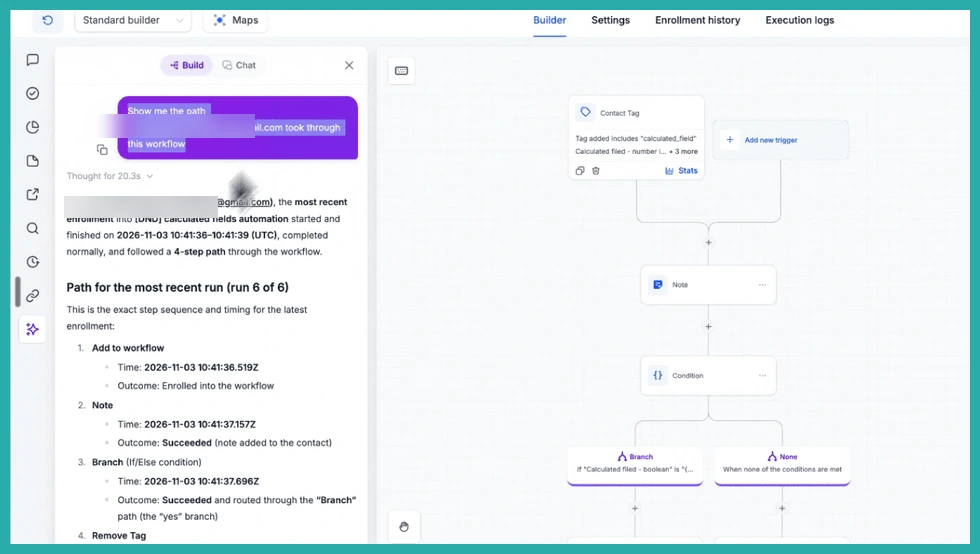
See a contact's path
Ask about a named contact and you'll get their latest run through the workflow, step by step, with the time and outcome of each step. Click "See contact path" and the canvas opens with that exact path highlighted.
If they've been enrolled more than once, it calls that out, so you always know which run you're looking at.
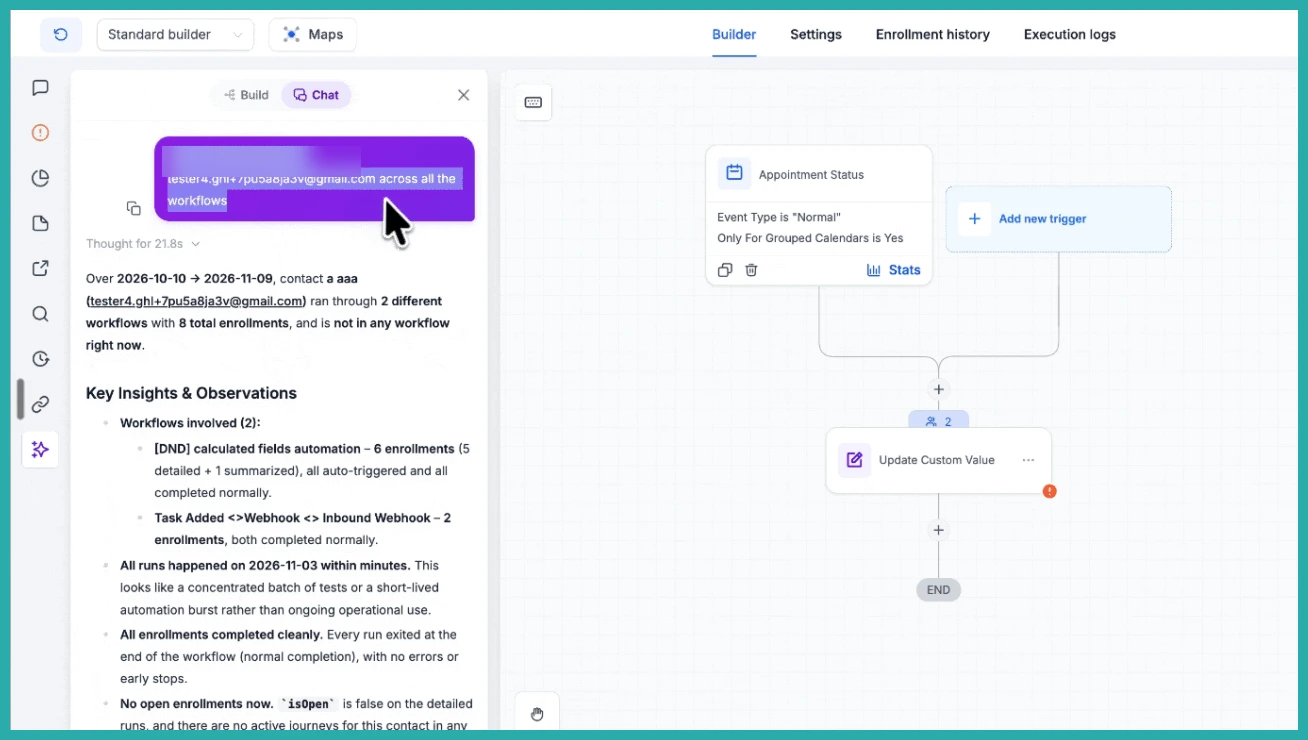
Follow one contact everywhere
You can also widen the view and follow a single contact across every workflow: which ones they entered, how many times, and how each run ended. You'll see whether they're sitting in any workflow right now too.
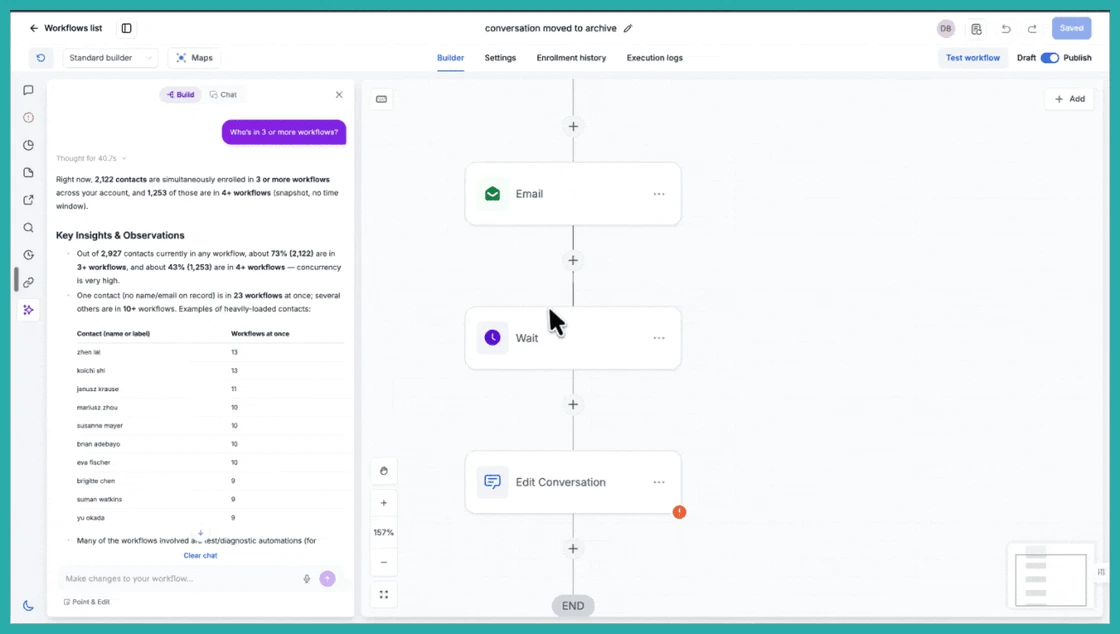
And you can ask about the whole account, like "Who's in 3 or more workflows?", to spot the contacts carrying the most load.
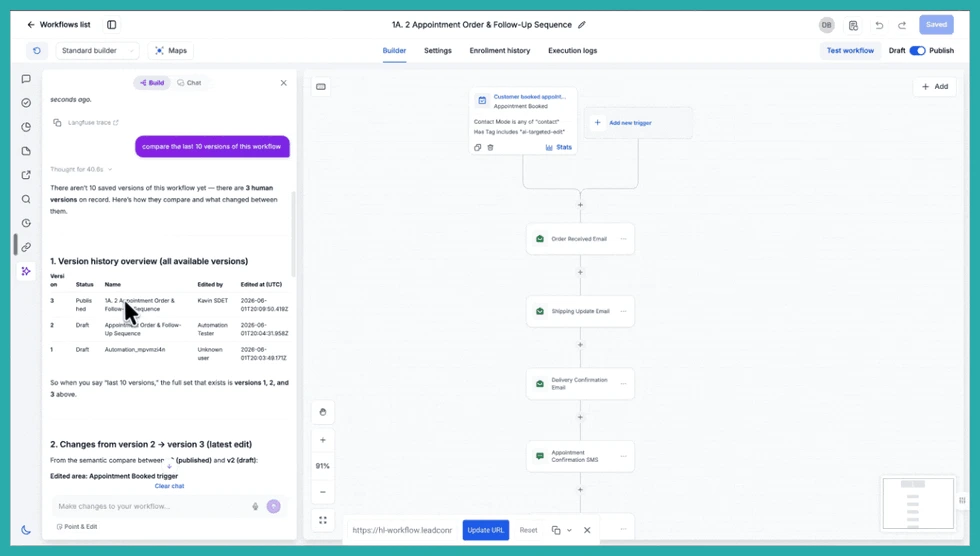
See exactly what changed
Ask about version history and the chat shows you who edited the workflow and what they changed between versions - steps added, removed, moved or renamed, and any settings adjusted. Secret values stay hidden.
You can even ask whether an edit caused a problem. The answer comes with a confidence level, so you know how sure it is: "Direct cause", "Lines up" or "Can't tell".
Compare and rank your workflows
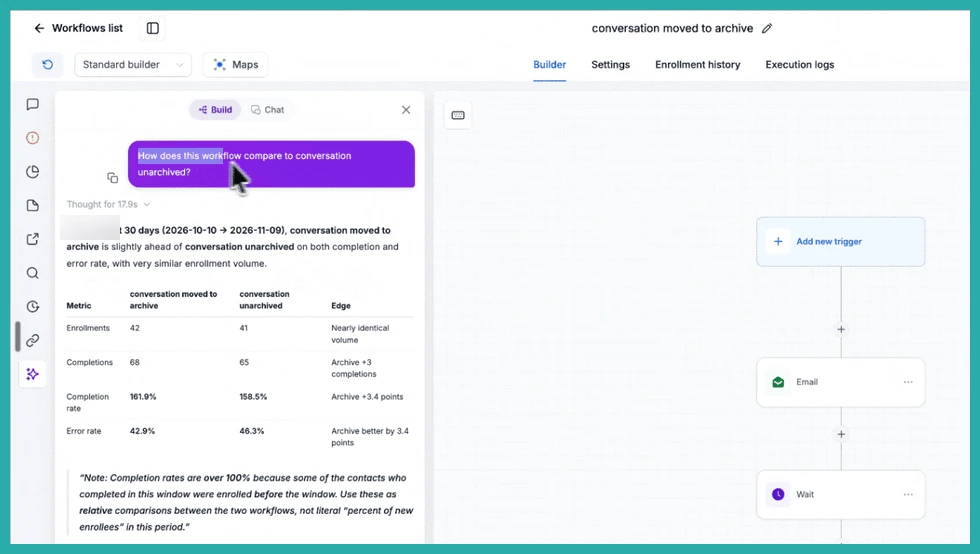
Want to see how two workflows stack up? Ask for a head-to-head and you'll get enrollments, completions, completion rate and error rate side by side, with recommendations.
Or ask for a leaderboard to rank your published or paused workflows by completion rate and see which ones are falling below your account median.
Get a shareable PDF
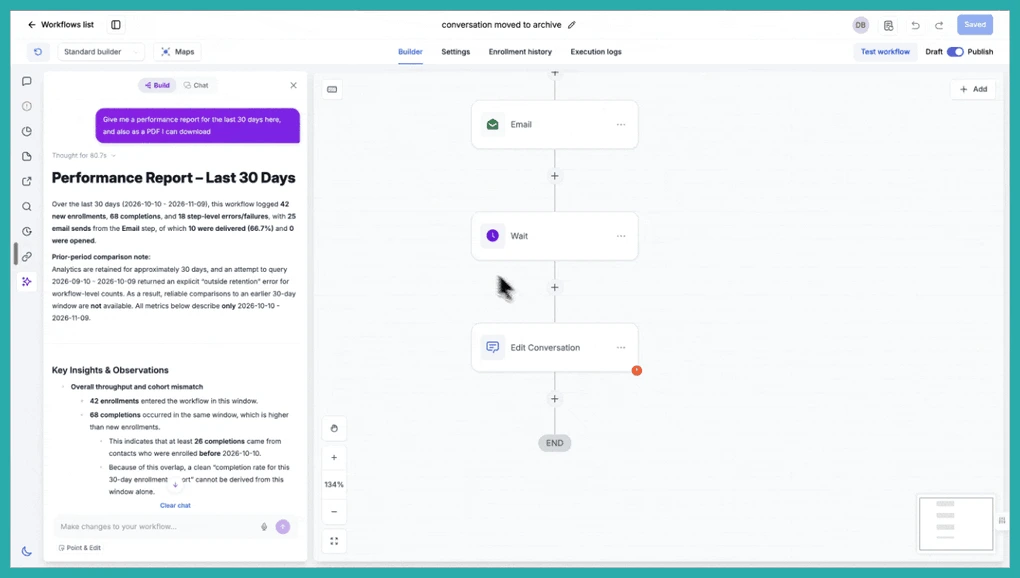
Ask for a report and mention PDF, download or export. The full analysis shows in the chat, with a "Download PDF" card right underneath. Reports stay private to people with access to the account and the workflow, so it's safe to share the file with a client instead of a pile of screenshots.
How to use it
- Go to Automation, then Workflows.
- Open a workflow.
- Click the Workflow AI icon in the left bar, then open the Chat tab.
- Ask your question in plain words.
A few to try:
- "Show me the path [email protected] took through this workflow"
- "Show me the journey of [email protected] across all the workflows"
- "Compare the last 10 versions of this workflow"
- "Give me a performance report for the last 30 days here, and also as a PDF I can download"
- "How does this workflow compare to Lead Follow Up?"
The next time something looks off, just ask. One question in the chat, and you'll have your answer without reading a single raw log.
