
Your AI Agent Can Now Search the Web Mid-Run
Until now, your AI Agent only knew what it already knew. Ask it about something that changes often - prices, rebate programs, public details - and you were trusting old information.
That just changed. Your AI Agent can now search the internet in the middle of a run, and you can point it to the exact pages you trust.
What landed
There's a new Built-in tools section in the AI Agent Action. These are abilities your agent has on its own, on top of any tools you add yourself.
The first one is Web search. Flip one toggle and your agent can look things up during any run. It only searches when the task actually needs information it doesn't already have, so a run that needs no lookup costs you nothing extra.
You can also hand it your own trusted sources. Paste a URL into the Instructions, and the agent reads that page when the moment calls for it. Give it the pages you trust, and let it search the web for everything else.
How to turn it on
- Go to Automation, then Workflows.
- Open a workflow, then add or open an AI Agent Action.
- Scroll down to Built-in tools and expand it.
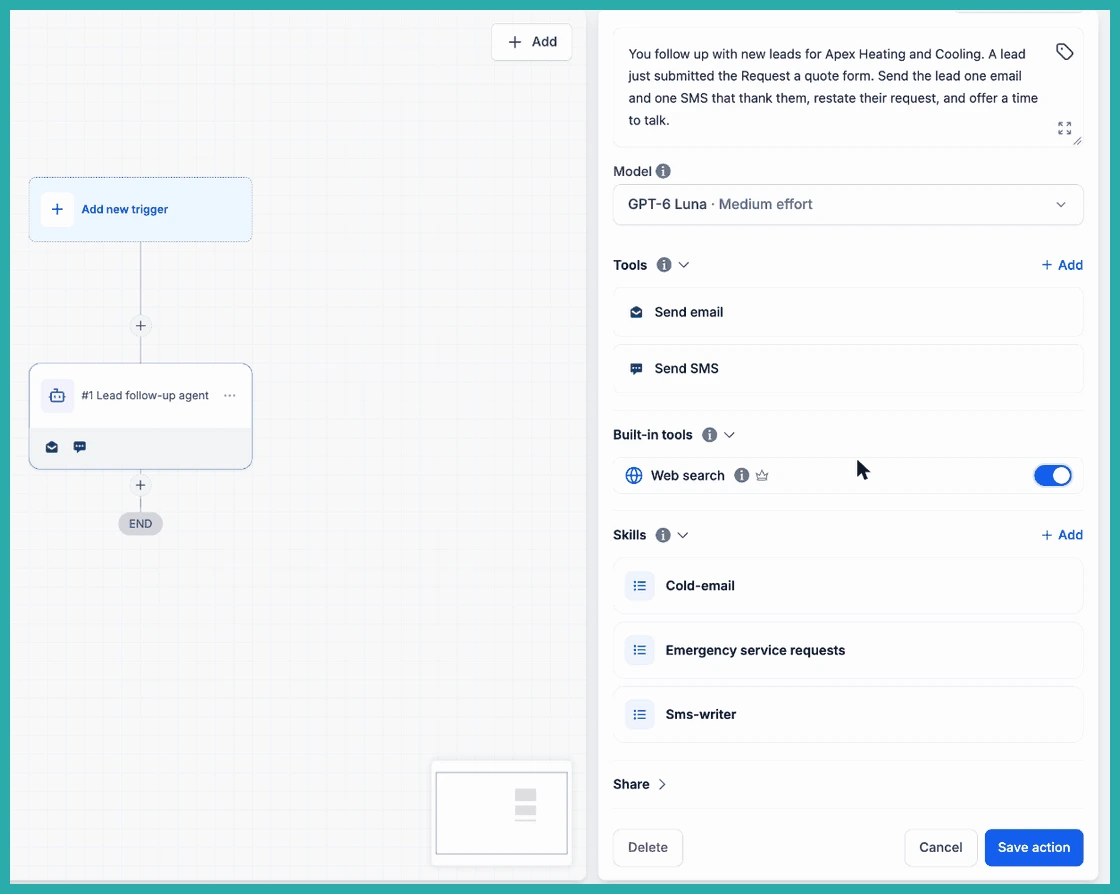
- Turn on Web search.
- Optionally, paste the URLs of any pages you want the agent to rely on straight into the Instructions.
- Save the action.
In the screenshot below, you'll see the Built-in tools section sitting right under Tools, with Web search ready to switch on.
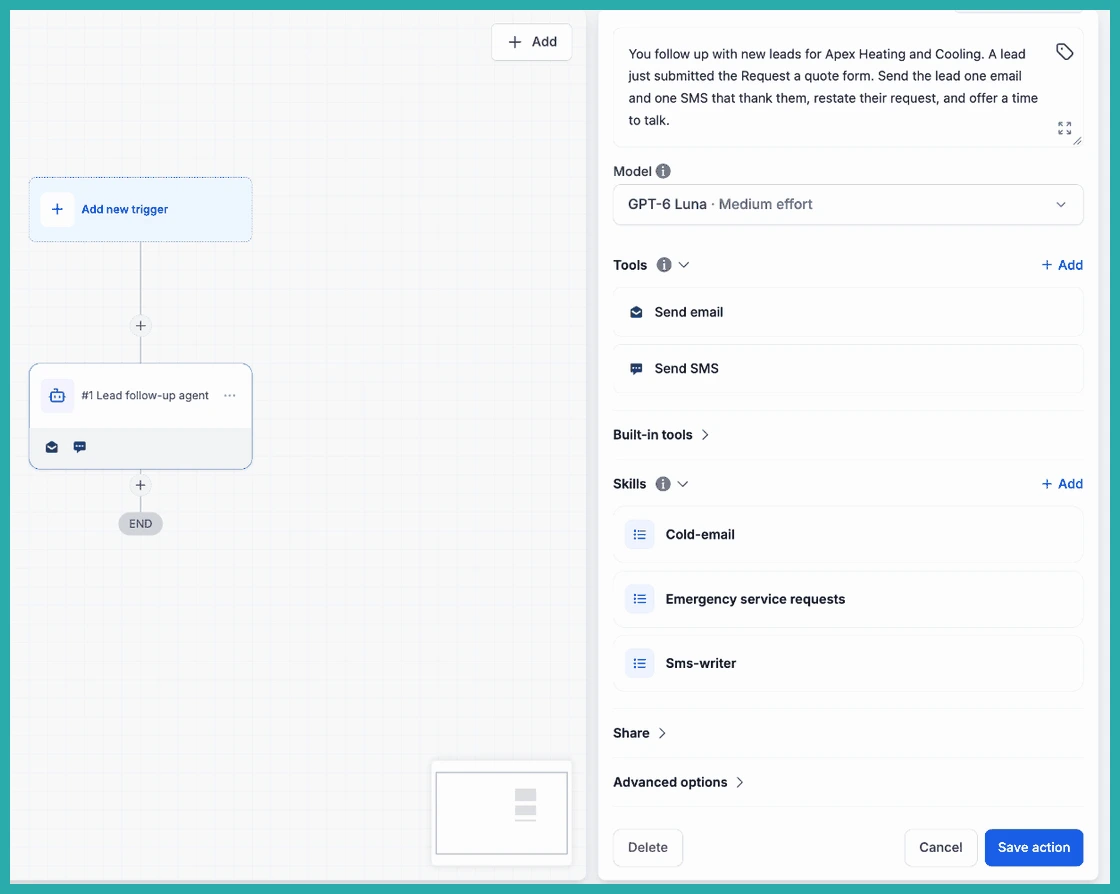
Hover the small (i) on any built-in tool to see what it does, and hover the crown to see what it costs.
A real example
Say a heating and cooling company follows up on every quote request. Some leads ask about rebates, and rebate programs change constantly.
You set the agent up like this:
- Instructions: "If the lead asks about rebates, read the rebate finder page before you reply. For any other facts you need, search the web."
- Tools: Send email and Send SMS.
- Built-in tools: Web search on.
A lead asks about heat pump rebates, so the agent checks the page you gave it before replying. Another lead asks something that page doesn't cover, so the agent searches the web for the answer. No stale facts, no guesswork, no manual lookups.
In the screenshot below, you'll see how the Instructions and Web search work together inside the action.
What it costs
Web search is a premium tool, billed per search on top of the AI Agent Action. With OpenAI and Claude models it's 1 cent per search, and with Gemini models it's 1.4 cents per search.
Each search is charged separately, so a run that makes three searches is billed for three. You only pay when the agent actually looks something up.
Good to know
Web search finds information, but it doesn't act on its own. To do something with what it learns, like send an email or an SMS, the agent still needs the right tools added alongside it.
One more thing worth knowing: AI image generation and AI video generation are already live as their own actions, and both are coming to Built-in tools very soon.
Go and open one of your AI Agent Actions and give it a trusted page to read. It takes about a minute, and your agent stops guessing from that moment on.
