
A2P Rejection Guidance Now Tells You Exactly What to Fix
If you've ever registered to send texts from your account, you'll know the drill. You submit, you wait, and sometimes it comes back rejected with a wall of guidance that doesn't quite make sense for how you set things up.
That part just got a lot clearer.
What landed
The guidance inside the "View required fixes" box has been rewritten so it matches how you actually registered your campaign. No more generic carrier instructions asking you to change things you never set up yourself.
Here's what's different.
- Guidance for your setup. The most common rejection reasons now have separate instructions depending on whether you registered through the Chat Widget (Quick Setup) or through Manual Setup. The fix lives in a different place for each, so the steps now point you to the right one.
- Only steps you can act on. If you used the Chat Widget, the guidance focuses on what you control - your website, other forms on your site, your policy links. It no longer asks you to rewrite the consent wording or form fields the widget created for you.
- Clearer next steps. Each reason explains in plain language what happened, then lists the specific actions to take.
- Exact wording where it's required. For things like privacy policy verification, the steps include the precise statement carriers want to see, so you can copy it straight across.
- A heads-up when resubmitting won't help. For reasons like a business type mismatch, the system tells you what needs to change first, so you're not stuck resubmitting the same thing over and over.
Where to find it
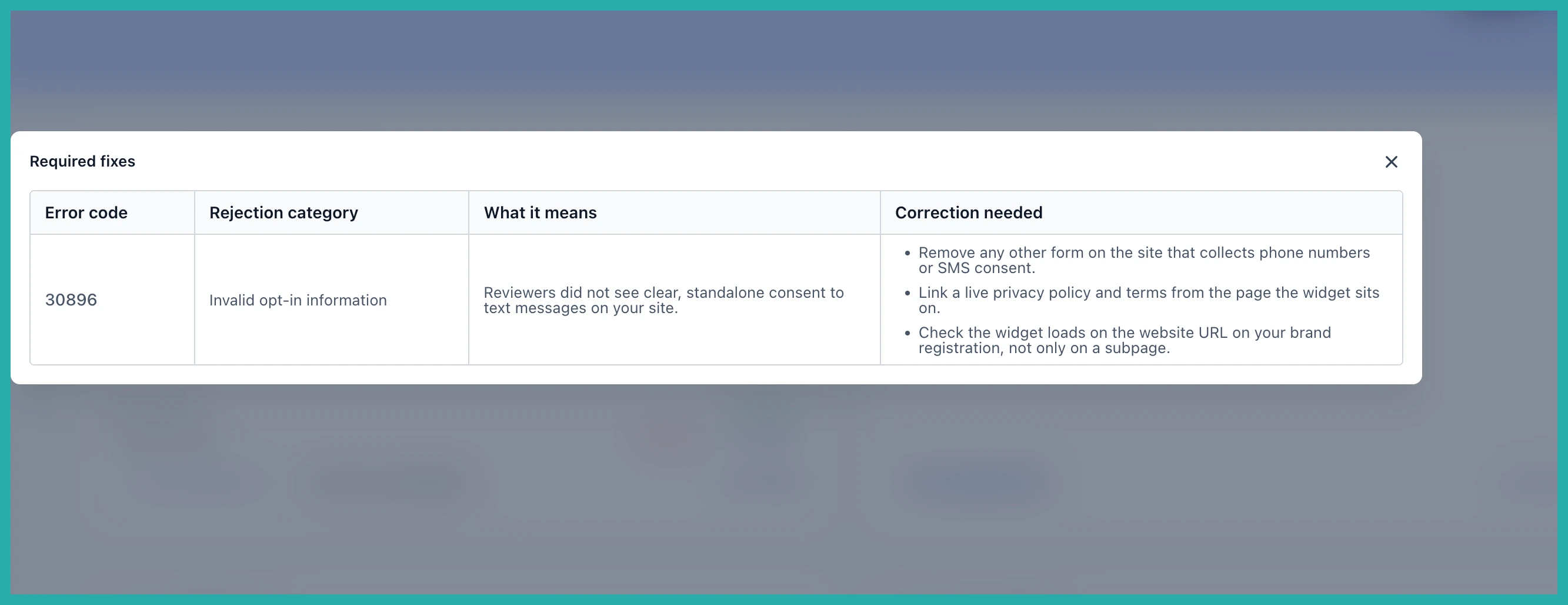
If a campaign gets rejected, open it and click View required fixes. In the screenshot below, you'll see the updated guidance laid out by reason, written for the way you registered.
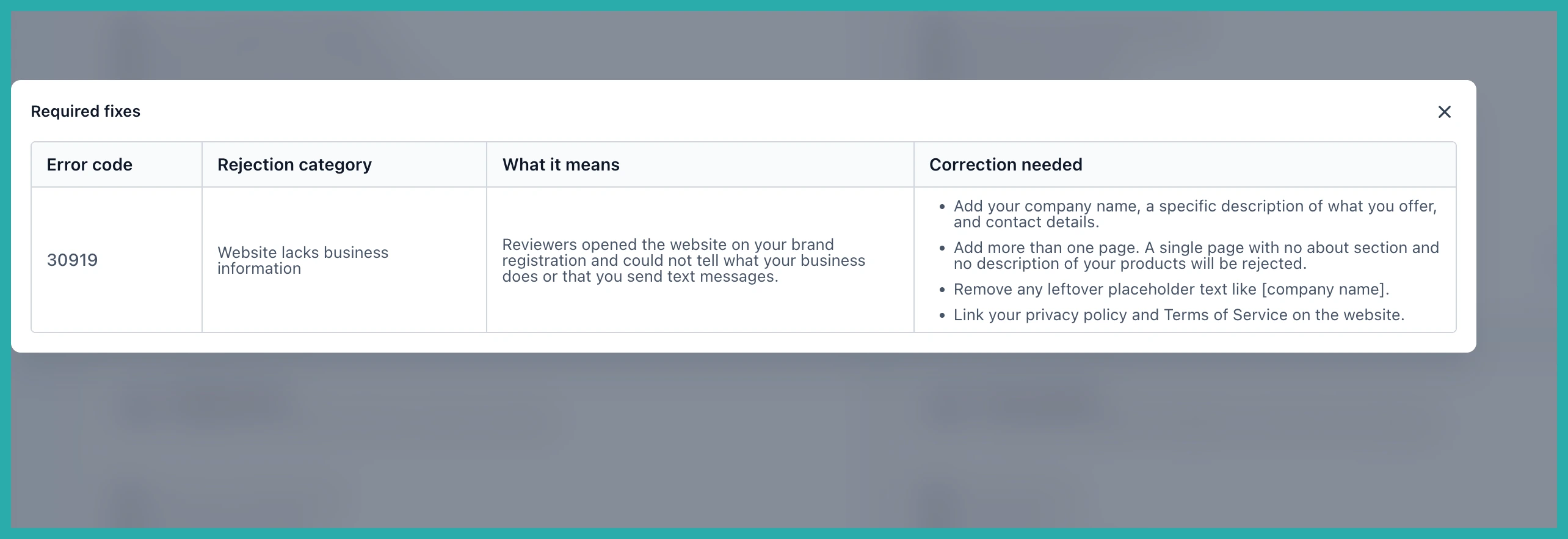
Each reason reads like a plain checklist now. It tells you what went wrong, then the exact actions to take - no guessing which bits apply to you.
Why this is worth a look
The old version showed the carrier's one-size-fits-all guidance, which meant Chat Widget users were often told to fix fields and consent wording they never wrote. That sent a lot of people chasing the wrong thing, or straight to support.
Now the steps match your setup, so you can fix the right thing the first time and resubmit with confidence.
Got a campaign sitting in rejected right now? Open it up and take another look at the fixes - it'll make a lot more sense this time around.
