
Add Optional Extras to Your Rental Bookings - Pet Fees, Gear, Insurance and More
If you run a rentals business, you've probably wanted to offer a little extra alongside the booking. A pet fee. A GPS unit. A guided tour, or equipment insurance. Until now that meant awkward workarounds - duplicate listings, manual invoices, or a separate tool just to tack on one charge.
That's sorted. Rentals now supports Add-ons - optional extras that customers can attach to a booking themselves, with the total updating as they go.
What you get
You build a catalog of reusable add-ons once, then attach them to as many listings as you like. Each add-on carries its own name, description, image, price, quantity cap and tax settings. Customers see them in their own section of the booking widget, pick how many they want, and watch the total change in real time. Every extra they choose shows up as its own line item on the invoice.
No more manual follow-ups to collect a pet fee. No duplicate listings just to offer a GPS unit. It all happens in the booking, start to finish.
Build your add-on catalog
Head to Calendars, then Calendar Settings, then Rentals, then Add-ons. This is your global catalog - the home for every extra you want to offer.
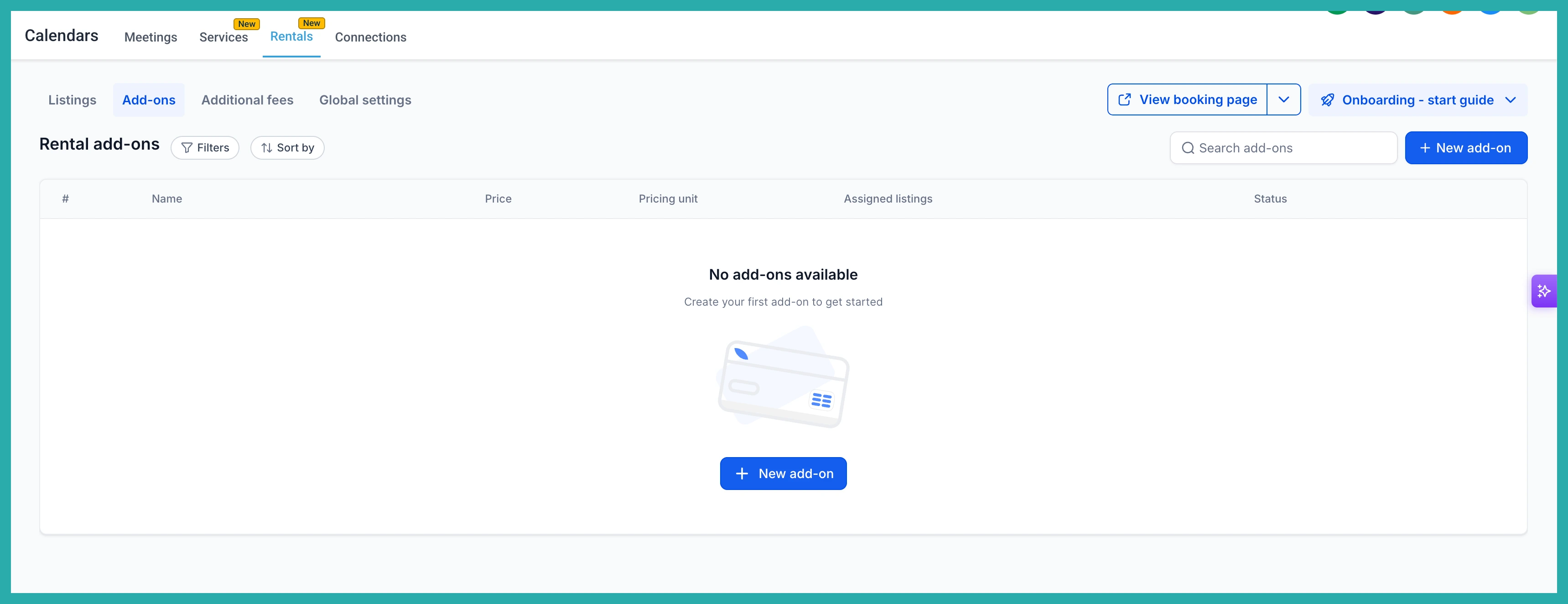
Click + New Add-on and fill in the details: a name, a description, an optional image, and your pricing. In the screenshot below you'll see where each of these lives.
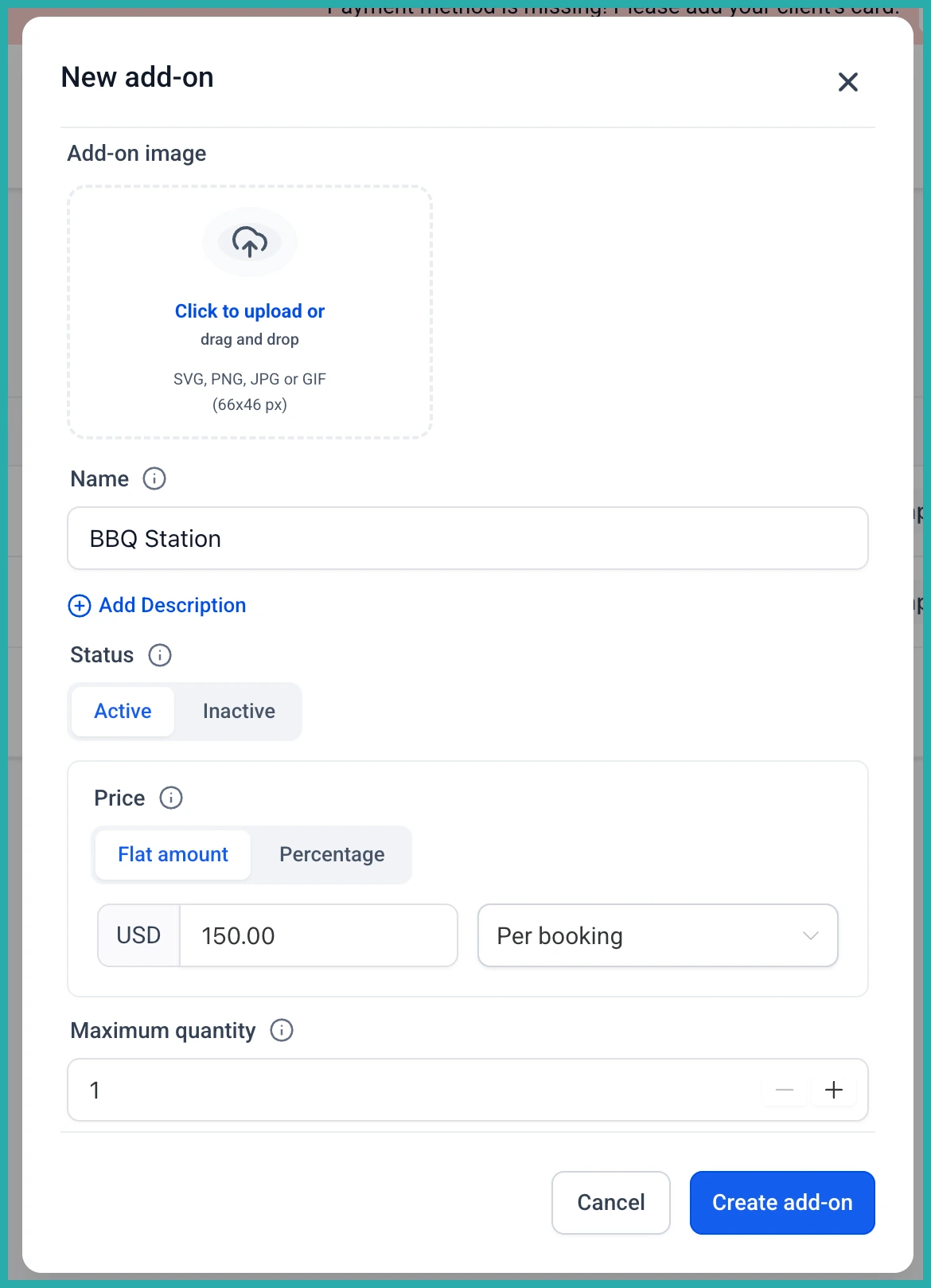
Set your pricing the way it actually works
You've got real flexibility here. An add-on can be a Flat amount (a fixed charge) or a Percentage of the base rental subtotal.
If you pick flat, you can charge it Per booking - one fixed charge no matter how long the stay - or Per booking unit, which charges per hour, day, week or month to match how the listing is booked. A cleaning fee might be per booking, while equipment insurance might be per day.
You also set a Max quantity, so customers can only select so many of each extra per booking.
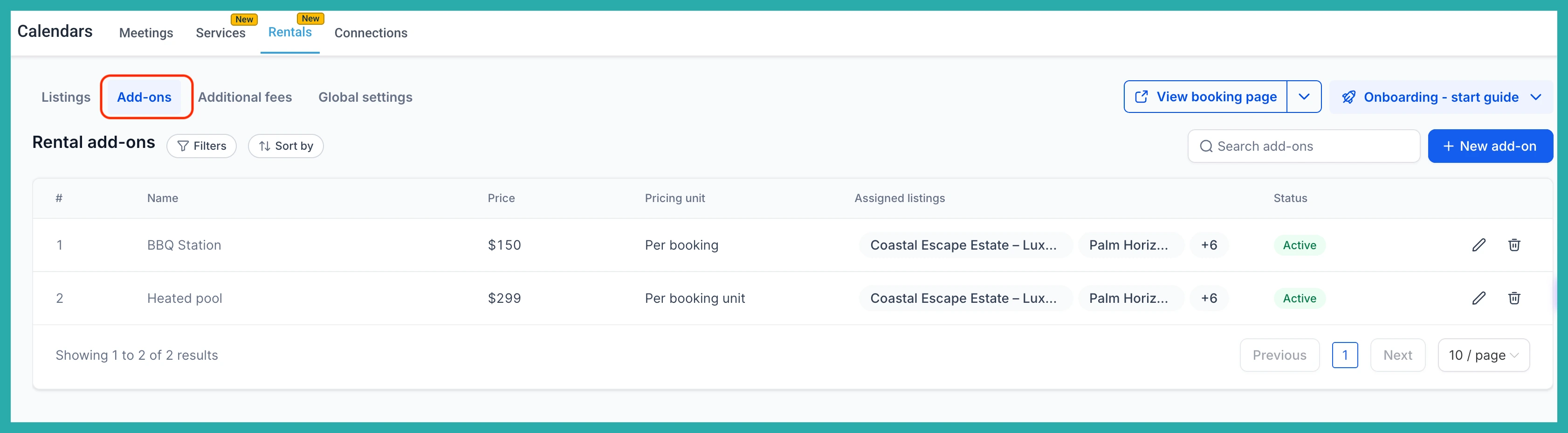
Attach add-ons to your listings
There are two easy ways to do this. You can select listings right from the create screen, which is perfect when one add-on applies to several listings at once. Or you can open an individual listing and manage its add-ons from the Add-ons tab there.
The nice part: edit an add-on once and the change applies everywhere it's used. Manage it in one place, not inside every listing.
Add tax if you need it
Tax is set per add-on, so each extra is handled correctly and shown as its own separate line. To set it up, save the add-on first, then edit it and click Configure tax.
What your customers see
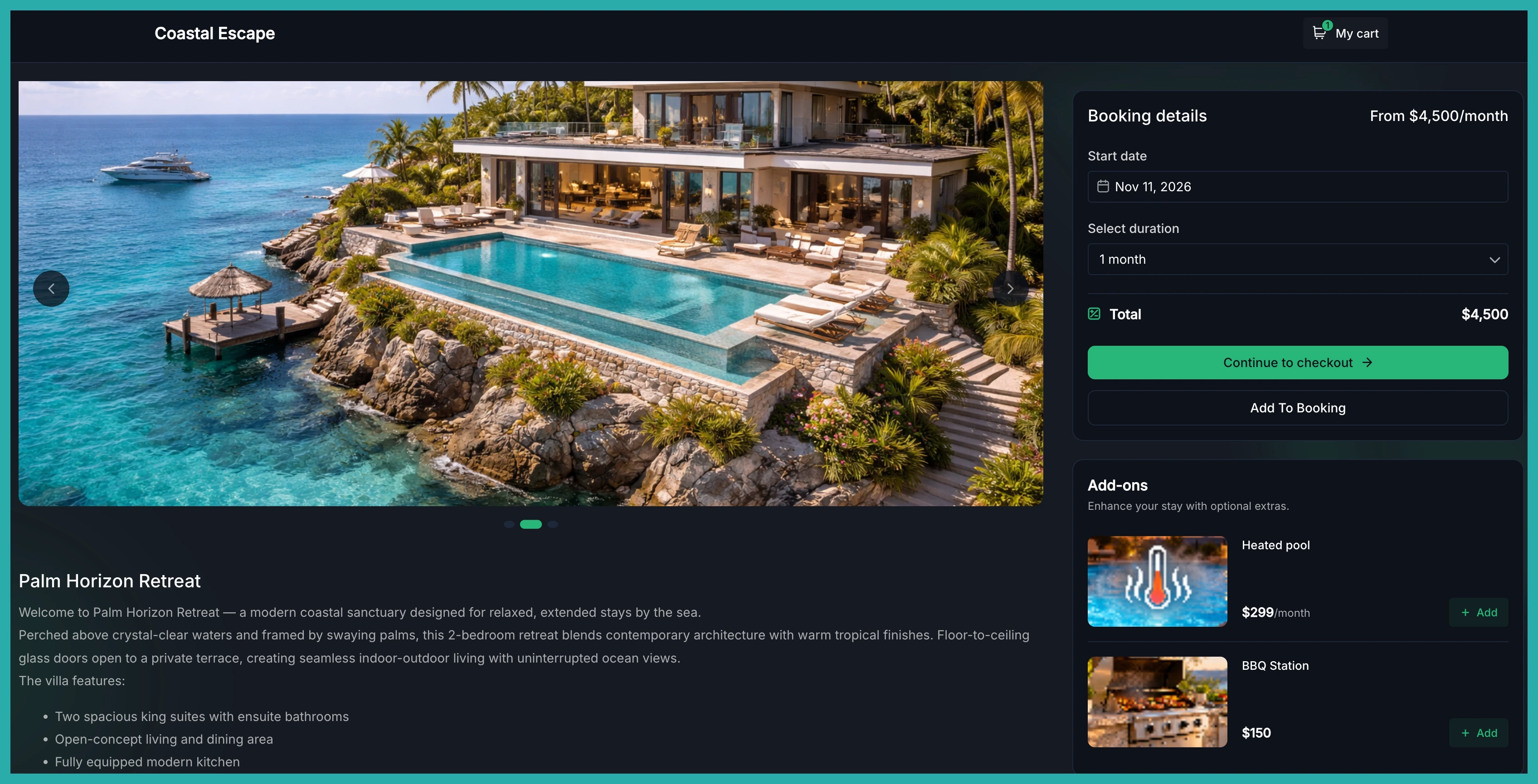
Once a customer picks their dates, a dedicated Add-ons section appears in the booking widget - image cards, names, descriptions, prices and quantity selectors. As they add or remove extras, the total updates straight away, so there are no surprises before they confirm.
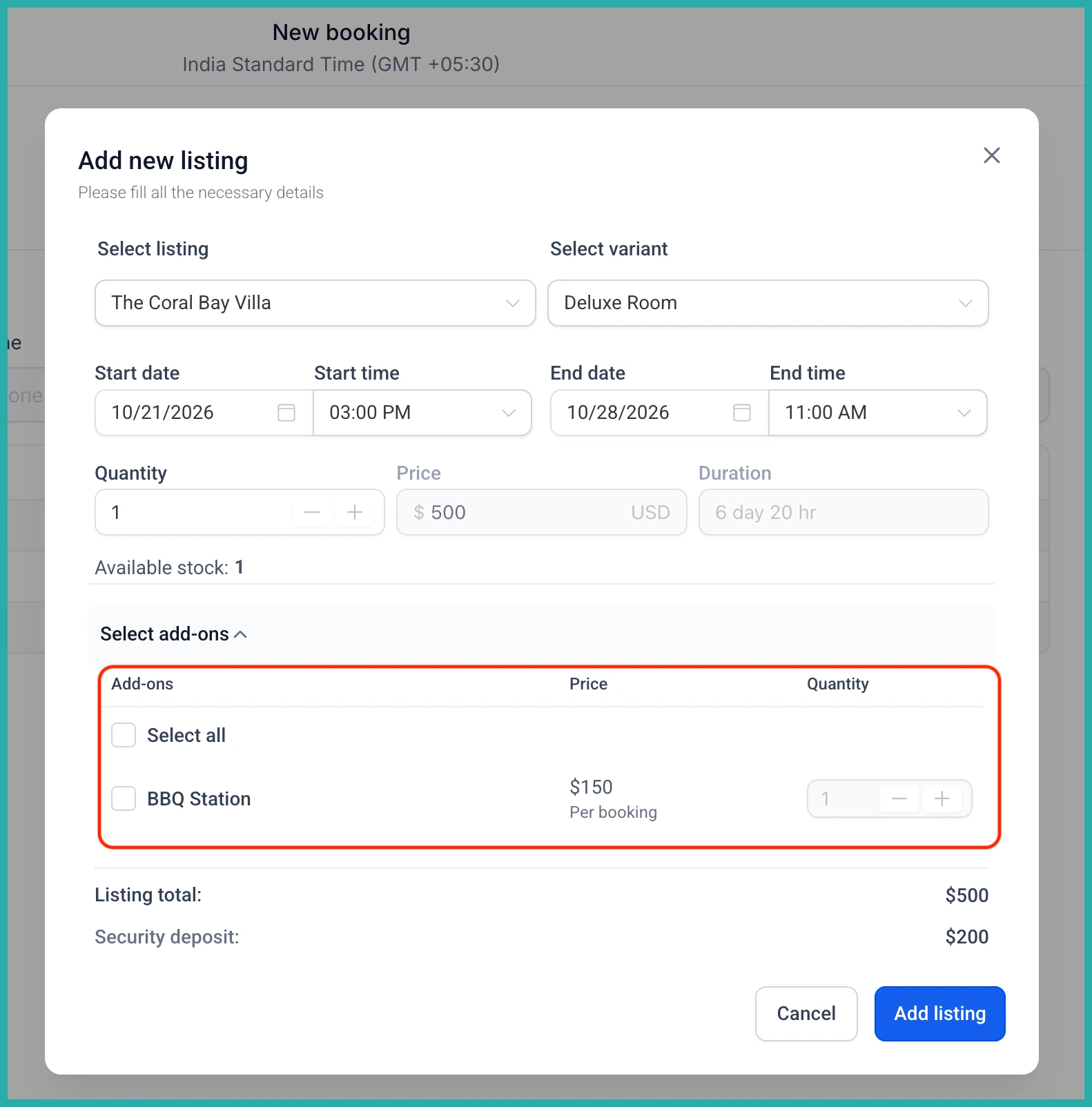
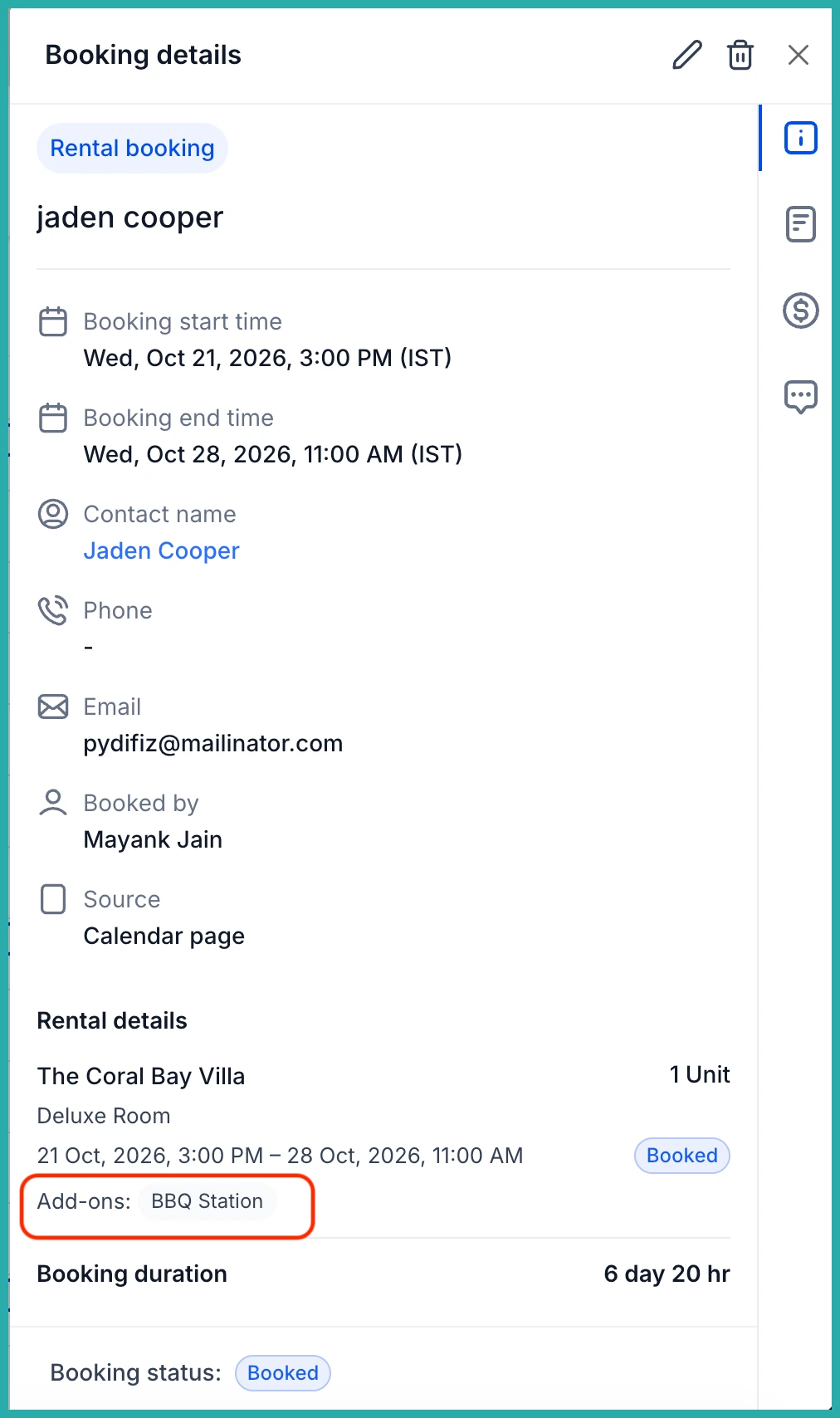
If there's an add-on you'd rather handle yourself, mark it Hide from booking page. Customers won't see it, but you can still add it to a booking from the booking edit screen, along with adjusting quantities on existing bookings.
This is one of the most requested features from rentals users, and it brings everything in line with how the big booking platforms work. Go set up your first add-on - a pet fee or a simple gear hire is a good one to start with, and it'll take you just a few minutes.
