
Take a Deposit Now and Collect the Balance Later on Your Rentals
If you rent out anything with a bit of value to it - a vehicle, a holiday home, equipment - you'll know the sticking point. Asking someone to pay the full amount upfront, weeks before they even use it, is a lot to ask. Some people hesitate, and you lose the booking.
Now you can let them reserve with a deposit today and pay the balance closer to the rental. You set it up once, and the system handles the rest.
What you get
Partial Payments lets you collect a deposit when someone books, then charge the remaining balance before the rental starts. Your customer sees exactly what they pay today and when the rest is due, so there are no surprises.
On the due date, the balance can be charged automatically to the same card they used for the deposit. No chasing, no awkward reminder emails.
And if a booking comes in after the balance due date has already passed, the system just treats it as a single full payment. The customer checks out normally, nothing gets blocked.
Setting it up
Go to Calendars, then Calendar settings, then Rentals, then Global settings, and open Payment settings.
Make sure Require Payment at Booking is switched on, then turn on Enable Partial Payments.
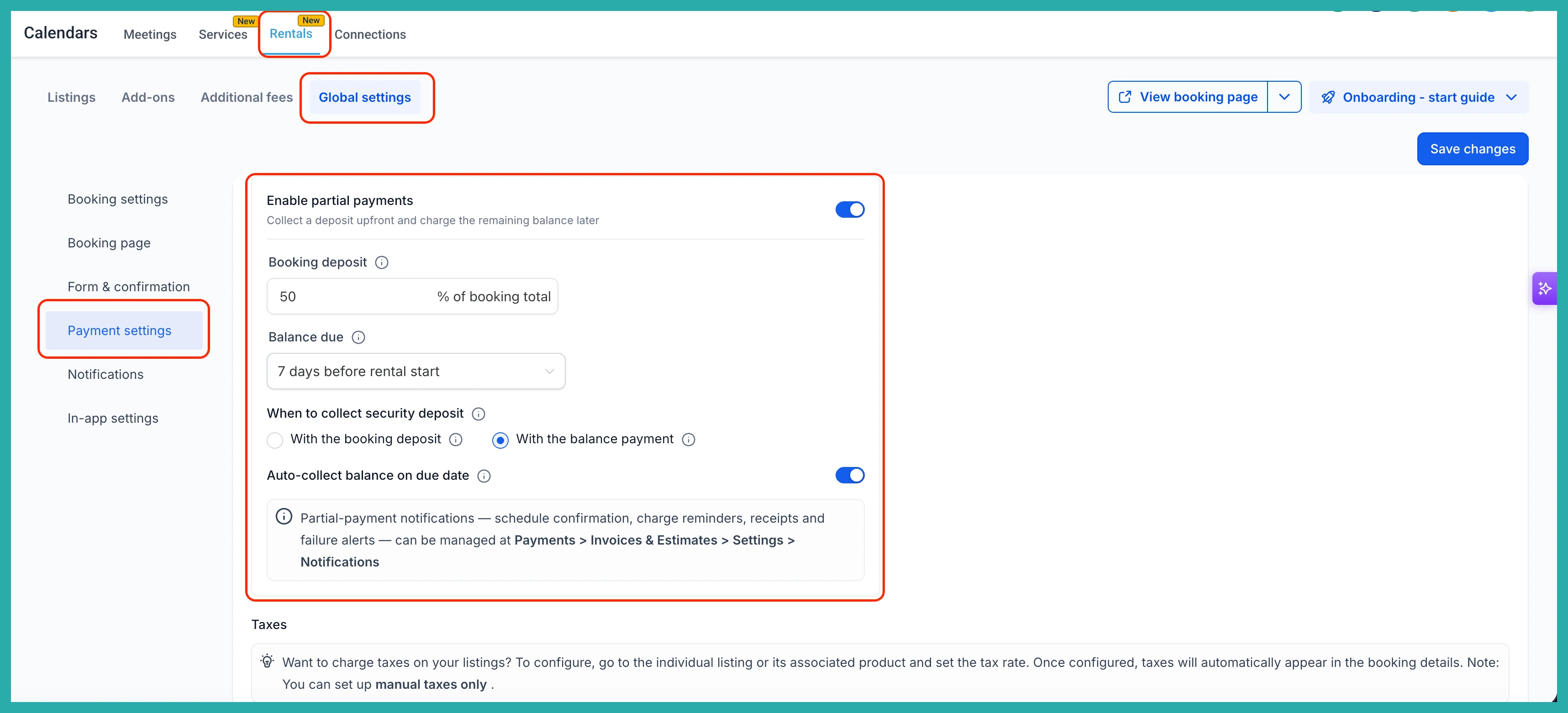
Now set your plan. Choose a deposit percentage anywhere from 1% to 99% of the booking total, and set how many days before the rental starts the balance is due.
One thing worth knowing: the deposit is calculated on the booking total including taxes and fees, but not the security deposit.
If you collect security deposits, you get to decide how they fit your process. Collect them with the booking deposit, with the final balance, or simply save a card on file. Pick whatever matches the way you already work.
Hit Save, and new bookings will follow the plan from then on. Your existing bookings stay exactly as they are.
What your customers see
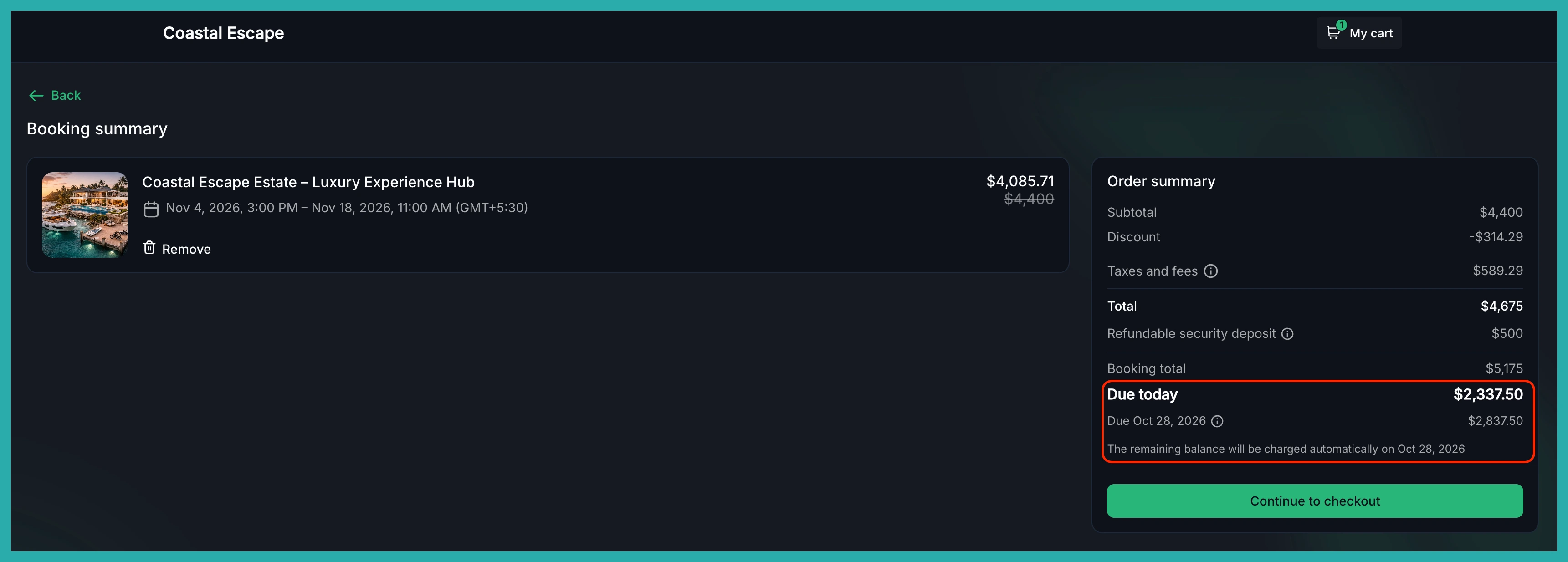
At checkout, the order summary shows a clear breakdown: Due today and Due [date]. There's a tooltip explaining that the balance is charged automatically, so everyone knows what's coming and when.
Keeping track of payments
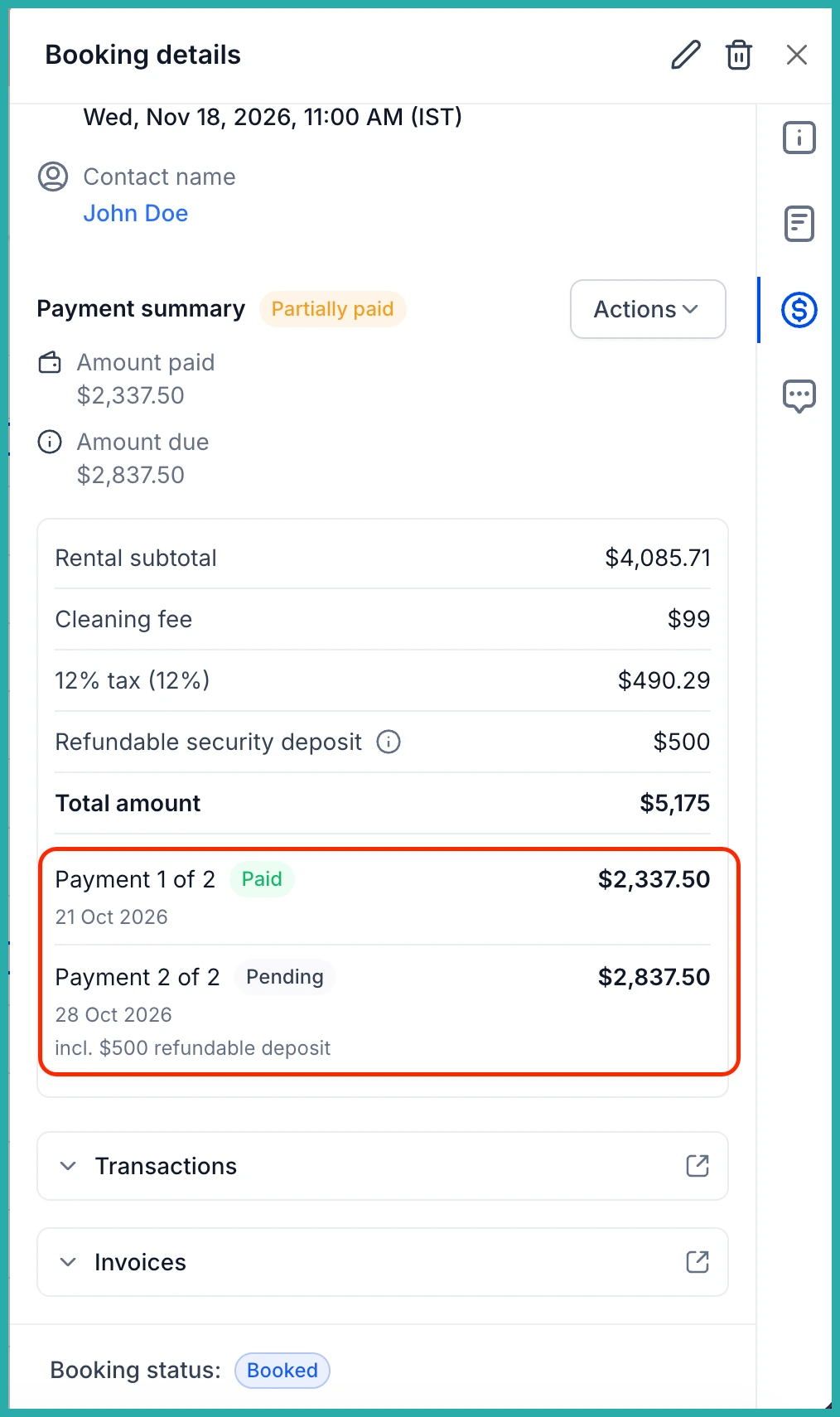
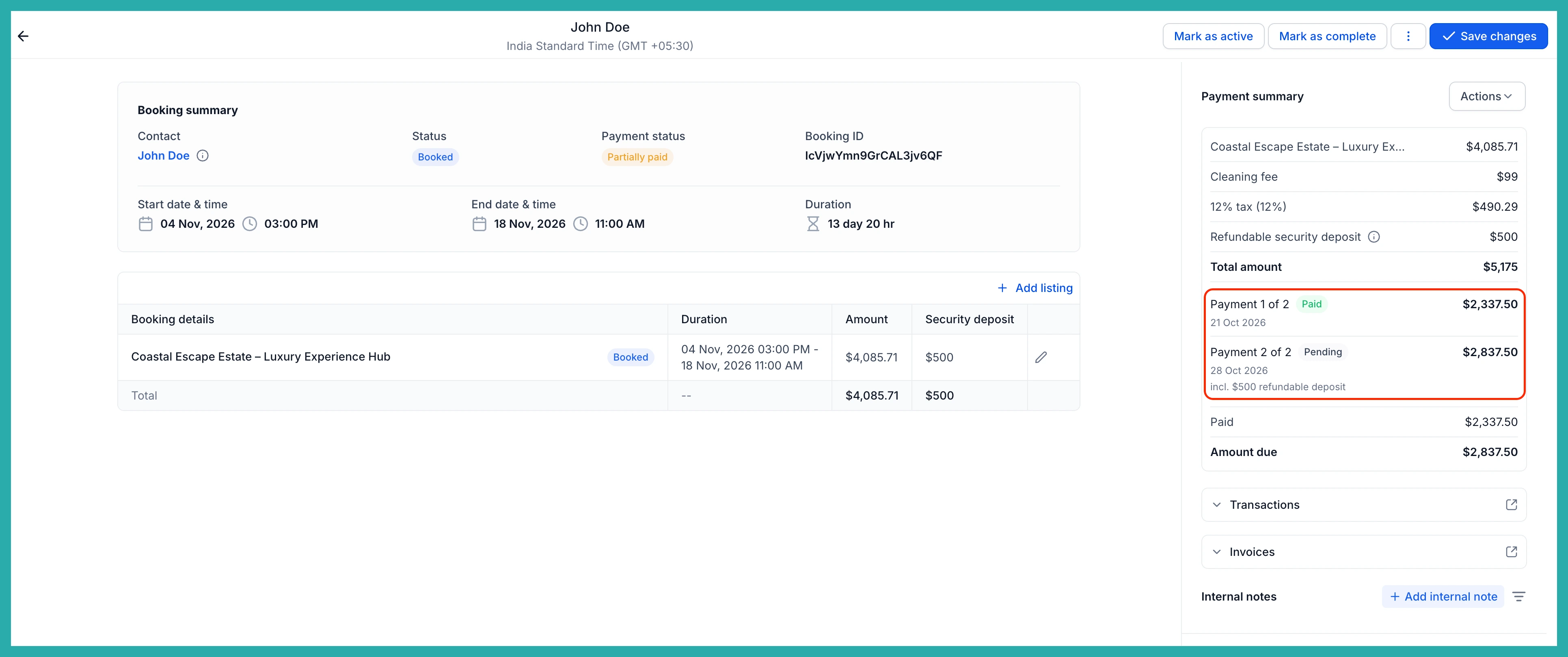
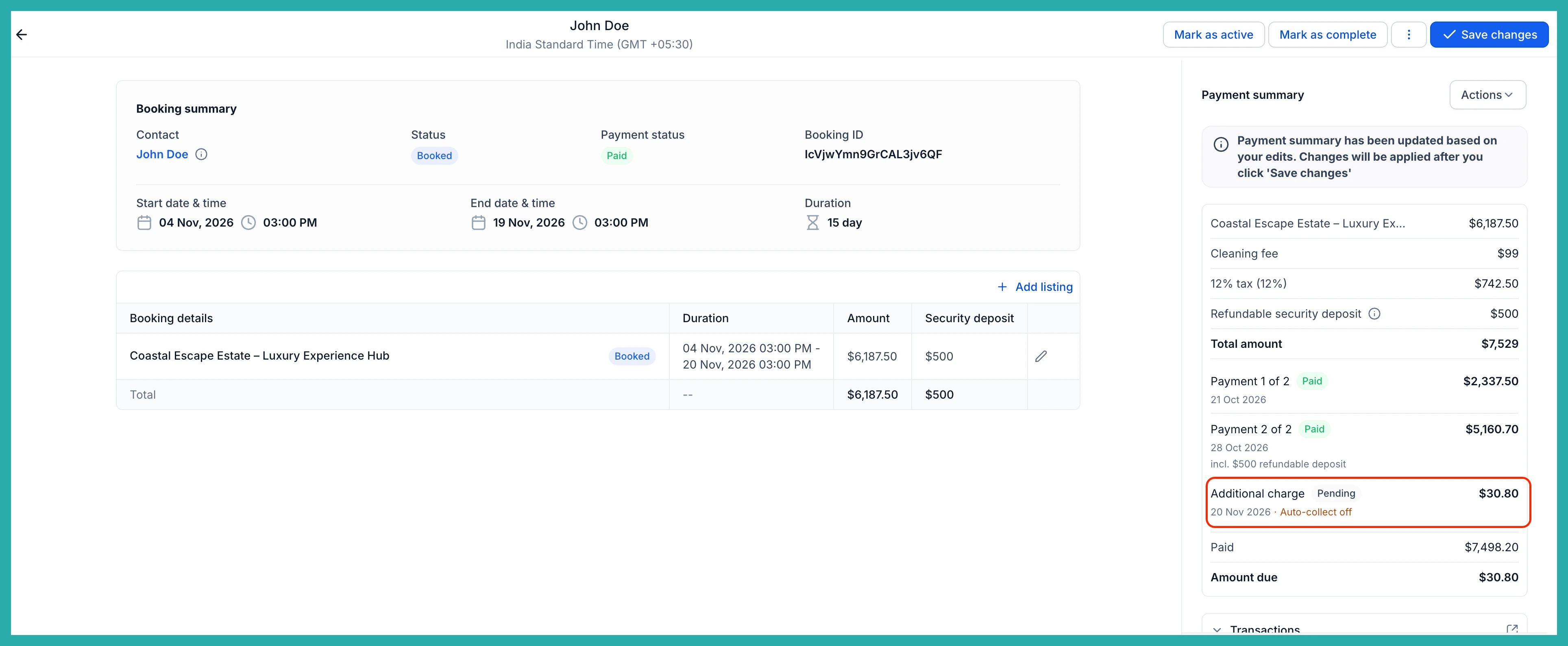
Open any booking and you'll see each payment laid out with its due date, amount, and status - things like Payment 1 of 2 · Paid and Payment 2 of 2 · Pending. One glance tells you where that booking stands.
You stay in control the whole way through. From the booking sidebar, use Actions, then Collect Payment, to take a payment manually at any time. If a booking has no card on file when the balance comes due, you can charge it yourself from here.
It keeps up when things change
Bookings rarely stay still, and the payment schedule adjusts along with them.
- Edit the booking amount and the schedule updates automatically. If the deposit is already paid, the balance absorbs the difference.
- Add an item after a booking is fully paid, and an Additional charge is created for the difference, ready for you to collect manually.
- Change the rental dates and the balance due date moves with the new start date.
A smaller amount upfront makes it far easier for someone to say yes to a bigger rental, and automatic balance collection means less time spent chasing money before the rental begins.
If you rent out anything high-value, go turn this on - it only takes a minute and your next booking can use it.
