
QR Codes for Your Calendars, Services and Rentals - Ready to Use, No Setup
If you've ever wanted to put a QR code on a flyer, a brochure, or a window sign so people can book with you in one tap, this one's for you.
ESC Hub now creates QR codes for your Calendars, Services and Rentals automatically. No building them from scratch, no figuring out where they should point. They're ready and waiting, right inside the product you're already working in.
What landed
Two things, really.
First, you can now make QR codes for a whole new set of destinations: your calendars, your services, your rentals, and the booking pages that go with them.
Second, and this is the part that saves you time, ESC Hub has already built those QR codes for you. Open a calendar, service or rental and the QR code is sitting there, already pointing to the right place. You just download it and use it.
You also get scan tracking, so you can see how often a code is actually being used and when it was last scanned.
The easy way: grab a prebuilt QR code
Most of the time, this is all you'll need.
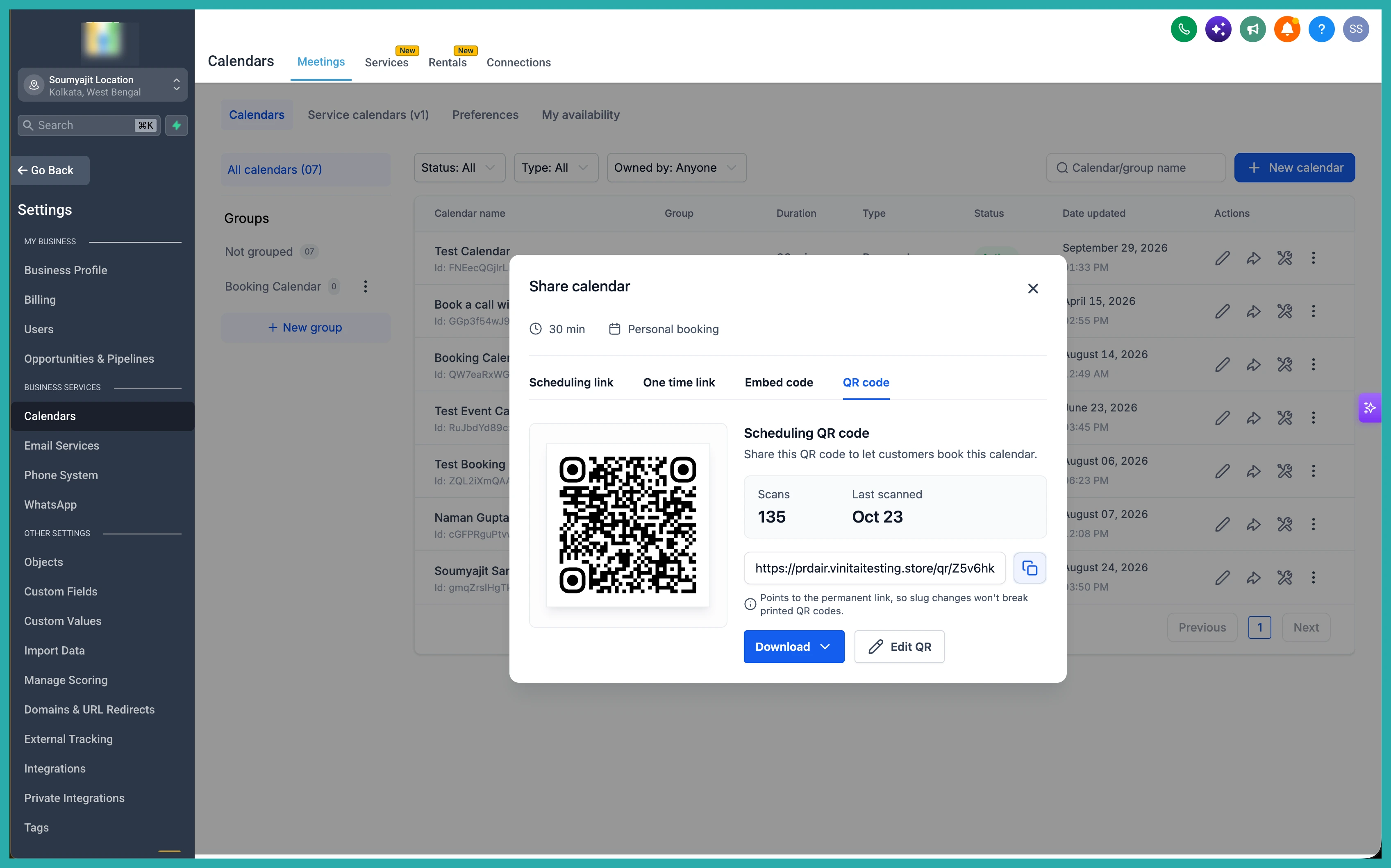
Head into the product you want to share - let's say one of your calendars. In the screenshot below, you'll see the new QR Code option sitting right alongside your calendar.
Open it, and there's your QR code, already mapped to that exact calendar. You didn't have to create anything.
The same goes for your services. Open a service and the prebuilt QR code is right there, pointing customers straight to that service's booking page.
And rentals work the same way. Each rental has its own QR code ready to go.
Check how your QR code is performing
Here's where it gets genuinely useful. Say you've printed a QR code on a flyer or added it to a brochure. You can now see how many times it's been scanned and when it was last used, all from the same screen.
In the screenshot below, you'll see the total scans and the last scanned date displayed right on the touchpoint.
No more wondering whether anyone's actually using the thing. The numbers are right in front of you.
Customise and download, all in one spot
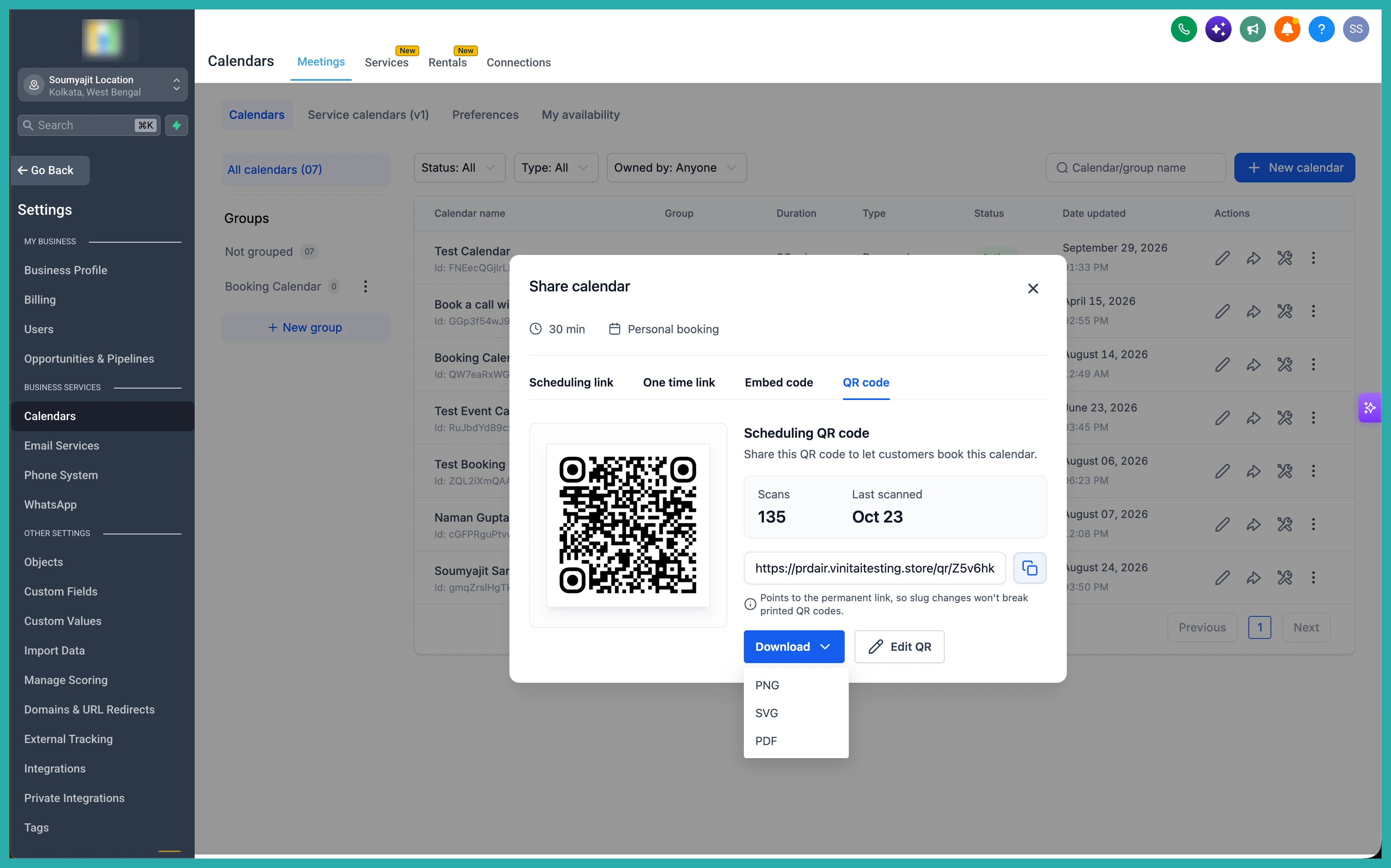
Want to tweak how the QR code looks? You can edit the design without leaving the page.
And when you're happy with it, download it straight away for your print materials, your website, or wherever you need it.
Prefer to build one yourself? You still can
If you'd rather create a QR code the manual way, that option hasn't gone anywhere.
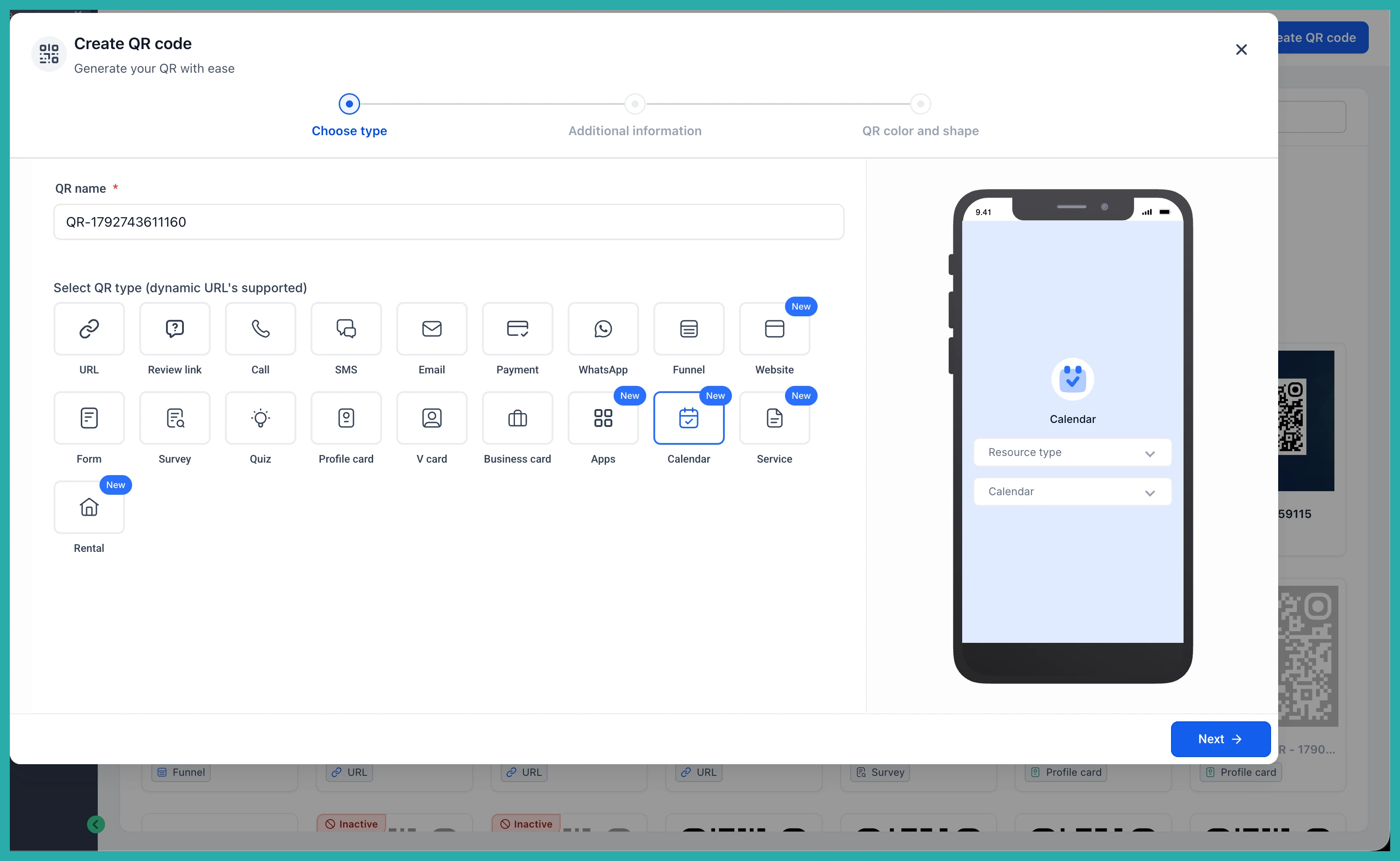
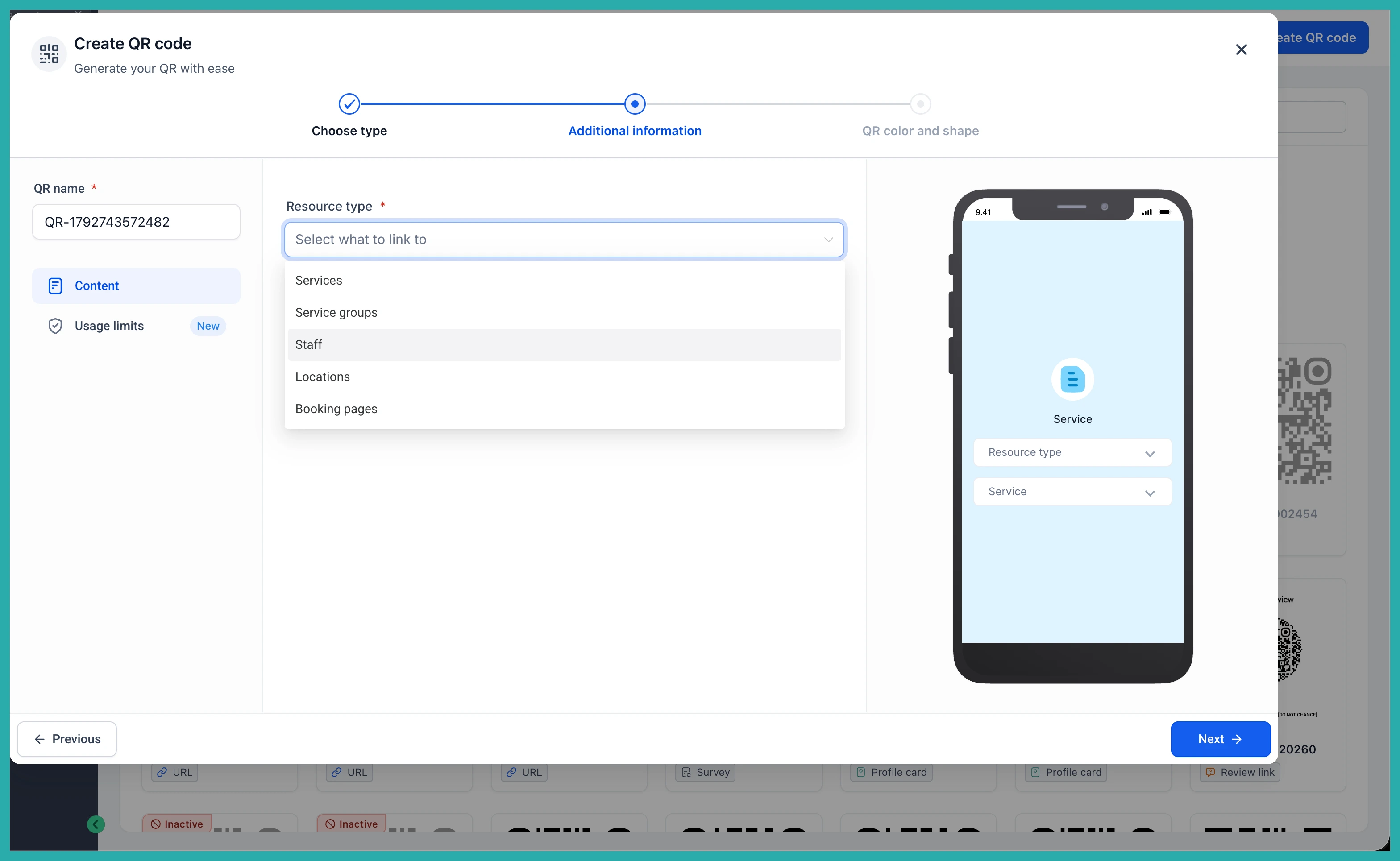
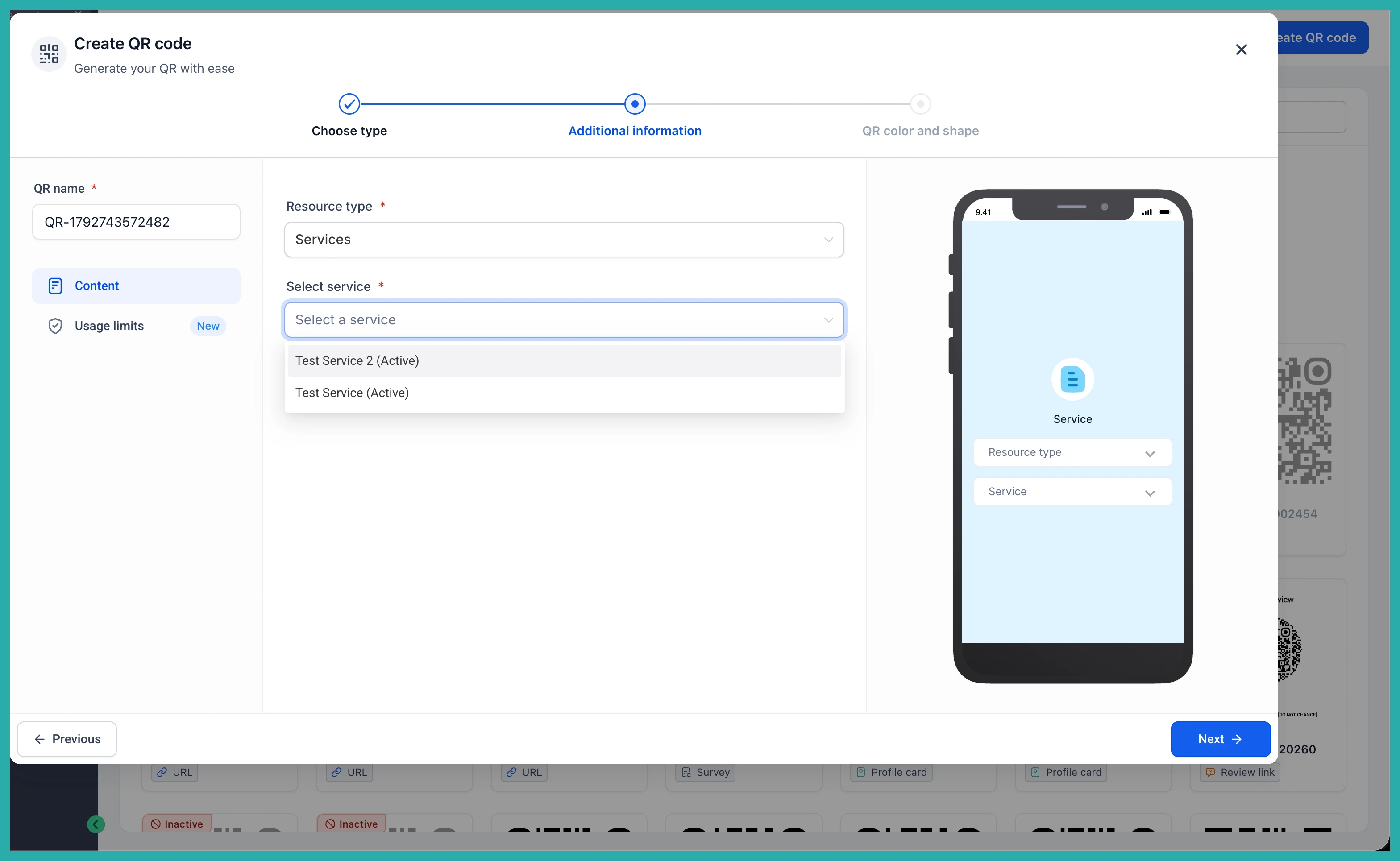
Go to the QR Codes section and start a new code. In the screenshot below, you'll see the new types available - Calendars, Services and Rentals.
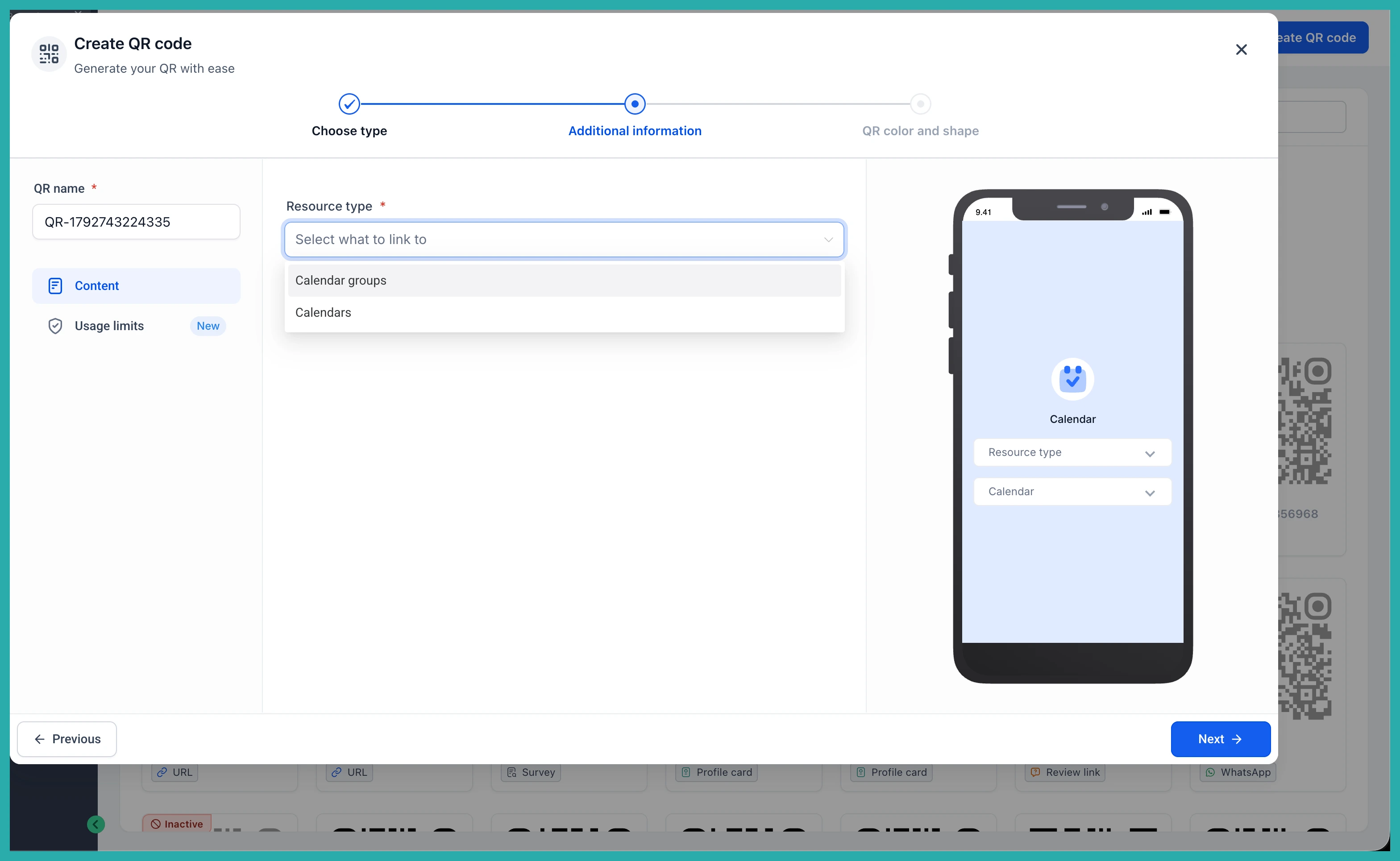
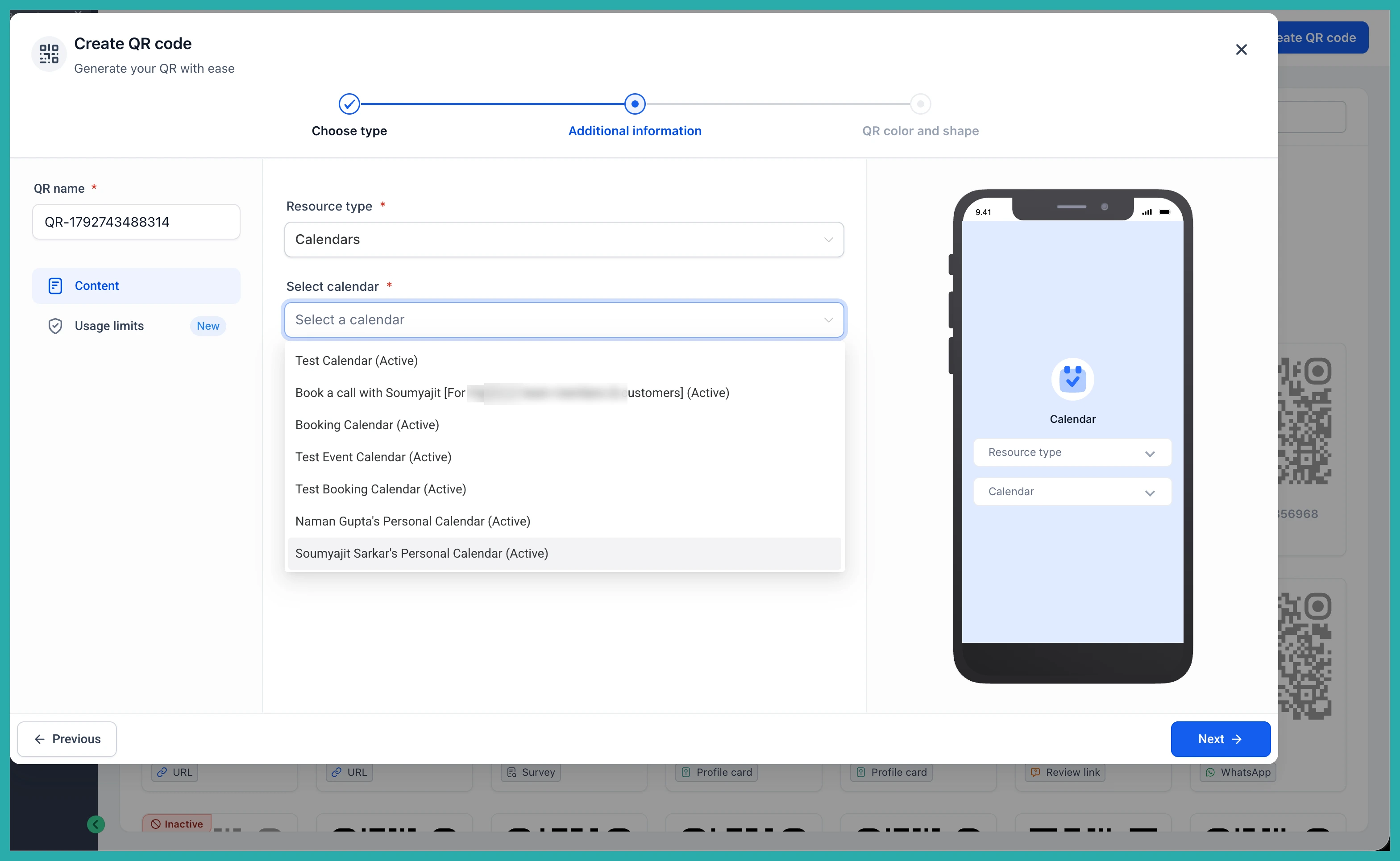
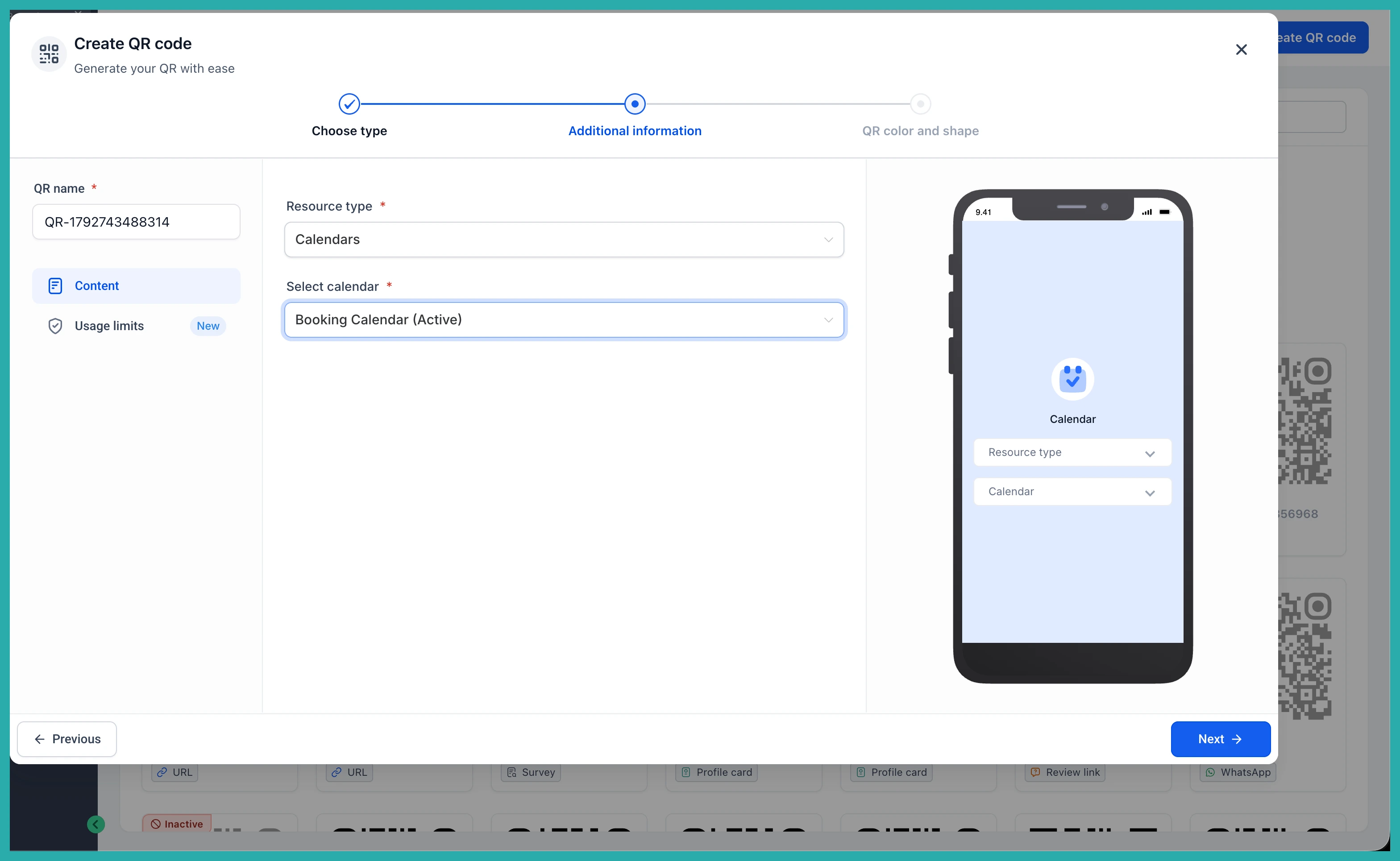
Pick your type, then choose exactly where it should point. That might be a calendar, a calendar group, a service, a staff member, a rental, a booking page, and more.
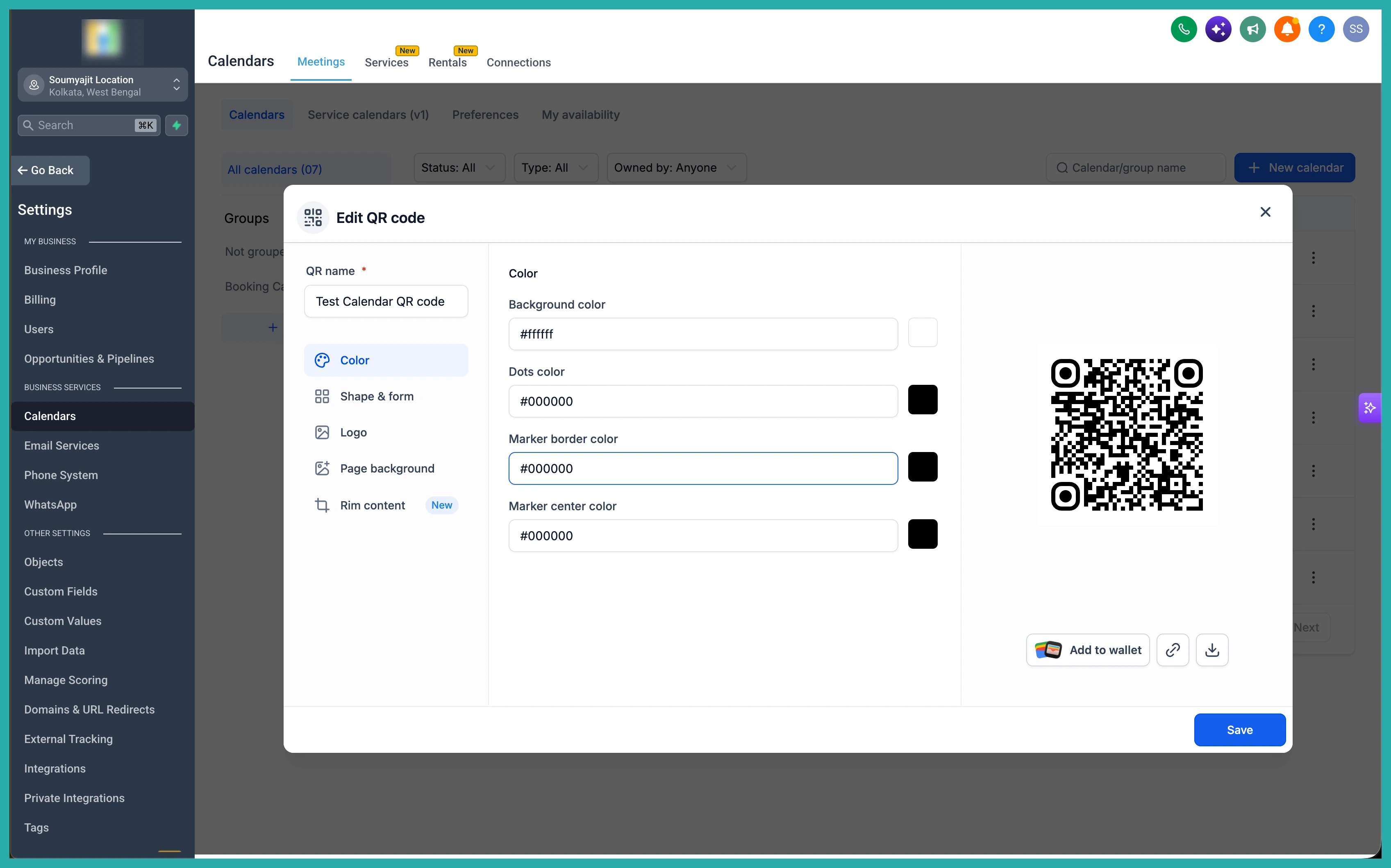
Then generate your code, mapped to whatever destination you chose.
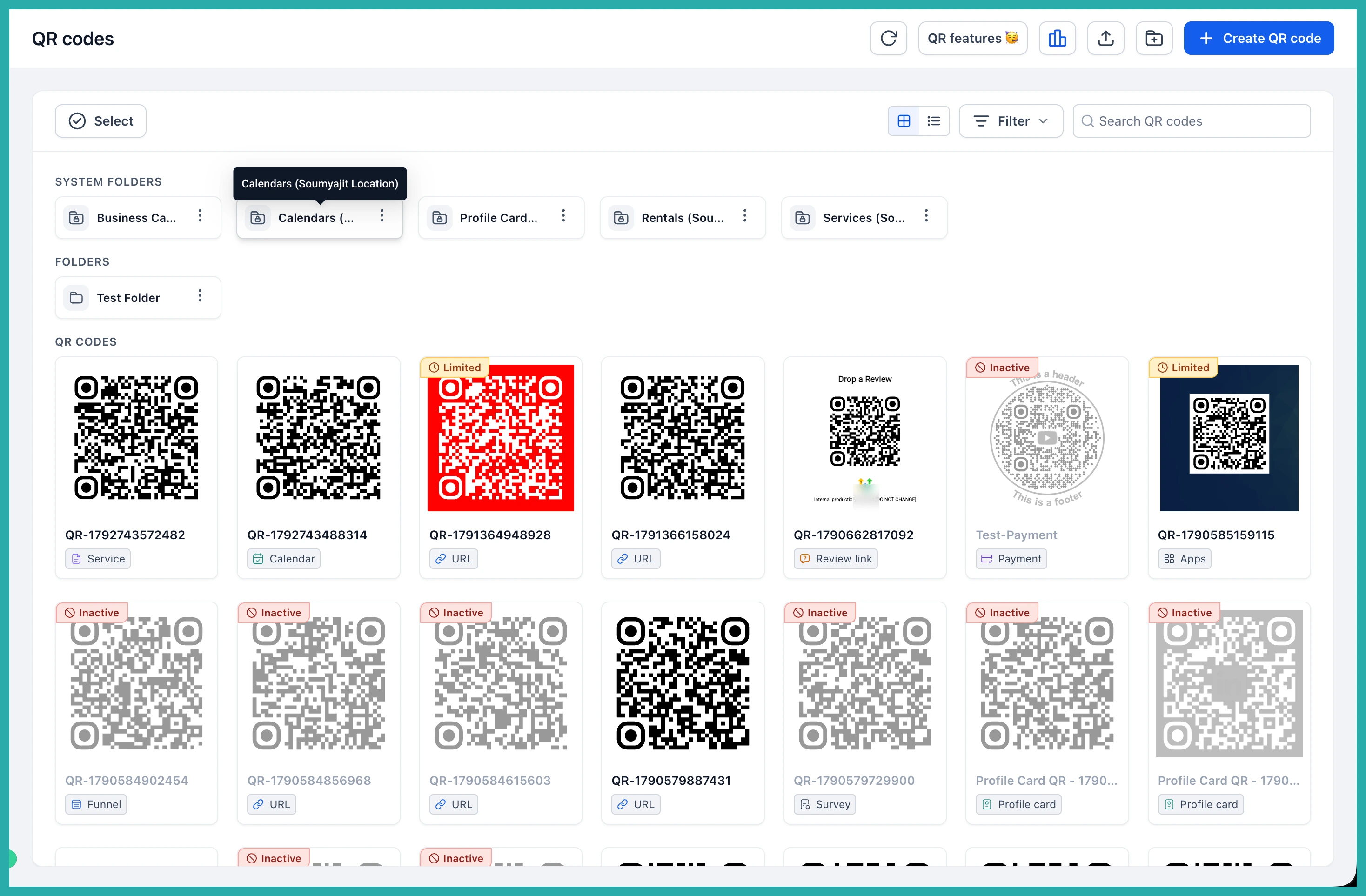
Everything in one list
Whether a QR code was built automatically or by you, it all shows up in the same place. The QR Codes List page gives you one tidy view of the lot.
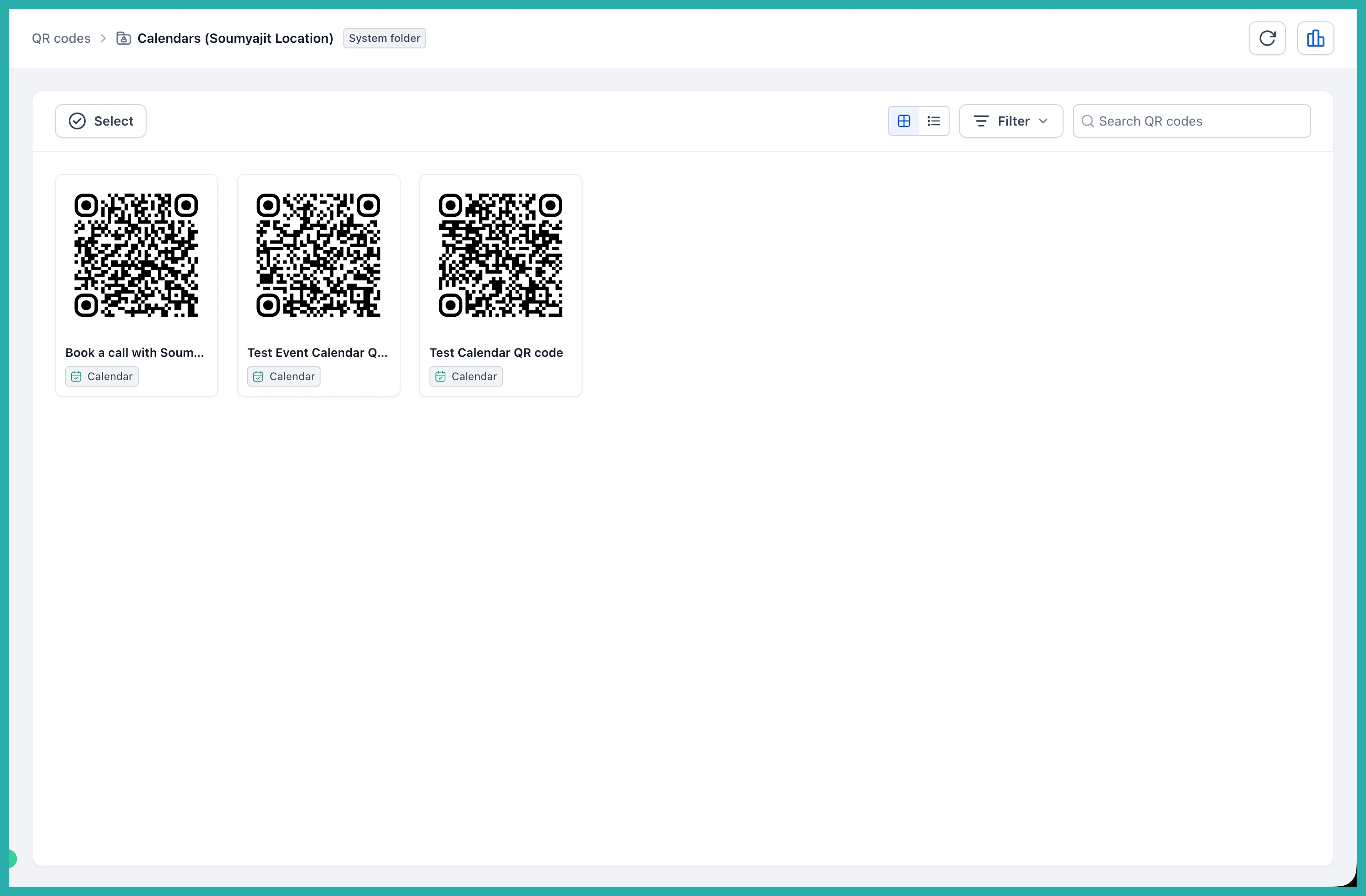
So you can work whichever way suits you - grab a prebuilt code from inside your calendar or service, or manage everything from the central list.
If you've got a calendar or service you're always sharing, go pull its QR code now. It's already made, and it'll take you about a minute to download and use.
