
QR Code Analytics Now Shows You Who's Scanning, On What, and From Where
You print a QR code on a flyer, a sign, a business card, and off it goes into the world. Up to now, all you could tell was how many people scanned it. Useful, but it left you guessing about the rest.
That's changed. Your QR code analytics now show you the devices people scan with, the browsers they use, and where in the world those scans are coming from.
What you can now see
Alongside your usual Total Scans and Unique Scans, you get three new layers of insight.
- Device breakdown - see whether your audience is scanning on mobile, desktop, or something else. If most scans are coming from phones, you know to make your destination page work beautifully on mobile first.
- Browser breakdown - see which browsers people are using, like Chrome or Safari, so you can be confident your pages look right where it counts.
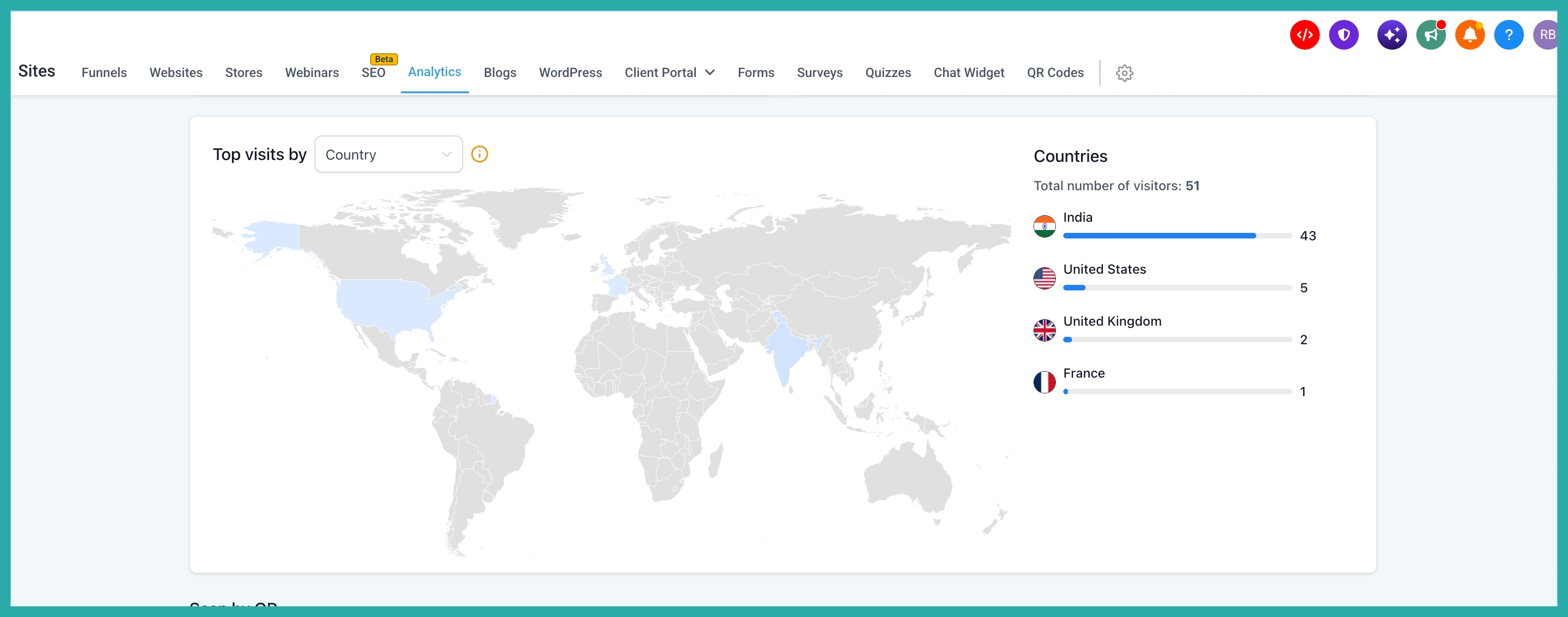
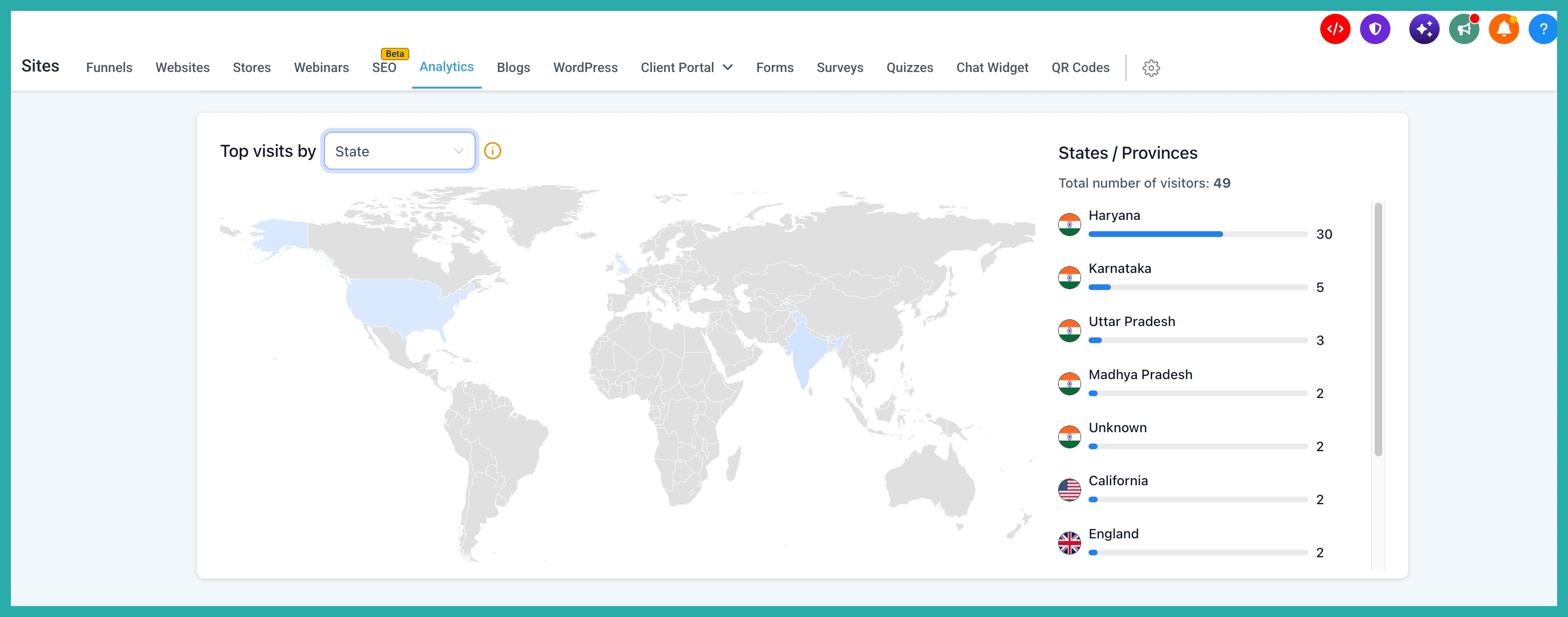
- Geographic insights - and this is the fun one. You can see where scans are happening at country, state, and city level.
That last one is genuinely handy if you run campaigns in different places. You can spot which towns or regions are actually engaging, and put your energy where it's working.
Walking through it
Start in the QR Codes section and open the code you want to look at. In the screenshot below, you'll see your list of codes ready to explore.
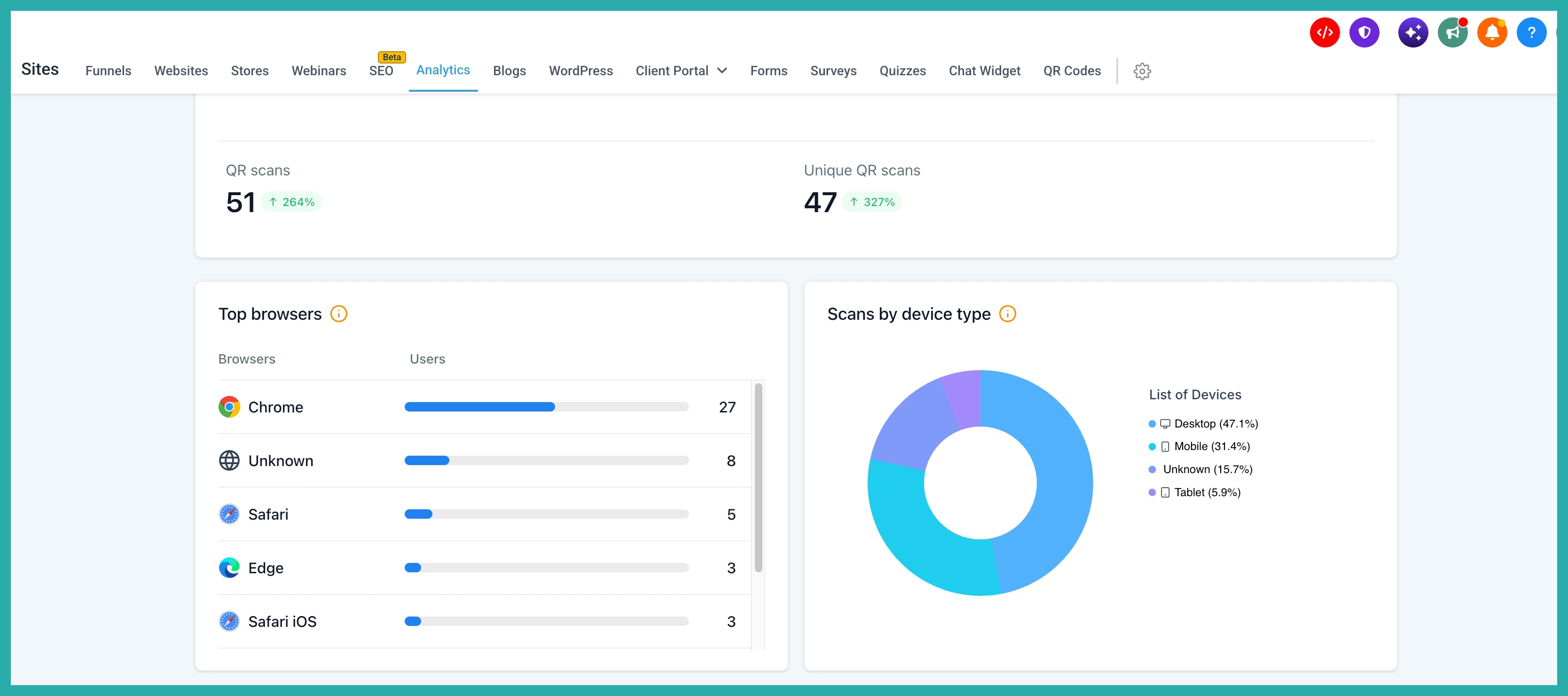
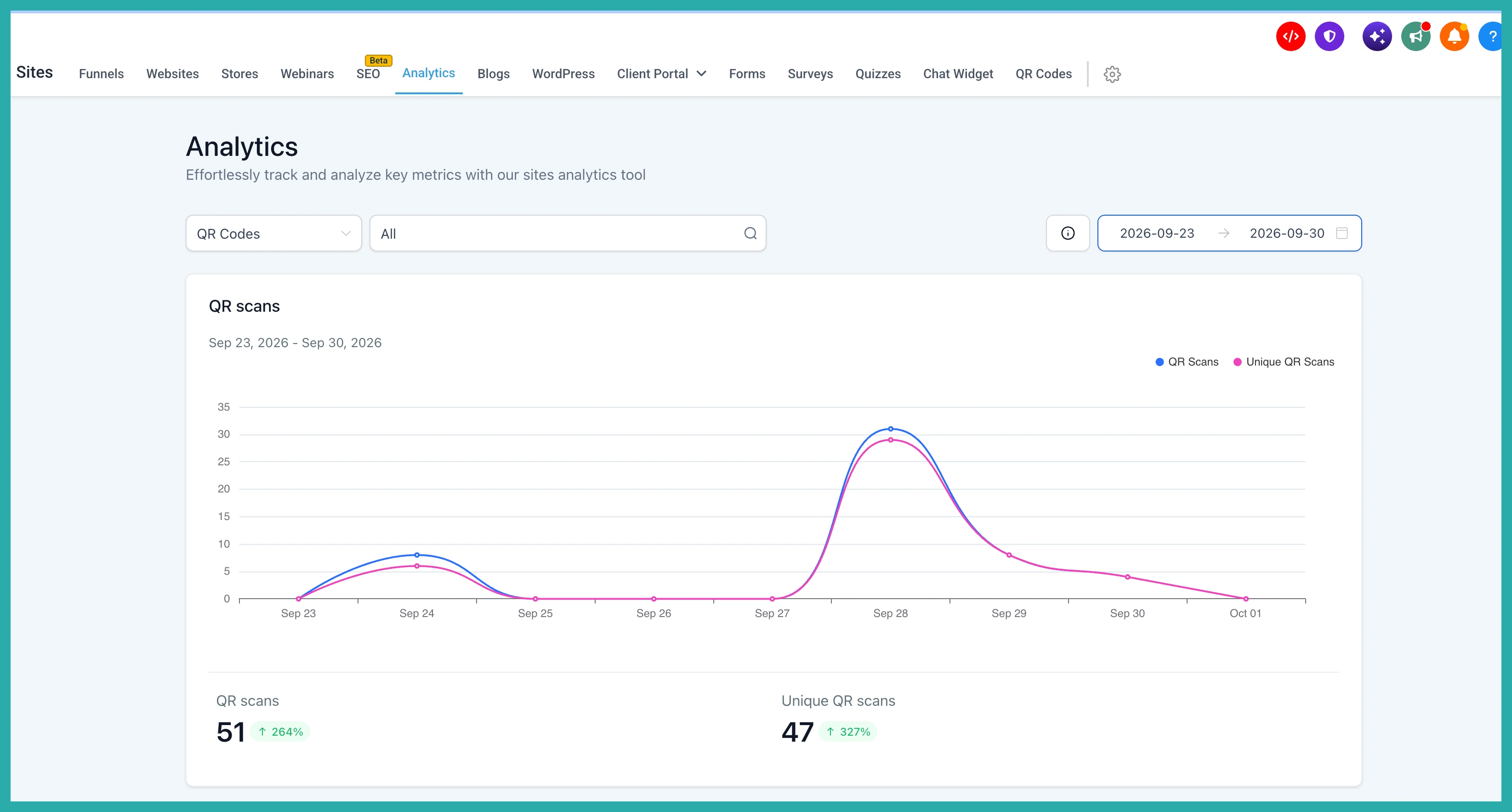
Open the analytics view for that code. Your familiar Total Scans and Unique Scans are still right there at the top, so nothing you relied on before has gone anywhere.
Scroll down to the device breakdown to see what your audience is scanning with.
Next to it, the browser breakdown shows which browsers are doing the most scanning.
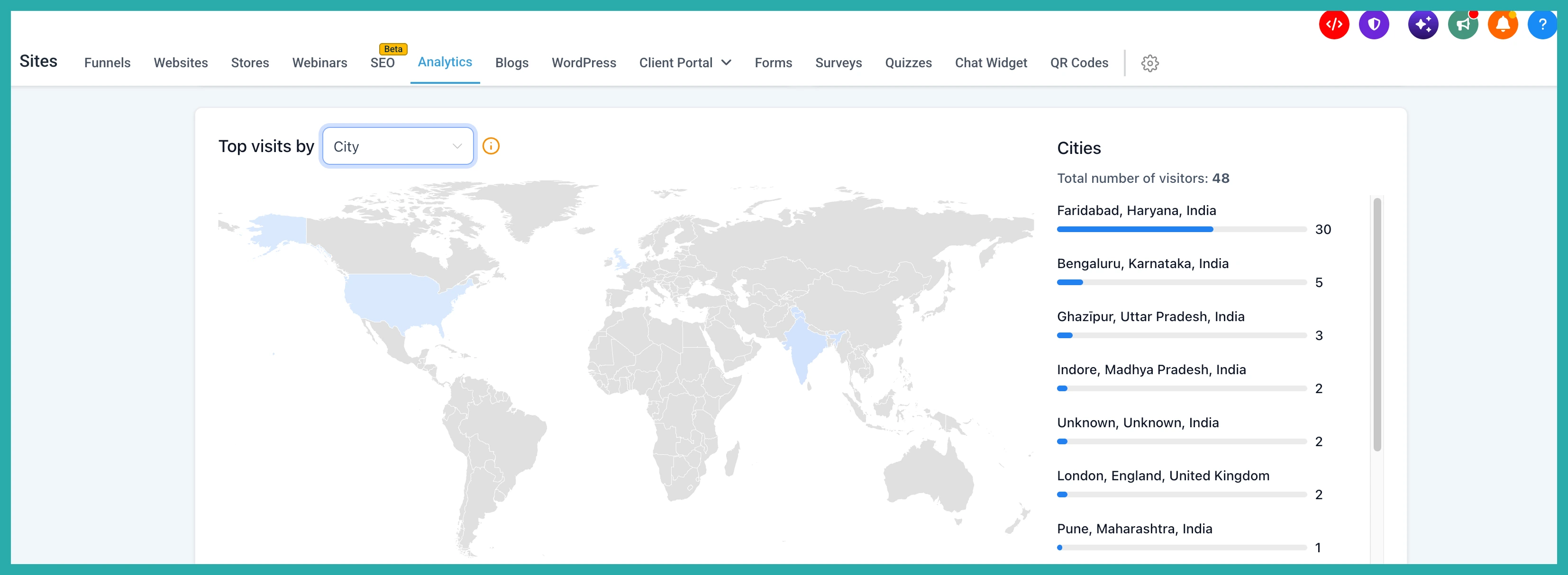
Then the geographic view lets you drill from country, down to state, down to city. In the screenshot below, you can see how the scans spread across different locations.
Your history is already there
Here's the part you'll like. You don't have to start fresh to benefit. These insights go back through your existing scan history to 28 August 2024, so if you've had codes running for a while, you can explore all of it right now.
Go open one of your busiest QR codes and have a look at where your people actually are. It might surprise you, and it'll help you decide what to do next.
